Summary
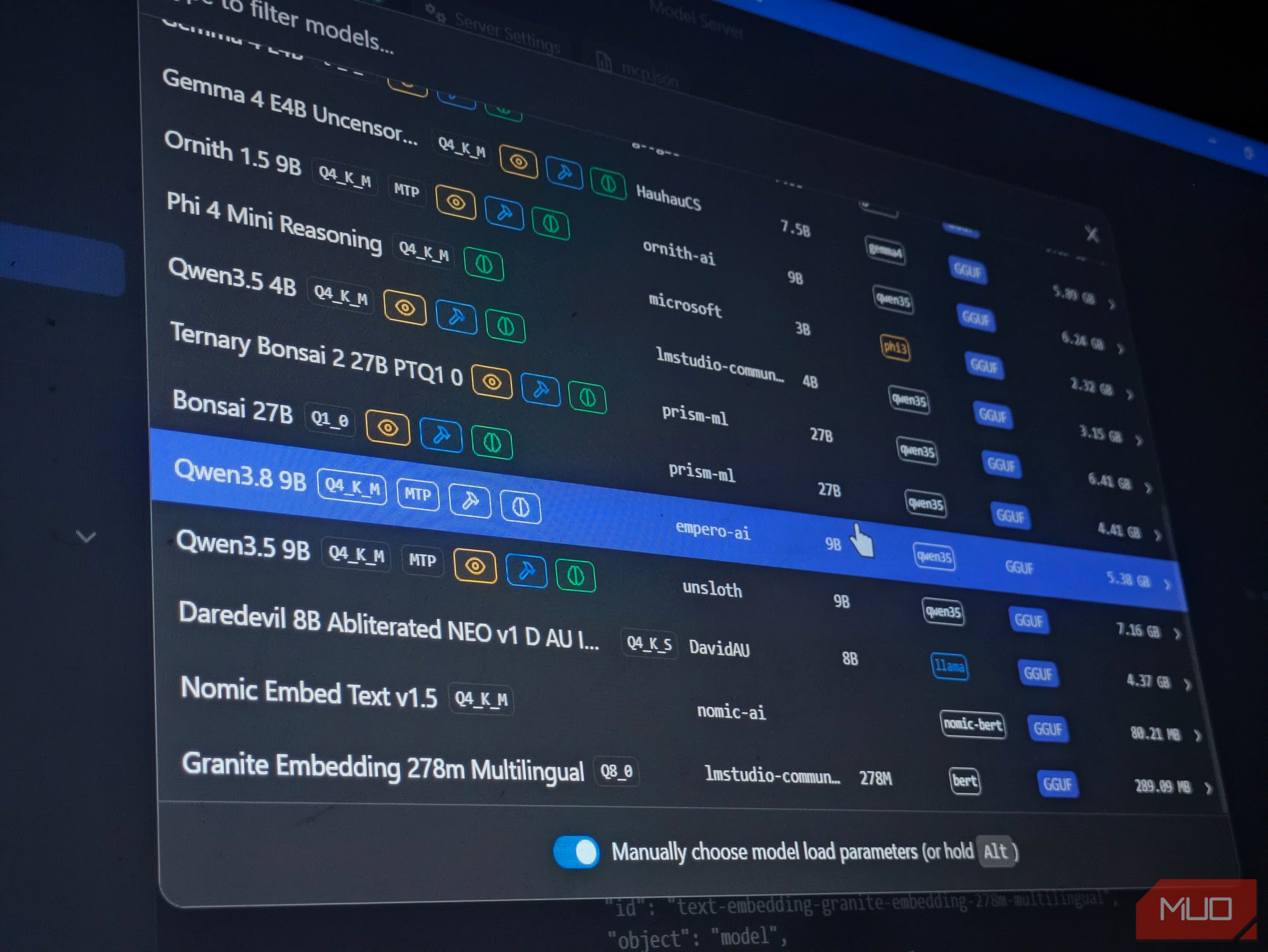
With new small local LLMs shipping every few weeks, I’ve spent more weekends than I’d like to admit testing out models, tweaking resource settings, and figuring out what actually runs well on my trusty 8 GB RTX 3060. Abliterated variants, distillations, and aggressive quantizations have made capable models more accessible on limited hardware, but with so many models coming out, it can be hard to find ones that are worth your time. So, after testing a few dozen models, I narrowed the field down to four small local LLMs worth trying. All are available in LM Studio and Ollama, so you can conveniently download them this weekend without hunting through different model libraries. Qwen3.8-9B-Distill Smarter alternative to Qwen3.5-9B Qwen3.8-9B-Distill by Empero-AI has become my favorite model for running local AI on my desktop PC. It may not be the most exciting 9B model available, but it strikes a good balance between speed, memory use, and general knowledge. It is a fine-tuned version of Qwen3.5-9B, trained using outputs from the much larger Qwen3.8-2.4T A95B model. While it can’t really compare to how Qwen3.8-27B can give Opus-4.6 level results, this much smaller LLM still provides a meaningful improvement over its base model. As stated in its Hugging Face model card, the trade-off is a slight drop in math performance, with GSM8K accuracy falling by about 1.5 percentage points. In exchange, general knowledge improves by about 20 percentage points on MMLU, and it follows structured instructions more reliably. It also supports function calling, reasoning, and even vision by downloading the extra mmproj file, making it especially useful for local AI workflows such as summarizing documents, extracting information, working with tools, and connecting to MCP integrations. I personally use it in my image-classification tool. Yes, it is noticeably slower than a conventional ONNX ML model, but it classifies complex images more accurately because it can reason through ambiguous visual details, return well-structured JSON, and do multiple passes until a decision is made. Overall, I highly recommend Qwen3.8-9B-Distill for people who want a more capable and updated alternative to Qwen3.5-9B. Ornith-1.5-9B Self-improving coding agent Ornith-1.5-9B by DeepReinforce is an LLM purpose-built for agentic coding. It uses Qwen-3.5-9B as its base model and improves on the already popular Ornith-1.0-9B, an LLM that performed well against larger 35B models in some agentic coding tasks. Slightly slower than its younger brother, but does the job much better. What makes this model so good at programming is its self-improvement RL loop. It works through what problems need solving, what a good plan looks like, and whether the problem has actually been solved. Essentially, the model has its own pre-baked harness! Using OpenCode as an extra development harness and its RL loop working well, I have built landing pages and small CLI tools with Ornith-1.5-9B in a single pass. The main limitation is that you will likely be restricted to smaller projects. Because its self-improvement process generates plans, tests solutions, and revises them, it can consume more tokens and context than a regular chat model. That being said, I have not found a more capable 9B model for agentic programming. If coding is your main use case, and you can only run smaller models, Ornith-1.5-9B is worth trying this weekend. Qwythos-9B-v2 Best for uncensored RP and creative writing Qwythos-9B-v2 by Empero AI does not have “uncensored” or “abliterated” in its name, but it is still intentionally uncensored. It uses Qwen3.5-9B as its base model and improves on the original Qwythos, with changes aimed at reducing looping and repeated content. I’ve tried several uncensored models, including DareDevil-8B, NeuralDaredevil-8B, Gemma-4-E4B-Uncensored, and a Heretic uncensored version of Qwen3.8-Distill. Out of those small models, Qwythos-9B-v2 is my favorite for creative work. I particularly like how it handles action scenes and character interactions, which felt more lively than what I usually got from the Gemma models I tested. It is one of the slower models I’ve tested, but getting the settings right made a noticeable difference. On my machine, I managed close to 30 tokens per second with the context window set to around 68K tokens. Responses also started almost instantly in my tests. I did have to drop the KV cache precision to Q5_1 to make room, but I did not notice a drop in writing quality in the conversations I tried. Llama-3.2-3B-Instruct Best for low-powered CPU-only home servers Llama-3.2-3B-Instruct is a reliable choice for low-power local LLM setups. With 3.21B parameters, it offers a practical balance of speed, memory use, and general knowledge for everyday assistant tasks. This is the model I would put on an old PC or a CPU-only mini PC home server that needs to stay on all day. It is optimized for multilingual dialogue, summarization, instruction following, and tool use, which makes it far more capable than its size suggests. Making this model a great fit for people looking to use RAG for their local LLM setups but only has enough hardware to run a small model. I personally use it on my low-powered home server running Project NOMAD to get answers from my local knowledge base of Kiwix content and downloaded forum archives. While it does not match bigger 9B models or even newer 4B models in reasoning and general knowledge, that does not matter much if all you want is an AI to query your knowledge base, summarize the results, and provide an easy-to-read answer. In my personal experience through the months, I found that 3B instruct models are about the cutoff on how small models can be before they hallucinate and become incoherent when following instructions. What matters more is that it starts quickly, sips resources, and is dependable enough to leave running all day, which makes it especially useful on battery power or in other low-power situations. If you need a reliable local assistant for modest always-on hardware, Llama-3.2-3B Instruct is a model you should try out this weekend. Getting these models running on your hardware The best local LLM is not always the largest or newest one available. Often, getting a model to run well comes down to choosing the right build for your hardware and tweaking a few settings. I recommend going with the Q4_K_M build of these models where available. If you need more room for context, try Q8_0 for both the K and V cache to reduce memory use. Where the model and runtime support MTP decoding, try 3 draft tokens and compare speeds with MTP disabled rather than assuming it will be faster. You don’t need to get every setting right on the first try. Start with one model, see how it runs on your hardware, and adjust as you go. Remember, getting the settings right for your hardware is a big part of why the same model runs well for one person and poorly for another.