Summary
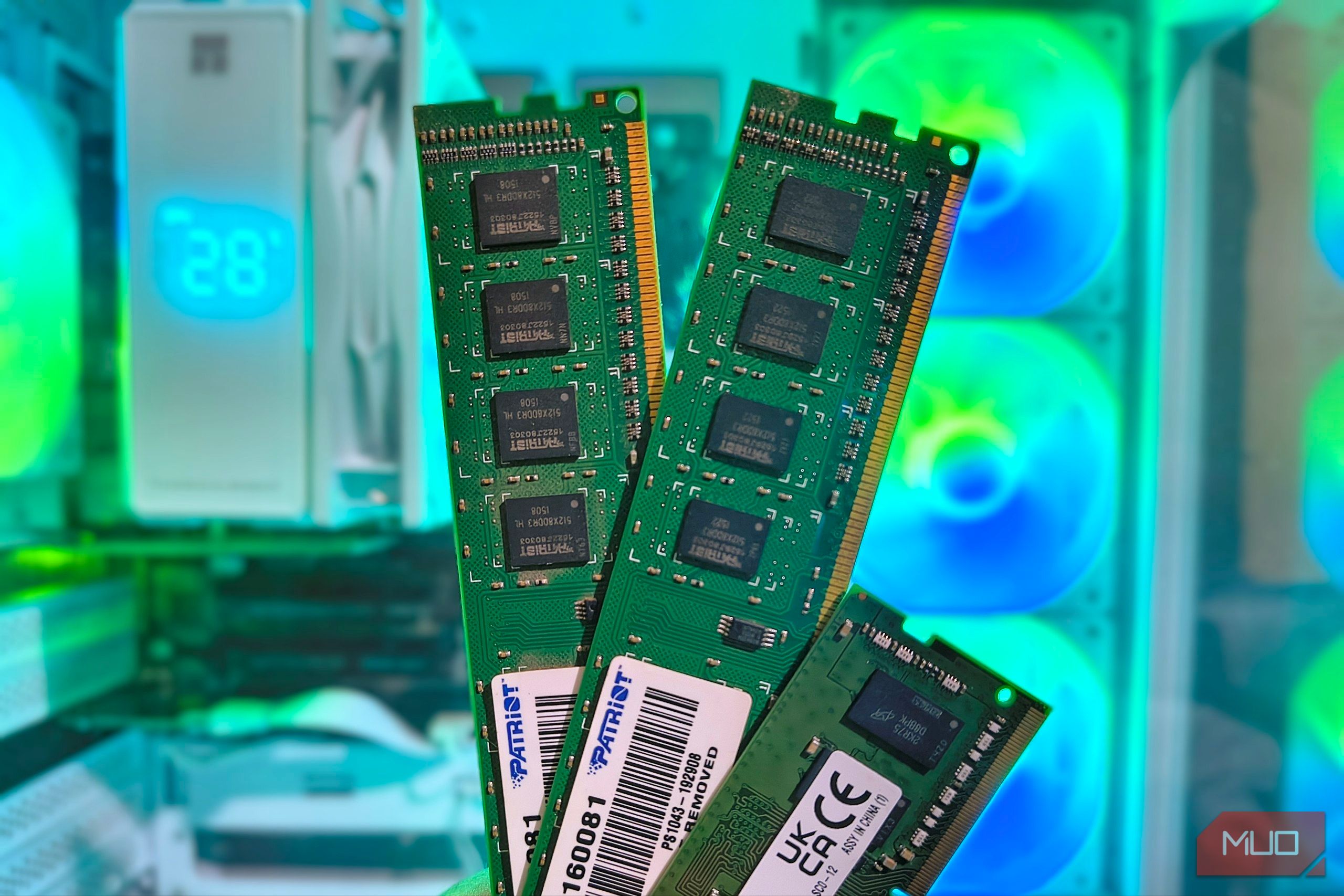
I once bought an entire HP workstation just to get the 16 GB of RAM inside it. I needed unbuffered ECC memory for an Intel board, and the HP had exactly the right sticks I was looking for. That little purchase came to mind again when I started looking for a 32 GB DDR4 kit. Around 240 buys in DDR4 Last week I spent a day wandering around my local e-waste and office equipment recyclers. There, I found a pile of used Dell Optiplex 7040s, small office desktops with 32 GB of DDR4 already installed. At just under 45 below a new TeamGroup RAM kit of the same capacity. Now, the savings weren’t exactly life-changing, but the Dell already came with most of the parts I’d need to build a home PC, including a Core i7, integrated graphics, a motherboard, a case, and a power supply. | Hardware example | Approximate price | What the money bought | | New TeamGroup Elite DDR4-3200 32 GB kit | 195 | 32 GB DDR4, Core i7-6700, integrated graphics, motherboard, case, PSU. | | Used Samsung DDR4-2666 pair | 65 less than buying the entire desktop. Beyond local suppliers, checking online was always an option too. An IT refurbisher could turn up a similar machine, though I’d need to factor in the costs of testing, warranty, and delivery before comparing prices to a new RAM kit. Check the memory sticks before buying the whole PC Three details to check behind one 32 GB listing In the images above, you’ll see all the photographed RAM sticks are labeled 4GB. That’s where the similarities end. The longer Patriot stick is an old DDR3 desktop DIMM (Dual In-line Memory Module). The shorter Kingston is a DDR4 SO-DIMM (Small Outline-DIMM) from an ex-Department of Education laptop I picked up for a mere $50. They both differ in size and generation, and “4 GB RAM” actually doesn’t tell you much about either module. When scoping out potential RAM for my new builds, I tend to place more importance on physical fit, stick count, and memory type. Physical fit I start with the exact model, right down to the letters at the end. Dell’s Optiplex 7050 Small Form Factor (SFF), for example, takes full-size desktop DIMMs. The 7050 Micro, on the other hand, takes laptop-size SO-DIMMs. The point is that both still use DDR4. When shopping for my ex-office desktop, I pay plenty of attention to the last word in the listing because it could rule out the whole machine. Stick count Say my computer has two memory slots with an 8 GB stick in each. A donor with two 16 GB sticks would automatically double my memory. One with four 8 GB sticks would just mean an afternoon with a screwdriver and the same 16 GB I started with. Check the donor PC model carefully and look it up online first. Both hypothetical sellers here could advertise 32 GB of RAM and still be considered completely accurate regardless of stick count. Memory type The HP workstation I mentioned earlier had unbuffered ECC memory that worked on my particular Intel server motherboard. A listing that just says “ECC” could also mean buffered DIMMs, which require a specialized motherboard and processor to support them. If I’m looking at ex-office servers, there’s a high chance the RAM is either unbuffered or buffered ECC. Unbuffered ECC can sometimes work in a motherboard that doesn’t support it (though not mixed with non-ECC RAM), but buffered ECC won’t. If the seller lists only the total capacity, ask how many sticks are installed and request a photo of the module label. It’s also best to check that part number against the specs of the motherboard they’re going to be installed on. I might even leave the RAM right where it is A good head start on a budget build If I happened to have a spare SSD lying around and wanted a small PC under the TV, I’d be pretty tempted to leave the 32 GB in place. That’s because the case, board, power supply, and cooler are already there and are optimized to work together. For a machine I’d use to just browse online and play a few Steam favorites from the couch, I’d be looking at a much shorter shopping list:
- This particular Dell came without a drive, which is quite common for ex-office PCs. I’d throw in one of my spares or buy a cheap SSD online.
The Core i7-6700 isn’t supported by Windows 11, though I wouldn’t let that stop me. I’d also look into a purelyLinux-based gaming PC with CachyOS. For example,Stardew Valleyhas a native Linux version that likely works on integrated graphics. - I’d still be looking to throw in a graphics card. I’d look for a used low-profile Radeon or Quadro with Linux support, then measure it up to make sure it fits. When it comes to ex-office laptops, the decision to keep the machine as is can often just be made for you. I typically exclusively look for laptops with removable RAM, because some models have all their RAM soldered to the motherboard. It’s something to keep an eye on if you’re buying a used laptop solely to use its RAM in another build. When the whole PC is worth buying The parts still on my shopping list When I bought the HP workstation, I knew exactly where its 16 GB of ECC RAM was headed. Regrettably, I disposed of the rest of the PC, which backfired almost immediately when the Intel board that its RAM was destined for suffered a fatal blown voltage regulator module. Fast-forward to today, and I’d be checking used RAM modules first. A compatible pair was available at around 65 in my pocket compared with buying the entire Dell. Where the Dell as an entire PC purchase gets interesting is at the start of a budget build. I could spend around 195, the Dell Optiplex already has the 32 GB installed, along with a processor, motherboard, case, and PSU. If I’ve got the spare SSD and the machine suits my needs, all that’s left is to install an operating system. I bought the HP for its RAM alone, and with RAM prices as high as they have been recently, I’d give retired office PCs another look. If I were building a budget PC at home, though, I’d leave the RAM sticks in it. With a compatible SSD sitting in my parts drawer and Linux on a USB stick, I’d have everything I needed.