Summary
Battery life isn’t something I have to worry about on Pixel phones thanks to high-capacity batteries, convenient magnetic Qi2 wireless charging, and fast wired charging speeds. I’m envious of the faster speeds offered by brands like OnePlus or Motorola, but I always end my day with some phone battery remaining regardless. The question now isn’t how to prolong your phone’s daily battery life — it’s how to extend your battery’s lifespan.
Batteries are consumable components that degrade over time, and if you keep your smartphone long enough, you’ll need to replace its battery. There are tips and tricks to help you keep your battery healthy, but they often require you to change the way you use your phone. For instance, setting an 80% charge limit on your smartphone is a surefire way to extend the battery’s lifespan, but it requires ceding 20% of your daily battery life.
There’s a Pixel setting that can prolong your battery’s health, and you don’t have to change your usage habits to enable it.
There’s a right and wrong way to charge overnight
You don’t want your smartphone to sit at 100% for too long
Charging overnight is a simple way to make sure you wake up to a fully charged smartphone. Plug in your phone, set it on a nightstand, and it’ll be at 100% battery in the morning. The problem is that your phone will finish charging long before you finish sleeping.
Ideally, you want your phone’s battery to remain between 20% and 80% whenever possible. The more time the battery spends at a state of charge above 80% or below 20%, the faster it can degrade. Battery degradation isn’t a perfect science, and it’s impossible to predict. However, we do know that leaving your smartphone plugged in at 100% charge for hours each night is bad for the battery.
Avoiding this common pitfall is trickier than you’d think, and requires planning. Some people charge their phone a few hours before bed to get around needing to charge it overnight. Others charge it in the morning, but both alternatives run the risk of your phone starting the day with a dead battery if you forget to charge it.
There’s a way to enjoy the convenience of overnight charging without all the battery health drawbacks. Google Pixel phones have a feature called Charging Optimization that works in one of two ways. Limit to 80% caps your phone at an 80% state of charge, while Adaptive Charging learns your charging habit and waits to finish charging your phone until closer to when you usually wake up.
Of the two options, I prefer Adaptive Charging. The hard charging limit is arguably better at staving off battery degradation, but it’s not worth the battery life I’d have to give up on a daily basis. Adaptive Charging, on the other hand, works while I’m asleep and costs me nothing to enable.
Your phone can wait to finish charging
When you wake up, your Pixel will be fully charged
Adaptive Charging is built for people that like to leave their Pixel phone plugged in overnight. Without this setting enabled, a Pixel phone connected to power will charge to 100% as quickly as possible. For most new Pixel phones, the charge time required to get from 0% to 100% is under two hours. The Google Pixel 11 Pro XL, in particular, can charge up to 75% in 30 minutes with a 45W charger and a compatible USB-C cable.
In other words, your Pixel phone might finish charging before you finish your first sleep cycle. Adaptive Charging learns your habits, including when you typically plug and unplug your Pixel phone, to sync up your phone’s charging cycle with your sleep. It takes 14 days to analyze your charging habits. After that, your phone knows when you typically disconnect your phone from its charger, and it waits to finish charging until closer to that time.
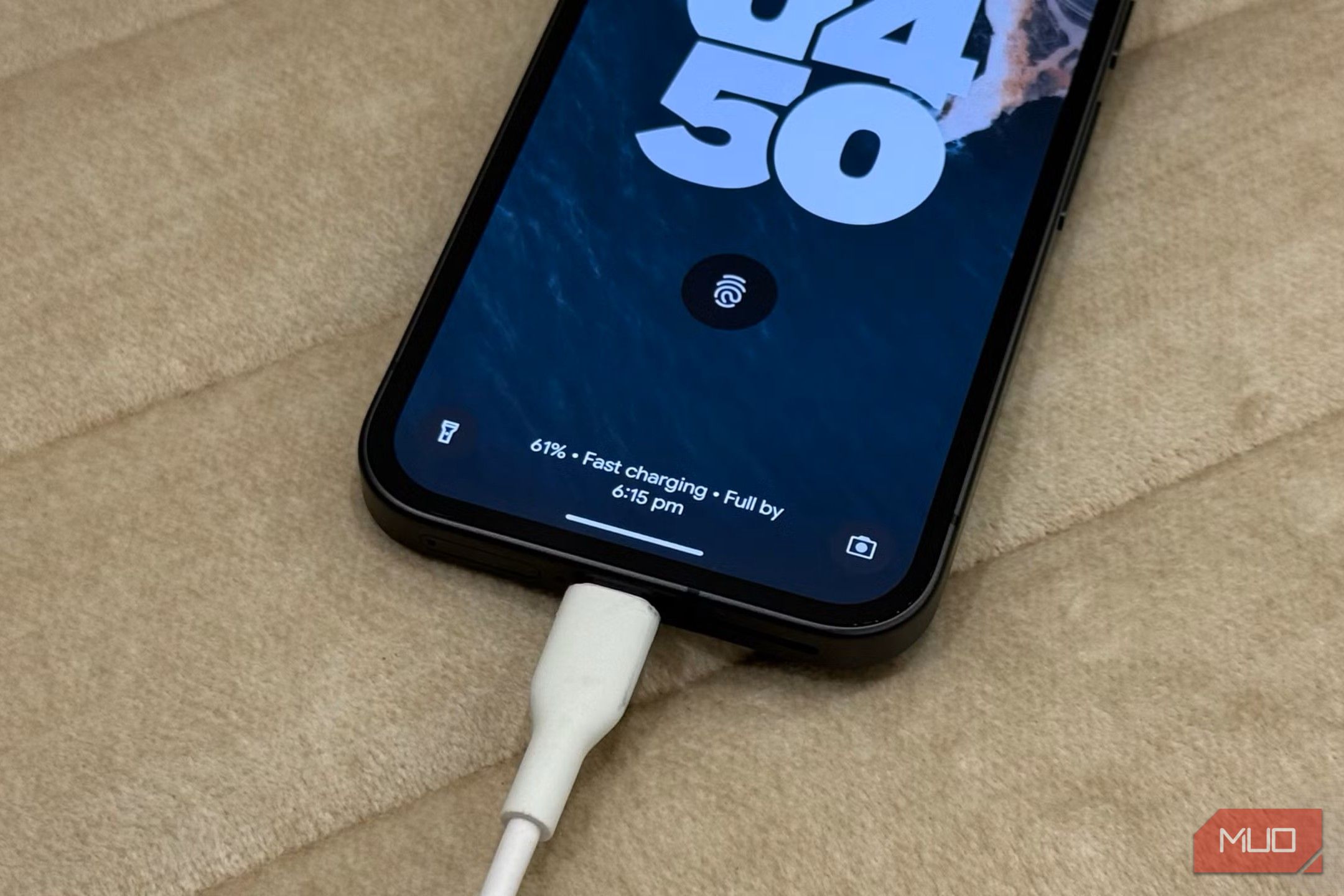
Specifically, Adaptive Charging starts filling your phone’s battery, but waits to reach 100% charge until about an hour before you typically unplug it. If you often wake up at 8 a.m., your Pixel should finish charging at 7 a.m. This ensures your phone isn’t sitting at 100% for hours each night, but also makes sure it’s ready to go when you wake up. When Adaptive Charging is holding off your Pixel’s final charge, you’ll see a notification on the screen displaying the estimated time it’ll finish charging.
Since this charging tool analyzes your charging habits, it knows when your routine is impacted by changes like travel. While you’re on a trip, Adaptive Charging might not turn on. If you need to bypass Adaptive Charging for any reason, you can simply plug and unplug the charging cable. Or, you can turn it off manually on your Pixel’s battery settings page — just remember to turn it back on later.
Adaptive Charging is better than a hard cap
You’ll still be able to use your Pixel battery’s full capacity
I don’t use hard charging caps on my smartphones. Any battery health feature that limits performance or battery life on a daily basis is a non-starter for me. Adaptive Charging on Pixel phones doesn’t do that — it works within your existing schedules to minimize battery stress in the background. That’s why it’s an easy feature to justify turning on, and I enable it on every Pixel that I test.
To start using it for yourself, open the Settings app. Then, navigate to Battery and charging → Charging Optimization and flip the toggle beside Use Charging Optimization on. Finally, tap Adaptive Charging to hold off your phone’s final charge until closer to when you usually wake up.
 Google Pixel 11
- SoC
- Google Tensor G6
- Display
- 6.3-inch Actua display
- RAM
- 12GB
- Storage
- 256 or 512GB
- Battery
- 4985 mAh
- Brand The starter Google Pixel 11 isn’t the flashiest Android phone of the bunch, but it’s the one that resonated with me the most. The slimmer camera bar makes the Pixel 11 feel modern and sleek, and it’s powered by the same Tensor G6 processor as the rest of the series. For $900, this is a solid Android flagship.