Summary
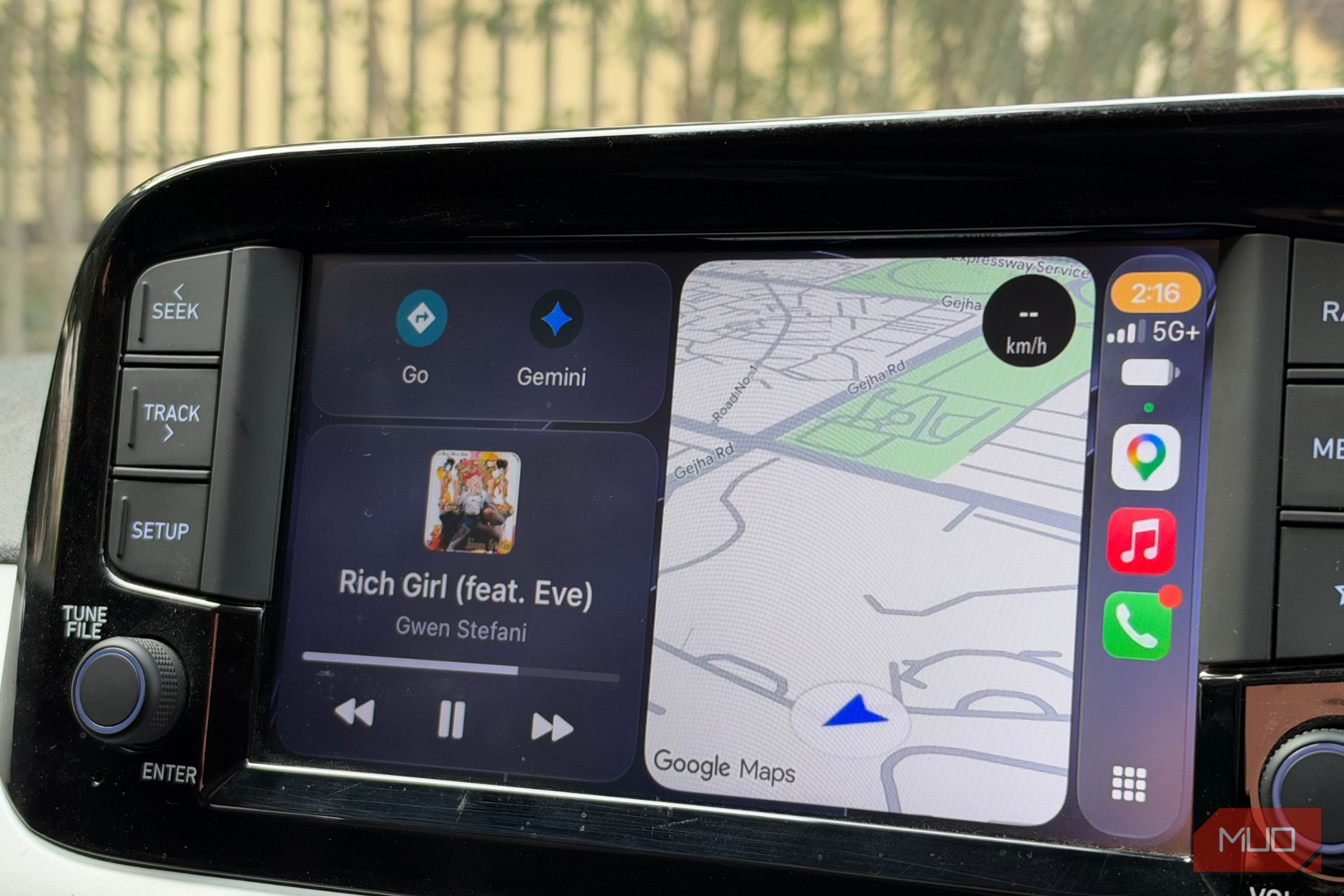
I’ve used CarPlay with my iPhone for years, and while Apple Maps has come a long way, I still choose Google Maps every time. It’s familiar, reliable, and has pretty much everything I need when I’m driving, from turn-by-turn directions and live traffic updates to incident reporting, offline maps, and all my saved places. But Google recently added an Ask Gemini button to Google Maps on CarPlay, and after trying it out, I think it might be one of my favorite additions in a long time. It’s changed how I interact with Google Maps while driving, and I’m surprised by how useful it has turned out to be. Google Maps is getting chatty And I’m not complaining Now, this isn’t an entirely new feature. Google Maps already offers something similar on the iPhone through Ask Maps, but bringing it to CarPlay makes it a lot more useful, especially when I’m driving. Instead of just telling me how to get somewhere, I can now have a proper conversation with Google Maps, ask more specific questions, and get recommendations based on what I actually need. For example, let’s say I’m heading out to get some work done and want to find a café with a reliable Wi-Fi connection. Normally, I’d search for cafés nearby, open a few listings, scroll through reviews, and hope I find somewhere suitable. With Gemini, I can explain what I’m looking for and let it narrow down the options. I can even ask follow-up questions without starting my search all over again. And there’s another feature that makes these recommendations even more helpful. It’s called Know before you go, and it gives you three quick highlights about a place based on what people have shared in their reviews. So, instead of scrolling through dozens of reviews to figure out whether a café is worth visiting, I can get a good idea of what to expect before I decide. However, there’s a small catch. This feature is currently available only in the Google Maps app on your smartphone, so you’ll still need to reach for your phone to check these highlights. That’s what I find most interesting about Ask Gemini coming to CarPlay. It takes something I could already do on my iPhone and makes it much more convenient to use from my car’s dashboard. I don’t always know the exact place I want to visit, and sometimes I just know what I’m in the mood for or what I need. Being able to describe that naturally, rather than figuring out the right search terms, makes Google Maps feel a lot more like an assistant than just another navigation app. A clever copilot with slow reflexes Great at directions, not so great at responding Of course, Gemini doesn’t replace Siri on CarPlay, since it only works within Google Maps. But that hasn’t stopped me from putting it to good use. For instance, I recently had to drive somewhere that would normally take about two hours. I asked Gemini to find the quickest way there, and it suggested a route that got me there in just an hour and 38 minutes. That’s a pretty nice difference, especially when you’re spending so much time behind the wheel. What I like even more is how easy it makes it to change plans midway through a drive. If I’m not happy with a route or suddenly want to stop for coffee, I can tell Gemini what I want, and it helps me adjust the trip. Being able to do all of that through conversation is much more convenient, and more importantly, it lets me keep my attention on the road. But as much as I’ve enjoyed using Gemini on CarPlay, one thing still bothers me — it’s surprisingly slow to respond. At first, I thought my iPhone’s network connection was to blame, so I tried it in areas with much better reception. Unfortunately, that didn’t make much of a difference. I’ve tried asking questions in different ways, keeping them short and simple, and even using it with a strong connection, but there’s still a noticeable delay before Gemini responds. In my experience, that wait can sometimes stretch to around 10–12 seconds, which feels like an eternity when you’re expecting a quick answer while driving. It doesn’t ruin the experience for me, and I still use Gemini almost every day. But when I need to make a quick decision or change my route on the go, those extra seconds can get frustrating. I love the convenience of being able to talk to Google Maps, but I really wish it responded a little faster. A few bumps, but I’m sold For me, the biggest difference is that Google Maps no longer feels like something I have to constantly interact with to get things done. I can focus on driving, ask for what I need, and let Gemini handle the rest. Sure, there’s room for improvement, especially with response times, but I can see myself using this a lot more as Google continues to improve it. It’s one of those features I didn’t think I needed until I started using it, and now that I’ve gotten used to having it on my dashboard, going back to the old way of using Google Maps feels like an unnecessary hassle.