Summary
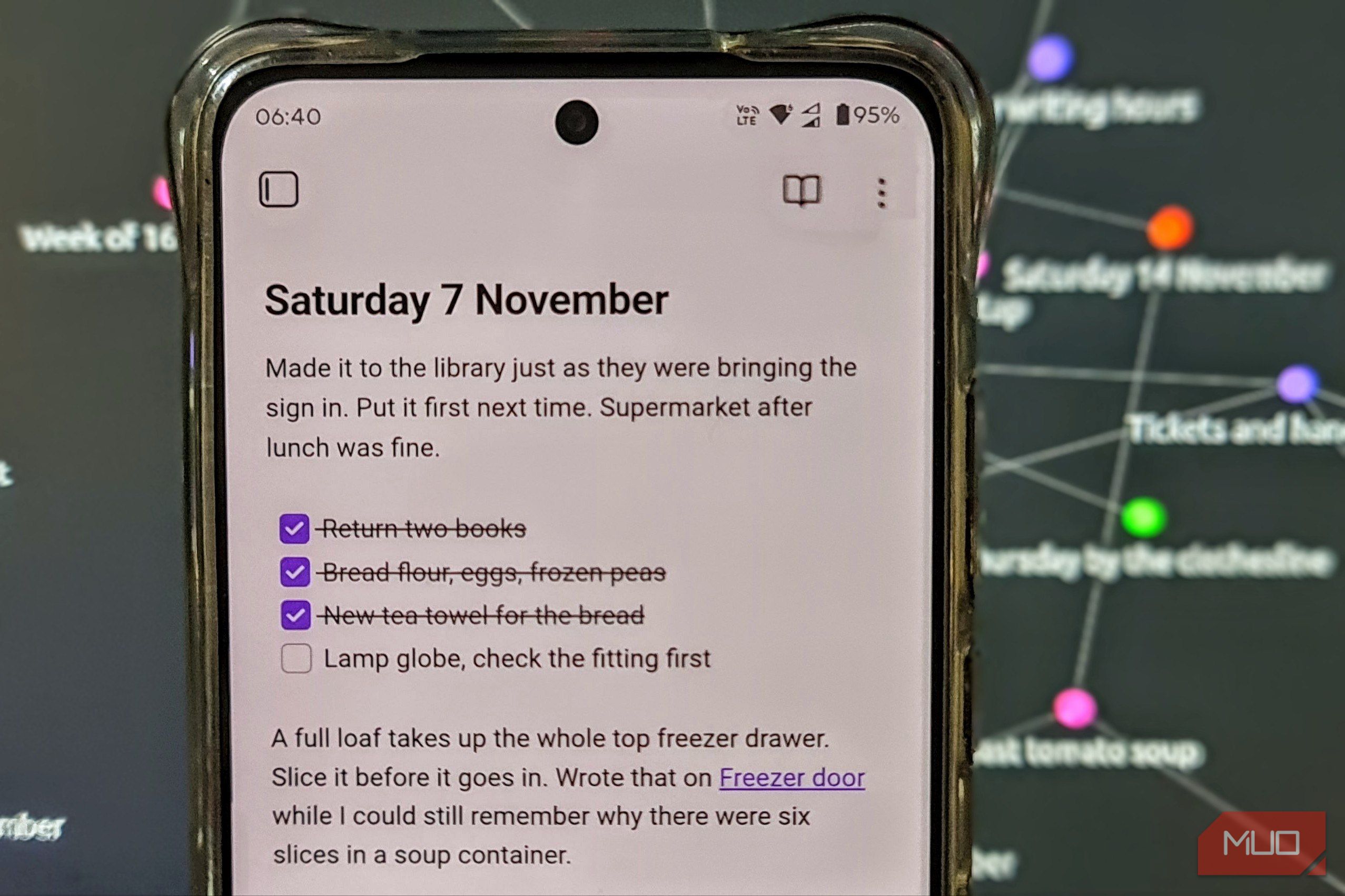
A few weeks ago, my beloved Samsung Note 20 Ultra was cut off because it was no longer compatible with Australian emergency mobile networks. This meant a hasty trip to the nearest tech store to purchase a Motorola Android phone to replace it. It was only meant to tide me over, but when I went to put together my usual Saturday shopping list, I realized just how much I loved Samsung Notes. I’d already been using Obsidian on my PC for ages to keep track of half-formed characters and plot holes for my science fiction writing. It’s a note-taking app that saves each note as a plain-text Markdown file and lets me link related notes together. It took switching phones for me to ask a really obvious question. Why was I leaving such a brilliant note-taking app at home? I wanted my Saturday list back With typed errands with room for a scribble Since I live in the middle of nowhere, I only get into the city where all the shops are once a week. So, if I forget something on Saturday, it means doing without it until next weekend. Samsung Notes suited the way I planned those trips just fine. I could quickly type out the addresses of businesses I needed to visit rather than rely on memory, then pull out the S Pen and quickly scrawl down something like a closing time for reference. On the Motorola, I installed Obsidian and then gave it the very important task of remembering my weekly shopping list. I opened my Saturday list, added “Cat food for Paws” under Supermarket, and gave it a checkbox. I even popped in a few exclamation marks, something that my cat Paws would likely consider justified. Just as with Samsung Notes, I could bring up the list, tack on something I’d forgotten, and then tick it off at the shop. Apart from syncing between devices, that just about covered what I’d missed most about Samsung Notes. Linux Mint sold me on Obsidian Sync Cross-platform shopping lists and visualized notes I’ve had Obsidian installed and in use on my Windows PC for a while, but the machine I really wanted my phone notes on was my Linux Mint laptop. Samsung Notes doesn’t really have any viable installation options for its apps on Linux. That meant I’d never have been able to just sit down and pick up where I left off on the Galaxy. Getting Obsidian running on Linux Mint only took two commands, one to install the Flatpak, and one to launch it: flatpak install flathub md.obsidian.Obsidian flatpak run md.obsidian.Obsidian Obsidian itself is free, but I paid $5 a month for the Sync plan so I could use the same vault, which is essentially a folder of notes, across all my devices. I expected the syncing functionality to work like Samsung Notes, where I would log in to my account and see the notes in the app. However, I was first required to set up a remote vault and then connect to Obsidian Sync to view my content. Once this was completed, and I opened my most recent Saturday shopping list, everything appeared exactly as I’d left it on the Motorola. The red exclamation marks, the unticked box, even the paw emojis were all there. Now, I could put my phone down, sit at my Linux laptop, and carry on with the note I’d just edited. That settled it. Obsidian could handle my shopping list and my cat wasn’t going to miss out on his food. But a list of groceries only really needs a note-taking app. Google Keep could handle that. What I really wanted to try was linking notes from my phone and PC together, and that meant diving into my writing notes. I started linking my writing notes together Characters, research, and loose ends in one scene My hobby sci-fi book series is something I’ve been working on for close to a decade now. The plot spans four books, and quite often newer chapters reference characters from two books ago. I want the software that helps me write my book to also be on my phone. This is because by the time I get home, I’ll remember I had an idea, but completely forget all the relevant context of it. Take the ferry scene I’ve shown in the screenshots above. The character Kit slides a pink ferry ticket under the glass at Nell’s window. She’s also got a pad of cream dockets on her side of the counter. In my head, I knew which one had a carbon copy. Then, halfway through the scene, my memory failed me as it often does. Thankfully, I’d linked the scene to my research notes. Looking up just the ticket itself was the first of three ways Obsidian’s linking functionality came in handy:
- I can check a detail mid-sentence by previewing the note Tickets and Handwriting over the draft. Only the cream docket has the carbon copy. I had my answer immediately, and could carry on writing.
- I can see what a revision would actually affect by opening research notes and their backlinks. In this case, I read the line in one of the scenes that I’d deliberately written to remind myself to check the ink.
I can use Obsidian’s Graph Viewsto visually map my notes and ideas, and link between them. This is particularly handy when jotting down ideas on my phone and linking them up later. While editing on Windows or Linux, hold Ctrl and hover over an internal link to preview the linked note without losing your place. I still miss my S Pen The case for keeping Obsidian on my phone If I’m honest, it was the integration of the S Pen in Samsung Notes that made it so useful. I miss scribbling a quick “next to K-Mart” with my S Pen, or drawing out a quick map while it was fresh in my mind. Samsung Notes really did handle my Saturday shopping lists beautifully, and five dollars a month is a pretty hard sell for a glorified grocery list. Unfortunately, unlike the Razr Fold, my cheap Motorola did not come with a stylus. What eventually sold me was a burning desire to know who had painted some local grain silos. I came across the gorgeous artwork, briefly took a photo from the car, and threw it in Obsidian with a note, “Remember to find out who does these silo paintings!” Then I promptly forgot about it as I tend to do. It wasn’t until I loaded up Obsidian on Linux Mint and found the note had been synced that I finally remembered to look up the artist. Now, that’s a fairly mundane use of the app, but I could see just how much this would help with work and hobbies alike. And that’s exactly what I needed in a Samsung Notes replacement for my writing notes. Next time a line of dialogue comes to me halfway through lining up to buy milk on a Saturday, I know which app I’ll open.