Summary
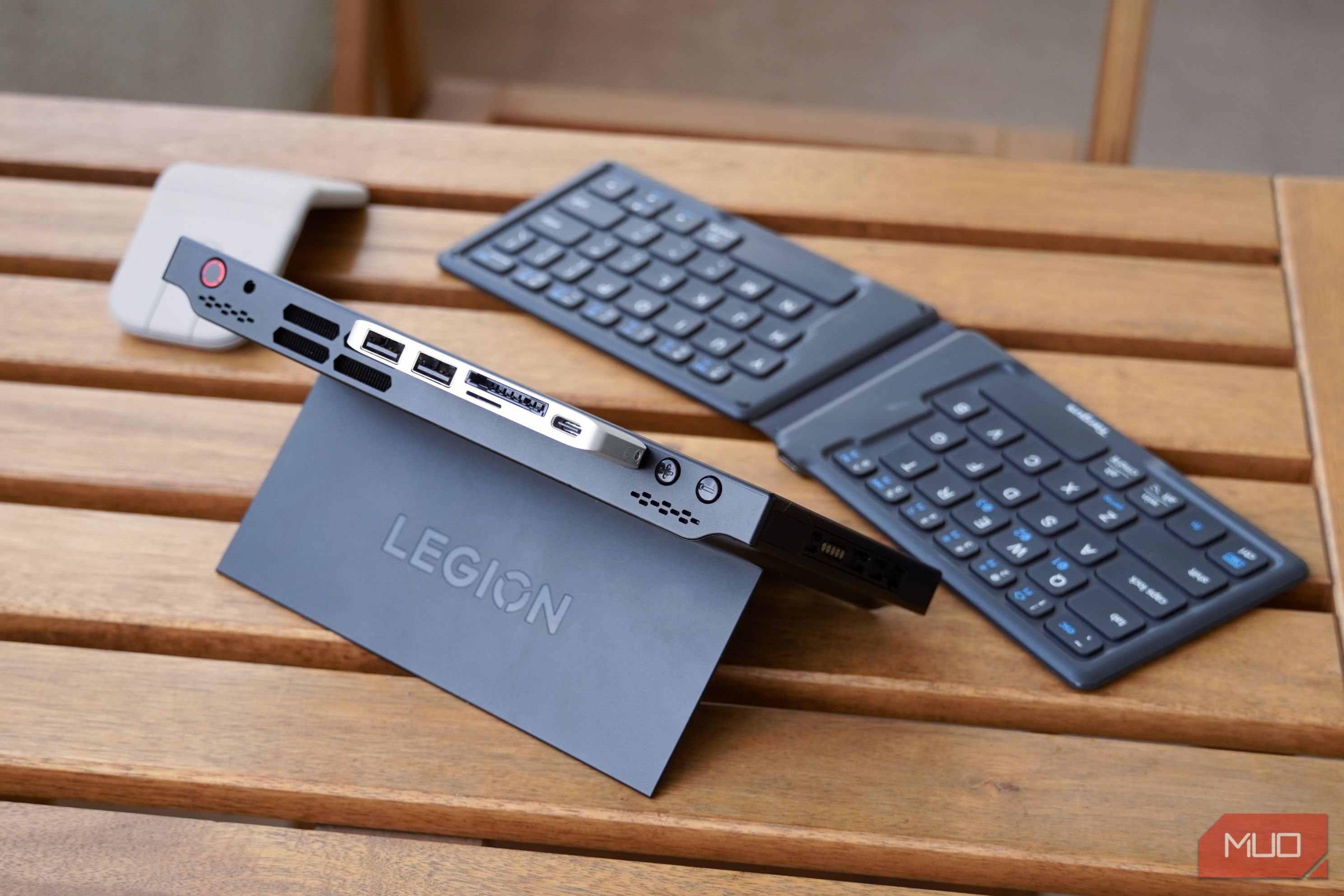
Most people pick between a compact 13- or 14-inch laptop or a larger 15- or 16-inch laptop and swear by their size choice, but I don’t fall into either camp. I prefer laptops that are absurdly thin, light, and compact. The flawed 12-inch Retina MacBook comes closest to successfully executing my dream laptop form factor, but it’s borderline unusable in 2026. Foldable phones and tablets fall short as portable workstations, and although I’m primarily a macOS user, Apple doesn’t make a MacBook small enough. So, I turned to the Windows 11 mini-laptop market. It’s surprisingly rich with options, although they’re probably made by brands you’ve never heard of. GPD is probably the most well-known player in this space, and it makes professional-grade mini laptops like the GPD Pocket 4. The Chuwi MiniBook X was another contender, albeit an underpowered one. Instead of spending a fortune on a premium pocket laptop or compromising for a cheap one, I realized I already had a pocket PC sitting on my shelf. It’s the original Lenovo Legion Go, an AMD-powered PC gaming handheld. With detachable controllers, an integrated kickstand, and a fairly large touchscreen, the Legion Go is uniquely positioned to be a great portable PC. I gave it a shot, and I can’t believe I didn’t try it sooner. The setup: keyboard, mouse, and USB hub It all fits in one pocket, and unlocks my Legion Go’s power With a touchscreen, a battery, and a full-fledged Windows 11 operating system in tow, the Lenovo Legion Go is a functional portable computer without any other accessories. You can use it on battery power like a Windows tablet, controlling it with your fingers and the on-screen keyboard. However, this is not the best way to use it. Add a portable keyboard, mouse, and USB-C hub, and the Legion Go truly becomes a laptop alternative. I needed just three accessories to turn my Legion Go into a mobile workstation. A critical one is the Satechi Type-C Pass-Through USB Hub. This is a 1,000 or more on a premium PC gaming handheld, it ought to do more than power my infrequent gaming sessions. Many people try to squeeze extra value out of their PC gaming handhelds by hooking them up to desktop docking stations with larger screens and fancy peripherals. I’ve always found those setups to be clunky, and much prefer my mobile workstation that uses just three accessories — two of them wireless. To be clear, the Lenovo Legion Go isn’t replacing my other computers. I’ll still use the Mac Mini at my desk when I’m at home, and I’ll bring a MacBook Pro with me for work trips. However, for everything in between, the Legion Go excels at being a tiny Windows 11 workstation.
Targus Ergonomic Foldable Bluetooth Keyboard 55 Save $20- Battery
- 100mAh
- Bluetooth
- Bluetooth 5.1
- Multi-device pairing
- 3 devices
- Charging
- USB-C The Targus Ergonomic Foldable Keyboard features a split layout that folds in half to collapse into the size of a smartphone. It uses Bluetooth 5.1 for wireless connection and can pair with up to three devices at once.
Mobi Fold Mouse
- Weight
- 79 grams
- Battery
- 32 days
- Maximum DPI
- 4,000 The Logitech Mobi Fold is the company’s first foldable mouse, designed for professionals who work on the go but refuse to settle for a trackpad. It folds to 66×21mm and weighs just 79 grams, fitting easily in a pocket or small bag. Unfolding powers it on automatically; folding shuts it off.