Summary
Smartphones moved from thick bezels to pop-up cameras, flip cameras, and finally settled on the notch. While that notch doesn’t take up much screen real estate, it still takes space, and it does nothing except house the selfie camera. Thankfully, there are a bunch of apps that make your phone’s camera cutout useful.
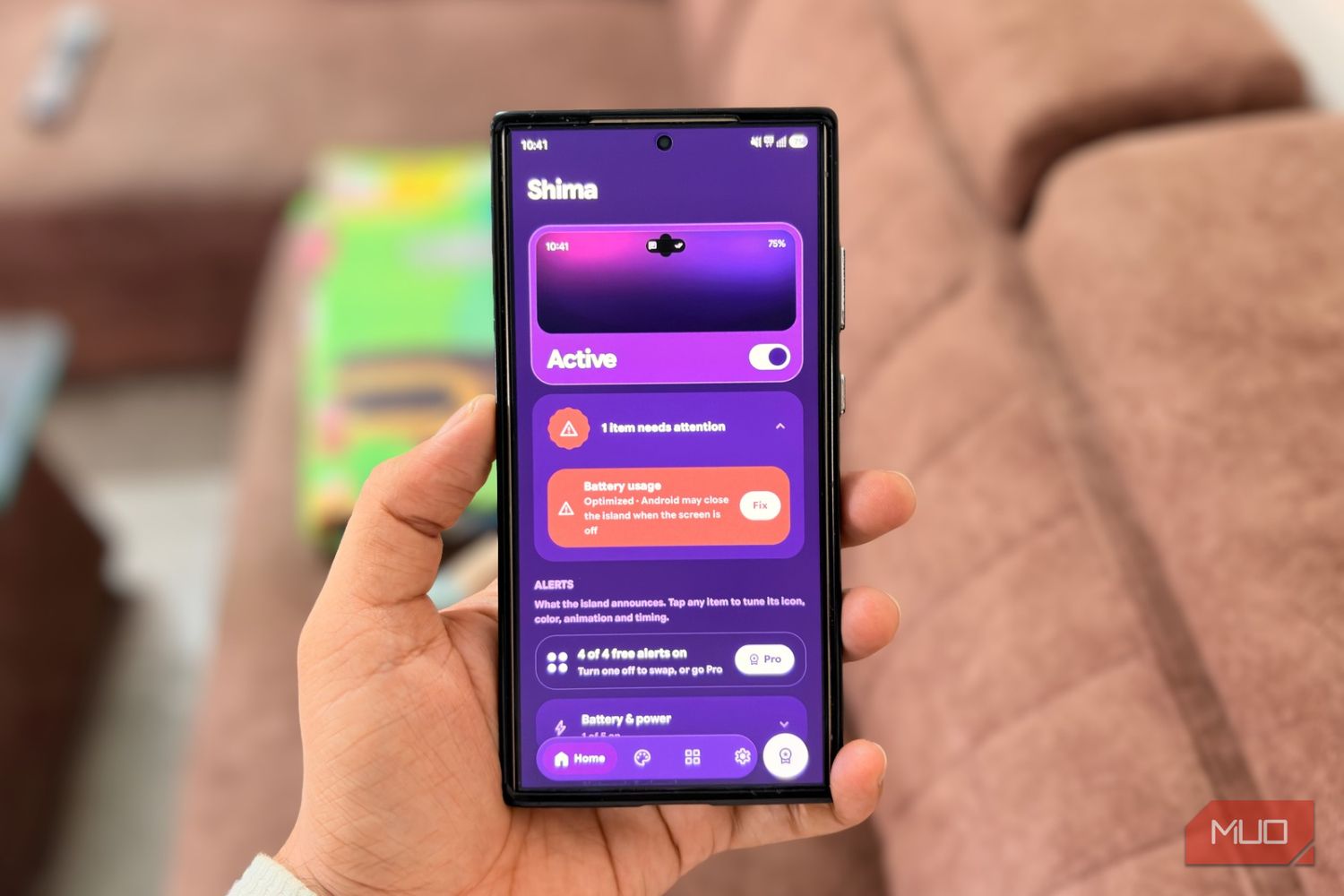
One such app is Shima, which wraps a small animated island around it. The island shows music, charging status, timers, and alerts, and it opens into a control card when you tap it. But there’s more to it.
Shima turns the notch into a living status pill
Everything your phone’s doing, right where you already look
Apple’s Dynamic Island debuted on the iPhone 14 Pro, and Android developers have been copying the idea ever since. While I prefer the notch to the Dynamic Island, the features allow the Dynamic Island to take the edge. Android brands have been trying to bridge the gap for quite some time, and Shima is one of the solutions.
Shima rests around your camera and only widens when something’s happening. It supports music (with artwork, controls, and synced lyrics when your player provides them), charging, the flashlight, timers, rides, deliveries, and volume or brightness changes. You will also see the area around your notch lit up when an app is using your mic or camera. The first time I plugged in my charger, I watched the island show the battery level. It’s a small thing, but it makes the user experience better.
You aren’t stuck with only a handful of items to display, either. Shima lets you choose what the island announces, including a low or full battery, a battery saver, no signal, Do Not Disturb, alarms, rotation lock, screen recording, and screenshots. You also get to tweak each alert’s icon, color, animation, and timing. It also tells you which app you just uninstalled, and your screenshots also show up on the island, with Share, Copy, Edit, and Delete buttons.
 Shima
- OS
- Android
- Price model
- Free Shima: Dynamic Island brings an interactive Dynamic Island experience to Android, displaying music controls, charging status, notifications, timers, and live app updates around your phone’s camera cutout. It offers customizable alerts, gesture-based shortcuts, personalized themes, and a privacy-focused, ad-free experience without requiring an account. The island doubles as a shortcut button You can assign actions as well Shima doesn’t just display things like other notch apps. You can assign actions to a tap, long-press, or swipe on the island. You can set the tap to go back home, open recent apps, show the notification shade, or open Quick Settings, the lock screen, screenshots, the flashlight, rotation lock, Do Not Disturb, and Tasker tasks. Additionally, you can launch an app or widget. If you love customizing how your phone responds to your fingers, this will feel familiar. Having one sit on your camera cutout is a lot more convenient than reaching across the screen. One catch is that swipe gestures belong to Shima Pro, so the free version limits you to taps and long presses. Gesture rules are the clever part. You can make a single gesture and do different things depending on what your phone’s doing. You could, for example, make a tap to open player controls while the music’s playing and jump to the flashlight when nothing is. Setting up Shima is pretty straightforward.
- Download it from the Play Store, so no sideloading required.
- After installation, you’ll need to enable the accessibility service and grant notification access and other permissions for a smoother experience.
- Align the island with your camera cutout for each screen and orientation. You also have the option to choose size, roundness, and color.
- Once aligned, add Shima’s Quick Settings tile.
- You also get the option to match your wallpaper or choose the Material You design. Plus, there is an option to style the collapsed and expanded island separately. Nobody wants an overlay sitting on top of a movie or a game. Shima can hide itself in full-screen apps, or only in the apps you choose. I turned it off for my video player and left it on everywhere else, and I haven’t thought about it since. Give the notch something to do Your camera cutout shouldn’t be dead space: you can use utility apps like Sima to turn it into something useful. Shima can function as a status display, a control card, and a shortcut button, all while letting you decide how much it does. You can purchase the Pro version, but I’d suggest starting with the free version, testing a few gestures, and upgrading to Pro only if you outgrow it. If you want a lighter option first, Notch Touch is still a good place to start.