Summary
When I heard about a mouse with a square screen on it, I thought I knew how the review would go. It sounds like the kind of product that exists because someone ran out of sensible places to put a display. I have enough screens around me; what am I going to do with one that sits under my palm?
And then I started using Arctic Fox’s Super Mouse, and the assumptions in my head started falling apart faster than the mouse itself. The screen made a surprising amount of sense, but the mouse attached to it didn’t.
The one idea here that actually works
A Stream Deck under your palm sounds dumb until you actually use it
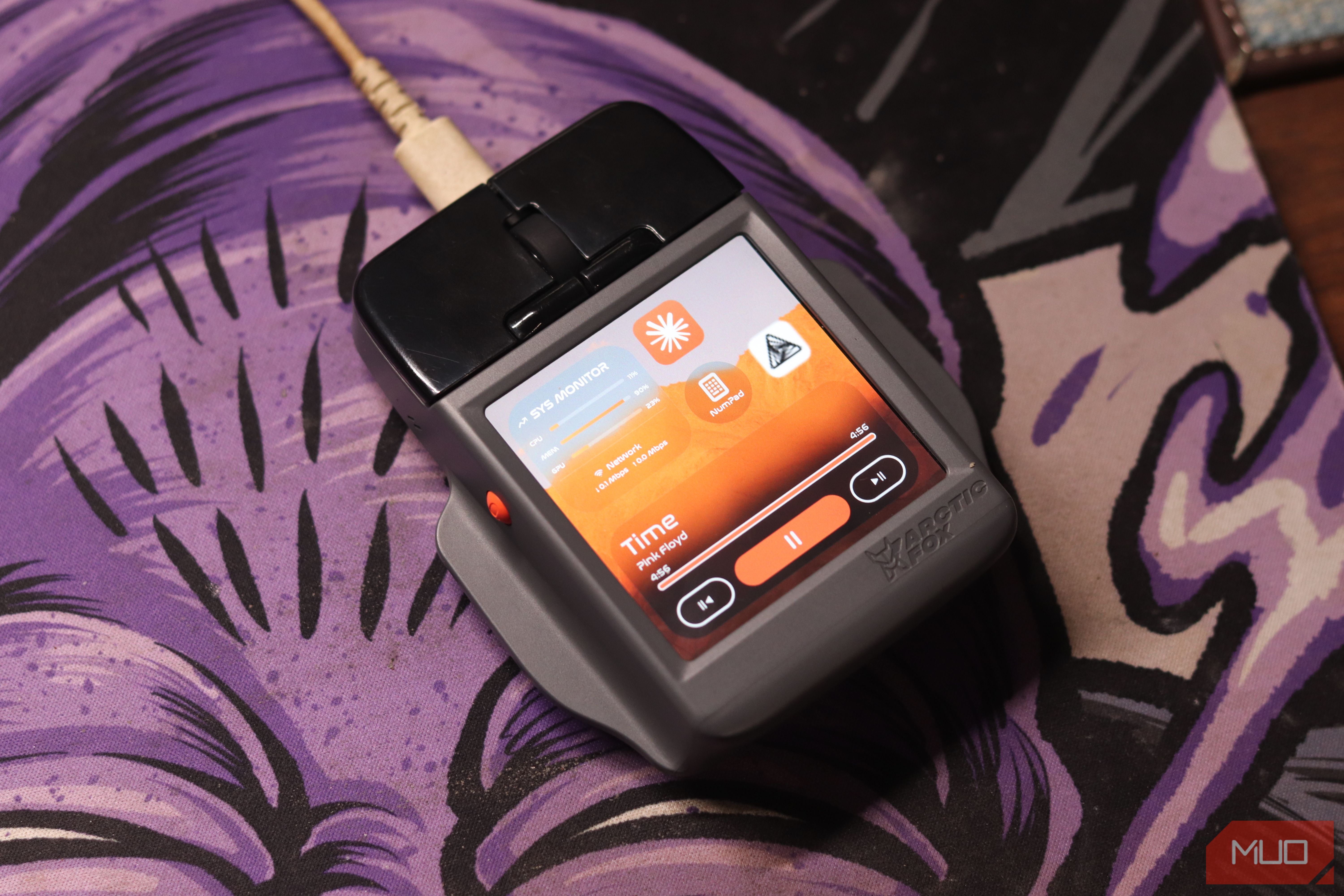
The Super Mouse puts a 3.1-inch 720 x 720 touchscreen on a wired USB mouse. It connects to Arctic Fox’s Flow desktop app on Windows and macOS, which powers all the shortcuts, controls, integrations, and swipe gestures this mouse has. The mouse weighs 95 grams, so it’s not lightweight, but still about 10 grams lighter than my G502X Plus Wireless. It also measures 109 x 91 x 29 millimeters. Those numbers describe an unusually wide, low mouse, but they don’t quite tell the biggest problem just yet.
But the mouse’s main pitch deserves some credit. I went into testing to question its existence, but Arctic Fox has done a commendable job at making it useful. It’s pitched as an extension of your desktop rather than a tiny monitor. Capabilities include application shortcuts, custom keyboard layouts, media controls, widgets, multistep automations, and, as absurd as it sounds, a trackpad, among other things.
The companion software is central to these functions. This is where you can customize the display to your liking, set shortcuts, and set swipe gestures. The screen lets you access different features like media control, device stats like screen time, a numpad, customizable macros, and more by swiping from a corner of the screen. There’s even gyroscopic control in there if you’d like to control something by pure mouse motion.
You will have to spend some time tweaking the display before it’s useful to you, and you need the software installed to use it. But once it’s set up and running, it can add real value. There are even program-specific shortcuts, much like a Stream Deck, and Google Calendar integration for viewing and managing events.
The mouse part of the mouse is mush
Mushy clicks, a skipping sensor, and a push-to-talk button where my thumb lives
Look a little past that surprisingly useful screen and you’ll find very little mouse attached to it. The left and right mouse buttons are incredibly mushy and lack feedback; there’s a push-to-talk button right where your thumb rests; the sensor itself often skips even over a mousepad, and the Hyper Keys that the mouse promises can be awkward to reach. Arctic Fox doesn’t disclose which sensor it uses.
I’ve been using Logitech gaming mice for as long as I can remember, and the G502X Plus Wireless for the last three years. But even on the cheapest mice I’ve used, some costing well below 199 for a single unit, with delivery estimated for February 2027, so backing it means betting on a campaign, not buying a finished product.
With buttons that feel decisive, a sensor that doesn’t give up on the first speck of dust, and a shape designed for holding rather than displaying, this mouse has immense potential. Until then, it’s going to be the best bad idea in tech that I’ve come across in a long time.
 Super Mouse
- Weight
- 95 g
- Sensor
- Not disclosed
- Wireless?
- No
- Brand
- Arctic Fox A wired productivity mouse with a 3.1” touchscreen under your palm for app shortcuts, a trackpad, a swipe keyboard, voice-to-text and gyro controls, for Windows and macOS.
- Dimensions
- 109 × 91 × 29 mm
- Compatability
- Windows, macOS
- Color Options
- Devine Yellow, Cloud White, Drone Gray
- Connectivity
- Wired USB Type-C