Summary
As unfortunate as it is, barely anyone goes to Google or YouTube instantly to look something up anymore. The reflex is to open ChatGPT (or whatever chatbot you prefer) and ask. It hurts me to write that as someone who writes content for the web, but I’d be lying if I said I was any different. Unlike Google or YouTube though, the chatbot I’ve been leaning on isn’t free, and I pay it a fair bit of money just to keep asking it questions.
It also comes with other strings attached, like my privacy and a quiet trust that the company on the other end is handling all the data I feed it responsibly. And while using the free tier is a good enough way to get around the subscription problem, free AI tiers in 2026 are more or less unusable. Turns out all I needed was already sitting in my pocket: a free local model on my phone, and a reason to stop paying for ChatGPT for good.
I run Gemma 4 locally on my iPhone 15 Pro Max
My phone out-AI’d my MacBook
I have an 8GB MacBook Air, and while I’ve been able to run a few models locally on it, it hasn’t been a comfortable experience and I certainly won’t be investing in a Mac with 8GB of RAM again. I’ve had to quit all my open apps, close every browser tab, and basically beg the machine for enough free memory just to load a model without everything grinding to a halt. Even after all that, the responses crawled out slowly enough that I’d lose patience and switch back to a cloud chatbot anyway. When Google launched its Gemma 4 models, the company pitched them as being built to run on everyday devices, including phones. Given that my actual laptop couldn’t comfortably handle local models, the idea of my phone doing it instead was too funny not to try.
To my surprise, it worked incredibly, and it’s since become my default. I currently have an iPhone 15 Pro Max, which has the A17 Pro chip and a neural engine that’s purpose-built for exactly this kind of work. Running a local LLM on a laptop can sometimes be a lot of work. You either need a tool like Ollama, which is powerful but lives inside a terminal and can feel intimidating if you’ve never touched a command line, or something like LM Studio that gives you a friendlier interface but still asks you to think about model files, quantizations, and how much memory you’ve got to spare. On the phone, all of that disappears.
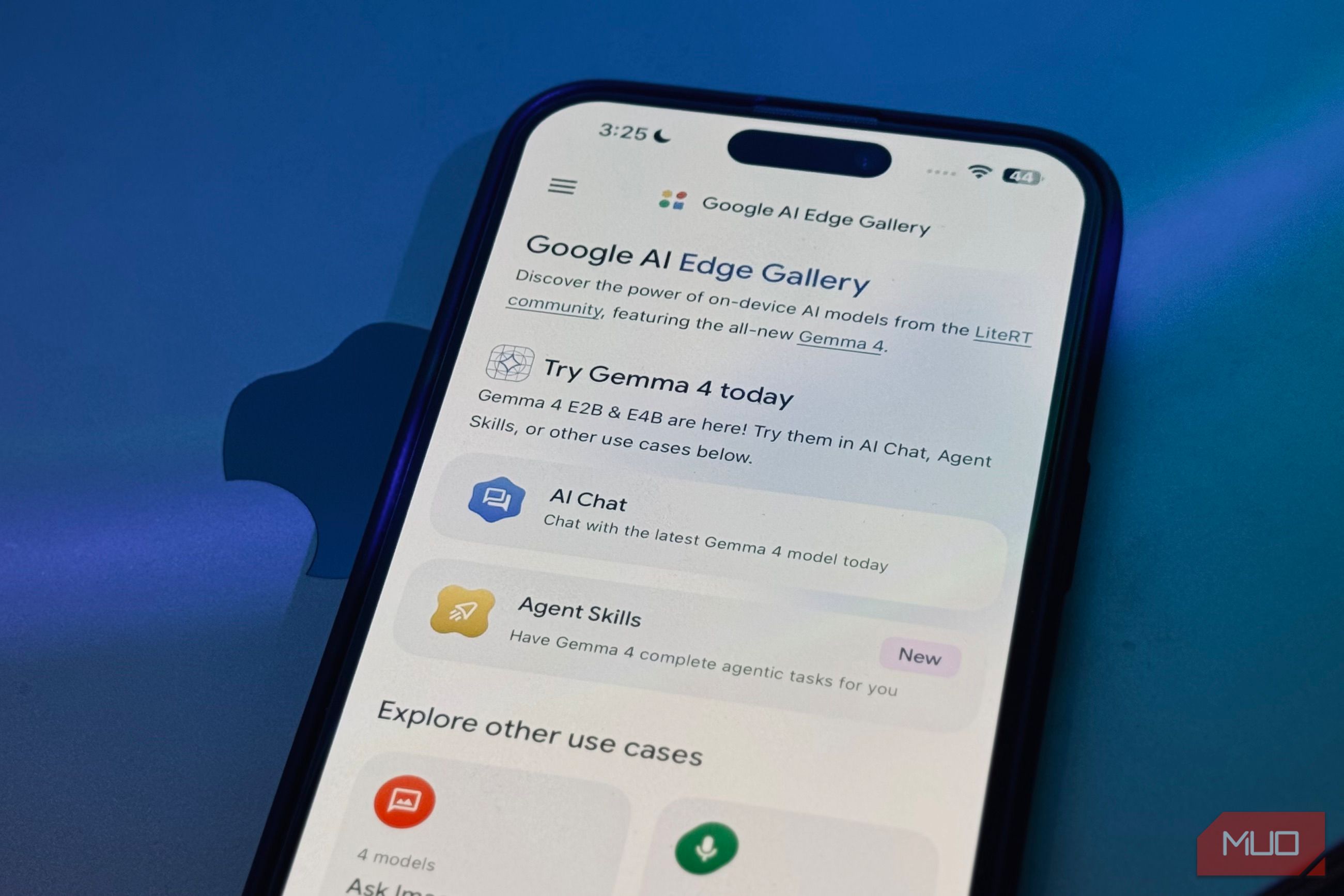
I downloaded Google’s AI Edge Gallery, a free app available on both iOS and Android, picked Gemma-4-E2B from the list of models, and waited a couple of minutes for the 2.54 GB download to finish. I didn’t have to tinker around with a terminal, copy-paste commands without knowing what they meant, or edit any configuration files. The moment the download finished, I had a working AI model sitting on my phone.
Gemma 4 handles the basics better than you’d expect
Most of my questions never needed a supercomputer
When I say I canceled my ChatGPT subscription in favor of Gemma 4 on my phone, I don’t mean I stopped using cloud LLMs. I still use them, but I’ve become a lot more deliberate about when I actually reach for one. Before I go any further, I want to touch on how LLMs, and by extension local LLMs, work, because it explains exactly what Gemma on my phone can and can’t do. LLMs are trained on large sets of data, and all of this data has a cutoff point — a date beyond which the model simply hasn’t seen anything.
Everything the model “knows” comes from that training data, frozen at that moment in time. For the Gemma 4 series, the training cutoff date is January 2025, which is over a year before the models actually launched in April 2026. This means Gemma doesn’t know about anything that happened in 2025 or later, including its own existence. So if I ask about a piece of news, a product, or really anything from the past year and a half, it has no idea. Beyond models answering questions you asked from its training data, LLMs now can also reach out to the internet in real time. This is what lets us ask ChatGPT or Gemini about something that happened this morning.
A local model running on your hardware typically doesn’t have that, unless you deliberately set up some kind of search integration. Ultimately, Gemma on my phone is limited to its own training data. That sounds like a deal-breaker until you actually look at what most of us use AI for day to day. The truth is that the vast majority of my AI use has nothing to do with breaking news or live information.
When I stop and look at what I actually open a chatbot for, it’s almost always something a local LLM can handle without ever needing a connection. I ask it to clean up an email I’ve written, explain a concept I’m studying, break down a chunk of code I’m stuck on, or quiz me before an exam. None of that depends on knowing what happened this morning. It depends on the model being capable enough to be useful, and for tasks like these, Gemma clears that bar easily.
I use it for all sorts of random questions I have, like converting units while I’m cooking, working out a quick percentage, remembering the difference between two similar words, or getting a plain-English explanation of some concept I half-remember from a lecture. They’re the kind of small, low-stakes questions I used to fire off to Google or a chatbot a dozen times a day without thinking, and Gemma answers every one of them instantly, offline, without me spending a single token of my paid plan or sending a word of it to someone else’s server.
 Google AI Edge Gallery
- OS
- Android, iOS
- Price model
- Free
- App Type
- Local AI The Google AI Edge Gallery is a mobile app showcasing high-performance, on-device generative AI. Using models like Gemma, it performs tasks like chat, image analysis, and audio transcription entirely offline. It provides developers and enthusiasts a private, secure playground to test local AI capabilities and agentic workflows directly on hardware. Gemma 4 often beats the cloud when my connection doesn’t It can’t lag if it never leaves the phone A model is essentially a massive set of files called weights, which are billions of numbers that hold everything the model learned during training. With cloud models, those weights live on the company’s servers. So, when you send a prompt, it travels from your phone to a data center, does the thinking, and generates a response. That response then has to travel all the way back to you before you see a single word. With a local LLM though, those weights are downloaded onto your own device. So, when you ask Gemma something, there’s no trip anywhere. Your phone runs your prompt through the weights itself and produces the answer right where you’re standing. Nothing gets sent off, and nothing has to come back, which is exactly why you can use it without needing an internet connection at all. This is why I’d say Gemma often works even quicker and more reliably than a cloud LLM. Cloud LLMs need a solid internet connection to function, and when mine is spotty (which happens at the worst possible time), I’m left watching a response stall halfway through or fail to load at all. Gemma never has that problem, because there’s no round trip to a server in the first place. The answer is generated right there on my phone, so as long as the device is on, the model works. The privacy element is a nice bonus on top I didn’t switch for privacy, but I’ll take it Truthfully, I didn’t switch for privacy. 99.9% of the tasks I use AI for are things I wouldn’t think twice about typing into ChatGPT or Gemini, like rephrasing an email, explaining a concept, or automating a previously tiring manual workflow — the usual harmless stuff. I’m not doing anything secretive, and I doubt most people are either. So when people list privacy as the number one reason to run a local model, I’ve always found it a little overblown for the average person. However, once everything started running on my phone, I noticed I stopped hesitating. Earlier, I mentioned the quiet trust you extend every time you use a cloud chatbot. The assumption is that the company on the other end is handling everything you type responsibly. With Gemma running locally, I don’t have to extend that trust at all, because there’s nothing to trust. My prompts never leave my device, there’s no server logging them, no company training on them, and no privacy policy I have to take on faith. That changed my behavior in small ways I didn’t anticipate. I’ll paste in a chunk of code from a project I’m not ready to share, work through something personal, or feed it a document I wouldn’t be comfortable uploading to someone else’s cloud. It’s great for financial stuff too. I can paste in a bank statement, a salary figure, or a budget I’m trying to work through, and ask Gemma to make sense of it without that information ever leaving my phone. That’s the kind of thing I’m normally not comfortable dropping into a cloud chatbot (though I admittedly have before). I still use cloud models, just not on my phone Still cheating with Claude when it counts I want to be clear that I haven’t sworn off cloud AI, and I’d be lying if I said Gemma on my phone could replace it entirely. It can’t, and it isn’t trying to. When I’m doing something genuinely demanding, I still open Claude or one of the bigger cloud models on my laptop. Those models run on massive server infrastructure for a reason, and a 2.54 GB model running on my phone is never going to match that. I’m not pretending it does. However, Gemma 4 has impressed me in more ways than one, and if I get to save $20/month while keeping my data on my own device and never worrying about a connection, I’ll happily let it handle the bulk of what I throw at an AI. The quick, everyday, low-stakes stuff lives on my phone now.