Summary
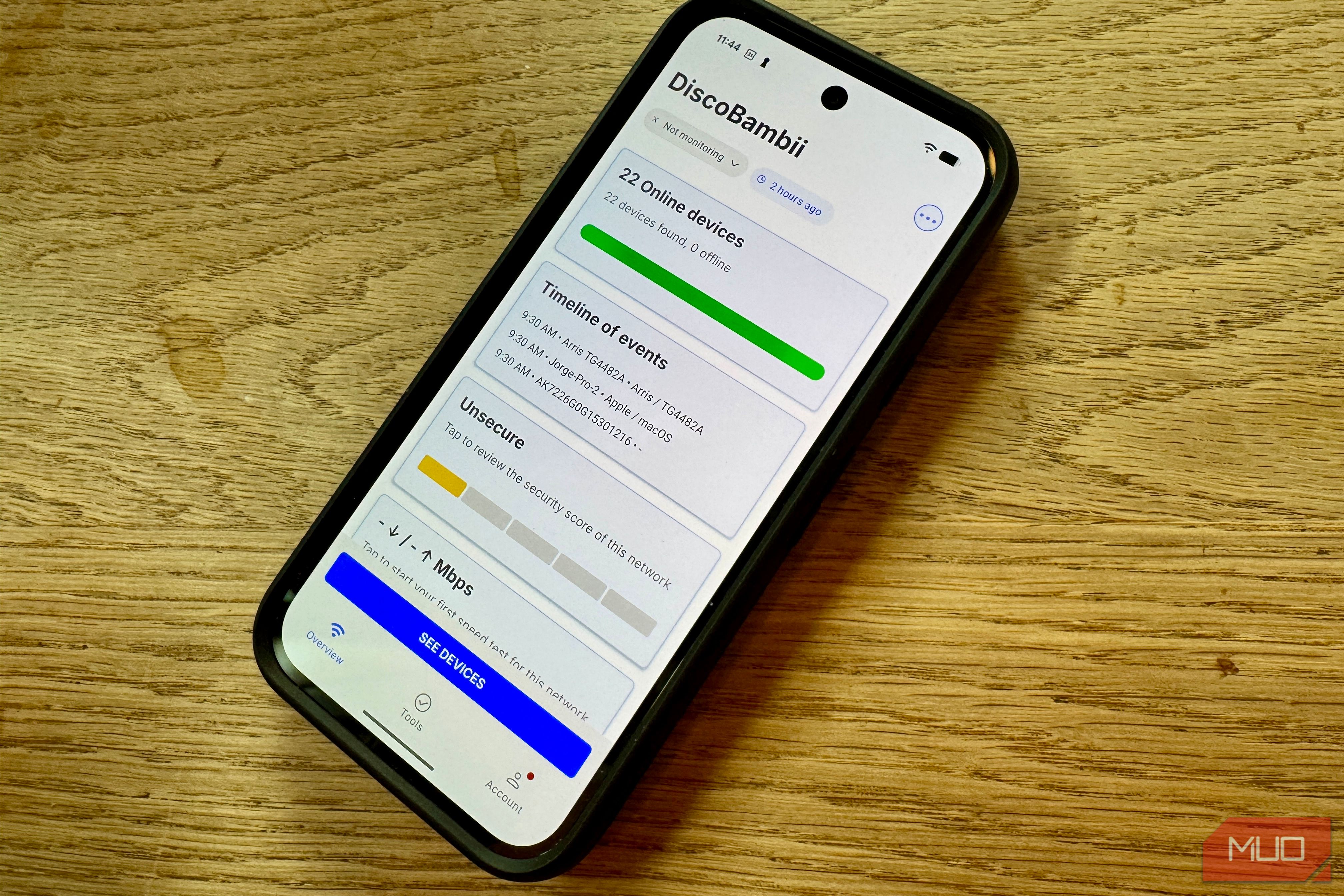
I connected my Pixel 9 to my Wi-Fi and let Fing scan it, mostly out of curiosity about how fast these sorts of things work now. In under 30 seconds, I had a list of 22 devices, four of which the app couldn’t name. That’s the whole reason I wanted to test this out instead of just taking the app’s claims at face value. Anyone can claim a scan finds every device on your network. What I wanted to know was how long it took, and whether the results were something I could act on. Plus, I wanted to see what “every device” meant on my own network. What a real scan actually found 22 devices, timed with a stopwatch Once I installed Fing on my phone, I let it run its automatic scan while I timed it with a stopwatch app (on my iPhone). Once a populated device list appeared, I stopped the clock. It took 28 and some odd seconds from start to finish. That’s real fast, which means I’ll use it more often, for sure. Fing named my router by model, tagged both MacBooks in the household by chip and screen size, picked out my son’s iPad by generation and even correctly labeled my PS5 down to its serial suffix. It sorted out two HomePod minis named after the rooms they’re in, which is more context than I expected from a quick automated scan. Further down the list, it caught a kitchen speaker as a Google Nest Audio and flagged a garage door controller by Chamberlain brand name, both categories I wouldn’t have guessed from a bare IP address alone. That level of detail, without having to open a single settings page or logging into anything else, is the value here, not just speed. The four devices it couldn’t name “Generic” isn’t the same as identified Three entries showed up as Generic, with no manufacturer or model, and just an IP address. A fourth device only showed a long alphanumeric string as its name, also without anything in the manufacturer or model fields. Fing found them, sure, but it couldn’t tell me what they were. That’s not the app’s fault, of course, because device fingerprinting works by matching network behavior and hardware identifiers against a catalog, and generic IoT hardware, some smart plugs, budget sensors, and off-brand accessories often ship without those identifying signatures. A recent MUO piece on unrecognized network devices ran into the same pattern: a scan can find every device on a network without being able to name every one of them. For me, these unnamed devices were pretty low stakes. I haven’t chased down what those four actually are yet, but my techwriter’s house has all sorts of gadgets around it. Fing’s icon for all four just showed the generic network symbol, no router, phone, or speaker glyph to narrow things down, which suggests they’re either off-brand IoT hardware or devices using randomized identifiers for privacy. Either way, a Generic entry is a starting point. The only reliable way to close the gap is the elimination method below. How to run the Fing scan on your own network It’s pretty easy You can grab Fing free from the Play Store (or the App Store, if you’re on iOS). On Android, you’ll need to grant it location access, which is needed for the app to read Wi-Fi network details, not because it’s tracking your actual location. Open the app and it starts scanning right away. There’s no account, no sign-in, and no configuration required. Once the scan finishes, you can tap into anything unfamiliar. Fing shows the IP address and the manufacturer/model, where available. That should be enough to match a mystery entry against anything sitting in a drawer or forgotten plugged into a wall somewhere. Some entries will have a small icon that guesses the device type, like router, speaker, phone, etc. The guess is another way to identify a device, even if the name field comes in blank. For anything that you really can’t place, the best check is physical. Unplug or power down devices that aren’t named in the list and see what entry drops off. Sure, it’s tedious, but it’s the most reliable way to match a Generic entry to an actual object. If you’re dealing with a ton of unidentified IoT devices, it’s likely worth looking to isolate those devices entirely from the open internet. The scan works, mostly Fing did what I needed faster than I expected, and finding all the devices on my network in under 30 seconds is pretty impressive. Still, seeing and identifying devices are two separate issues, and due to the reality of everyone having network and generic devices in their home, it’s likely not going to clear up any time soon. Still, I love being able to do this sort of scan on my phone, instead of pulling up my router’s devices page.