Summary
Summary
- Opera’s Paste Protect blocks clipboard hijacks that swap copied data (URLs, bank numbers) with malicious content.
- Paste Protect auto-blocks injection/ClickFix commands and warns you with a red icon; manage or whitelist in settings.
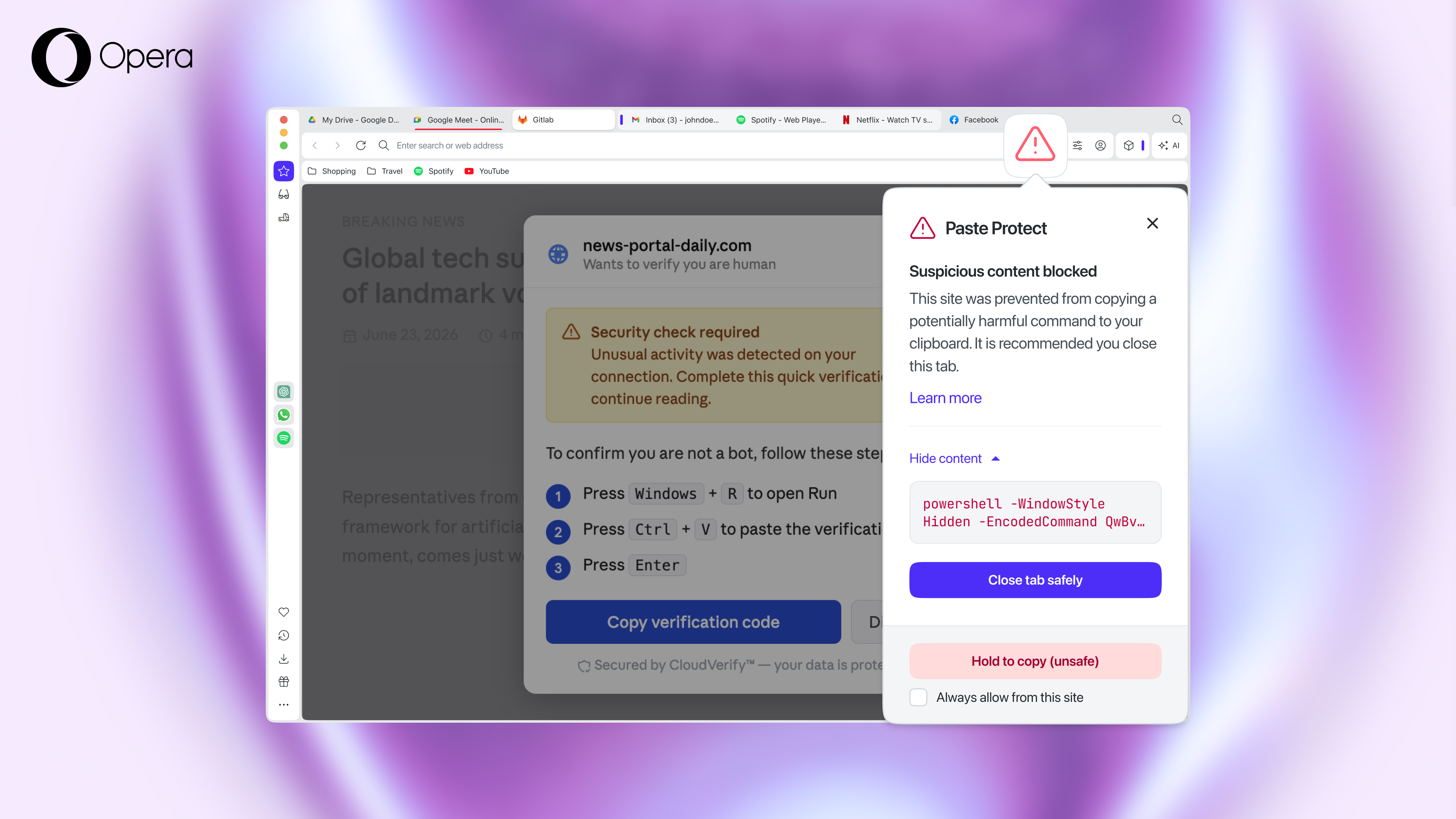
- Works out of the box; hold copy 5s to skip warnings. Still: never paste commands you don’t understand. If you’ve ever copied a bank number or a bit of code, you’ve used your PC’s clipboard. But you might not know it can pose a major security risk to your online safety and personal data. Hackers are getting sneaky with clipboard hijacking and ClickFix attacks, but Opera’s new Paste Protect feature is here to shut them down before they mess with your data. Why your clipboard is a major security risk Most of us barely think about our clipboard, but hackers love it because they can trick you into doing their dirty work. Opera has been on it since 2021 with its hijack protection, which protects your clipboard from hijack attempts like replacing a URL you copied with a different one that takes you to a malicious site, or replacing a bank account number you’re trying to transfer to with a different one. Now, Paste Protect goes one step further - it’s designed to protect against ClickFix-based attacks. Hijack attacks happen when malicious websites or applications secretly replace the content you have copied with something dangerous. For example, a hacker might swap out a legitimate bank account number you’ve copied for their own, hoping you’ll paste it somewhere important without noticing. ClickFix attacks usually present a fake browser error message or CAPTCHA, convincing you to copy and paste a specific command into your terminal to resolve the issue. In reality, the command is harmful, and by following their instructions, you’re unknowingly executing something dangerous on your system. Over half of attacks in this category rely on this deceptive tactic. Since these attacks require you to enter the command yourself, antivirus and email filters often can’t protect you from your own actions. How Paste Protect keeps you safe. Paste Protect is built right into Opera and works out of the box. Hijack protection makes sure that malicious applications or websites can’t secretly replace the content you meant to copy with something harmful. Injection protection goes a step further by intercepting and blocking malicious commands—such as those used in ClickFix attacks—before they even reach your clipboard. Right now, no other major browser offers this level of proactive defense. If Opera spots something fishy, it blocks the copy and pops up a warning. You’ll see a red icon and usually get told to close the tab. Do you need to configure anything? The beauty of this feature is that it works automatically. You don’t need to hunt through menus to turn it on, though you can manage your settings in Settings → Privacy & Security → Paste Protect. If you’re a dev or power user copying stuff from places like GitHub, you can whitelist sites. Sure something’s safe? Hold down the copy key for five seconds to skip the warning. This is a big win for browser security, but don’t forget the golden rule: never paste commands unless you know what they do. Opera’s got your back, but staying sharp is still your best defense.