Summary
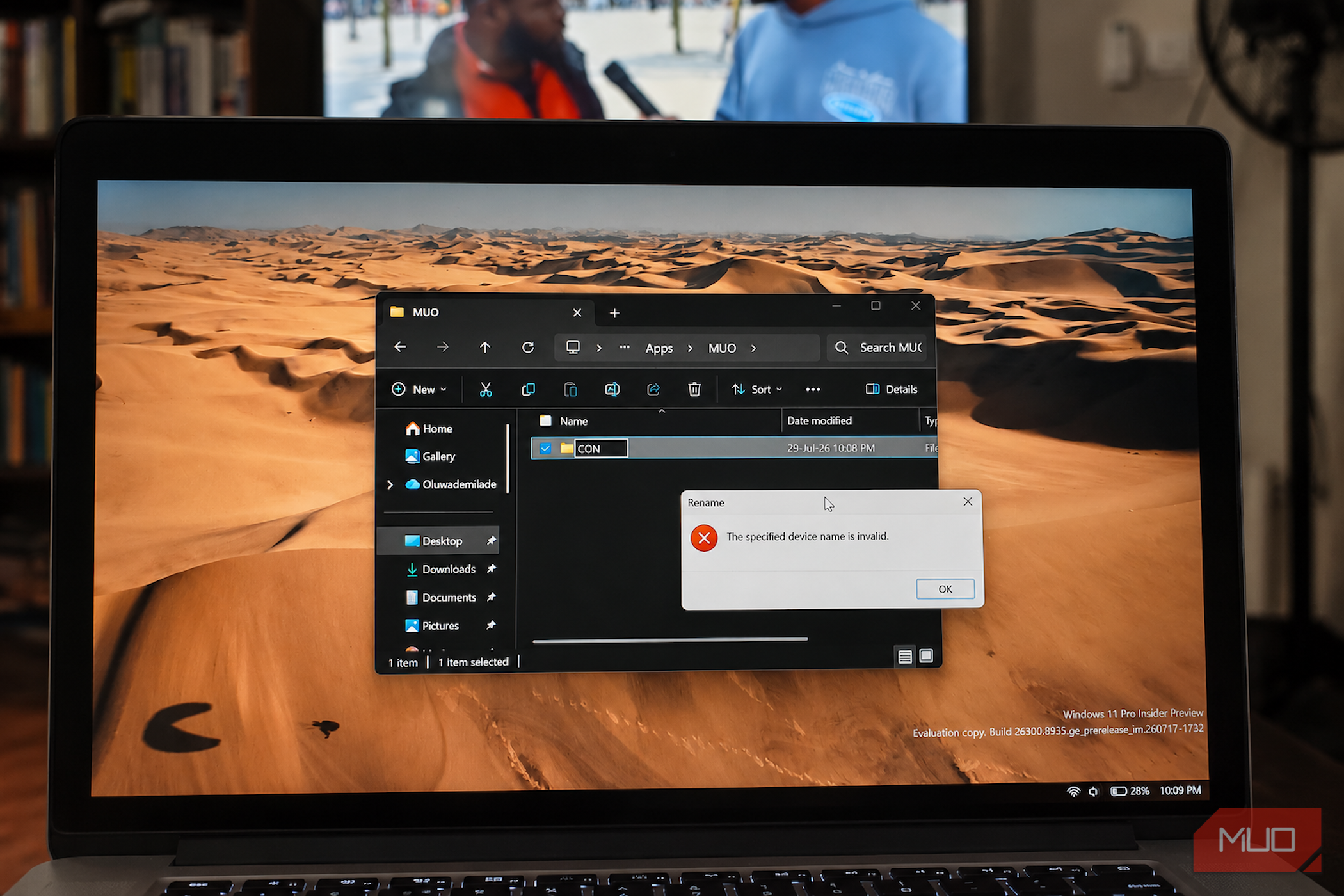
Try this: right-click your desktop, create a new folder, and try naming it CON. Windows rejects the attempt with an error stating that the specified device name is invalid, then restores New folder as though you had never typed anything, right?
Now, try PRN, AUX, NUL, LPT1, or COM3; the result will surely be the same. Roughly two dozen ordinary-looking names remain unavailable as files or folders in Windows. Each one is effectively an old address that once pointed to a piece of hardware.
In 1981, filenames and hardware devices competed inside the same namespace. Windows has never taken those old addresses out of service.
Windows keeps a blocklist of about two dozen words
CON is just the famous one
Microsoft’s file-naming documentation lists the main reserved device names as CON
, PRN
, AUX
, NUL
, COM1
through COM9
, and LPT1
through LPT9
. Those 22 base names are unavailable for ordinary files and folders. Windows also reserves six less obvious superscript-number variants, including COM¹
and LPT³
.
Each identifier once pointed to a physical or logical device. CON refers to the console, carrying keyboard input and screen output. PRN represents the default printer, while AUX identifies an auxiliary serial device. NUL is the null device, a digital wastebasket that accepts data and discards it without complaint. The COM names belong to serial communication ports, while the LPT names identify the parallel printer ports that disappeared from most consumer PCs decades ago.
DOS made hardware look like files before folders existed
CP/M’s inheritance, shipped in 1981
When DOS 1.0 launched with the IBM PC in August 1981, it used an early version of FAT, one of the file systems Windows still supports, with no support for directories. Every disk contained a single flat list of files, with no folders or hierarchy to separate them.
DOS also needed a consistent way for software to send data to hardware such as printers and serial ports. Digital Research’s CP/M, which heavily influenced DOS, had already supplied an elegant model. The operating system could expose hardware through names that programs could open and use, much like ordinary files.
Opening PRN
and writing data to it sent those bytes to the printer instead of storing them on disk. Reading from CON
collected input from the keyboard, while writing to it displayed output on the screen. Programs could interact with hardware using the same basic operations they already used for ordinary files.
The idea resembled the device-file model used by Unix, and it is why redirecting output with > NUL
still works in a Windows batch script today. By letting programs access files and devices through similar operations, DOS avoided requiring every application to implement separate hardware-handling commands. Early PC users could even create a text file by entering a command such as COPY CON NOTES.TXT
, typing its contents into the console, and pressing Ctrl+Z to save it.
The problem was that DOS did not confine those device names to a dedicated location. Unix placed device files inside the /dev
directory, while DOS recognized its hardware identifiers wherever a filename could appear. Files and devices have been competing for those names ever since.
Directories arrived in 1983 and dragged the names into every one of them
PRN had to work from everywhere, so it works everywhere
DOS 2.0 arrived with the IBM PC XT in March 1983 and introduced hierarchical directories. Users and developers could finally organize files inside folders instead of relying on a single flat list.
That improvement created a backward-compatibility problem. Existing DOS programs already expected names such as PRN to resolve wherever they were used. Changing that behavior after directories were introduced could have broken programs written for the earlier operating system.
Microsoft preserved that behavior by teaching the path parser to recognize reserved device names in every directory. Rather than placing them inside a dedicated system location similar to Unix’s /dev
directory, DOS made them global. As a result, a path such as C:\Users\You\Documents\PRN
does not refer to an ordinary file or folder named PRN. The operating system still interprets it as the printer device.
You can see the trap that sets. Once a name resolves everywhere, it can’t be a filename anywhere.
The extension does not save you
CON.txt is still the console
The problem often catches developers working across different operating systems because Windows treats reserved device names differently from ordinary filenames. Its path-handling rules check the base name against the list of system devices before considering the extension. Adding a suffix therefore does not make the name valid. CON.txt
is still interpreted as the console, NUL.mp3
still points to the null device, and AUX.c
is still treated as the reserved auxiliary device.
That same DOS inheritance also helps explain why so many Windows file extensions are still three letters long.
This is not merely a historical curiosity. It remains a practical obstacle in cross-platform software development. Linux and macOS isolate device files inside the /dev
directory, so developers on those systems can create and commit files named aux.c
or nul.h
without difficulty.
Problems begin when someone tries to clone or check out the same repository in a normal Windows working tree. The Win32 API rejects the reserved name, preventing Git from creating the file on disk and causing the operation to fail. No ordinary Git setting can make such a filename portable to Windows, so renaming it in the repository remains the reliable cross-platform solution.
NTFS is fine with it, but Windows is the one refusing
The folder you can create and then can’t delete
Here is the twist: NTFS can store a file or folder named CON (or any of the reserved names) when the name is supplied through an extended path that bypasses normal Win32 parsing. The restriction appears higher in the software stack, within the path-handling layer that converts application-supplied names into the internal namespace used by Windows. That is where the legacy device-name rules are normally enforced.
Bypassing the usual path normalization can therefore make the restriction disappear. From the Command Prompt, you can run:
mkdir \?\C:\Users\You\Desktop\con
The \?
prefix disables normal Win32 path parsing and sends the rest of the path more directly to the filesystem. The folder is then written to the disk and appears on the desktop.
Creating it is easier than using it. File Explorer may display the folder but fail to open, rename, or delete it because the interface still relies on ordinary Win32 path handling and encounters the same reserved-name conflict.
Removing the folder requires using the literal path again:
rmdir \?\C:\Users\You\Desktop\con
That contrast isolates the restriction: NTFS stores the name, while the ordinary Windows path layer refuses to handle it.
For years, a malformed device path could crash Windows
C:\CON\CON
These reserved device names caused problems far beyond awkward file naming, and the CON/CON flaw remains one of the more notorious Windows 98 bugs worth revisiting. On Windows 95, Windows 98, and Windows 98 Second Edition, referencing a device through a malformed nested path such as C:\CON\CON
or C:\AUX\AUX
could crash or lock up the operating system.
The flaw became more serious because webpages and HTML emails could trigger it. An attacker could place a local file reference such as
inside a webpage or message. When the browser or email client tried to load the resource, it passed the malformed path to Windows, where the old device-handling logic could bring down the entire PC.
Microsoft addressed the vulnerability on March 16, 2000, through Security Bulletin MS00-017. The patch corrected the missing check for paths containing multiple DOS device names, preventing Windows from attempting the illegal resource access that caused the crash. It did not remove the underlying device-name system, since that machinery remained intertwined with decades of software compatibility.
The switchboard is still plugged in
So why doesn’t Microsoft just remove the list? The answer is backward compatibility in hardware and software. Scripts and programs have been opening files named NUL, CON, COM1, and LPT1 for decades, and Windows still exposes those aliases because removing them could break software that expects the old behavior. The restriction costs little to preserve, while retiring it would offer users almost nothing beyond a few newly available filenames.
So they stay. Twenty-two words, held in reserve in every directory on your drive, standing by for a line printer that isn’t coming.
Go ahead and try to name that folder CON. You’re not fighting Windows 11. You’re fighting a 1983 compatibility decision about where the printer lives.