Summary
I was looking to hook up my PC to a Stream Deck to make things easier. However, when I glanced at the price, I closed the tab and went back to fumbling with keyboard shortcuts. But being a technology geek, I started researching if there was something I could do with my smartphone and found something very interesting. The best part is that you don’t need dedicated hardware for this, as Android phones can replace expensive desk gadgets if you know which apps to use.
The app for converting your smartphone into a Stream Deck is called Keymate. It is not the only option, and you can also try Touch Portal. But a few things make Keymate stand out.
This app saves you money
Buying dedicated hardware felt like overkill
I am a content developer, which means I have to switch between different browser tabs, paste stuff, and open the same five apps over and over again. A hardware macro pad solves this issue, allowing me to tap the shortcut and quickly switch to it.
However, a desk gadget will also need its own dedicated space, which means another cable to manage. I do not stream, I don’t edit videos for a living, and I definitely didn’t need eight extra buttons to open Chrome faster. What I actually wanted was a simple, free solution that fits in my pocket and is ready to use without taking up space or money.
Enter Keymate. It is a free application that converts your Android device into a Stream Deck. It needs a companion app installed on your desktop (available for Windows and macOS). Once that is running, connect your phone to the app over the same Wi-Fi network, then tap a button on your phone to trigger an action on your computer.
You can use Keymate to run keyboard shortcuts, type out and save snippets of text, launch specific apps or URLs, and handle media controls like play, pause, and volume. There is also an OBS control built in, letting you switch scenes or start/stop recording and streaming with a single tap.
What stands out is that everything works in your local network rather than through an external server, and the connection itself is encrypted.
 Keymate
- OS
- Android, iOS Keymate is a companion app that lets you control your Windows or Mac PC from your Android phone over Wi-Fi. It can trigger keyboard shortcuts, launch apps, type saved text, control media playback, and even manage OBS streaming with a single tap. Setting Keymate up took less than a minute Scanning a QR code did most of the heavy lifting When you speak of Stream Decks, you will usually think of a complicated setup. Fiddly network configuration, etc., etc. But with Keymate, things went smoothly, and it took less than a minute to set up my very own free macro controller. Here is how I set up Keymate:
Download and install the Keymate app on your device from the Play StoreorApp Store. Also, download the Keymate desktop client by clickinghere. - Open the desktop client, and you will see a QR code. Launch the app on your smartphone and scan the QR code you see in the desktop client.
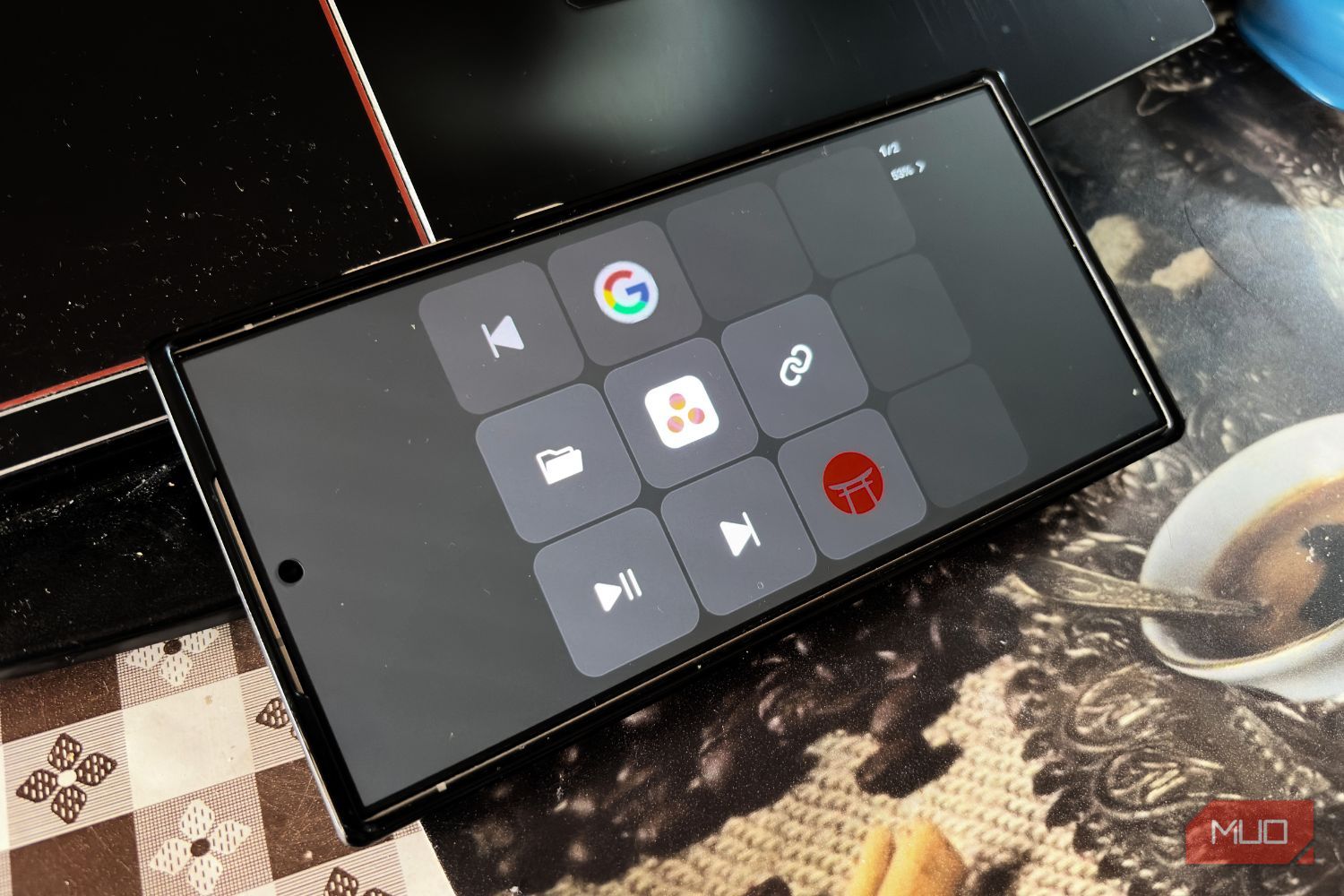
- The device will get connected instantly. Just make sure that both the device and your desktop are connected to the same Wi-Fi network. By default, you will see four buttons: Play/Pause, Folder, Previous, and Next. The default setup is fine, but since you will be using it to make your work easier, you can map it to your current habits. The smartphone app doesn’t let you customize the button layout or anything else. For that, you have to use the desktop app. When the device is connected, you will have the option to change the grid layout to 2x3, 3x4, or 3x5. You can choose to display the function text or just the trigger image, and set the number of pages you want to assign to your shortcuts. Clicking on an empty button opens all the options that you can assign to the Keymate app and trigger it from your phone. You have the option to assign a hotkey, text, app, file, folder, URL, control media and brightness, use automation and OBS features, and set shortcuts to Discord. I have assigned the buttons to open my MakeUseOf work suite, which includes Slack, Emaki, and Google Docs, along with the media controls, since I play some lo-fi background music for focus. There were some rough edges I ran into Keymate isn’t as polished as a commercial macro pad yet. To be frank, I don’t even want it to be picture-perfect. It is more than enough for me and gets my things done, and I am sure many people would resonate with me here. But for those looking for a professional-like setup, you might be disappointed. Additionally, there is no phone-only mode; everything must be done via the desktop client app. If you want a more extensive plugin ecosystem, you can try the Elgato Stream Deck. It gives you more than just basic shortcuts and media controls. If you only want to assign a handful of repetitive tasks, Keymate offers enough buttons without costing you a dollar. But the moment you want a larger grid, you will be asked to pay. Also, it won’t replace the satisfying click of physical buttons, and it is clearly not as mature as dedicated Stream Deck plugins built over years. But it is the easiest and free way to have a Stream Deck nearby, without spending anything.