Summary
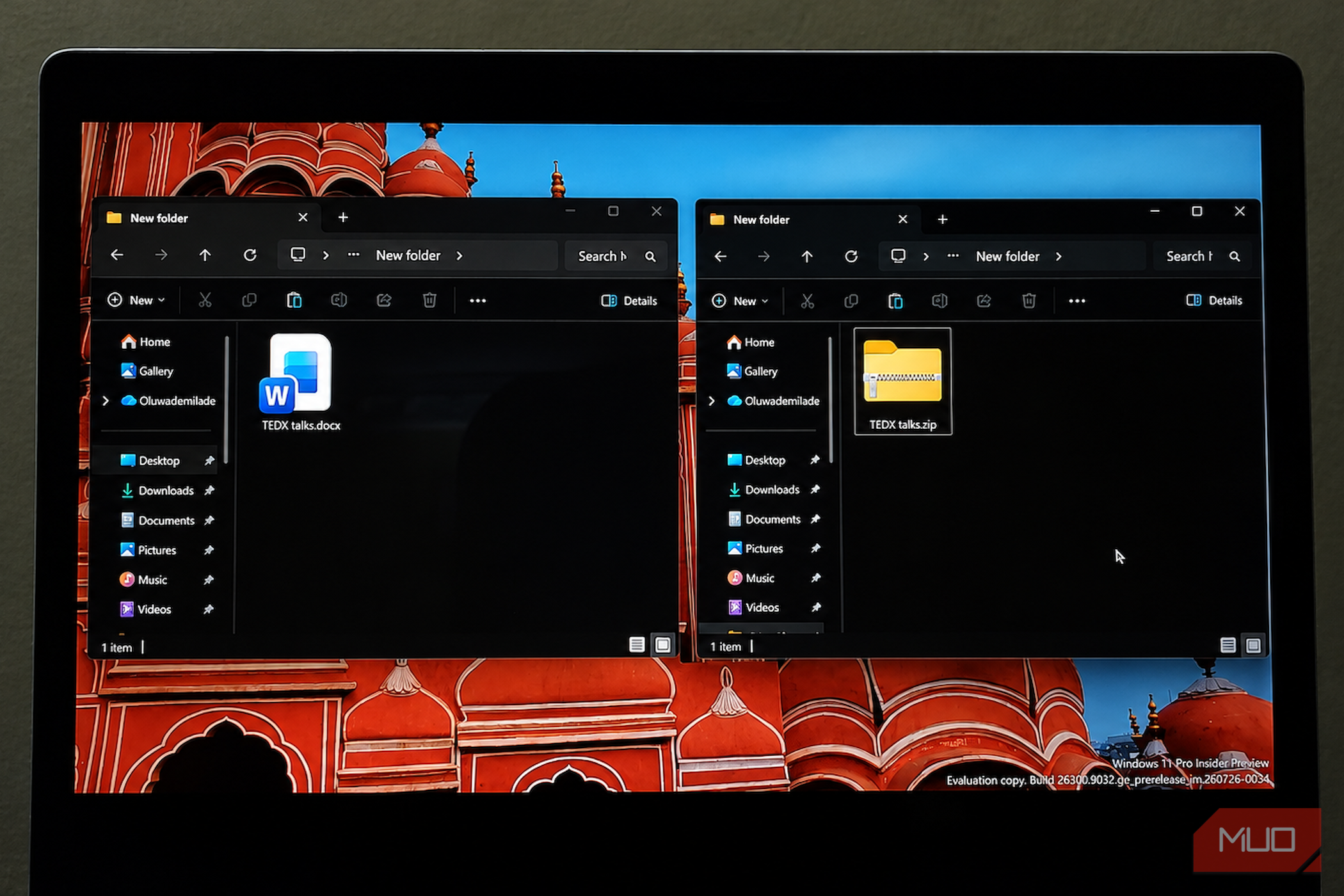
Take an ordinary, unencrypted .docx file on your computer, duplicate it, and rename the copy’s extension from .docx to .zip. If Windows isn’t showing the extension at the end of the filename, you’ll need to enable File name extensions in File Explorer first. Now double-click the renamed file. Your archive tool of choice will open it without complaint, and Windows itself can open and extract ZIP files without additional software. Inside, you’ll see a folder structure containing _rels, docProps, word, and a file called [Content_Types].xml at the root. That’s not a trick or a coincidence. That’s how a modern Word document is packaged, and it’s been that way since Office 2007. The .docx extension simply does such a good job of hiding the machinery underneath that most people never have a reason to notice it. The folder hiding inside every DOCX Your document’s main text is sitting in readable XML Open the Word folder inside that renamed archive, and you’ll find a file called document.xml. This contains the main body of your document, with its text wrapped in WordprocessingML, the XML vocabulary Word uses to describe paragraphs, runs of text, formatting, and other document behavior. When I opened document.xml from my test file, whole sentences from the document were sitting there in readable text inside w:p><w:r><w:t>Hello world</w:t></w:r></w:p> with Word turning that markup into the polished page you normally see on screen. Not everything lives in document.xml. Headers, footers, footnotes, comments, styles, and other document components can occupy their own files elsewhere in the package. That’s part of the point. A DOCX isn’t one enormous block of document data but a collection of smaller parts that Word assembles when you open it. The rest of the archive fills in the supporting cast. [Content_Types].xml identifies the , including references from the main document to images and other supporting files.Embedded pictures usually appear in word/media as separate image files, often JPEGs or PNGs. In my test document, that folder contained three individual image files, each stored separately from the document’s XML. This whole system has a name: Office Open XML, or OOXML, and the X in .docx starts making considerably more sense once you’ve looked inside one. Why .docx replaced .doc as Word’s default The old format had a filesystem too, just a much stranger one Before Office 2007, Word primarily saved documents as .doc files using Microsoft’s binary format. Those files weren’t simply blocks of text and formatting dumped into one stream. They used the OLE Compound File Binary Format, which behaves as a little like a miniature filesystem packed inside a single file, complete with internal streams and storage. The difference was accessibility. Reliably interpreting that binary structure required understanding Microsoft’s format specification, and working with it programmatically was much less approachable than opening a ZIP archive and parsing XML. OOXML replaced that model with a ZIP-based package made from individually addressable parts. Microsoft explicitly designed the format so software could manipulate portions of a document without launching Word. One example it promoted was a company replacing a logo across thousands of stored documents by swapping the image inside each package rather than opening every file manually. The format was standardized as ECMA-376 in 2006 and later as ISO/IEC 29500 in 2008. The practical result is that developers can inspect the basic structure of a DOCX with ordinary ZIP and XML tools available in many programming environments. That documented format also makes DOCX practical outside Microsoft’s own software, and modern Word alternatives can work directly with DOCX files with varying degrees of formatting compatibility. That doesn’t mean recreating everything Word can do is trivial. Complex documents can contain relationships, styles, embedded objects, tracked changes, compatibility settings, and other features that make faithfully interpreting the whole package considerably harder. But simply getting inside the file no longer requires treating it as an opaque binary blob. The old .doc format wasn’t necessarily simpler, however. It was just much harder to inspect with the tools most of us already have. What opening a DOCX actually lets you do The party trick is surprisingly useful The most immediately useful trick is extracting images. If someone sends you a fifty-page document packed with photos, you don’t have to right-click and save them individually. Open Word/media inside the renamed archive, and you can pull out the image files stored in the document in one go. There is one important caveat. These aren’t guaranteed to be untouched copies of the files originally inserted, since Word can compress or resample images depending on its picture settings. Word/media shows what’s actually stored in the DOCX, which may differ from the source files. The package structure can also be useful when Word refuses to open a damaged document. If the ZIP container itself is still intact, you may be able to open document.xml and recover the surviving text directly, then retrieve any intact pictures from word/media. More advanced users can sometimes repair malformed XML and rebuild the package, but that’s much less predictable than it sounds. A broken DOCX might contain invalid XML, a damaged relationship, a missing file, a corrupt ZIP entry, or genuinely lost data. Opening the archive is best thought of as another recovery route, not a guaranteed cure for every “Word found unreadable content” error. You can also use the archive to inspect pieces that Word normally presents as part of a single monolithic document. Depending on the file, that can include headers and footers, document properties, comments, embedded objects, themes, styles, and other supporting data. Even if you never edit any of it, seeing those files once makes the DOCX format far less mysterious. A Word document is a package, not a black box This trick doesn’t require special software. It only requires knowing that .docx is the label on top of a ZIP-based package that Word assembles into the document you normally see. Once you’ve opened one, Word documents stop looking quite so monolithic. The XML exposes the text and document structure, the media folder holds embedded images, and the surrounding files tie everything together. The .docx extension isn’t hiding a secret alternate document; it’s hiding the machinery that makes the document work.