Summary
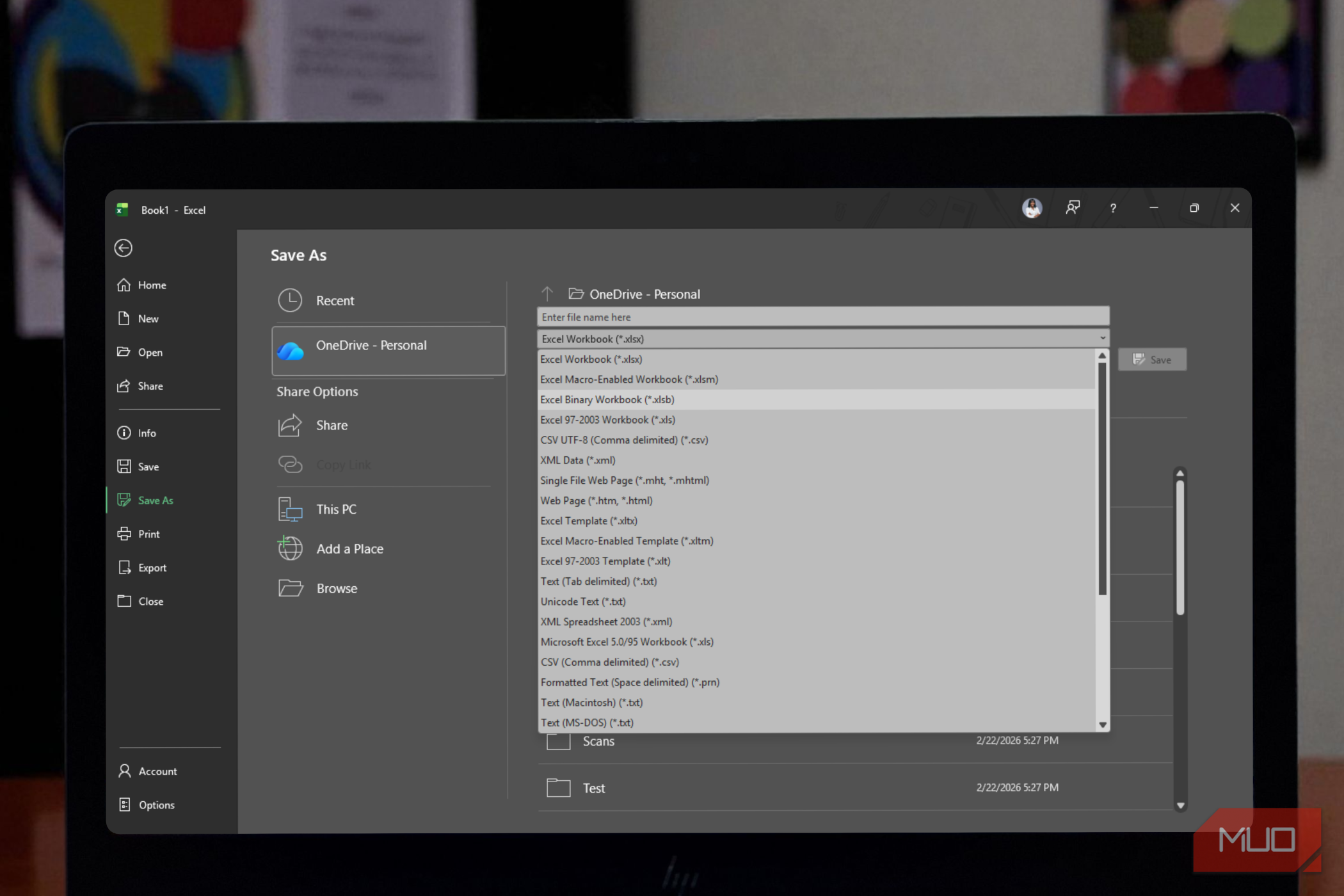
Working with huge Excel workbooks can be incredibly frustrating, especially when they become slow to open, save, and share with colleagues. After struggling to upload massive files to platforms like SharePoint or dealing with constant lag, you might even start to think that this is simply the price of working with large amounts of data. Well, it isn’t. An easy fix is to save your file as an Excel Binary Workbook (.xlsb) instead of the standard .xlsx format. At least, that’s what I now tend to do, and it’s given me the biggest performance boost I’ve seen with even my most demanding spreadsheets. A better format for big files It looks like just another save option, but it stores your workbook very differently .xlsb, short for Excel Binary Workbook, is what I use to halve the size of my spreadsheets. Chances are you’ve never clicked on it in Excel’s Save As dropdown, and that’s fair, since almost nobody does. Since 2007, .xlsx has been Excel’s default format, and for good reason: it works well for the vast majority of spreadsheets people create. Most of those spreadsheets are small and simple enough that file size never becomes an issue. The difference between .xlsx and .xlsb comes down to how each format stores your data. An .xlsx file is essentially a zipped folder containing XML text files, which is part of what makes it so compatible with other programs. An .xlsb file skips the text-based approach and saves everything as binary data, or ones and zeros, using what’s called the BIFF12 format. That structural difference is the main reason .xlsb can perform so much better. For big, complex workbooks, the results are hard to ignore. Files over 100 MB can shrink by as much as 90 percent simply by switching formats, and I’ve even had some smaller files end up almost 1.5 times larger as .xlsx than as .xlsb. Since computers can process binary data more efficiently than text, that difference can translate directly into faster performance. .xlsx files can take up to four times as long to open and twice as long to save compared to their binary counterparts. If your workbook is packed with heavy formulas or you use it for statistical or accounting work, that difference can add up quickly. Unlike .xlsx, which doesn’t support macros, .xlsb also fully supports VBA code, so you don’t have to sacrifice automation to get a smaller file size. Why .xlsb isn’t the default Faster isn’t always better If .xlsb is this much faster, the obvious question is why Microsoft doesn’t just make it the default format for everyone. The answer comes down to trade-offs, and they’re worth understanding before you convert every file you own. The biggest one is compatibility. .xlsx is an open standard, which means Google Sheets, Apple Numbers, OpenOffice, and other Excel alternatives can all read it without a hitch. .xlsb is a much more closed format, and plenty of third-party tools and data platforms can’t open it. If you’re sharing files outside your organization or with people who use different software, that can become a big problem. Security is another factor. Because .xlsx can’t contain macros, people generally know that a file is safe from macro-based viruses just by looking at the extension. .xlsb offers no such certainty. It can contain macros, and there’s no obvious way to tell simply by looking at the file. In rare cases, malicious code hidden in a binary file can also slip past antivirus software that’s better tuned to detect threats in XML. There are some smaller headaches, too. If an .xlsb file gets corrupted, recovering your data can be harder than it would be with the text-based .xlsx format. Excel’s Power Query doesn’t always play nicely with .xlsb either, sometimes ignoring structured tables or showing masked data instead of your actual numbers. Because the format isn’t as flexible, it can also lack support for some newer Excel features, such as certain ribbon customizations. Put it all together, and it’s clear why Microsoft still leans on .xlsx as the default. It’s secure, broadly compatible, and good enough for most people’s needs. .xlsb, on the other hand, is more of an insider’s tool: a format built for people who spend their days working with massive, formula-heavy, Excel-only workbooks and need every bit of performance they can get. Not for every spreadsheet, but perfect for some Switching to .xlsb isn’t about replacing .xlsx everywhere; it’s about knowing when to reach for it. If you’re the person whose spreadsheet takes a whole coffee break just to save, or whose file size keeps bumping against upload limits, changing the format alone can solve the problem without requiring you to change any formulas or lose any data. It’s rare to find a fix this effortless. So, the next time your workbook starts groaning under its own weight, you might already have the answer sitting just a couple clicks away on a menu you’ve scrolled past a hundred times.