Summary
Keeping track of family activities and whereabouts can be challenging, especially if you have a large household with multiple kids. I only have one. But even with his extracurricular activities like taekwondo, baseball, school sports, and events, plus both my partner’s and my frequent business travel, not to mention a social calendar, it’s a lot to keep track of. Shared digital calendars and calendar invites are logical solutions. But there are also family dashboards that you can position in a central location of the home. Everyone can access and update a calendar and more from both the device and the companion app on their mobile devices.
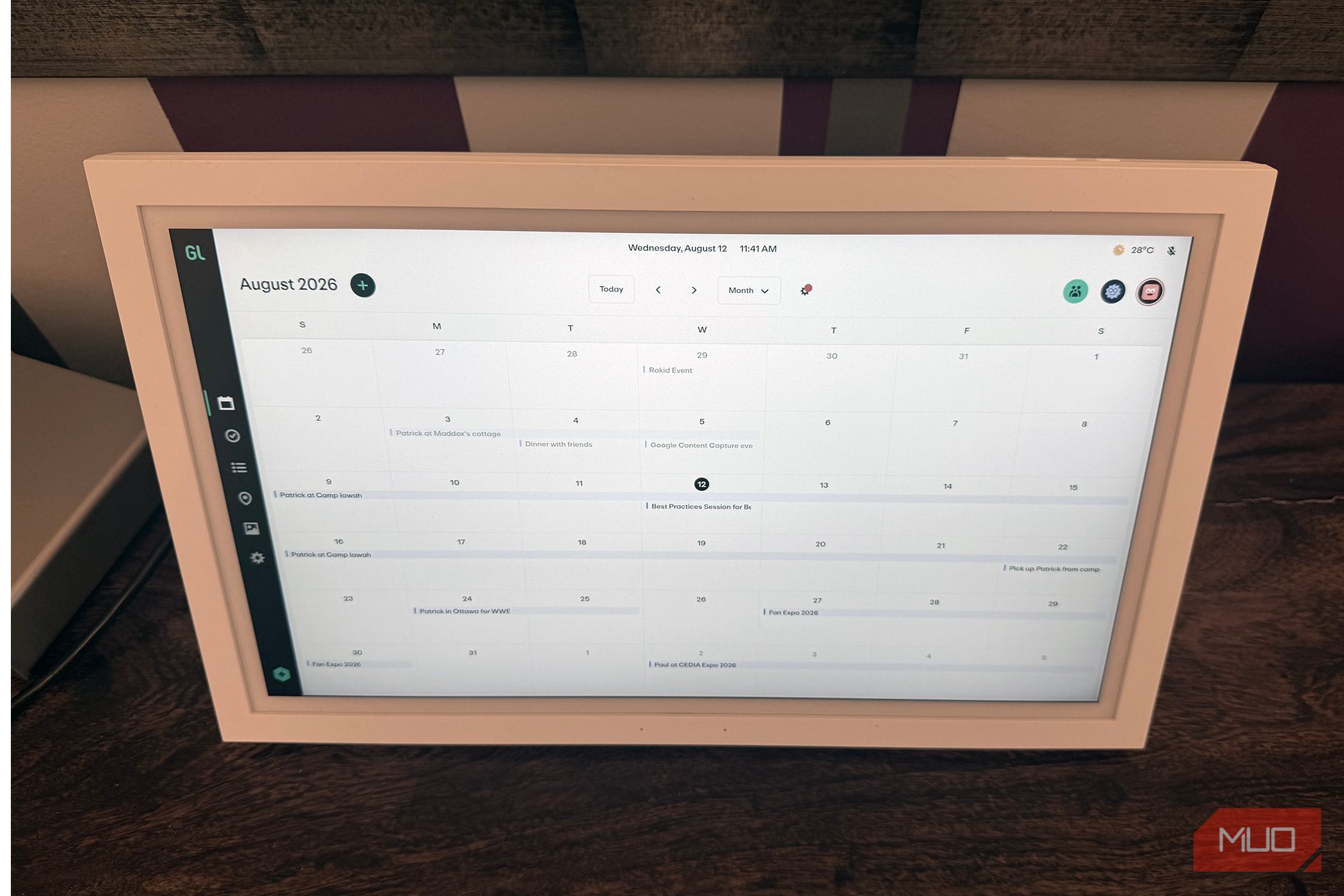
One of the most popular models in this space is the Skylight Calendar. But I recently tried the Greenlight Family Hub, and it affords so many benefits, even without a subscription. Along with a color-coded calendar where every family member can see what’s going on, there’s also a section for to-do and grocery lists, as well as household chores. When you aren’t using it, load photos, and it functions as a digital photo frame. Yes, without a subscription. While I initially found the price of 299 for the 15.6-inch to be a lot for something you could easily do from personal devices or even a basic erasable whiteboard mounted in the kitchen, it has proven useful in my home.
The 21st-century whiteboard
Organize your life
Remember back in the day when your parents would mark down what was going on using a whiteboard in the kitchen or even a paper calendar? Billy’s baseball practice is on Monday, the school cookie drive is next Friday, and you have a dentist appointment in a week. With this calendar, everything is entered on a device you can mount somewhere everyone can access it.
Place it on the included stand in a corner of the kitchen counter or mount it on the wall in the foyer. You just need to be able to run the charging cable to an outlet neatly. Add items directly from the calendar (a PIN code prevents mischievous kids from interfering) or use the companion app. You can also sync calendar items from apps like Google Calendar, Outlook, and iCloud so that all your appointments automatically appear on the calendar as you add them on your computer or phone. From doctor’s appointments to business trips and vacations, deadlines, visitors, and more, everything can be viewed with a quick glance in the morning. Then, everyone in the household knows what’s going on.
Make it fun for kids
Keep track of everything you need and need to do
The Greenlight Family Hub can also be used to track chores in a dedicated tab. Add recurring and single chores, like emptying the dishwasher daily and taking out the trash weekly. You can assign reward points in specific denominations that are banked as the kids check off chores upon completion. Once they accumulate enough, the stars can be redeemed for a reward of your choosing, like an extra hour of screen time or ice cream on Friday night after dinner.
Additionally, you can add items to to-do lists and grocery lists, all of which remain accessible in the app. So, if I’m at the grocery store, I can open the mobile app and see what items we’re running low on that everyone else has added. Maybe it’s milk (I never know when we’re out, since I use my own oat milk) or chocolate chips and flour for baking cookies for the party on Sunday. I already use a separate app for this, but having everything in one place is handy. For to-do lists, I can add reminders like to book an appointment for the water meter upgrade or fix the wobbly step on the porch. If you’re like me, you feel great satisfaction in checking off items on a list. And this Family Hub is an A-type, list-maker’s dream.
Other options in this space
Choose what fits your family best
The Greenlight Family Hub isn’t the only option in this space. The Skylight Calendar is arguably the best-known and most popular. But some features with that model are behind a subscription paywall. You can still create color-coded calendar items and sync calendars, manage tasks and chores, and make custom lists without a subscription. But you need Skylight Plus to create personal photo slideshows, which is free with Greenlight Family Hub. That said, Skylight Plus also has other advanced features that the Greenlight Family Hub does not, like the ability to automatically parse or import events from emails and text photos, and plan meals and auto-generate grocery lists based on them. It’s worth noting that Greenlight Family Hub also offers a subscription option that adds an AI assistant and real-time location tracking for kids via their phones or a Safe Family device.
Another option to consider is the Amazon Echo Show, which comes in 15-inch and 21-inch sizes, both perfect for wall-mounting. They boast built-in Alexa and the Fire TV OS, and you can organize items using the hub and widgets for everything from calendars and weather to to-do lists and more. Plus, you can use it to control compatible smart home gadgets. It does a lot more without requiring a subscription, but it also costs more.
A simple upgrade
Chuck that whiteboard into the trash
If you’re looking for a simple upgrade to the old wall-mounted erasable whiteboard or shared digital calendar, the Greenlight Family Hub is a good option that won’t set you back much. And while the subscription offers high-tech additions you might love, you don’t really need it to enjoy the device’s core benefits.
 Greenlight Family Hub
The larger 15.6-inch device will fit perfectly in the corner of a kitchen counter, a side table in the living room, or mounted on the wall in the foyer. Everyone in the family can check a global calendar, grocery and to-do lists, kids can check off chores an earn rewards, and more. When you’re not actively using it, turn it into a digital photo frame.
Greenlight Family Hub
The larger 15.6-inch device will fit perfectly in the corner of a kitchen counter, a side table in the living room, or mounted on the wall in the foyer. Everyone in the family can check a global calendar, grocery and to-do lists, kids can check off chores an earn rewards, and more. When you’re not actively using it, turn it into a digital photo frame.