Summary
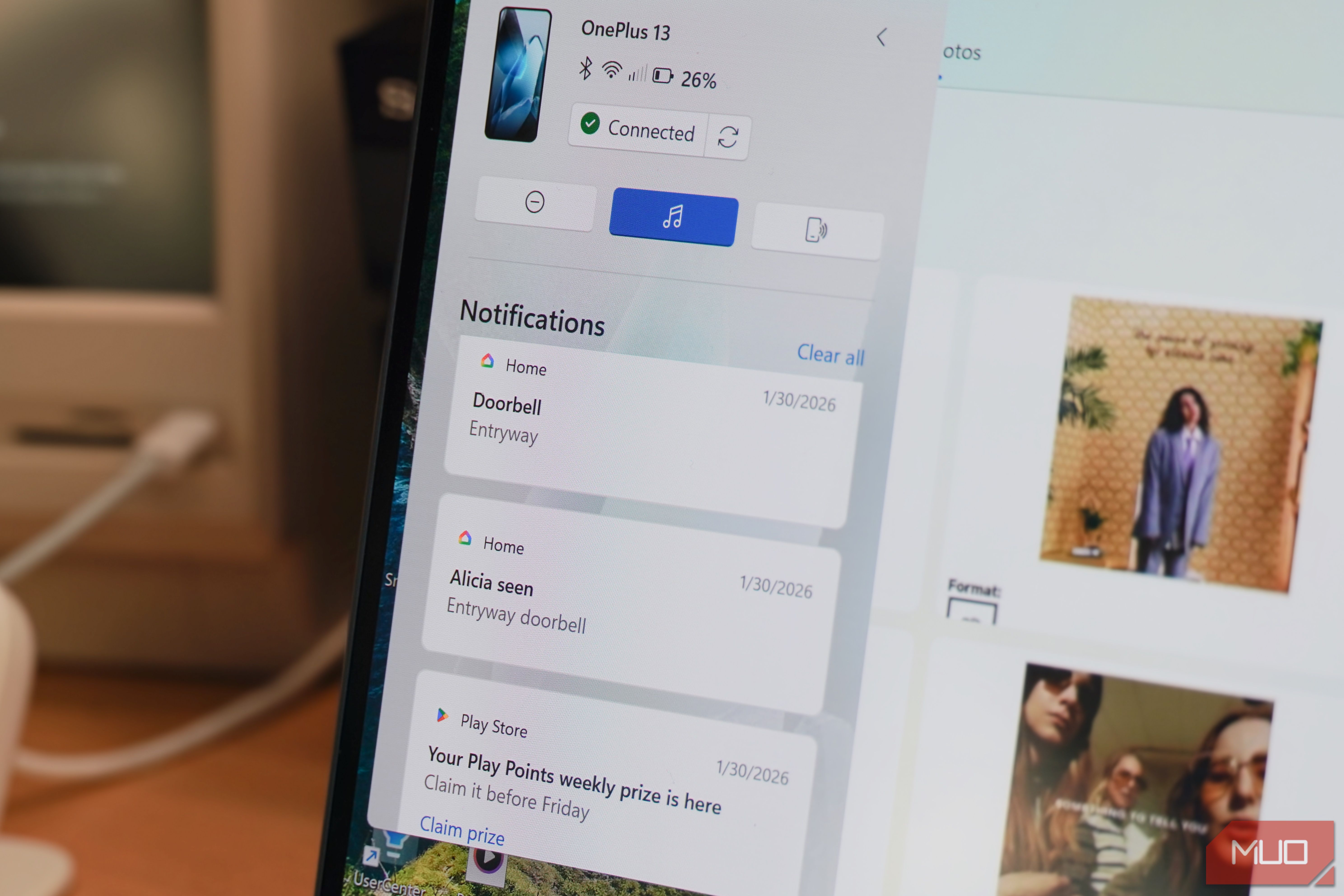
If there’s one thing I’ve learned over the years as a Windows user, it’s to discard most first-party applications. OneDrive, Copilot, and similar services have only hogged my system resources and forced their way onto my system. I used to think the same about Phone Link, and the last time I used it was years ago — it was terrible and very inconsistent. Since then, Windows 11 has made heaps of improvements, both to the OS itself and with the first-party apps. Copilot is actually good now, and Microsoft Edge is one of the best browsers on the market. I was setting up a computer for a friend I was shocked because it was nothing like what I remembered.What made me give up on Phone Link the first time? Your Phone’s rocky start on Windows 10 Phone Link debuted with Windows 10 and was called Your Phone at the time. The initial version was extremely limited; all you could do was text or share media between your PC and your mobile phone. Even then, some notifications and features failed to work because the integration wasn’t smooth and required specific APIs. Then the connection itself was brittle: the slightest network delay or battery-saving feature could kill synchronization, and you had to start over. Generally, the experience was inconsistent across all devices — Your Phone worked better on Samsung devices because of their partnership with Microsoft, while the experience on other Android devices was subpar. Not to mention, there was no iOS support because of Apple’s closed ecosystem. How Phone Link grew into something worth using From basic notifications to full app mirroring Your Phone wasn’t a bad idea — the app was in its early stages, and some features weren’t fully mature or didn’t work at all. Microsoft released it in a hasty state, but they did actively improve it, and one step forward was rebranding it as Phone Link. Your Phone could only do basic tasks like sharing media, taking calls, or showing notifications, and that wasn’t truly innovative. Now, Phone Link is truly an extension of your mobile phone on a Windows 11 PC. You get cross-device copy-pasting, and if you’ve jotted down ideas or a list on your phone, you can easily copy them over to your desktop PC. This helps me, especially in a creative field like writing, where I get ideas for new pitches and write them down on my phone in the most unusual places and at the most unusual times. Other than that, you get app mirroring on specific phones like Samsung and ASUS devices. The Phone Link experience in 2026 On the iPhone, the experience was underwhelming I use a dual-phone setup, but most of the time my personal content is on my iPhone. Apple’s ecosystem is vastly different from Windows’, so I had low expectations to begin with. I wasn’t wrong because the initial pairing setup was a bit complicated. Linking to an iPhone requires a Bluetooth adapter that supports Low Energy (BLE), whereas Android devices don’t require that. My devices wouldn’t connect until I manually paired them via Bluetooth, and only then did they work. I also logged in to my Microsoft account on my iPhone. After setting up and enabling contact and notification syncing on my PC, all my past notifications and calls synced immediately. However, my iPhone lacked most of the features I was looking forward to via Phone Link, such as app mirroring, since Apple restricts these features natively and only makes them work on Mac computers or via AirPlay. The functionality was limited. I could only check notifications, and when I clicked on links from apps like Reddit, WhatsApp, and YouTube, I was redirected to the website instead of the content itself. So, my functionality was limited to taking phone calls that only worked via my mobile plan, and not the calls I initiated through WhatsApp, Instagram, or FaceTime. Phone Link also shows the current song playing on my device, but once again, that’s just for show, since there’s no option to stream the song to my PC. The only reason to keep Phone Link on the iPhone was to sync notifications or share media, which I rarely need to do. The Android Phone Link experience was lovely Switching to my Galaxy S23 changed everything Linking to my Galaxy S23 was smoother. I had no setbacks, and the first setup took about 15 minutes, including granting access and permissions on both ends. For starters, notifications actually worked, and I could click them and follow up on the results. Then I could mirror my apps and calls through different apps, not just my cellular line. App Mirroring worked wonderfully, and you can allow remote access at all times instead of the phone prompting you for permission each time, making the experience much smoother. Moving files had never been more convenient; all I had to do was drag and drop them between my phone and my PC. I streamed Age of Empires Mobile to my PC without any delay or friction, and it was wonderful. This time around, the Android integration felt like a proper extension, and from now on it will be a daily routine, so I don’t have to reach for my phone every time someone rings me, because switching between devices hurts my productivity a lot. A more seamless iPhone experience and deeper Windows integration are coming I love Phone Link in 2026, and it’s actually a productive app for me with no friction or rough experience, at least on Android devices. In the near future, Microsoft is planning more features that would put it closer to iPhone and macOS integration. For starters, iPhone integration will improve, with options to turn on Do Not Disturb. Insider previews hinted at Start menu integration and a dedicated system tray icon. Microsoft’s next steps are to integrate Phone Link into Windows natively rather than making it a separate experience, as it is on iPhone and macOS.