Summary
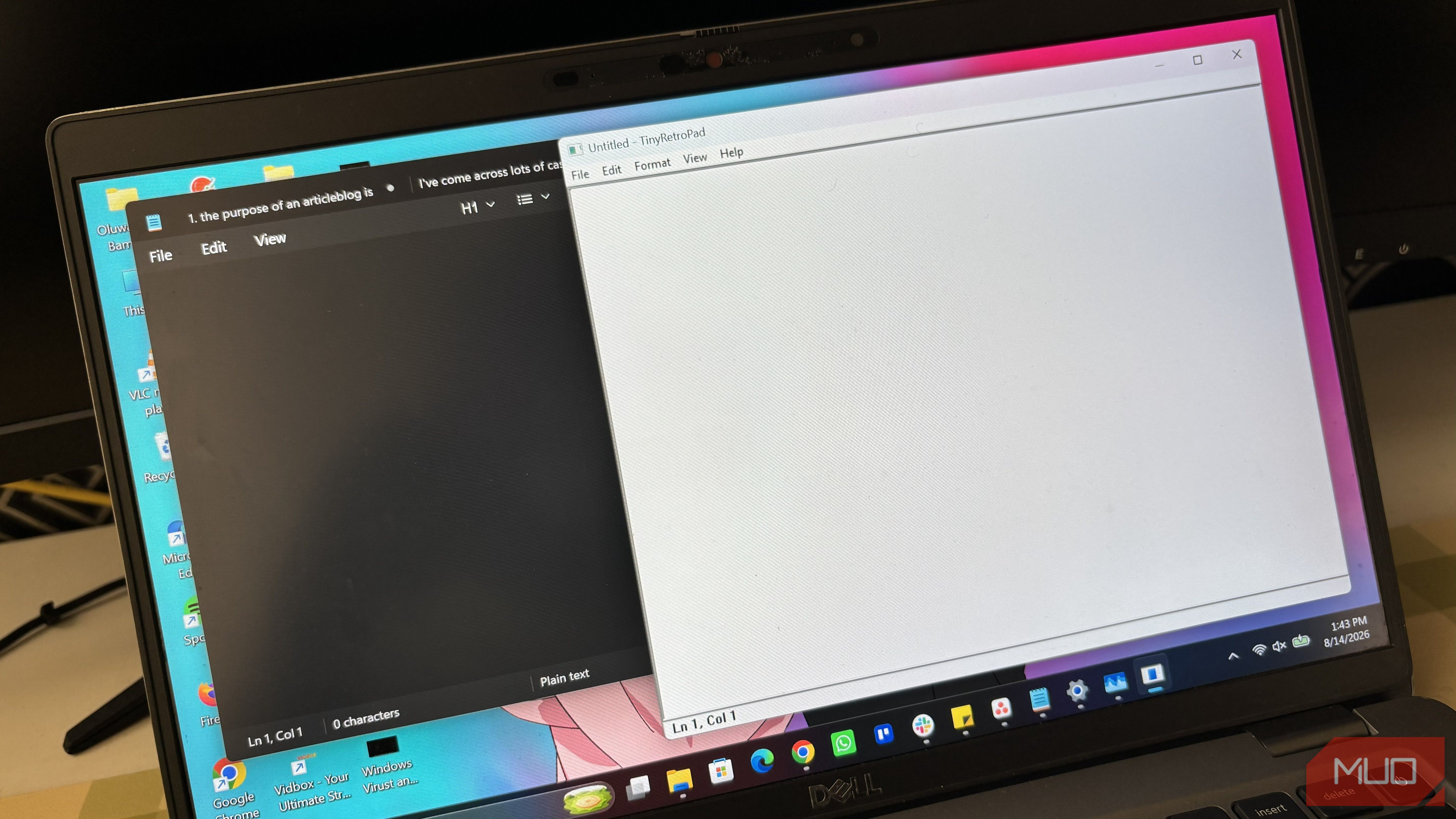
Notepad used to be one of the simplest tools in Windows. Like, it was a digital notebook where you could write stuff simply. But with every update it’s received in recent years, Microsoft keeps adding features nobody asked for. For instance, Notepad now has AI features that can help you write, rewrite, and summarize text with the help of Microsoft Copilot. The fact that these AI features (although you can turn them off) require a subscription makes the whole thing even more bizarre to me. If I wanted to use an AI writing tool, I would go directly to ChatGPT or Copilot rather than having it built into my simple Notepad app. Well, it got so bad that a former Microsoft engineer, Dave Plummer, decided to release a free alternative called TinyRetroPad. TinyRetroPad is simply Notepad without the extras It strips text editing back to what Notepad was supposed to be TinyRetroPad isn’t trying to reinvent the text editor. In fact, it is doing the opposite. It’s a Notepad-style Windows text editor built around the idea that a simple text editor should stay simple. The project includes the basic things you’d expect from Notepad, including opening and saving files, find and replace, word wrap, font settings, printing, and a line-and-column indicator. There is no AI trying to rewrite my sentences, subscription prompts, or unnecessary features competing for space in the interface. That’s important to me because I don’t use Notepad as a full writing application. I usually open it to jot something down, paste some text temporarily, look at the contents of a file, or make a quick edit. And TinyRetroPad sticks to that simple use case instead of trying to turn a basic text editor into something much larger. The “tiny” in its name isn’t a gimmick It really is just a few kilobytes on GitHub The project describes the tool as “roughly 2.5KB” on GitHub, and the Windows app properties confirmed a 2.7KB size. That’s almost laughable compared with the size of applications these days. You can get the tool from the project’s GitHub repository. Once you clone or download the repo, you just need to extract the file, and you’ll find the TinyRetroPad app in the folder. Microsoft has turned Notepad into a much more feature-packed Windows app, while TinyRetroPad delivers the core text-editing experience in a file that’s only a few kilobytes. Keeping the application this small is central to the project’s design, which gets even more interesting when you look at how it’s built. What you’re giving up for simplicity TinyRetroPad’s small size comes with some rough edges Going from an official Microsoft app to an open-source project means you’re going to encounter a few problems here and there. For starters, Windows Defender may warn you when you try to launch TinyRetroPad. I’d expect that to make some people hesitate, especially when the application is downloaded from GitHub. But a warning doesn’t automatically mean the app is malicious, but it’s still something to be aware of before you run it. Then there’s the RAM usage, which is probably the most ironic part of this whole thing. Despite being under 3KB, TinyRetroPad used about 500MB of RAM when I opened it on my Windows 11 laptop. Other users have complained about the app’s memory usage on the project’s Issues page on GitHub, so this isn’t simply an odd reading on my laptop. You’re also using a bare-bones project instead of a polished Windows component. You shouldn’t expect the same level of refinement and feature set as Microsoft’s Notepad. And although TinyRetroPad is open source, so you’re free to modify the code and add more features if you want, going too far with that idea kind of defeats the entire purpose. If you keep adding features just because you can, you eventually end up recreating the exact thing TinyRetroPad was created to escape. Sometimes less is more There’s nothing wrong with Microsoft adding features to Notepad if people actually want them. Spellcheck, dark mode, tabs, and other improvements can actually make the app more useful. My problem is that Notepad’s original appeal was its simplicity. I don’t need every Windows app to become complex for no reason, especially one whose main purpose is giving me a blank space to type plain text. Microsoft is free to keep expanding Notepad, and some people will probably appreciate those additions. I’ll just stick with the tiny open-source alternative that does what I originally wanted Notepad to do.