Summary
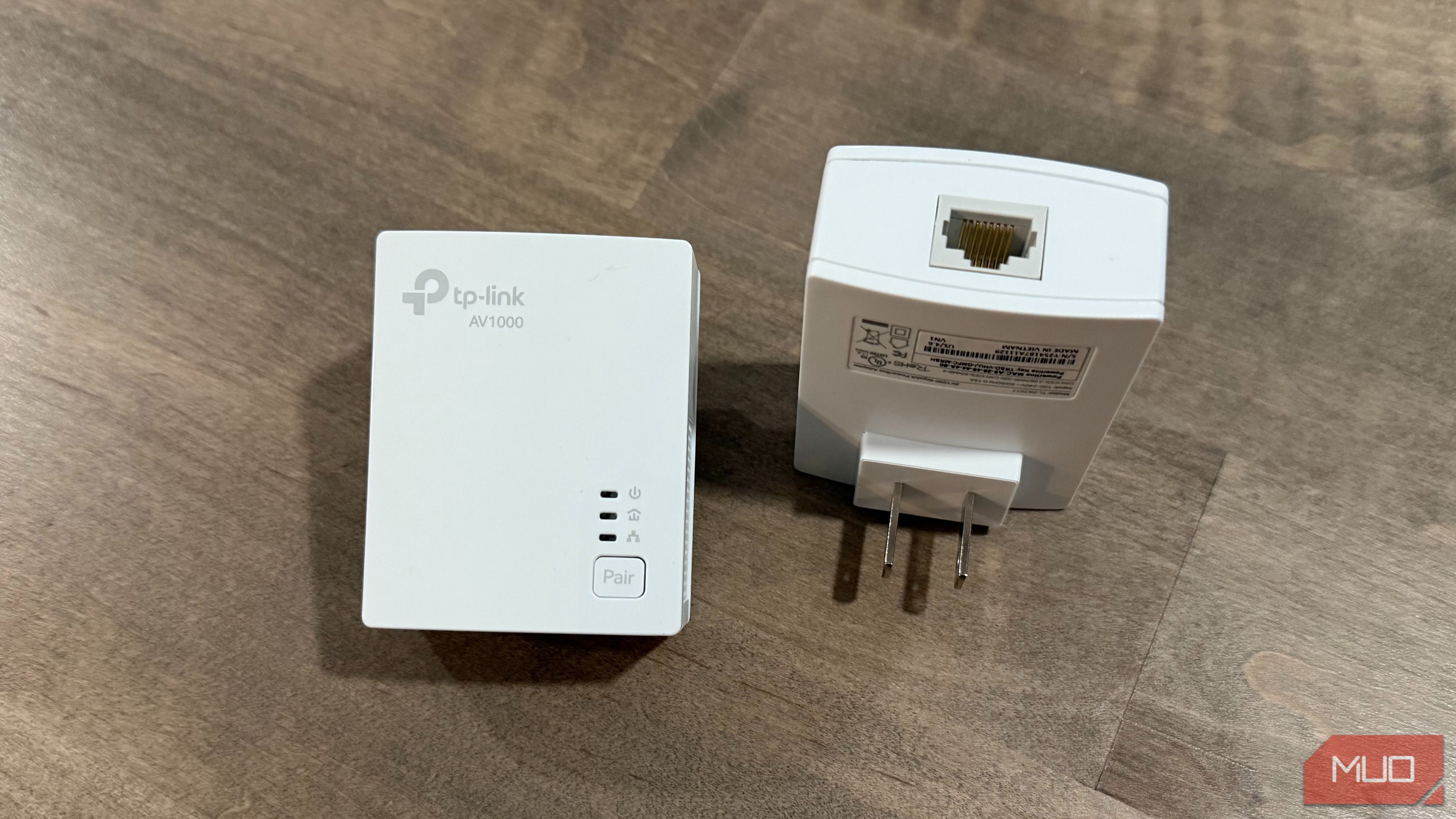
The outlet behind your couch and the outlet behind your router terminate at the same busbar in your breaker panel. That shared copper is the entire trick behind powerline networking. Two adapters turn any pair of outlets into the endpoints of a wired link, with no drilling, no fishing cable through insulation, and no cord stapled along a baseboard. I went this route for a smart TV stranded in my three-season room, where the nearest network jack sat more than 30 feet away through finished walls. I used the TP-Link AV1000 powerline adapter, and it worked. Not every outlet performs the same, though, and the reasons trace back to decisions your electrician made before the drywall went up.
Your wiring was already carrying more than power
What an adapter actually puts on the line
Power moves through your house at 60Hz. A powerline adapter operates far above that, injecting a data carrier in the megahertz range on top of the AC waveform and pulling it back out at the far end. HomePlug AV2, the standard in most kits sold in the US, splits that carrier across thousands of narrow subchannels and transmits across hot, neutral, and ground simultaneously. Using all three conductors is what separates AV2 from older HomePlug AV gear that topped out around 200 Mbps.
Reach is rarely the limiting factor. TP-Link rates its AV1000 kit for up to 300 meters of wiring, more than most houses contain. Every 120V outlet traces back to the same panel, which is why any of them can serve as a network drop. In a finished home, that beats the alternative, since wiring a room properly usually means opening drywall.
Two outlets in the same house can behave completely differently
The 240V split inside your breaker panel
Utility power arrives at a US home as split-phase service: two hot legs 180 degrees out of phase, plus a neutral. Inside the panel, those legs land on two separate busbars. Every 120V breaker clips onto one bar or the other, so roughly half your outlets live on leg one and half on leg two. A powerline signal crossing between them can drop 20dB or more, because nothing at the panel connects the two bars directly.
What does connect them is any 240V circuit: the electric dryer, the range, the water heater, the AC condenser. Those double-pole breakers span both bars, and the signal couples across through the appliance itself. How well it couples depends on what is wired in and whether it happens to be running, which is why the same kit can test at 400 Mbps one afternoon and struggle the next.
The practical version: when a location performs badly, move the adapter to a receptacle on a different circuit before giving up on the kit.
What quietly eats the signal
Surge strips, dimmers, and motor loads
Surge protectors and battery backups are built to strip high-frequency noise off the line, and they cannot tell your data carrier apart from noise. Plug an adapter into either one and you may kill the link outright. I keep a CyberPower UPS on my basement rack, and the adapter goes straight into the wall instead. Passthrough models solve the lost-outlet problem by filtering only the power they hand back.
Everyday hardware causes trouble too. LED dimmers, inexpensive phone chargers, and no-name switching supplies all inject noise into the same frequency range the adapters use. Motor loads are worse. After 12 years in HVAC, I have watched compressors and blower motors put enough electrical garbage on a circuit to disrupt equipment far more sensitive than a 45 and tests north of 500 Mbps at the TV, roughly half its rating and far more than 4K streaming needs.
Two incompatible standards share shelf space. HomePlug AV2 dominates US retail and works across brands. G.hn, sold mainly by Zyxel, Comtrend, and NexusLink, advertises higher ceilings and handles noisy circuits well, but the two families cannot see each other on the same wiring. Pick one and stay there.
Check the Ethernet port before buying, since some budget kits still ship a 100 Mbps port that caps you well below what the powerline link can deliver. And if your rooms have coax jacks, a colleague makes a solid case for MoCA over powerline, which uses shielded cable built for signal in the first place.
 TP-Link AV1000 Powerline Adapter
- Brand
- TP-Link
- Connectivity
- Ethernet
- Ports
- RJ45 Where a powerline adapter earns its outlet The honest answer depends on whether your walls are open. When they are not, and one stubborn room needs a stable connection, a pair of adapters is hard to beat for the money and the effort involved. Renters get the same benefit with nothing to patch on move-out. When drywall is already down, run cable instead. I crimped my own Cat6 runs while finishing my basement and wired 15 locations for less than the cost of pre-made cables. Both roads end in the same place: a wired connection in a room that used to fight you.