Summary
I have a terrible habit of doomscrolling, and one notification is all it takes to pull me in. So, I did the obvious thing: I turned off most of my notifications. It worked surprisingly well, but it created another problem. Without those constant pings, I sometimes miss notifications I actually care about. Thankfully, there’s a nice middle ground. I discovered that I can go back and see the notifications my phone received throughout the day, even if I dismissed them earlier. It means I can keep my phone relatively quiet without worrying that something important has slipped past me. If you’re trying to cut down on notifications without completely losing track of them, enabling this feature will definitely help you, too. Your notifications aren’t gone; they’re just hiding Your 24-hour notification rewind button This feature is called Notification History, and it’s built right into Android. Think of it as a second chance for your notifications. If you swipe something away too quickly, clear your entire notification panel without thinking, or always keep your phone on Do Not Disturb, you can jump into Notification History and find it again. I’ve found this especially useful because I don’t want my phone buzzing every few minutes. I can keep unnecessary notifications out of sight and then check everything in one place when I actually want to. For example, I might dismiss a delivery update while I’m working, clear a WhatsApp message without reading it properly, or swipe away a reminder thinking I’ll remember it later. Instead of wondering what I missed, Notification History gives me a safety net. There is one catch, though: Android only keeps this history for the past 24 hours. Anything older disappears, so it isn’t meant to be a permanent archive of every notification you’ve ever received. There’s one important thing to know before you turn it on: Notification History only starts keeping track from the moment you enable it. So, if you switch it on at 3 PM, anything that popped up earlier in the day won’t be visible there. From 3 PM onward, though, Android will start saving incoming alerts, and within 24 hours, you’ll have a proper running history to look back through. There’s also a small privacy trade-off. Notification History can preserve readable text from notifications, including message previews from apps such as WhatsApp or Messages. If someone can unlock your phone, they may also be able to open Notification History and see those previews. So, if you decide to use it, a strong PIN, password, fingerprint, or other secure screen lock becomes even more important. For me, that trade-off is worth it. My lock screen stays much quieter; I’m less tempted to open my phone every time something happens, and I still have one place to check what I might have missed later. Give your notifications a second home A much tidier notification rabbit hole Notification History is turned off by default on Android, so you’ll need to enable it before your phone starts tracking anything. Thankfully, it only takes a few taps. Here’s how I turned it on:
- Open the Settings app on your Android phone.
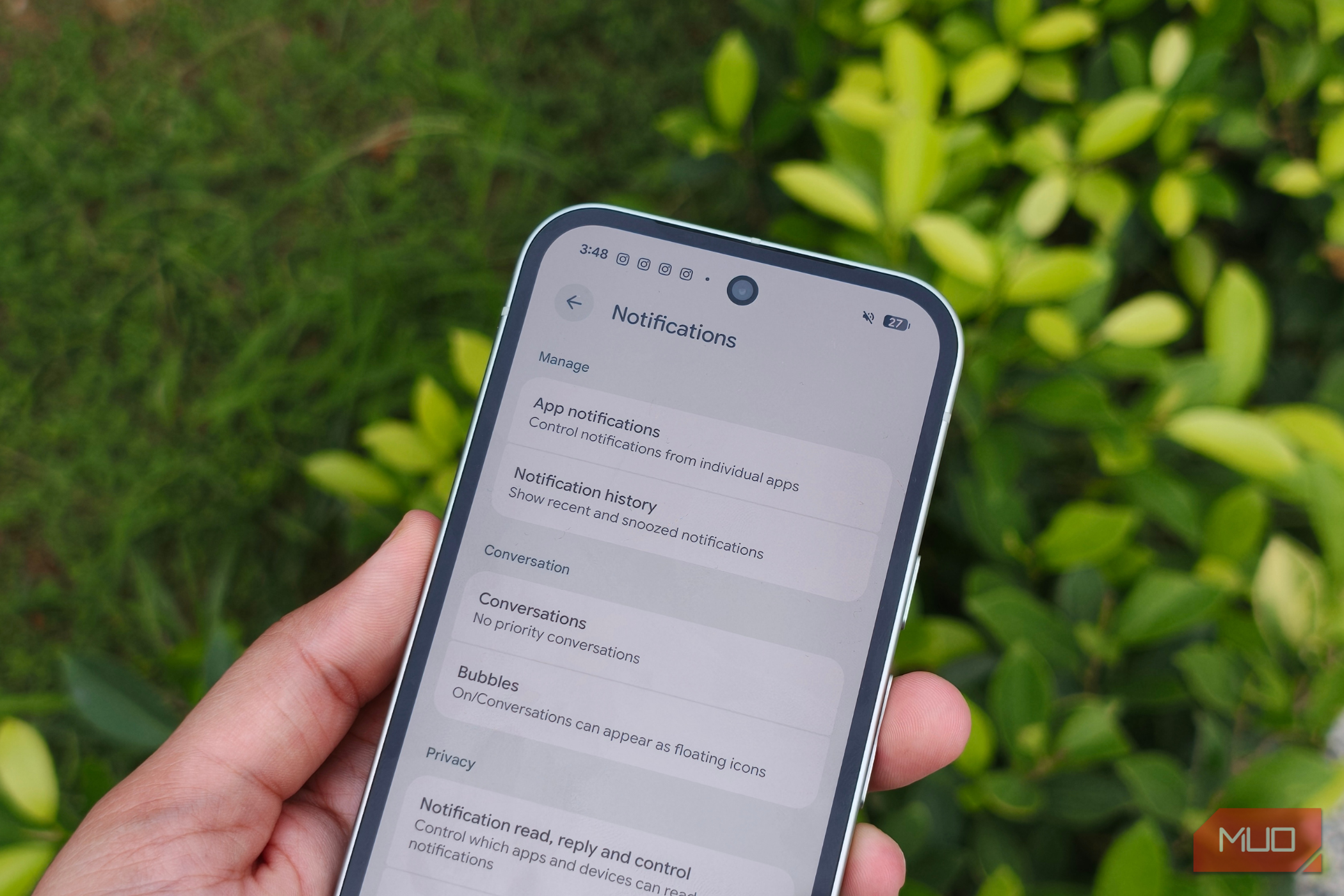
- Tap Notifications.
- Under the Manage section, select Notification History.
- Turn on the toggle next to Use Notification History. That’s it. From this point onward, Android will start building your notification history. Don’t worry if the page looks a little empty immediately after you turn it on. You’ll need to give your phone some time to actually receive notifications before there’s anything useful to show here. What I particularly like is how neatly everything is organized. Instead of throwing dozens of alerts into one endless list, Android groups them by app. So, say I want to see what I missed from Instagram. I can simply find Instagram in my history, tap the arrow next to it, and expand the section to see its notifications. Once I’m done, I tap the arrow again to collapse it. The same works for WhatsApp, Gmail, Messages, or any other app that has sent me something. This definitely keeps Notification History from becoming yet another cluttered notification panel I don’t want to look at. Doomscrolling just lost an excuse This feature definitely won’t be for everyone, and that’s completely fine. I’d recommend turning it on for a couple of days and seeing whether it actually makes your phone easier to live with. For me, one of its most useful side effects is seeing just how many unnecessary notifications I get. But if keeping a running record of your alerts starts to feel uncomfortable, you don’t have to stick with it. You can turn Notification History off whenever you want, and Android will clear the existing history. If you decide to enable it again later, your phone will start building a fresh log from that point onward. That’s really why I like the feature. It lets me be much more aggressive about keeping notifications off my lock screen without feeling like I’m completely cutting myself off. My phone gets to be quieter, I get fewer excuses to start doomscrolling, and anything I genuinely care about is still waiting for me when I decide to check it.