Summary
Summary
- Grok Imagine Image 2.0 automatically segments an image into selectable elements for more targeted AI edits.
- Its segments resemble Photoshop layers but lack precise controls for moving, resizing, masking, and blending elements.
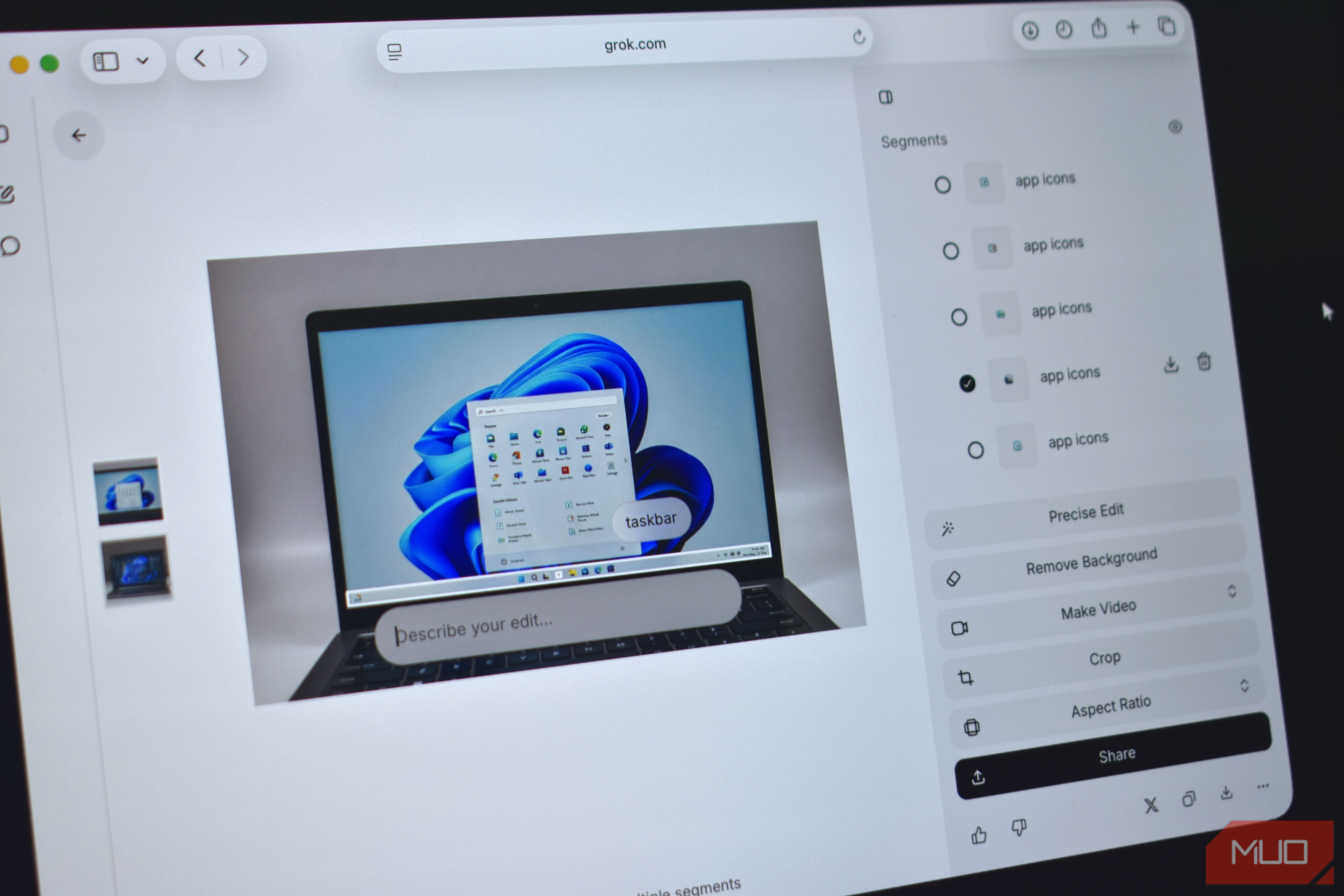
- Canva Magic Layers provides greater manual control, while Pixel’s Magic Eraser offers similar object detection for removals. Sometimes, asking an AI to make a subtle change to an image it generated is a great way to make you question your life choices. You clearly said you just want the guy on the left to be wearing a blue shirt, but now the dog next to him has three ears. Thankfully, Grok Image’s latest editing feature gives you more control over what the AI can change. According to xAI’s Imagine Image 2.0 announcement, Grok can now segment an image into precise selectable areas, which gives you a layout similar to layers in Photoshop for working with different elements independently. The update also includes a Magic Wand for targeted editing, automatic background removal, support for up to five reference images, and Smart Resize, which fills the frame when converting an image to another aspect ratio. Grok’s Photoshop-like layers fix AI image editing’s most annoying problem Changing one object shouldn’t ruin the rest of your image With Imagine Image 2.0, Grok analyzes an image and automatically identifies separate elements and objects. As shown in the screenshot above, Grok identified the individual elements on the laptop screen, including the search bar and each app icon in the Recommended section. I created the image by prompting Grok to produce a laptop mock-up with Windows 11 displayed on its screen. That could address one of generative editing’s most annoying limitations. AI tools can produce impressive results, but they sometimes change faces or other important parts of an image even when the prompt is about something else entirely. By creating clear spatial boundaries for each given instruction, Grok should be less likely to ruin parts of an image you already like. In another test, I asked Grok to create an image using this prompt: Create an image of a chess board with each individual piece having a different color. Put the board on an Eames Turned Stool, next to a brown Togo sofa. As you can see in the screenshot, I can target each individual chess piece and make alterations as I wish. If you nerd out over interior design and furniture like me, you will also notice that the sofa Grok rendered looks nothing like the Togo model requested in the original prompt. That would be my first target for another edit. I can select the sofa from the “Segments” panel on the right or hover my pointer over it until a white outline appears, indicating that Grok has recognized it as a separate element. Can Grok Image compete with Photoshop? Although Grok’s segmented regions are useful, they are not layers in the conventional Photoshop sense. You don’t receive a stack of independent raster or vector elements that you can resize and move around freely. Instead, these “Segments” function more like automatically generated selection masks that tell Grok where to perform edits. That means the result still depends on the model interpreting your prompt and regenerating the selected region correctly. Other AI editors take different approaches to layers But how much does it all cost? Google and Canva have gone closer to creating literal layers based on AI-generated images. Their Magic Layers technology can split a Gemini-generated design into independently editable elements. Meanwhile, Pixel’s Magic Eraser similarly analyzes a photo and highlights recognizable objects, although its primary purpose is removing them rather than performing broader generative edits. Grok’s new feature sits somewhere between a one-tap AI tool and a traditional photo editor. It makes targeted changes considerably easier, but anyone who needs opacity controls, masks, blend modes, and precise nondestructive adjustments will still need a genuine layer-based editor. These editing tools are not available on Grok’s free plan. Access through the Grok Imagine app requires a SuperGrok subscription, which currently costs $30 monthly and includes image and video generation. Developers can also access Image 2.0 separately through xAI’s usage-based API.