Summary
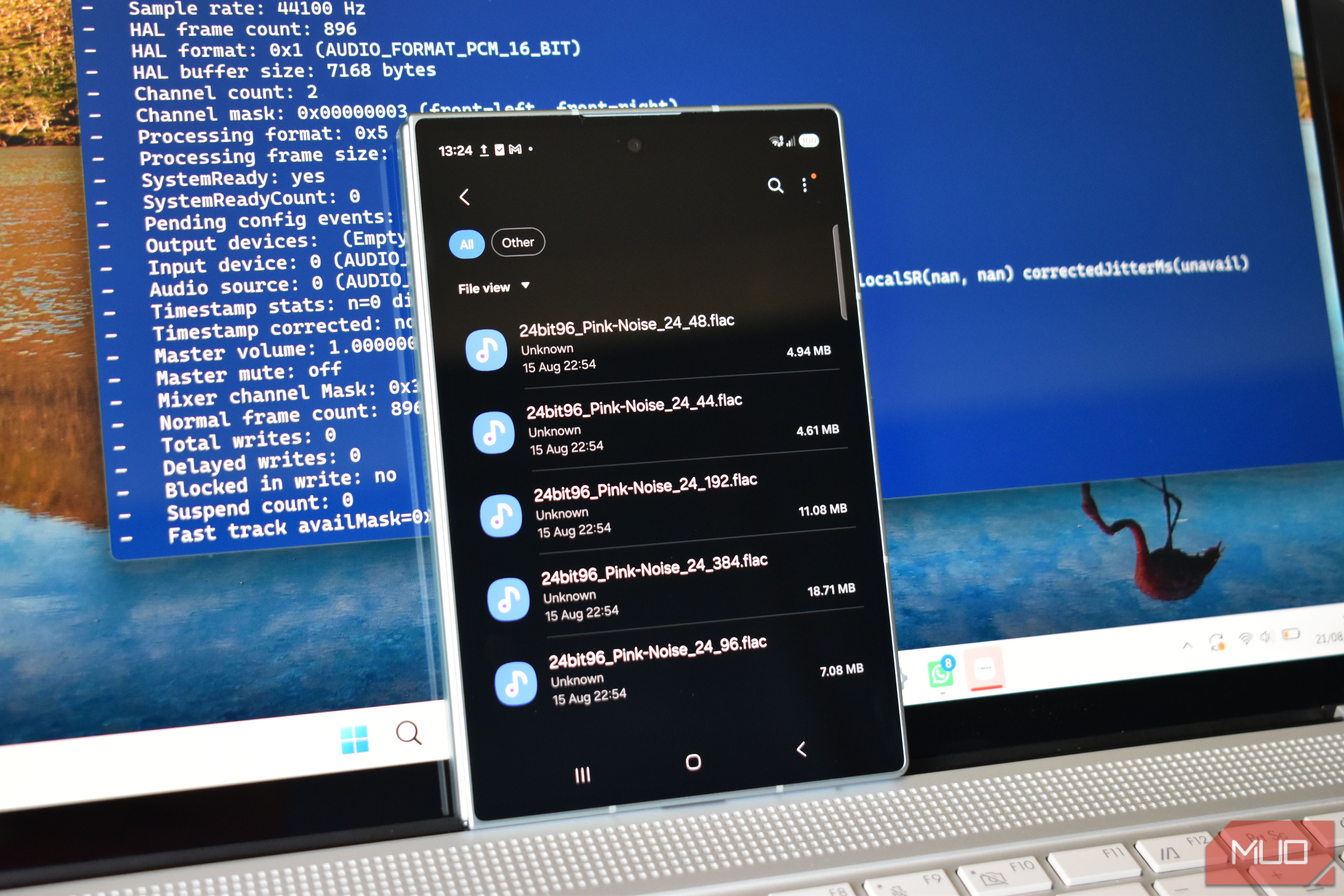
Your Android device might be making your audio sound worse without ever letting you know — even if you pay for hi-res audio. Android’s audio mixer, AudioFlinger, resamples pretty much everything to one fixed internal rate before it ever leaves the phone, disregarding your FLAC or WAV files, meaning your lossless file isn’t necessarily what you’re hearing. How Android handles every audio file the same Except when it doesn’t Android AudioFlinger is designed to manage all of the audio across your device, all at once. That means your notification chimes, podcast, music, screen recording audio, accessibility features… you get the picture. Now, none of that works if every audio source decides to use its native sample rate, which is exactly where AudioFlinger comes into play. It picks one rate for its primary output path and resamples every stream to match, before anything gets mixed. But when it comes to music, that can mean that your music files original rate doesn’t survive the process, as it’s converted into a standardized sample rate rather than adapted to. Those ultra-high quality versions of Die With a Smile and Choosin’ Texas get wrecked the moment you fire them up. It makes sense from a manufacturing and operating system perspective. Android has to run on hardware from dozens of manufacturers, with wildly different native DAC capabilities, and still guarantee a game’s explosion and a text notification land in the same output without glitching. The single shared rate is an easy way to make sure that it works, but it also means that most of the time, apps ignore your lossless file and do what they want. What I found when I tested sample rates on four different smartphones Four phones, four different outcomes I tested this out by playing local FLAC test tones (44.1, 48, 96, and 192kHz) through a pair of FiiO EH13 headphones over Bluetooth using the AAC codec, then through a pair of Status Pro X earbuds using the hi-res LDAC codec. In each case, I captured the audio data using the adb shell dumpsys media.audio_flinger command, running the command after around 10 seconds of playback. That gives you a huge list of information running in the background when the audio is playing, including the sample rate, audio thread, and much more that helps figure out just how your device handles audio. I have to say, this testing was a much more mixed bag than I expected, with differing outcomes across a Motorola Razr Fold, Samsung Galaxy Z Fold 8, Nothing Phone 3, and a Tecno Camon 50 Ultra. Motorola Razr Fold The Razr Fold unlocked its audio for me The Motorola Razr Fold was arguably the most interesting device of the bunch, and the only device that didn’t flatten performance. I’ll explain a bit more about why that is in a moment, because for all the good the Razr Fold did, there is still an asterisk. Here’s what happened, blow-by-blow. The 44.1kHz file reported its native rate, but the shared mixer thread pinned it at 48kHz, creating a mismatch. Next, the 48kHz file matched the mixer perfectly… because that’s what it was already running at. | File rate | Thread under AAC | Thread under LDAC | |---|---|---| | 44.1kHz | 48,000Hz (MIXER) | 48,000Hz (MIXER) | | 48kHz | 48,000Hz (MIXER) | 48,000Hz (MIXER) | | 96kHz | 96,000Hz (DIRECT) | 96,000Hz (DIRECT) | | 192kHz | 192,000Hz (DIRECT) | 192,000Hz (DIRECT) | Then, the 96kHz file did something different entirely. Instead of downsampling to 48kHz, Android opened a new output thread named DIRECT, allowing the file to run at its native 96kHz. It was the same story for the 192kHz file, too, with both files completely bypassing the shared mixer and its forced sample sizes. And better still, it replicated this exact process when I switched from AAC to LDAC. Whatever triggers the bypass on the Razr Fold does so by reading the file rate, and doesn’t seem limited by Android’s designs, the codec, or what’s plugged in. About that Razr Fold Asterisk But the asterisk is thus: dumpsys media.audio_flinger shows you the output thread AudioFlinger opened. But that thread comes before the Bluetooth encoding… and that encoder has its own ceiling. AD2P tops out at 44.1kHz, and LDAC tops out at 24-bit/96kHz. The eagle-eyed Bluetooth codec-loving folks here already know what this means: a 192kHz DIRECT thread cannot reach a pair of earbuds at 192kHz, because there’s no Bluetooth codec on either device capable of carrying it. That doesn’t mean the DIRECT thread isn’t real or doing its job. But it does mean that what happens after it hits the encoder is something else entirely, and not something I captured in my testing, which focused on the audio dump rather than the configured Bluetooth codec and its negotiated rates. Samsung Galaxy Z Fold 8 Fixed rates, but depends on the codec and hardware I was thoroughly surprised while testing the Samsung Galaxy Z Fold 8, because I thought that I’d be guaranteed to get high-quality audio. But that’s not exactly what happened. In fact, it was the opposite: Samsung downsampled my hi-res audio test files while using the AAC codec. | File rate | Thread under AAC | Thread under LDAC | |---|---|---| | 44.1kHz | 44,100Hz | 96,000Hz | | 48kHz | 44,100Hz | 96,000Hz | | 96kHz | 44,100Hz | 96,000Hz | | 192kHz | 44,100Hz | 96,000Hz | It appears that the Samsung Galaxy Z Fold 8 opened the Bluetooth A2DP output thread at 44.1kHz, and then didn’t do anything else, forcing the other tracks at higher rates to lock to the lower rate. Using the Samsung Music app, no DIRECT thread ever showed up, and I didn’t see any thread suggesting the Galaxy Z Fold 8 was changing it. The gap between source and output just kept widening as the native rate climbed. The behavior changes when switching to LDAC with the hi-res Status Pro X earbuds; the thread locks to 96kHz; that also means up- and downsampling for each audio test, so it’s not a completely clean process. Nothing Phone 3 Didn’t really seem to notice what audio file or codec I used Next up, my faithful Nothing Phone 3, which actually runs quite close to stock Android. However, the same output issue happened again, across both sets of earbuds and codecs. | File rate | Thread under AAC | Thread under LDAC | |---|---|---| | 44.1kHz | 48,000Hz | 48,000Hz | | 48kHz | 48,000Hz | 48,000Hz | | 96kHz | 48,000Hz | 48,000Hz | | 192kHz | 48,000Hz | 48,000Hz | I didn’t spot a DIRECT thread or anything similar in the adb audio dump, under either set of hardware or Bluetooth configurations. That makes it different from the other Qualcomm-powered device, the Samsung, where the fixed rate jumped when switching to LDAC. Nothing budged at all for either set of testing. Tecno Camon 50 Ultra Same mechanism, different chipset My Android audio testing with the Tecno Camon 50 Ultra was also a mixed bag. The Tecno is the only device on this list using a MediaTek chipset, and I thought that may mean a different outcome entirely. In fairness to Tecno, it was different and more successful than some of the other options. | File rate | Thread under AAC | Thread under LDAC | |---|---|---| | 44.1kHz | 44,100Hz | 96,000Hz | | 48kHz | 44,100Hz | 96,000Hz | | 96kHz | 44,100Hz | 96,000Hz | | 192kHz | 44,100Hz | 96,000Hz | While the Tecno Camon 50 Ultra didn’t match the sample rate for each track, it locked in a different sample rate for each Bluetooth codec: 44.1kHz for AAC, and 96kHz for LDAC. Tecno’s hardware, then, is also responsive, leaving the Nothing Phone 3 as the only device that didn’t react at all. Why Android mangles your music before it hits your ears It’s not a bug — it’s a feature These mixed-up results illustrate that Android isn’t handling your audio how you think or, indeed, how it’s made to sound, but that’s actually Android working as intended. That leads me succinctly to the next question: “Why?” The answer largely boils down to part of the Android audio stack known as the Hardware Abstraction Layer, or HAL, and how apps and audio interact with this. Basically, when you hit play, the media player passes audio to AudioFlinger, which passes it to the Audio HAL and then onto your hardware, i.e., the output device. Now, Android natively supports up to 32-bit/192kHz. But the default behavior is to convert everything to 16- or 24-bit PCM 48kHz stereo to keep all audio consistent. Remember when we talked about AudioFlinger managing everything audio on Android? That’s exactly why. But that same consistency drive is why your 44.1kHz and 192kHz audio tracks end up being pushed out at the same sample rate. So why did the Motorola Razr Fold handle the audio best? Simply put: Motorola configured its audio policies on the device in that manner, and the others didn’t. Does Android’s audio meddling change what you hear? Probably not, which is its own kind of irritating Being truthful, there is only so much the human ear can hear anyway. At 48kHz and 16-bit, most folks can’t hear any perceptible change in audio anyway, given you’re outside normal listening thresholds. Most audio streaming services top out at 44.1 or 48kHz anyway, and regular streams are delivered way below that. What changes when you pay more is the bitrate, not the sample rate. So the mixer isn’t wrecking a 192kHz master on your commute, because you were never being sent one. General Bluetooth compression adds further weight to any audio streams, given that by default, it’s a lossy standard that compresses any audio before transmission, hi-res or not. That’s a large part of why anyone that really loves high resolution audio will tell you to use wired headphones or a powered USB-C DAC. But even then, you don’t quite get there. Plugging into the rare 3.5mm on a smartphone still routes your audio through the smartphone’s internal DAC, leading to some of the same issues. The specific thing you want is bit-perfect mode, added in Android 14 as a mixer behavior that sends audio through the framework and HAL untouched. However, there are even more catches, as it only applies to USB output, not the phone’s own DAC and not Bluetooth, and furthermore, the app you’re using has to request it. Most default audio players won’t request it, which means using a music player like USB Audio Player Pro, Poweramp, or Neutron. And after all that, it still isn’t an automatic fix. Android’s USB audio support defaults to 48kHz, and going higher depends on both the DAC and how the manufacturer configured the Audio HAL — which is the same variable that produced four different results across four phones in the first place. Just play music and stop worrying about quality If there is one enormous takeaway from all of this, it’s that you should just stick some music on and let it play without worrying about your hi-res streams, Bluetooth codec, and everything else. Sit back, put your favorite, comfiest headphones on, and enjoy your favorite songs how you like.