Summary
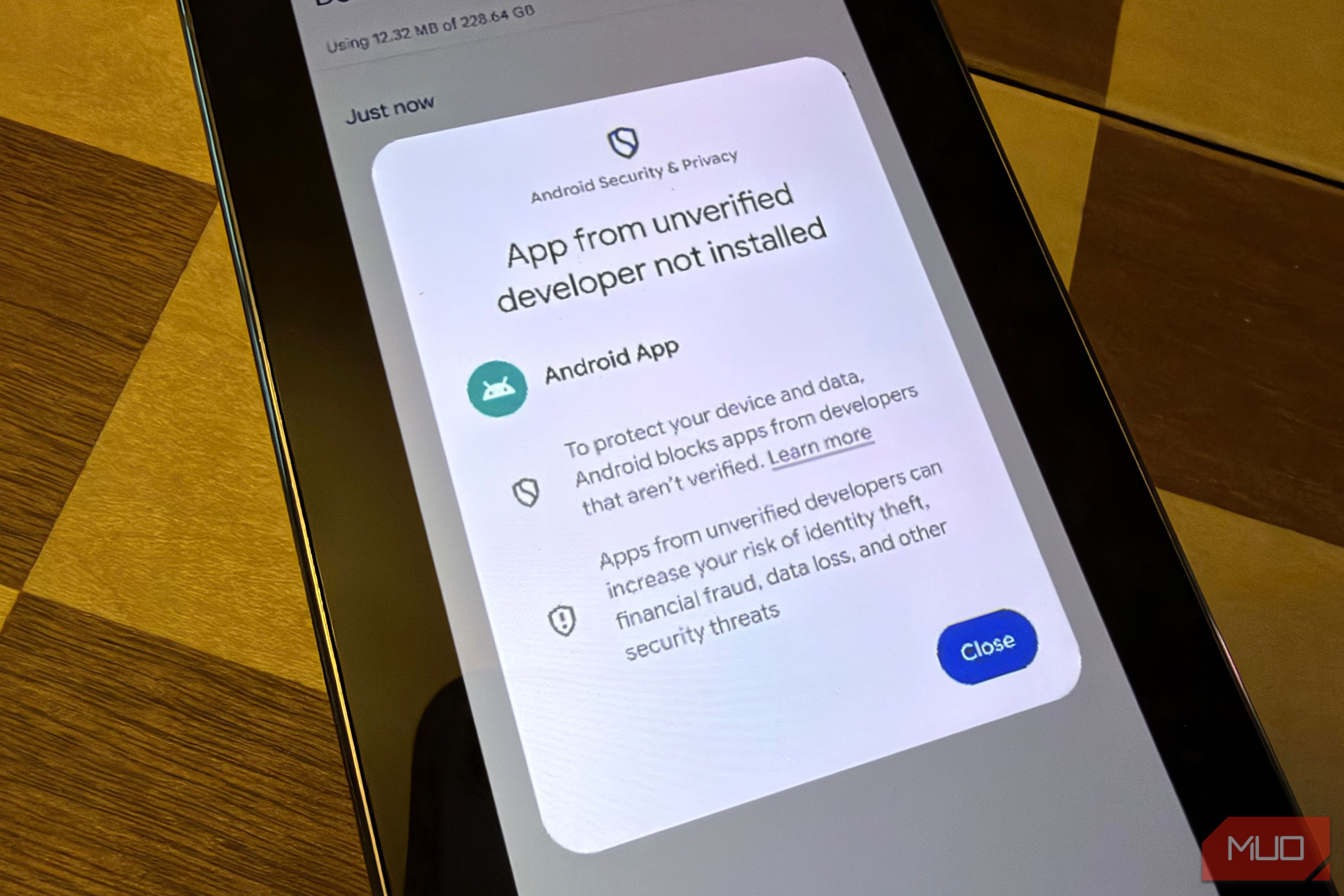
Most people get apps on the Google Play store and call it a day. But one of Android’s unique features versus iOS is the ability to sideload apps, which lets you install any app you want. You do this with an Android Package Kit file (APK), which you can make with Android developer tools or download from sites like APKPure or APKMirror. But sideloading comes with a major security concern, especially when the developer hasn’t been vetted and approved by Google as a verified developer. Google blocks apps from unverified developers because they can put your security at risk, particularly if you’re tricked into installing a malicious app. But a new Google process will let enthusiasts and power users bypass this restriction and install any app they want, verified or not, while at the same time making it more difficult for regular users to be scammed or coerced to install malicious apps. Google refers to this as Advanced flow, and it’s trickling out as we speak, just not to you yet. Here’s what you need to know about this change to Android and the real reason behind that 24-hour wait. Why the wait is 24 hours It’s not what you think If you try to install an app from unverified developer, Android will try to stop you (as seen in the above screenshot on the right) unless you’ve gone through the Advanced flow which is a process you do to be able to install apps from unverified developers (shown in the second screenshot). But when this new workflow expands from now into 2027, you’ll have the option to allow your phone to sideload apps from unverified developers but with a major catch: there’s a 24-hour waiting period. You might think this waiting period is to give you time to consider your decisions (since allowing unverified apps to be installed on your phone might compromise your phone’s security), but the 24-hour wait is there for another reason. The purpose for the 24-hour clock is to “break the cycle of coercion” in a situation when someone is being put under duress to forcibly install a malicious app. This slows down the whole situation by requiring a 24-hour wait that will theoretically deter bad actors. Or, put differently from the Android Developers Blog, “In these scenarios, scammers exploit fear – using threats of financial ruin, legal trouble, or harm to a loved one – to create a sense of extreme urgency.” How do you bypass this restriction if you choose to do so? Here’s how the workflow will look If you want to install apps from unverified developers The process for Advanced flow is a multi-step process, outlined above. It starts with turning on a new setting in Developer Options (which also contains some cool features) to “allow apps from unverified developers”, which then triggers a series of questions to confirm you’re not being scammed. Then comes the 24-hour security delay once you reboot your device and re-authenticate with your security method (fingerprint, etc) and the countdown begins. Once the security delay is complete, you’ll have the option to turn on “allow apps from unverified developers” for seven days, or indefinitely. After you go through this process once, you don’t have to do it again and this permission will transfer across devices. Also worth noting: if you disable this developer option after installing unverified apps, you’ll be unable to updates to apps from unverified developers will fail until you re-enable it. Will this actually impact you? Probably not, unless you install apps from outside of app stores As you can see, Advanced flow only matters in the scenario where you want to sideload apps from unverified developers. You can still install apps as normal from verified developers via app stores or company websites. You can also still sideload any apps you want from verified developers — which is what you’ll probably encounter when installing apps from sites like APKMirror where most of the apps are already verified. It’s only when you attempt to sideload an app from an unverified developer (meaning, a developer that hasn’t taken the time to register with Google via that Android Developers program) that you’ll run into this. This is likely to only impact hobby or enthusiast users that are creating and testing apps. You can still install any apps you want on your Android phone (whether from verified developers or not) via Android Debug Bridge (ADB). Only power users and developers know how to do this, while most other people will just try to install APKs found online. And that’s where the roadblock will hit — when you try to install an APK from an unverified developer (that perhaps you should run in Android’s sandbox). The bottom line is that for almost everyone, nothing changes. The only people who’ll hit this wall are those sideloading apps from unverified developers without ADB — mostly hobbyists and tinkerers testing their own apps. So what does the timeline look like on all of this? Here’s what Google is actually changing And the timeline for “Advanced flow” This isn’t happening yet, and if you try to go to your phone’s Developer Options right now, you most likely won’t see the new option for “Allow apps from unverified developers”, which is the key setting that will make it possible for you to install unverified apps on your Android should you choose to do so. I looked on several of my Android phones and none had this yet. But according to the timeline posted in a Reddit thread from Mishaal Rahman, the Advanced flow that will let you install apps from unverified developers won’t be rolled out globally until 2027, but certain components of this program are beginning to roll out in the summer of 2026 with the wider rollout in the subsequent year. Google wants to keep Android open This is a good change to Android, though open-source advocates like F-Droid argue it erodes what makes Android open. In my view, it will both keep Android open (allowing you to install any apps you want) but introduces a helpful roadblock that might protect certain vulnerable users that might unknowingly install a malicious app. It’s about tradeoffs: Google wants Android to be as unrestrictive as possible, but they also don’t want people getting hurt at a time when there are many bad actors. A 24-hour speed bump that prevents people from getting hurt is a fair trade-off even if it makes Android slightly less open.