Summary
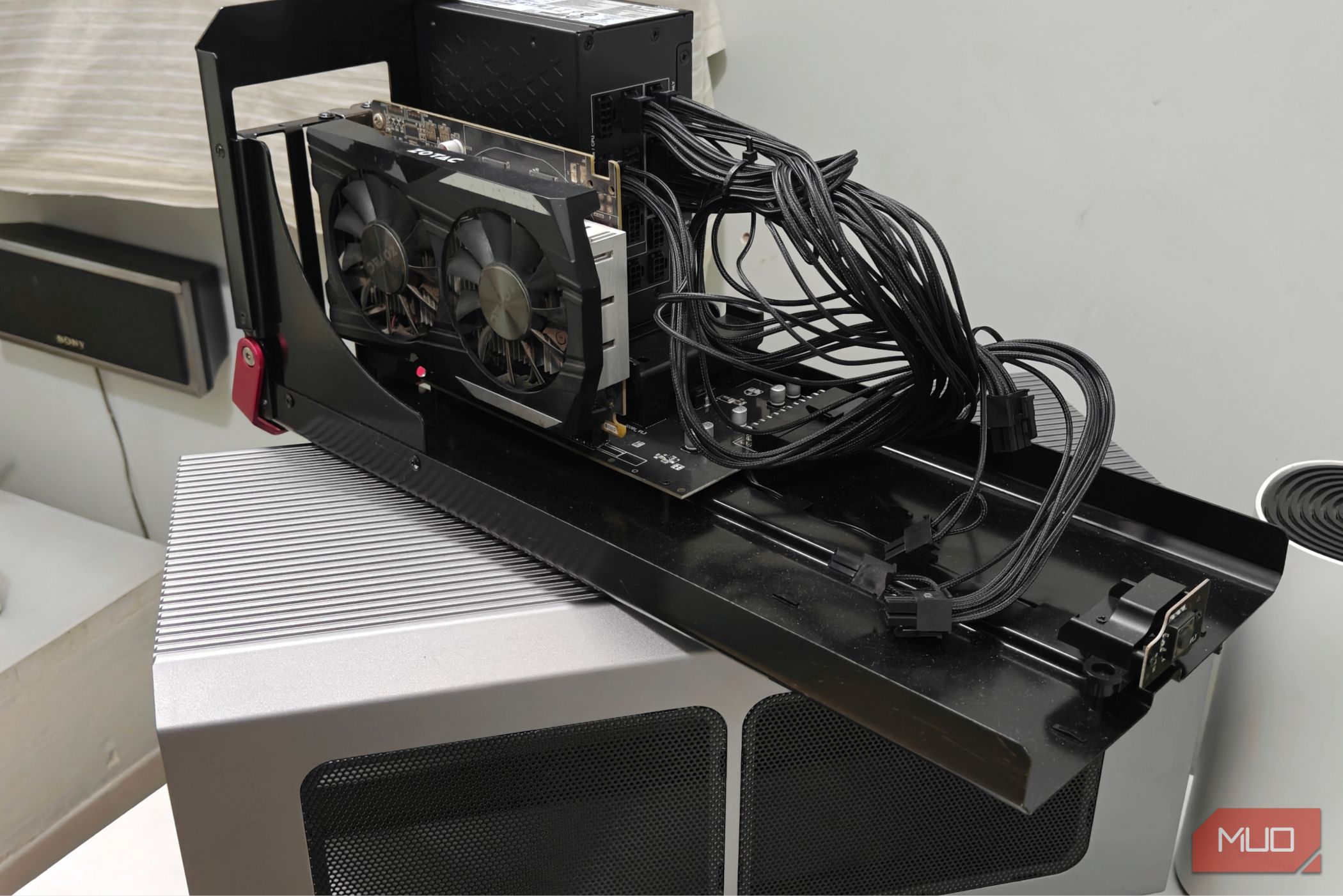
External GPUs have always been a kind of niche, and 2026 did not change that in the slightest. The concept is novel and almost perfect-sounding — letting a relatively modest, lightweight machine become a gaming beast with just one cable. In practice, it’s nowhere near as simple. eGPUs often run into issues and, depending on the connection, can even cause a significant performance loss. I ran an eGPU setup exclusively for a year, and in the end, I’m not sure I can recommend it to everyone. eGPUs have always been an expensive, overpriced solution Building a PC is always going to be lighter on your wallet Let’s get one thing out of the way: external GPUs have never been an affordable solution. They’re usually expensive (often wildly so), and it’s a much more financially sensible decision to just build a PC. Sure, PC parts are frighteningly expensive at the moment, but consider the fact that a decent-ish eGPU dock will set you back a few hundred dollars in addition to having you purchase the GPU itself separately, and the value proposition goes down by a significant degree. There’s also the fact that not all eGPU docks are created equal. Ideally, you’d want one that supports Thunderbolt 4 and/or USB 4 for the best bang for the buck. Of course, you could always go for the fancier Thunderbolt 5 docks, but those are really expensive and require you to have a Thunderbolt 5-compatible device as well… PCs are modular, and won’t suffer from bottlenecks if you build them right. In contrast, an eGPU connection (especially over Thunderbolt) is almost always bottlenecked, and you’ll lose out on performance. Not to mention you’re literally being choked by the eGPU connector’s bandwidth cap, plus you have to deal with a CPU you can’t swap out. Which is why it’s kind of redundant to pair a rather high-end GPU (which, in my case, was an RX 9070) with this kind of setup. Ideally, you’d want to pair a mid-range GPU (something like an RTX 5060), and everything else beyond that particular point is just not worthwhile. A PC, even built using aging AM4 parts, will be more performant. Performance loss over Thunderbolt and USB 4 is always going to be significant Oculink fares better, but it doesn’t support hot plugging There are two common types of eGPU connections — Oculink and Thunderbolt/USB 4, the latter of which is more common. Thunderbolt connects over a special USB-C cable and supports Power Delivery, which means you can charge your device while it’s connected to the eGPU. Thunderbolt connections also support data transfer, which is why you’ll see a lot of eGPU docks that come with USB ports. However, the biggest advantage of a Thunderbolt connection is that it is hot-pluggable. In other words, it’s possible to dock into the GPU in a live session and have it “just work”. Hot-unplugging also works just fine, making for a truly portable, plug-and-play setup. In contrast, Oculink possesses none of these advantages. An Oculink eGPU must be turned on at boot, or it will fail to initialize. It also doesn’t support any form of additional data transfer or power delivery, forcing you to grab a separate dock and/or power adapter. That being said, Oculink is way more performant. It provides near desktop-class GPU performance and poses barely any bandwidth restrictions thanks to its whopping 64 Gbps bandwidth cap (as opposed to Thunderbolt 4’s 40 Gbps, which is rarely realized in practice). Oculink connections have also been much more stable in my experience, which I suspect has to do with the fact that the entire data stream is reserved for the GPU. eGPUs might be niche, but they excel at one kind of setup The disadvantages of an eGPU setup are painfully obvious. You’ll have to choose between higher performance and portability and convenience, making it, essentially, a very flawed desktop replacement. Still, I do have a soft spot for eGPUs. In theory, it’s the perfect solution for a very niche group of PC gamers. It lets you dock a relatively thin-and-light laptop or handheld to a dedicated desktop GPU, boosting its graphical prowess by several degrees and letting you actually game without lugging around a mobile GPU. It just makes sense for those looking for a singular device for all their needs. You maintain one laptop and dock it whenever you need to game, unplugging it when you’re done. Unfortunately, the execution is a bit messy. eGPUs run into all sorts of issues whether you’re on Linux or Windows 11, and the cost just isn’t worth it right now. That being said, if you’re looking to replicate that plug-and-play setup and invest the time and effort into it, an eGPU can be a fascinating little project that’ll have you tinkering for hours.