Summary
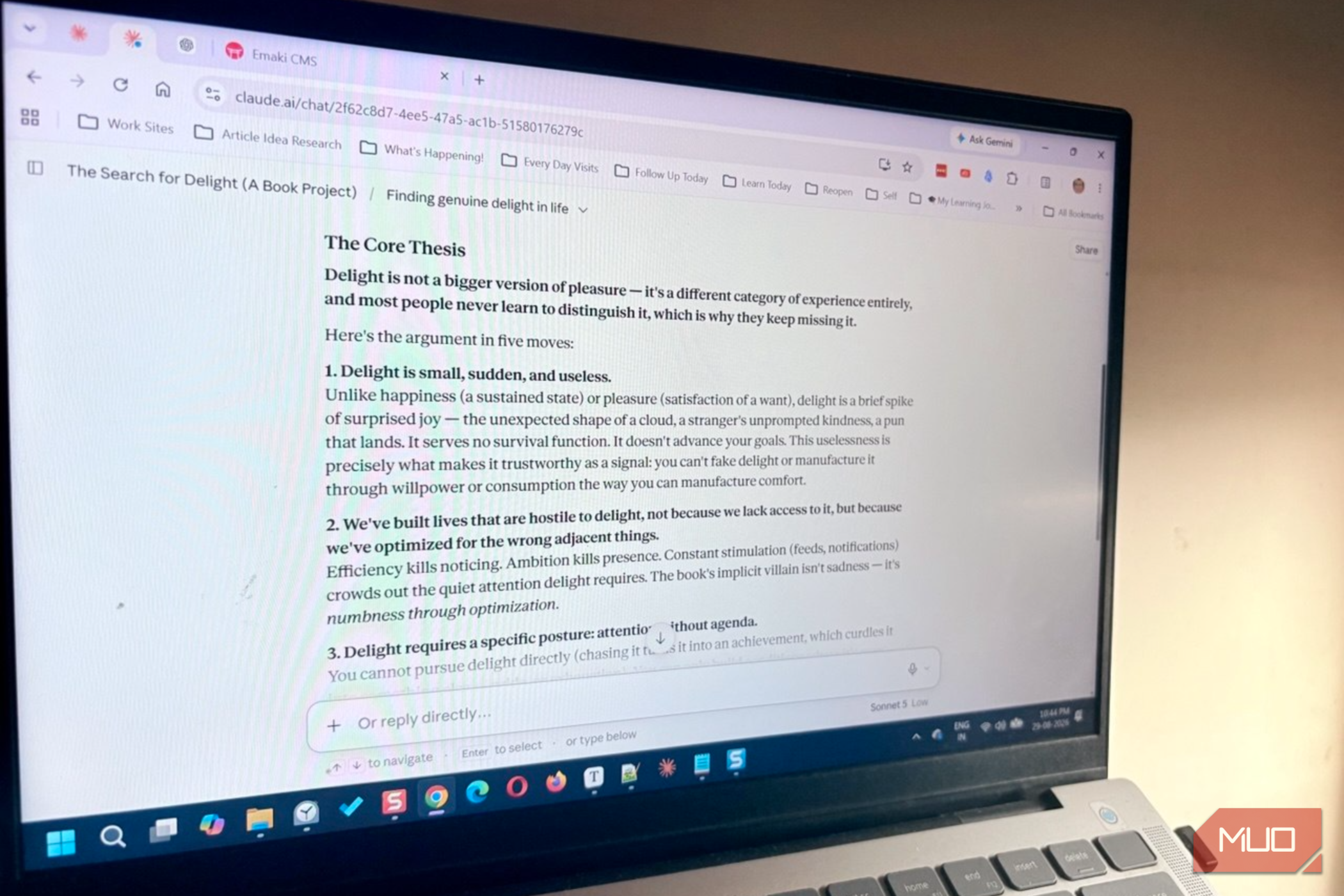
I was researching a chapter outline for a book project when Claude stopped to ask me three questions about the book’s direction. This is normal behavior for Claude when it pauses to check with us instead of just rushing ahead. The fix isn’t a magic keyword or a trick. It’s a single instruction you add to your prompt that tells Claude exactly how to handle a context-poor prompt. It even happens with perfect prompts it perceives as ambiguous. Once you make it part of the instructions, Claude stops interviewing you and starts working. Why Claude keeps asking you questions But not every missing detail deserves a question Claude asks questions when a query has more than one reasonable answer. If choosing between those paths could substantially change the answer, asking for clarification is useful. I get why this happens. It’s helpful and a big time-saver when I’m confused about the direction or have several blind spots. Also, instead of burning through tokens on book research, I can ask Claude to pull from positive psychology, behavioral science, neuroscience, or philosophy. By default, Claude treats every fuzzy request the same way, whether it’s a book chapter or a team email. The way it asks for feedback can vary depending on the model and effort you choose. Sometimes, it’s like the options you see in the screenshot, and other times, it’s included in the response. Our goal is to make it distinguish between necessary clarification and optional clarification. The one instruction that flips the default Tell Claude to assume, not ask The most useful addition is a simple behavioral rule instead of a trick. It also helps to separate the in-chat instruction from the actual task, as you can see in the screenshot. Notice how the response changes from the first screenshot in the article with all the questions. You can also bookend the prompt with XML tags like this… Answer directly and move the work forward. If some information is missing, make a reasonable assumption and briefly state it. Ask a follow-up question only if the missing information is genuinely necessary to give a useful answer. For straightforward research requests, do not pause for clarification. The important part is not the words instructions and task. Those are XML-style delimiters that make the different parts of the prompt clearer. Though Anthropic recommends using clear instructions and says XML tags can help Claude distinguish different parts of a prompt. What’s critical for Claude to understand is that some information is missing, but the task is still answerable. It can then make an assumption, state it, and proceed. That’s more useful than simply telling Claude, “Don’t ask questions.” A blanket prohibition can prevent useful clarification when a request really is too ambiguous. Or it can trigger confident hallucinations that are tough to spot. Where to paste it so it actually sticks Pick the scope that matches the job You’ve got three spots. Paste it into Settings, under profile preferences, and it applies to every chat. Paste it into a Project’s Instructions, and it only applies there. And for an occasional task, you can simply include the instruction inline with your prompt. I don’t want this behavior everywhere. Some tasks genuinely need Claude to ask first, so a blanket setting feels excessive. Project instructions are the better default for most people. I keep mine in a project just for my book research, so my prompts elsewhere still get proper follow-up. When you actually want the questions Don’t mute Claude for every task Sometimes you just start with an open-ended prompt and see what recommendations Claude throws up. Here, it’s better to let Claude ask as many follow-up questions as it wants. It’s about having a conversation with the chatbot and seeing where it leads. Let’s say I am unsure about the central thesis of my book. I can use a primer prompt like “Help me develop the central argument of Search for Delight.” This is pretty open-ended. The answer will impact every Claude response from here on. I’d rather Claude ask me one good question than build answers around an assumption I don’t share. Contrast that with more specific Search for Delight decisions I don’t want Claude guessing on. For instance, which research thread should start the book’s opening chapter? That’s why I prefer a conditional version of the prompt which allows Claude the freedom to explicitly label the assumptions it’s making. Open-ended conversations can often lead to serendipitous finds. Make reasonable assumptions when you can and state them briefly. If the task is too ambiguous to produce useful work without clarification, ask at least one concise question that would resolve the most important uncertainty. Otherwise, proceed without asking questions. The consequences of a wrong assumption are significant. The point isn’t to eliminate Claude’s questions; it’s to reserve them for situations where they add value. Fine-tune the instruction as you go Treat it like a setting, not a one-time fix Depending on your project and its context, your prompt goal will no doubt change. My first versions of the prompts are hardly perfect. Watch what Claude assumes wrong, then adjust the wording to cover that case. If Claude still asks too many questions, you can make the instruction more explicit. For straightforward requests, answer immediately rather than asking for optional preferences or additional context. Anthropic itself recommends testing prompts and iterating rather than assuming that a single prompt framework will work perfectly in every situation. You can just edit the original prompt and save tokens. Tweaking a prompt takes seconds, and there’s no harm in asking Claude to optimize the prompt for you. The payoffs can compound as you go deeper into the project. Try it on your next draft Open your next Claude chat and ask for something you’d normally expect a follow-up question on, without the instruction. Note what Claude asks. Then add the assumption clause and run the same prompt again. Compare the two: you should see Claude name an assumption instead of stopping to ask, and you’ll know within one line whether that assumption was one you’d have picked yourself. If it wasn’t, tweak the prompt and go again.