Summary
My old Samsung Galaxy TabPro S LTE is the sort of device that’s an absolute shame to leave behind. It has an incredible display, a usable Intel processor, touch input, a detachable keyboard, and a modest 128GB of storage.
Yet Windows 10 had languished on version 1803 for years, while Microsoft says it’s too old to update to Windows 11. Linux is notoriously difficult to get working adequately on tablets, and attempting it on a niche Samsung model felt like I was deliberately choosing Linux on hard mode.
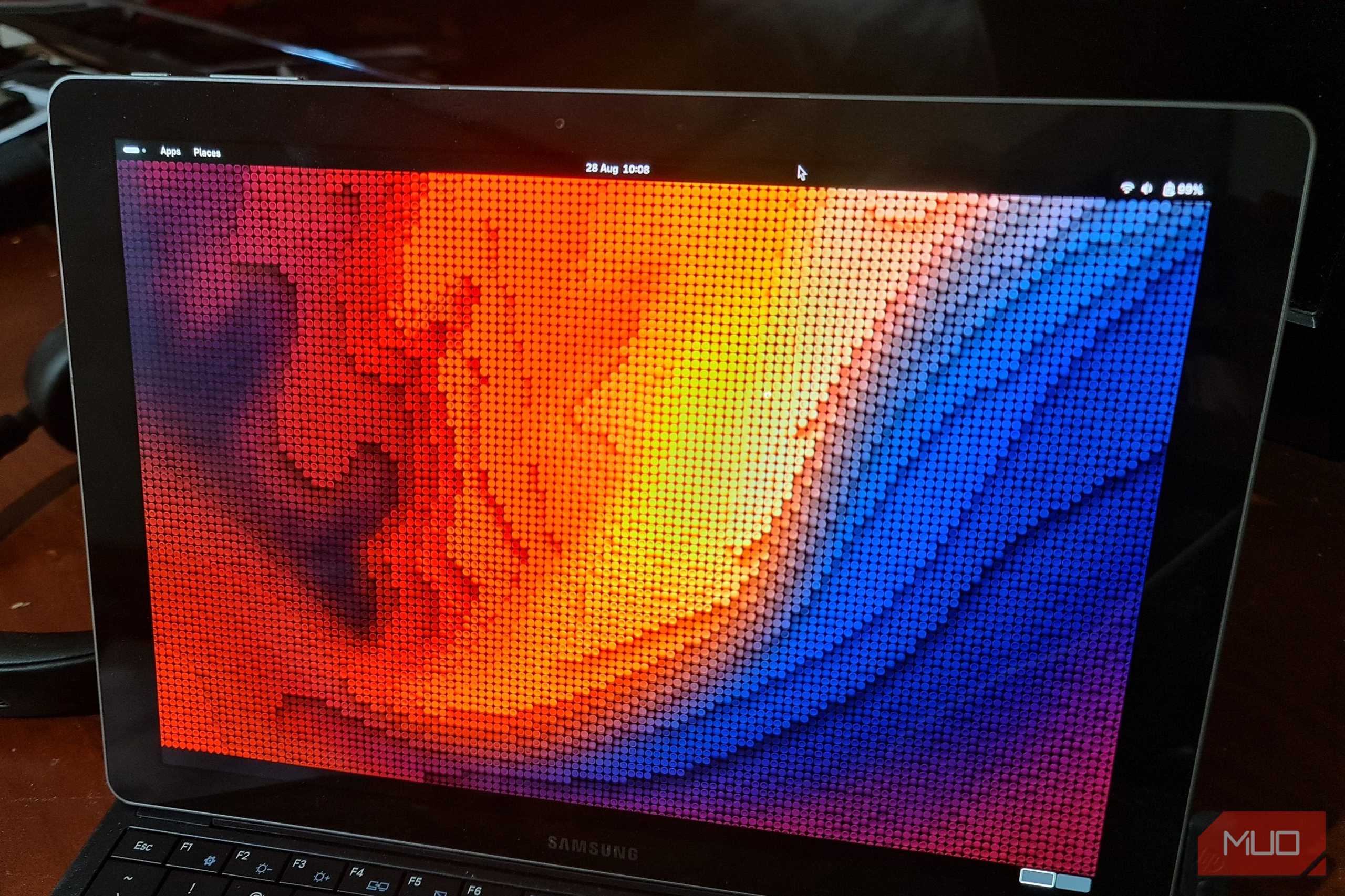
Instead of dragging Windows through years of updates towards an OS it couldn’t run anyway, I downloaded Fedora Workstation 44. Its live environment instantly recognized most of the hardware features, and it almost seemed too easy. But as I found out, all the things that make up a tablet were not Linux-friendly at all.
Fedora worked before I had time to become suspicious
The live image recognized enough hardware to make installation look deceptively easy
Before downloading Fedora Linux, I needed to work out whether the tablet used ARM or x86 hardware. The TabPro S uses an Intel CPU, so Fedora’s standard x86-64 image was the best choice.
Even though I’m not a huge fan of GNOME, I chose Fedora because its current kernel and touch support gave an already volatile project a fighting chance. I flashed it to a USB stick using Fedora Media Writer and connected it through a USB-C adapter. I then had a small celebration when I saw the Fedora logo and live desktop without having to touch Secure Boot.
That was the first good surprise. Despite every Reddit thread from the past eight years swearing that the NIC wouldn’t work out of the box, it did. The detachable keyboard and trackpad also worked, and touch input responded correctly. Its Intel graphics were running through the i915
driver, and Fedora had also detected the internal SSD, battery, audio controller, and backlight interface.
Obviously, detection didn’t mean that it would actually work, but the result was still far better than I had expected from a 2016 Windows tablet.
There was one practical problem. The TabPro S has only one USB-C port, and the Fedora installer was occupying it. I could boot Linux or charge the battery, but unfortunately not both. With 94% battery remaining, I decided the quickest route back to the charger was just to install Fedora.
Fedora replaced years of Windows updates with 1,544 Linux packages
The operating system was current even if the tablet had spent years living in 2018
Fedora installed quickly without asking me to disable Secure Boot or the Trusted Platform Module (TPM). Thinking it would save battery and time, I performed the installation offline. Unfortunately, this gave me the rather unhelpful hostname of customer.pop.starlinkisp.net
, so I replaced this immediately:
sudo hostnamectl set-hostname tabpro-s
Linux then saved me from years of Windows Update drama by presenting me with a Fedora upgrade that altered 1,544 packages:
sudo dnf upgrade —refresh -y
The tablet went into sleep mode halfway through. When it came back, running the update command produced “nothing to do,” which wasn’t overly reassuring. Not being used to Fedora’s quirks yet, I checked the upgrade history and current kernel directly:
dnf history list
uname -r
DNF confirmed that the upgrade had completed all 1,544 changes. The kernel remained 6.19.10-300.fc44.x86_64
because the live image already carried the same current build.
One of my first post-install tasks was making GNOME more bearable. Being more accustomed to KDE and XFCE, I just couldn’t get used to the windows disappearing behind Activities instead of appearing on a conventional taskbar. Since Dash to Panel was already installed, I enabled it through the Extensions app and restored a more familiar list of running programs.
That small change made Fedora a desktop I was more comfortable with, but it still wasn’t the best UI for a tablet. Nonetheless, I kept the windows list taskbar.
 Fedora Workstation
- OS
- Linux
- Minimum CPU Specs
- 2 GHz dual core Fedora Workstation is the Fedora Project’s free, open-source desktop operating system. It combines GNOME with current Linux software, frequent updates, and tools for everyday computing and development.
- Minimum RAM Specs
- 4 GB
- Software Version
- 44 Audio and rotation made me work to turn this into a tablet The hardware was present, but Fedora needed help understanding Samsung’s hardware An initial scan of the hardware from Fedora looked encouraging. PipeWire had dug up a built-in audio device, while sysfs had found an Intel backlight interface: wpctl status ls -l /sys/class/backlight/ Unfortunately, neither discovery meant the feature was usable. The speakers stayed silent, and moving the brightness slider around did absolutely nothing. After some research online, I found the community samsung_tabpro_s, which was a project that contained fixes for both. Annoyingly, the setup script refused to run on my ProTab model, and this command quickly revealed why: cat /sys/class/dmi/id/product_name It returned Galaxy TabPro S LTE , which didn’t match the project’s expected DMI identification of Galaxy TabPro S . After changing that line in the setup script and applying the configuration, the speakers buzzed to life and brightness control worked normally. Screen rotation was one feature that the TabPro community had yet to fix. I saw that Fedora could see an ACPI device called SM08A80 , but no accelerometer appeared through IIO. Reverse engineering Samsung’s Differentiated System Description Table (DSDT) revealed an STMicroelectronics sensor on I2C bus 5 at address 0x1d . I patched the kernel’s accelerometer driver to recognize it as an LIS2HH12 from STM, but also remembered that Secure Boot was still active: mokutil —sb-state That, of course, meant that I needed to sign the custom module with my locally enrolled key before Fedora would load it. Once I had rebooted and authorized the module, I used this command to report each physical turn of the tablet: monitor-sensor I could see the readings change as I twisted the tablet around, but the screen orientation was 180 degrees off. Up was down, right was left, and “normal” was upside down. Going back to Samsung’s DSDT, I found the missing mounting matrix, which inverted the X and Y axes. I added that matrix to the driver, then rebuilt and signed it again, which made the reported direction match the tablet. GNOME, of course, did add one final twist. It had rotation lock enabled while the keyboard was attached. Detaching it revealed the control, and enabling the on-screen keyboard finally had the ProTab behaving like a tablet. The cameras existed everywhere except inside a camera app Fourteen video devices still added up to zero usable cameras This is, unfortunately, where the good news ends. Fedora created 14 /dev/video nodes for the tablet’s Intel IPU3 imaging pipeline: ls -l /dev/video* v4l2-ctl —list-devices v4l2-ctl then listed the IPU3 image processor and Intel CIO2 capture hardware, which looked like successful camera detection. I installed libcamera , which provided a less exciting answer: cam -l Sadly, cam-l reported no available cameras. Fedora had reported plenty of processing components, but neither physical sensor was actually bound to the pipeline. Essentially, Fedora had discovered everything to make the cameras work, but not the cameras themselves. Supporting this generation of Intel imaging hardware meant identifying the sensors, recovering firmware details, and essentially creating my own drivers. This was incredibly frustrating, but not off-brand for Linux. For now, I’ve filed the cameras in the “too hard” basket, but I do intend to revisit them soon. LTE turned a missing toggle into a 5-hour proprietary bootloader investigation I got Samsung’s modem to accept firmware, but not far enough to provide internet Mobile internet adapters are something you accept won’t work when you install Linux, though I’d like to point out that it’s rarely Linux’s fault. Manufacturers routinely ignore the fact that other operating systems exist, keep their firmware loaders closed-source, and then abandon the device when it reaches its end of life. As it turned out, the Samsung ProTab was no exception to this unspoken rule. ModemManager hadn’t found a single thing: mmcli -L There were no WWAN devices, no MBIM interfaces, and no modem entries in lsusb . This wasn’t just a case of an unsupported modem. As far as Fedora was concerned, it didn’t even exist. Samsung’s ACPI tables exposed a SAM0602 device, but Linux had no way to bind to it. Unable to accept defeat, I downloaded Samsung’s old Windows driver from the Microsoft Update Catalog and extracted its INF file: grep -Ei ‘Xmm726|SAM&DEV_0602|8087&PID_07EF’ ModemCtrl.inf It identified an Intel XMM726x modem, matched the SAM0602 ACPI device, and revealed that the hardware “should” eventually appear over USB as 8087:07ef . Going back to the file for further investigation, I also uncovered the General Purpose Input/Output sequence Samsung used to power it. I copied the sequence into a small kernel module, signed it for Secure Boot, and activated it: sudo insmod ./tabpro_modem.ko activate=1 lsusb -d 8087:07ef The missing modem suddenly appeared, but still not something ModemManager could actually use. It was just a proprietary bootloader patiently awaiting Samsung’s firmware. I wrote a Python script in six iterations, trying to discover ways to repeat that process: sudo python3 ./test-modem-stage6.py They completed the handshake and executed the EBL, but that’s where I stopped. Like the cameras, it was a task for another day. I’d gotten the mobile broadband to say yes, but it still couldn’t provide mobile internet. LTE/4G unfortunately remained unavailable. Linux rescued the tablet, but it didn’t restore every feature The result is useful enough to keep, provided I stop pretending it’s fully supported I can’t call the TabPro S Linux-compatible. Its cameras and LTE don’t work, and the audio and rotation fixes will likely break after updates. Anyone who needs cellular connectivity and wants to make video calls shouldn’t attempt this expecting an easy Windows replacement. Still, the parts I use work. Wi-Fi, graphics, touch, Bluetooth, and the on-screen keyboard are all 100% functional. The tablet is useful for browsing and writing, and its gorgeous display makes it great for binging Netflix in bed. I call that a success, because it beats discarding an unsupported Windows 10 tablet just because Microsoft refuses to update it. Unlike the ProTab’s obsolete hardware, my stubbornness hasn’t expired. I’ll keep Fedora and revisit the cameras and mobile internet adapter once I do more research. Microsoft saw my ProTab S LTE as an old, unsupported Windows device. I just saw an awesome Linux tablet with two unfinished projects.