Summary
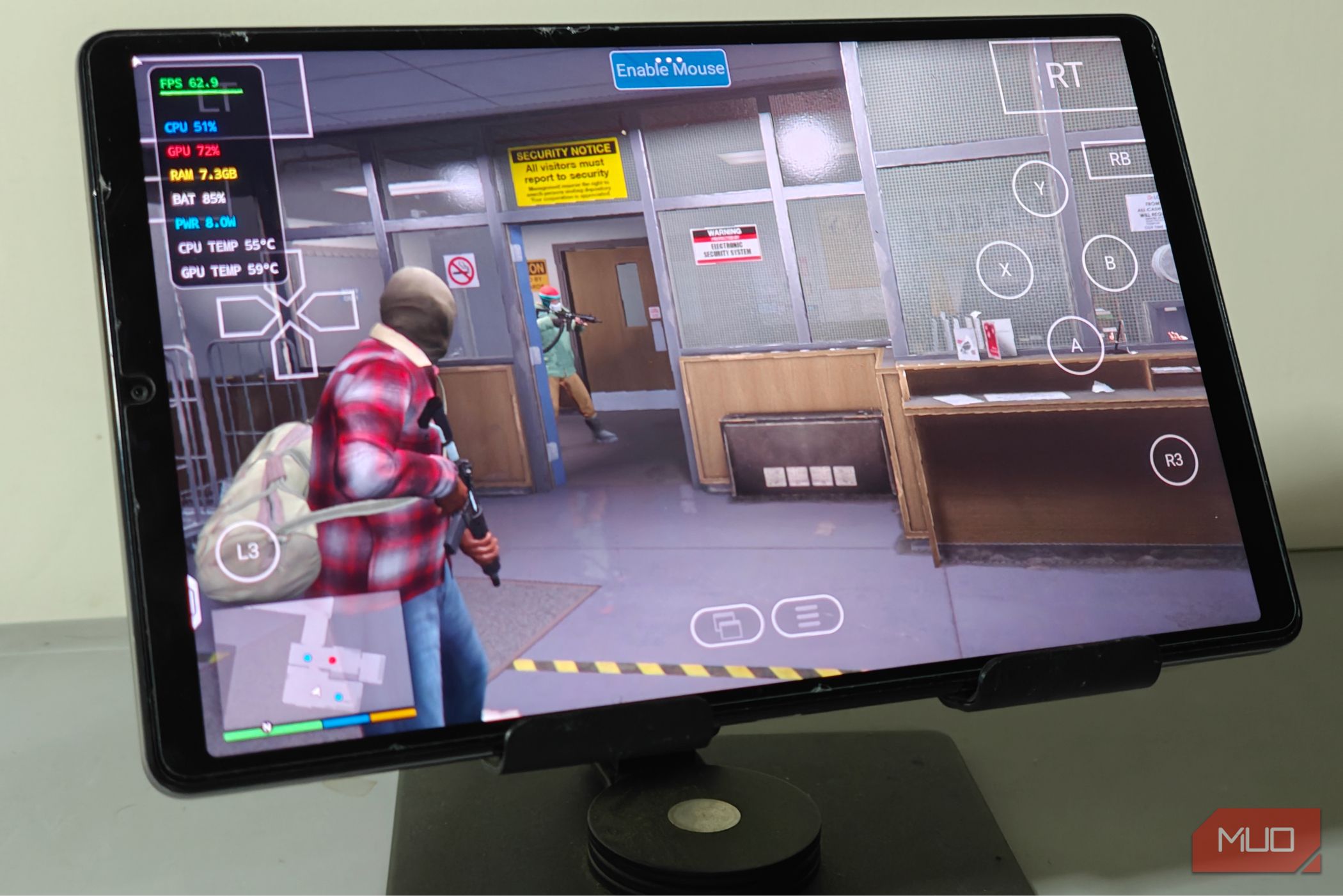
Grand Theft Auto 6 is arguably the biggest video game event of the year, and it has some rather big shoes to fill after the masterful GTA 5. Yet even 13 years after its release, developer Rockstar still hasn’t given GTA 5 an official mobile port, which has spawned an endless wave of clickbait videos over the years. That era is finally over: you can play GTA 5 natively on Android right now, with no cloud streaming trickery involved. You can’t use the Steam version of the game A backup and some tweaks are necessary to get the game to launch PC gaming on Android has taken leaps and bounds in terms of development in the past two years alone. We’ve gone from being able to barely launch a game to playable intensive 3D titles, and all you need is some modestly powerful mobile hardware. Valve’s work on the FEX translation layer made it possible to run x86 games on Android easily, and this is exactly what GameNative leverages to make things work. In particular, it’s the proton-wine fork of GameNative that does all the heavy lifting here. Unfortunately, no matter how good Proton is, it still cannot deal with anti-cheat trickery, which means we will have to get a bit creative. GTA 5 incorporates the proprietary Rockstar Games Launcher DRM, which blocks access to online features if you happen to run the game on anything other than Windows natively, so be sure to get a legal copy of your own. This means that we will be locked to the single-player mode of the game. It might be worth modifying your copy to get rid of the Steam DRM before jumping over to GameNative, since we’re going to add this as a non-Steam game. You’ll also want to use an older build, which would be the one before GTA V “Enhanced”. You can essentially grab the older version from Steam (if you own it), and unpack its files onto a USB drive. The previous gen version performs better and is recommended to use over the Enhanced variant. Make sure you have enough space on your Android device before proceeding (~130 GB). With the game files unpacked and ready to go, you’ll want to install an application known as GameNative. This particular Android app is a launcher for Steam (and non-Steam) games, and can run them natively on mobile hardware. It’s well-supported and has matured enough for me to recommend it over something like Winlator, which is a lot more complicated. With GameNative set, create a new Container under the Custom tab, and direct it to the path of the game’s folder. Select the PlayGTAV.bat file and not any of the other executables. Tweak settings and Proton versions if you need to, and hit Save. As far as I’m aware, the .bat file is the only way to get GTA 5 running without the Rockstar Games Launcher interrupting things. You’ll also want to copy over the game’s files onto the internal storage — make sure you have enough space! All you need to do next is hit the Play button, and wait for the first-time setup. It takes a minute or three to complete, and it’s recommended that you don’t interrupt the process. With that out of the way, you’re officially ready to play GTA 5 on Android. Performance and the class of mobile hardware you will need Get at least 12 gigabytes of RAM PC emulation on Android is still an intensive task. You’ll want a fairly capable processor, coupled with enough system RAM to get things rolling smoothly. I tested my install of GTA 5 on a Lenovo Legion gaming tablet, with a Snapdragon 8+ Gen 1 and 12 gigabytes of RAM, and it did manage to maintain a solid 60 frames per second during the entirety of the prologue, which was mighty impressive. Just make sure to grab a controller, as the on-screen touch controls aren’t all that great. This was at 1280x800, with everything set to Low. Yes, the game doesn’t look all that visually impressive in this state, but the fact that it’s running so well is a miracle in of itself. Going back to the system requirements, you’ll want a flagship-grade CPU from the past 3 years at minimum (Snapdragon 8 Gen 1 or newer), along with 12 gigabytes of RAM. GTA 5 loves RAM and frequently hovers above the 8 gig mark. 8 GB of system RAM won’t be quite enough, and for serious emulation you’ll always want a bit more (unless you can deal with swap). I haven’t tested with MediaTek CPUs though, but I have no reason to assume they won’t perform just as well. This is, of course, taking the older build into account, which demands far fewer resources. While I have little reason to doubt that the Enhanced edition of GTA 5 will also work, its just that the older build is just a lot lighter on the system, and is the way to go. There really is nothing stopping Rockstar Games from releasing GTA 5 for mobiles at this point It’s not like GTA 5 can’t run on modern mobile hardware — far from it, in fact, and I have reason to believe that Rockstar is holding out on us. We’ve already since had some rather fantastic PC game ports, like Alien Isolation and Rockstar’s own Red Dead Redemption, directly ported over to mobiles. Sure, GTA 5 is a lot more demanding. It is an open world, after all, but if Windows emulators can run the game as-is right now, there’s no reason a fully fleshed-out mobile port won’t have any reason to suffer otherwise — at least in terms of performance. A native port will almost always run better, and has the advantage of having controller (and touch, if you’re that guy) support baked-in, which should make it an enticing deal indeed. Perhaps a port for the future, assuming Rockstar ever follows up on that. Still, playing GTA 5 for the nth time makes me appreciate it a lot more, and I’m looking forward to the kind of tech being deployed in Grand Theft Auto 6 (and of the day it finally makes its way to PCs).