Summary
For years, I believed that creating a strong password meant forcing together a chaotic mix of uppercase and lowercase letters, at least one number, and at least one special character. Typically, that meant starting with one capital letter, adding some lowercase letters, throwing in a number (maybe a year), and finishing with a period or exclamation mark.
It turns out these requirements no longer provide much meaningful protection. There are much better ways to create stronger passwords these days than simply stuffing them with symbols.
Why I ditched the special characters
A password full of symbols can still be a bad password
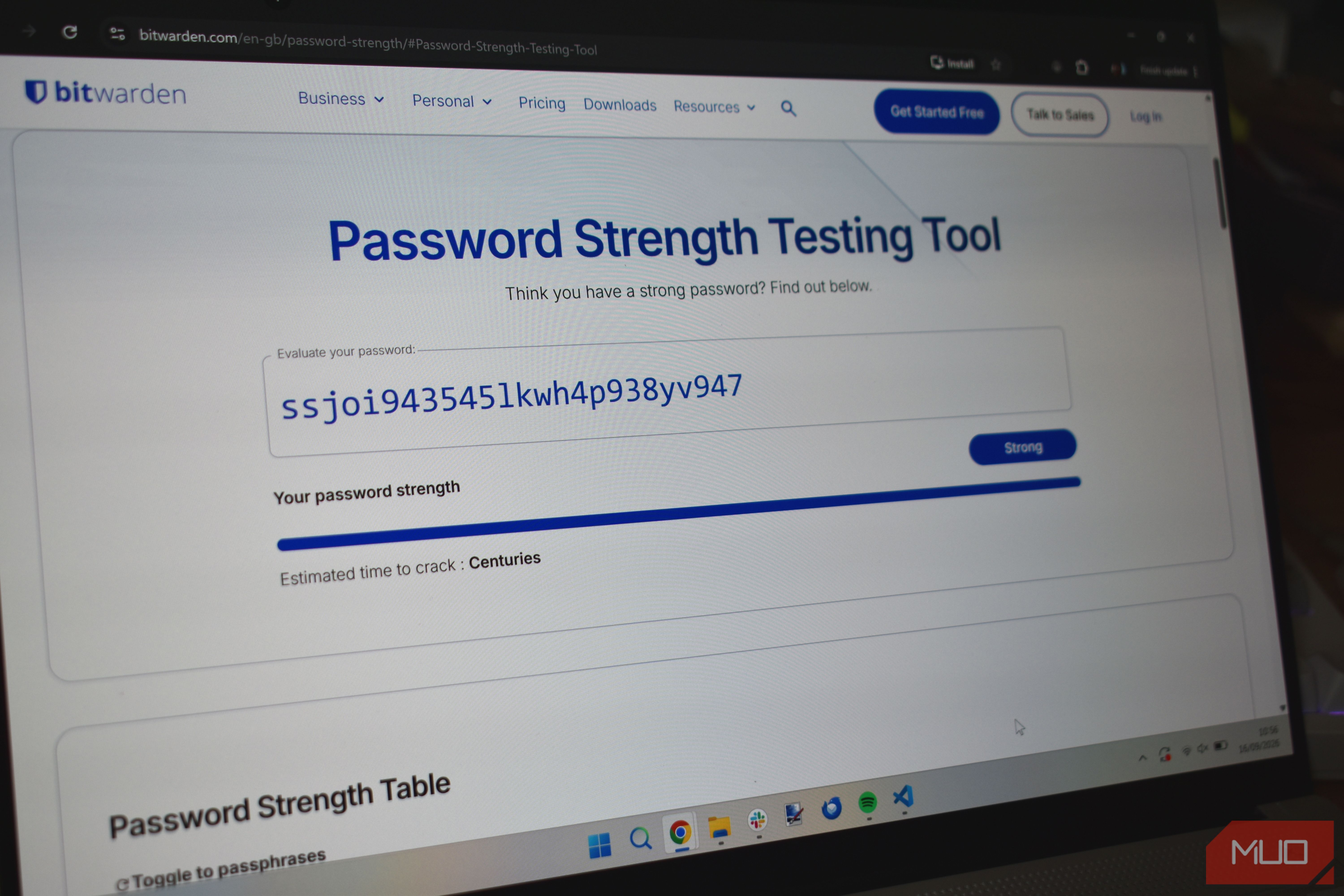
You’d think stuffing more special characters into your passwords would make them more secure, but password security is much more about length. A password’s resistance to brute-force attacks generally increases as you add more characters, while simply adding different character types doesn’t necessarily make a short password stronger. For example, a 20-character password made entirely of lowercase letters can be much harder to brute-force than an 8-character password packed with symbols, numbers, and capital letters.
Interestingly, complex rules can make passwords more predictable. When a website forces you to include a symbol, you probably won’t pick one at random. Instead, you might do what many people do: add an exclamation point to the end, or replace an “a” with an “@” and an “s” with a “$.” Password-cracking software is designed to account for these common substitutions and patterns. Short, complex passwords can also be harder to remember, which is how people end up writing passwords on sticky notes, saving them in insecure places, or reusing them across multiple accounts.
Another issue is that special characters aren’t always consistent across the platforms you use. One site might require a symbol and allow commas and periods, while another could reject those characters and only accept something like an exclamation mark or ampersand. Some older corporate systems, mainframes such as the AS/400, and legacy databases can also have restrictions around certain symbols because those characters may have special meanings in older code or data-handling systems. You can even run into problems when typing passwords with special characters across different devices or keyboard layouts, such as when switching between US and UK keyboard setups.
For these reasons, major standards organizations such as the National Institute of Standards and Technology (NIST) no longer recommend mandatory composition rules that force you to include specific types of characters. NIST’s digital identity guidelines emphasize password length and allow a broad range of characters rather than requiring you to add symbols simply for the sake of complexity. You don’t necessarily need more symbols; you need a password that is long, unique, and difficult for someone else to predict.
How I build stronger passwords now
Less memorizing, more length, and help from technology
After realizing I didn’t need special characters to create strong passwords, I learned better ways to protect my accounts. First, I started favoring passphrases: strings of random words or short sentences, generally around 20–30 characters or four to six random words. A passphrase like “sweet mocha apple rum” can provide plenty of entropy while being much easier to remember and type than a jumble of symbols or even a long, randomly generated string of characters.
There are also plenty of tools that can help you use the Diceware technique, which involves rolling dice to select random words from a predefined list, such as the EFF’s 7,776-word list. This gives you a practical way to create random passphrases that are much harder to guess than phrases built around predictable words or patterns.
Another trick is to stop trying to memorize every password. You simply can’t remember dozens or hundreds of unique passwords reliably without some help, which is where a password manager like Bitwarden comes in. Thankfully, many of these tools can generate unique passwords as well as store them securely. This helps address one of the biggest vulnerabilities in personal security: password reuse. If one site suffers a data breach, and I’ve reused that password elsewhere, whether on social media or a financial account, an attacker could potentially use the stolen credentials to access those other accounts.
Finally, I layer on multi-factor authentication (MFA) wherever it’s offered. That could mean using an app-based code, a physical security key such as a YubiKey, or a passkey. Even if one of my passwords ends up exposed in a breach I’ll never hear about, MFA adds another layer of protection, meaning that the password alone isn’t enough to get into my account.
 Bitwarden
- OS
- Cross-platform
- Developer
- Bitwarden
- Price model
- Free, Premium available
- Services
- Password manager, password generator, secure file sending, credential management, etc. Forget symbols and think longer, unique, and layered You might think moving away from special characters compromises security, but it doesn’t. Modern password guidance and what we know about human behavior show that mandatory symbols aren’t the safety net they once seemed to be. By abandoning short, symbol-stuffed passwords in favor of long passphrases, unique credentials stored in a password manager, and multi-factor authentication, you can create passwords that are much harder to crack while also making them easier to manage.