Summary
It’s been a little over a month since Google launched the Pixel 11 series, and I’ve been using the Pixel 11 pretty much every day since. Spending this much time with any phone means you inevitably find things you love and a few things that get on your nerves, and the Pixel 11 has been no different. But three upgrades in particular have become something I appreciate almost every day, and they’re a big reason I’ve grown so fond of this little cutie.
More room for my questionable camera habits
256GB is my new comfort zone
First and foremost, I’m really glad Google finally bumped the base Pixel 11 to 256GB instead of sticking with 128GB. I wouldn’t call 128GB unusable, but in 2026 it’s starting to feel a little limiting for the way I use my phone.
I take a ridiculous number of photos whenever I’m traveling, shoot plenty of videos, download music and YouTube videos for flights, and constantly install apps and games that I’ll probably forget about a week later. With 128GB, I’d eventually find myself checking the storage page and wondering what I could delete. On the Pixel 11, I haven’t had to think about that once.
Of course, knowing how many photos and videos I take, I’ll probably find a way to fill 256GB eventually too. But that extra breathing room makes a big difference, at least for now. Storage is one of those things I never want to actively manage on a phone, and after more than a month with the Pixel 11, I’ve been able to use it without worrying about how much space I have left. That feels especially nice considering the Pixel 10 still started with 128GB last year.
A slimmer visor goes a long way
Especially when you’re as clumsy as I am
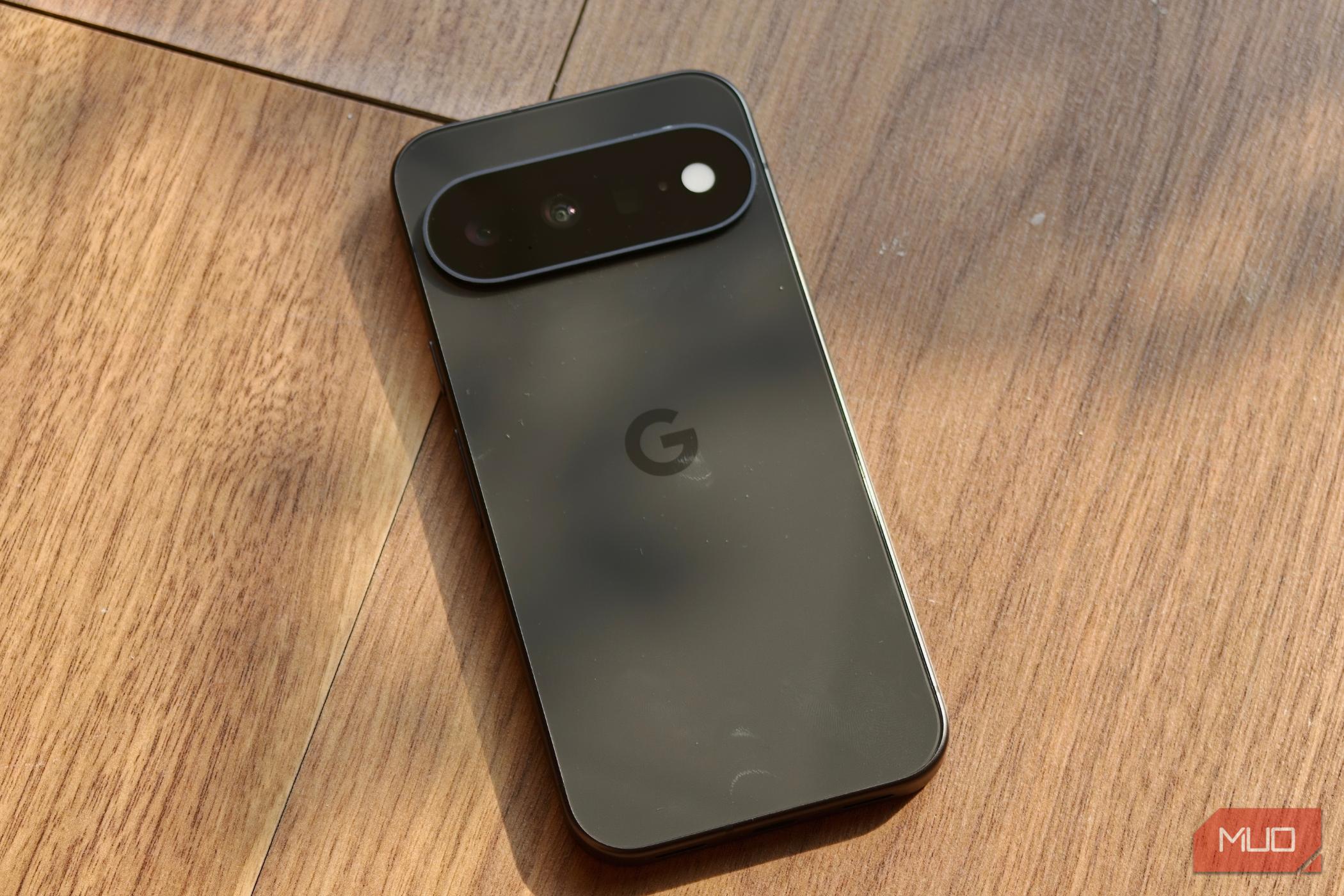
The Pixel 11 doesn’t look dramatically different from last year’s model, but one design change I’ve come to appreciate more than I expected is that Google finally put the camera visor on a diet.
The camera bar on the Pixel 10 was huge, and while I liked how distinctive it made the phone look, actually living with that chunky bump could get annoying. Put the phone down on a table and the raised visor was immediately noticeable. I was also constantly conscious of where I was placing it because I didn’t want the glass picking up scratches, smudges, or rubbing against whatever was underneath it.
The Pixel 11’s camera visor is 40% thinner, and I’ve genuinely noticed the difference every day. Sliding the phone into my jeans pocket is smoother, and it doesn’t catch on the edge nearly as often. The same goes for putting it into my mini bags or compartments with little room to begin with. I know a camera bump getting caught in your pocket sounds like an incredibly tiny problem, but I’m clumsy enough to have nearly launched phones onto the floor because of exactly that.
I’ve noticed the difference while actually holding the Pixel 11, too. I have weirdly long fingers, so they naturally stretch quite far across the back when I’m using a phone one-handed. On the Pixel 10, that chunky visor was something my fingers would constantly run into. The thinner bar on the Pixel 11 stays much more out of the way, and combined with the phone’s compact size, it makes one-handed use feel even more comfortable.
It’s not the kind of redesign that immediately jumps out when you put the Pixel 10 and Pixel 11 side by side. But after carrying, holding, and constantly pulling the Pixel 11 in and out of my pocket for more than a month, I’d happily take this slimmer camera bar over the chunky one every single time.
My photos finally look right the first time
Camera Looks is saving me from myself
As you can probably tell by now, I take a lot of pictures. Whether I’m traveling, out for dinner, or see something interesting on a walk, I’m constantly pulling out my phone to take a photo. The problem is that taking the picture is usually only half the job. I’ll open the Photos app afterward, decide the colors don’t look quite right, tweak the shadows, play around with the contrast, and suddenly, I’ve spent another few minutes editing a photo I originally took in two seconds.
The Pixel 11’s camera has slowly started changing that habit for me. Instead of taking a photo first and figuring out how I want it to look afterward, I can choose a look while I’m actually framing the shot. Presets like Vanilla, Natural, and Shadows let me switch quickly depending on what I’m shooting and the mood I’m going for. When I’m shooting a bright landscape or a street at sunset, I can see how each look changes the image before I press the shutter and pick the one that feels right.
And that’s probably what I appreciate most about Camera Looks. I still want my Pixel photos to look natural and true to what I was actually seeing, rather than overly processed or dramatically filtered. This gives me just enough control to put my own spin on them without turning every photo into an editing project.
 Google Pixel 11
- Brand
- SoC
- Google Tensor G6
- Display
- 6.3-inch Actua display
- RAM
- 12GB The Google Pixel 11 is a stunning phone with great battery life, lots of built-in AI features, great cameras, and safety features you should turn on right away.
- Storage
- 256 or 512GB
- Battery
- 4985 mAh
- Ports
- USB-C 3.2
- Operating System
- Android 17
- Dimensions
- 6.0 in (height) x 2.8 in (width) x 0.3 in (depth)
- Colors
- Frost, Pistachio, Hibiscus, Obsidian
- Display type
- Actua display
- Weight
- 6.9 oz
- IP Rating
- IP68
- Display dimensions
- 20:9
- Display resolution
- 1080 x 2424
- Wi-Fi connectivity
- Wi-Fi 6E
- Bluetooth
- Bluetooth v6
- Year of release
- 2,026 It’s the little things, isn’t it? After more than a month with the Pixel 11, what I like most is how easy it has been to live with. I’m not checking how much storage I have left, the slimmer camera visor makes the phone nicer to carry and hold, and I’m spending less time editing the endless photos I take. I encounter all of these almost every day, which is probably why I’ve come to appreciate them so much. There are certainly things about the Pixel 11 that I’d still change, but these three upgrades have made my time with it noticeably better — and made this cutie a phone I genuinely enjoy using every day.