Summary
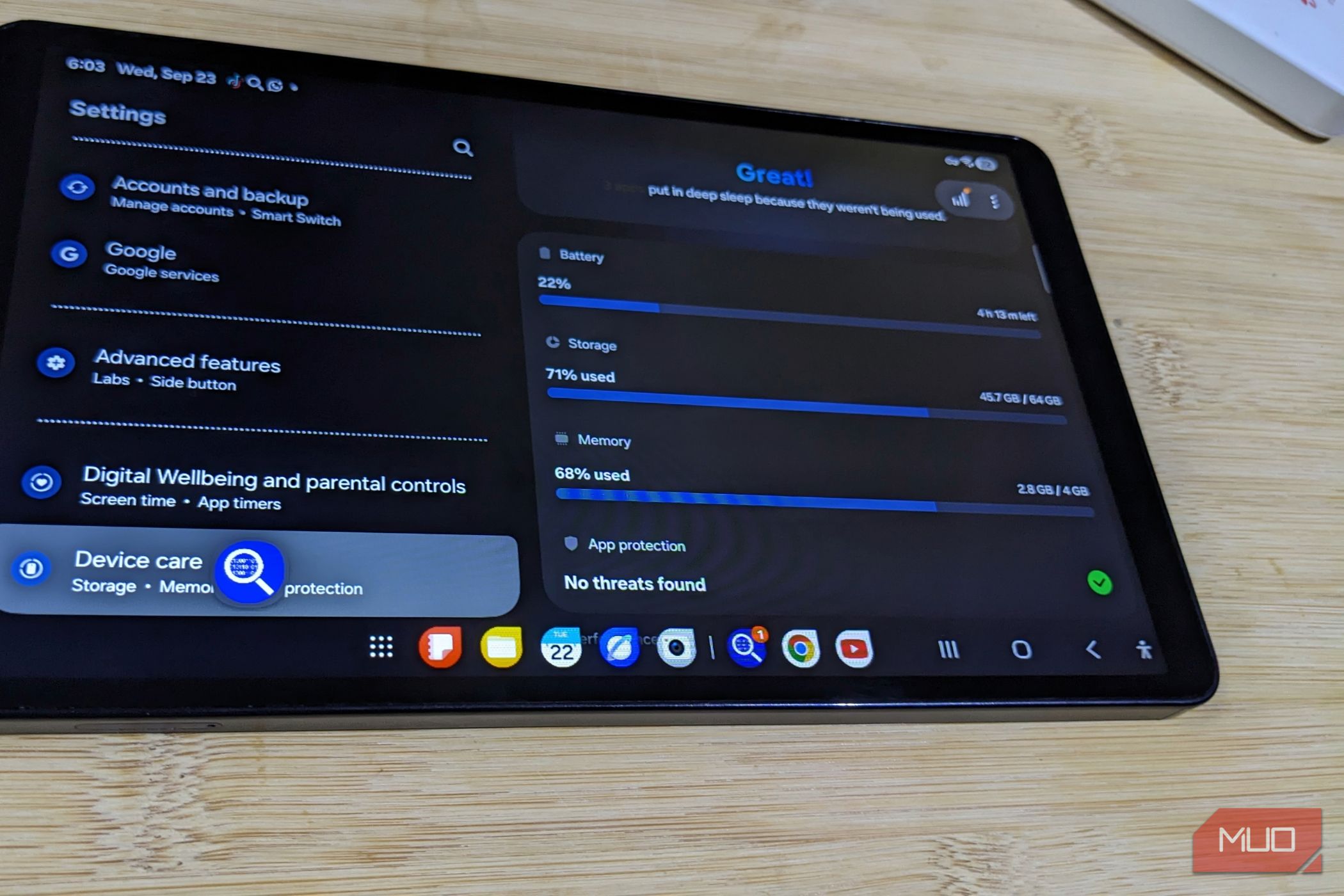
Samsung’s less expensive tablets can look a lot like the more expensive Galaxy tablets. They now run the same One UI interface and use similar Android apps. They also handle ordinary browsing, streaming, and occasional work without much fuss. The difference becomes easier to notice when the tablet has to work harder. I didn’t think much about the limits of my Galaxy Tab A11 until my phone broke, and the tablet became my go-to device. The hardware hadn’t changed, but I started asking much more of it. It was fine when it was just a backup screen The same limitations became harder to ignore when the tablet had to do everything I bought the Tab A11 as a nice-to-have, not to replace my phone. It was useful to load a couple of extra web pages or read a book on, but I didn’t depend on it for anything much. So if an app stuttered or reloaded after I switched away, it wasn’t a big deal for me. I continued with my phone instead. That changed when my phone broke and started registering ghost touches I wasn’t making. So I stopped using it and moved most of my work to the tablet. But the way it manages background apps quickly became a problem for me. Chrome’s constant page reloads are the first thing I noticed. I’d switch to Telegram to reply to someone, return to Chrome, and watch the page refresh from scratch. Often, that meant returning to the top of the page and losing my progress. Other apps would do the same thing, reopening instead of returning to where I left them. So I started changing how I used the tablet. I froze apps I wasn’t using and put others into Samsung’s “deep sleeping” list to stop background activities. I also limit opened tabs to just a few on Chrome. Those changes helped me work around the behavior even though they limit my work. None of this was necessary when the tablet was just an extra screen, and it’s not like the tablet became worse. I was just asking it to do more than I bought it for. Customizing it felt harmless at the time One UI made it feel more capable than the hardware underneath it When I first got the Tab A11 and saw it ran One UI 8, I wanted to set it up the way I had customized my phone. I installed Fine Lock to access Good Lock modules and went through close to fifteen of them: Home Up, Wonderland, Lock Star, One Hand Operation +, QuickStar, and a few others. If I could add anything to the tab, I went for it. The tablet let me use almost all of it, so I had no reason to think I was asking too much. Also, I wasn’t using it as much then. So if anything felt slightly slow or reloaded, it didn’t seem important enough or change how I used it. My needs changed, and I added all my apps, my normal workload, the demands of the One UI setup, and all my earlier tweaks, running on Samsung’s lower-priced tablet base configuration. My tab has just 4GB of RAM and 64GB of storage. For context, flagship Galaxy tablets running the same software or higher come with 12GB of RAM or more, and mine had a third of that. Of the 64GB, only 44.9GB was available, and mine was already around 71% full without a single selfie on it. My base memory use is around 2.9GB to 3.2GB of the 4GB in use, depending on what I’m working on. I’m not claiming that my Tab A11 running One UI 8 is the problem. The problem is that I was using base-level hardware as if I had much more headroom to spare. I pushed it and found out exactly where the room ran out The multitasking confirmed what my daily lag has been telling me By this point, I already knew the performance issues, but I wanted to see what happened when I deliberately used all the multitasking features together to see just how far I could push it. I opened two apps in split screen, started YouTube in picture-in-picture, and added another app in a pop-up window. The whole interface slowed down. Even moving through Settings took seconds with every touch; typing lagged behind my fingers. The tablet allowed me to set all of it up, but it didn’t handle it well. This is where One UI can make the difference in hardware easier to overlook. Seeing the same software on a cheap tablet and a flagship Galaxy tablet doesn’t mean the hardware underneath has the same capacity. A flagship tablet has a considerably more powerful processor and RAM to support the same One UI and the features that come with the software. If you’re reading, watching, or sticking to one or two apps at a time, you’ll probably never notice or push your tablet this far. Samsung’s software made it possible to do a lot, but its hardware determined how comfortable I could do it all together. Now that I know what the compromise actually is I’ve changed the way I use the tablet and stripped it back. I removed all the Good Lock customizations and modules. I also disabled a couple of apps and added more to the list I had in Samsung Deep Sleeping to reduce all unwanted background activities. I also found a way to use my other phone on my laptop. So that created wiggle room to free up more apps on my tablet. That made the tablet easier to use again because it doesn’t carry everything at once anymore. I didn’t think about what I’d be giving up when I bought this cheaper tablet, because I wasn’t planning to depend on it. Now, though, I know not to rely on it too much.