Summary
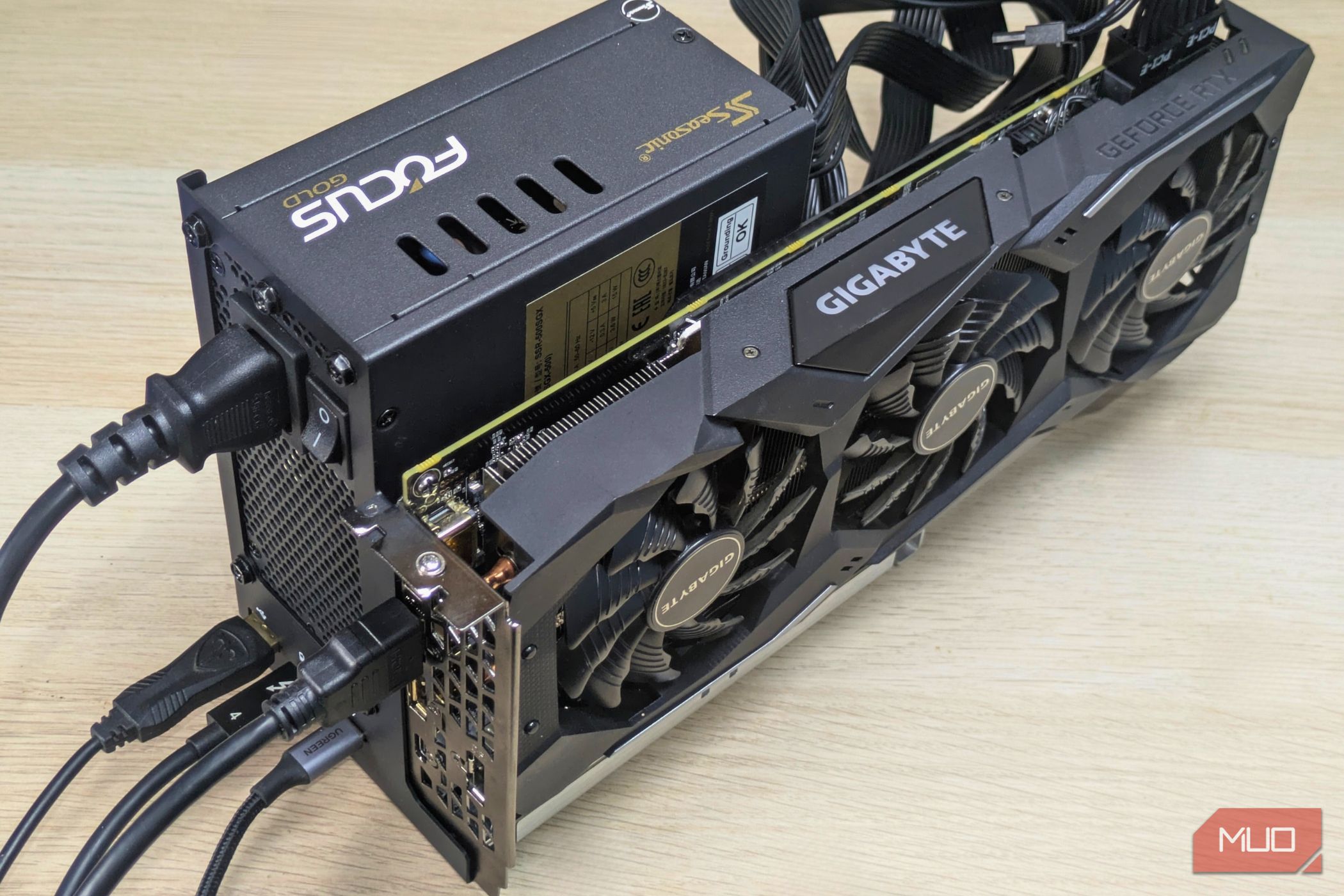
External GPUs are strange beasts. In theory, they sound like the perfect plug-and-play setup and are great if you want to use one device for everything. However, spend a little time with them, and you’ll quickly realize there are some severe limitations. The biggest bottleneck is Thunderbolt speeds, and each generation behaves differently. While I much prefer mydock (since it has extra ports and a nice enclosure), I ultimately switched to my hacky USB4 dock because the performance gap was too large to ignore. A look at both setups A janky DIY dock versus a proper enclosure Two very different kinds of enclosures were used for this particular experiment. The first was your more or less regular, run-of-the-mill Thunderbolt 3-based eGPU enclosure. This particular one was from Acasis and uses the Intel JHL7440 chipset, also known as Titan Ridge. As for the second dock, it’s more of a DIY project. Essentially, it is an Oculink-to-USB4 adapter that uses the Minisforum DEG1 as its base. The Oculink cable from the DEG1 connects to an M.2-to-Oculink adapter, which is in turn connected to a 40 Gbps UGREEN M.2 to USB-C adapter. Yes, it’s a lot of hoops. The DIY enclosure uses a chipset known as the ASM2464PD, which supports USB4 speeds throughout the whole stack. It’s also newer, with the JHL7440 being quite ancient at this point. This has quite an effect, as you’ll find out soon. As for the GPU, it was my existing RX 9070 (non-XT), which I pulled out from my existing AM4 build. While I personally wouldn’t go beyond something like an RX 9060 XT (or RTX 5070 Ti) for an eGPU setup, the RX 9070 gives us a unique opportunity: to test bandwidth bottlenecks across generations. The USB4 makeshift dock pulls ahead every time One clear winner Which brings us to the testing ground. Here, I used a standard Arch Linux installation, set up with Niri and Dank Material Shell, which is how I like my desktop. As for GPU drivers, I used the latest stable Mesa, along with the vulkan-radeon packages. Hardware acceleration was in place and enabled. I picked two games for the test: DOOM (2016) and The Blood of the Dawnwalker. After carefully testing both docks, I came to the inevitable conclusion that the USB4 setup, despite all its jank, is a lot more reliable. DOOM (2016) went from 130-ish FPS to a locked 175 FPS, and the changes were much more dramatic for Blood of the Dawnwalker. This particular game really struggled on the Thunderbolt 3 enclosure, with a lot of stutter and frame rates in the mid-50s, but only really rising into the mid-50s on USB4, sometimes hitting above 60. This was despite me bumping almost everything down to low, and using a healthy amount of FSR (set to Balanced at 3400x1440). I should also mention that the USB4 dock was much more stable under load. There were no disconnects, and games didn’t seem to hit a weird bug where panning the camera tanked the frame rate. The difference was a playable versus a stuttery, unplayable mess, and I had to reluctantly choose the USB4 dock for now. So why does this happen? USB-C and its convoluted naming schemes It made no sense at first: after all, both enclosures do support 40Gbps transfer speeds, which means they should get identical performance. Things change when you look at the fine print, however. The JHL7440 chipset uses Thunderbolt 3, which provides a realistic 32Gbps bandwidth for the GPU. The other 8Gbps is reserved for the USB-A and upstream 40Gbps ports on the enclosure. You can thank convoluted naming schemes for USB-C for this dilemma, and the list only gets worse. Thunderbolt 5 and 4 should offer marked improvements in the bandwidth allocated to the GPU. In contrast, the USB4 dock allocates its full 40Gbps bandwidth to the GPU, which improves both stability and performance. Of course, it’s not all sunshine and roses here either. The USB4 dock crucially lacks USB-PD support (or a passthrough port), meaning you’ll have to use a second cable to charge your device. Look for a dock that won’t bottleneck your GPU There are several things to look out for when buying an eGPU dock, but the most crucial is the chipset. Many budget docks use older Intel chipsets, which carry serious bandwidth restrictions. Of course, performance will also depend on the GPU you’re using. eGPUs are finicky creatures, and the newer PCIe 5.0 cards tend to misbehave a lot. RTX 50-Series and AMD’s RX 90-Series GPUs are a bit of a nuisance to get working right, and I’d recommend a Thunderbolt 5 enclosure for those cards. Assuming you have an older, last-gen card, you should be good to go, though. I used my older RX 6600 on the Thunderbolt 3 enclosure, and it had absolutely no issues, even managing to hit its 120 W cap. This class of GPU is more suitable for an eGPU enclosure, unless you happen to use something like Oculink.