Summary
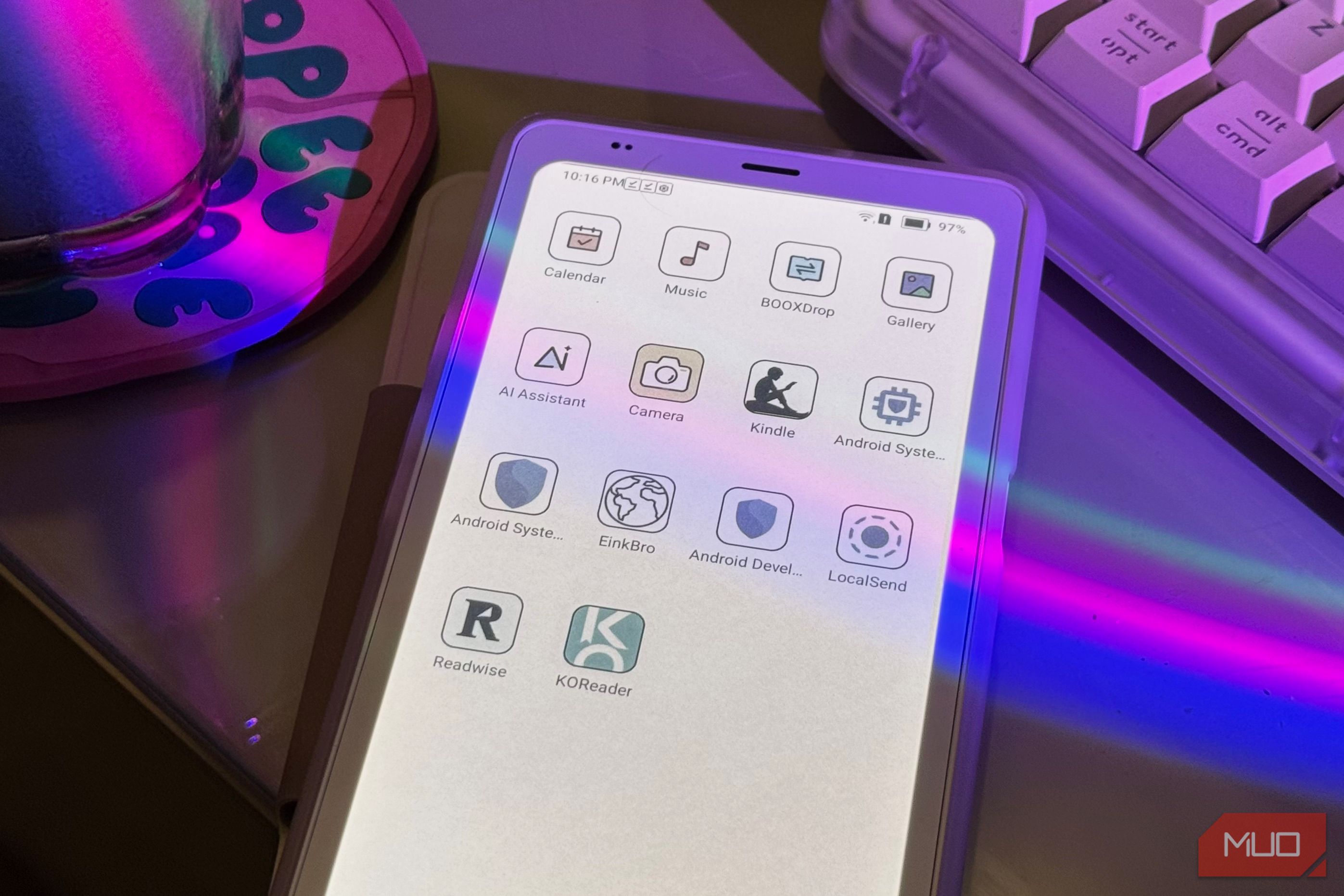
You know how once you begin traveling, you can never really go back to viewing the world the same way? Beyond feeling that way about travel itself, I’ve started to feel something similar about eReaders. For the longest time, a Kindle was basically where the eReader world began and ended for me. You bought books, downloaded them, read them, and that was pretty much the extent of it. I then began to use an Android eReader, and suddenly a Kindle felt far too basic. Being able to install absolutely anything I want from the Play Store (or otherwise) massively changed how I use the device. Here are a few of the apps that convinced me I can never go back to a Kindle… EinkBro A browser that actually understands eInk Pretty much every eReader running on Android comes with a browser built into it. However, that doesn’t mean browsing on them is a great experience. As someone who tried using a Boox Palma as my primary phone for a week, trust me, I know. The modern browsers we use (probably including the one you’re reading this article on) are designed around smooth scrolling, animations, videos, and fast-refreshing displays. E-ink screens are basically working with the exact opposite set of strengths! Scrolling through any sort of webpage, or even attempting to type in the name of a website, can quickly remind you that you’re using a display that was never really built for this kind of interaction. However, reading articles on an eInk tablet and just browsing the web in general is unmatched. This is where EInkBro comes in. Developed by plateaukao, Einkbro is a web browser based on Android WebView. While you can install it on your regular Android device, it’s built around an eInk device’s needs. The biggest difference is how you actually move around a webpage. Instead of relying entirely on continuous scrolling, EinkBro lets you jump up or down a full page at a time. You can do this using on-screen controls, tapping different areas of the display, or even mapping your device’s physical volume buttons to page up and down. EinkBro has a Reader Mode that strips away elements such as headers, ads, sidebars, and footers, while its interface avoids unnecessary animations and uses high-contrast icons. You can also change font size and weight directly, switch to a white background on darker websites, and customize which controls appear in the toolbar. One of my favorite options is the ability to export web content as an EPUB. While you obviously have ways to do this on normal browsers, you usually need to jump through a few hoops or rely on extensions and third-party tools. With EinkBro, it’s built directly into the browser, so turning an article or webpage into something you can read later like a regular ebook takes just a few taps. KoReader For when your reading app isn’t nerdy enough Speaking of app’s custom-built for eInk devices, KOreader is another one that’s worth having on an Android eReader (and makes Kindles feel far, far behind). This is an open-source document viewer that’s designed specifically with eInk screens in mind. What makes KOReader stand out is just how much control it gives you over the reading experience. You can tweak margins, line spacing, font size, font weight, contrast, justification, and even how pages are rendered. It also supports a huge range of formats, including EPUB, PDF, DjVu, MOBI, CBZ, and CBR. PDFs are where it gets especially useful. KOReader includes features like reflow, cropping, contrast adjustment, and column handling, which can make documents that would otherwise be painful to read on a smaller eInk screen much more manageable. There are also built-in dictionaries, translation tools, gestures, bookmarks, highlights, and a plugin system if you want to customize things even further. I’m someone who loves getting in-depth statistics about basically anything I do. I eagerly wait for end-of-year recaps, and even have apps like Foqos installed not only to stop me from getting distracted, but to track exactly how much time I spend focusing. This is another area where KoReader impressed me! It can track things like how long you’ve spent reading, how many pages you’ve read, your average time per page, and your reading activity over different periods. LocalSend AirDrop, but for literally everything With Kindle, you’re fairly limited in the number of ways you can get files onto your eReader. Amazon’s Send to Kindle service works well enough, and you always fall back on a USB cable. However, you don’t really get much choice beyond that. On an Android eReader, though, you can simply install the same file-sharing app you already use on your other devices. For me, that’s always been LocalSend. If you aren’t familiar with it, this is an open-source file-sharing tool that lets you send files directly between devices on the same local network. I like to describe it as an AirDrop alternative for non-Apple devices simply because of how fast it is! All you need to do is install the app on your Android eReader and the device you want to send files from. As long as both are on the same local network, LocalSend will automatically detect them, and you can start transferring files without signing in or setting anything else up! I constantly use LocalSend to send myself EPUBs and PDFs, and there’s no other service I can recommend more. Readwise Reader My “read it later” pile finally became useful The last app on my list is Readwise Reader, and this is probably the one that has done the most to make my eReader useful beyond books. Reader is essentially an all-in-one home for everything I want to read later. I can save web articles to it, subscribe to newsletters and RSS feeds, upload EPUBs and PDFs, and even pull in content from services like Pocket, Instapaper, and Feedly. Everything then lives in the same library instead of being scattered across different apps and browser tabs. Reader also supports highlighting and notes, with both syncing back to Readwise, and you can tweak the reading experience with options like text sizing and paged scrolling. That last one is especially important on an eReader because it means you don’t have to rely on continuous scrolling quite as much. It isn’t quite as perfectly optimized for eInk as something like KOReader or EinkBro. Still, once I’m actually inside an article or book, that’s a compromise I’m happy to make. Reader effectively turns my Android eReader into a home for all the stuff I tell myself I’ll “read later.” Once you use an Android eReader, it’s really, really difficult to go back. Turns out, having actual apps spoils you fast.