Summary
It’s difficult to find Bluetooth headphones with active noise cancellation (ANC) that stand out. They all pretty much do the same thing, are priced similarly, and are overall mature products that most people own.
When Lenovo sent us their YOGA PC Edition headphones for review, I was worried that they’d be just another set of cushy Bluetooth headphones. And while they are, they come with a feature I wish all headphones in this class had: the ability to almost magically switch between multiple devices with a simple gesture. After using these Lenovo headphones with this feature, it’s going to be tough to switch back to anything else.

 Lenovo Headphone YOGA PC Edition
- Brand
- Lenovo
- Battery Life
- 38 Hours The Lenovo Headphone YOGA PC Edition is an over-the-ear Bluetooth headphone with ANC and Bose Audio. They offer a gesture pad on the right cup for playback controls and fast device switching.
- Bluetooth
- 5.3
- Noise Cancellation
- ANC
- Charging type
- USB-C
- Multipoint
- Yes
- Driver size
- 40mm
- Audio jack
- Yes
- Great sound by Bose
- Brilliant device-switching with gesture
- Excellent price
- Mostly plastic construction, no public IP rating
- Buttons are difficult to feel for
- Headphones scuff easily
Lenovo kindly sent us these headphones for review. It has had no say in the content of this review, nor has it seen it before publishing.
The headline feature: multi-device switching with just a tap
I wish more headphones had this!
These headphones have a really cool trick: they can switch between two devices, even on multiple platforms, with just a triple tap of the right cup touch area, and it works well. Not only that, but it solves a huge problem with wireless audio devices: sure, you can connect your Bluetooth headphones to multiple devices, but switching between them is a pain and requires you to disconnect from one device via settings before connecting to another. This lets you move between multiple devices on the fly, and it’s super handy.
Switching even works across multiple platforms
Sometimes I use both a Windows laptop and a Mac laptop side-by-side. If I connect the Lenovo headphones to both, I can use Dual Bluetooth Multipoint (an open protocol similar to Apple’s audio handoff feature) to connect to both devices at the same time, then toggle between them by triple-tapping the gesture area on the headphones. Most headphones can’t switch between devices so easily.
This even works across mobile operating systems: I could switch the audio between my iPhone and an Android in the same way.
Sound by Bose does not disappoint
Great dynamics with strong ANC
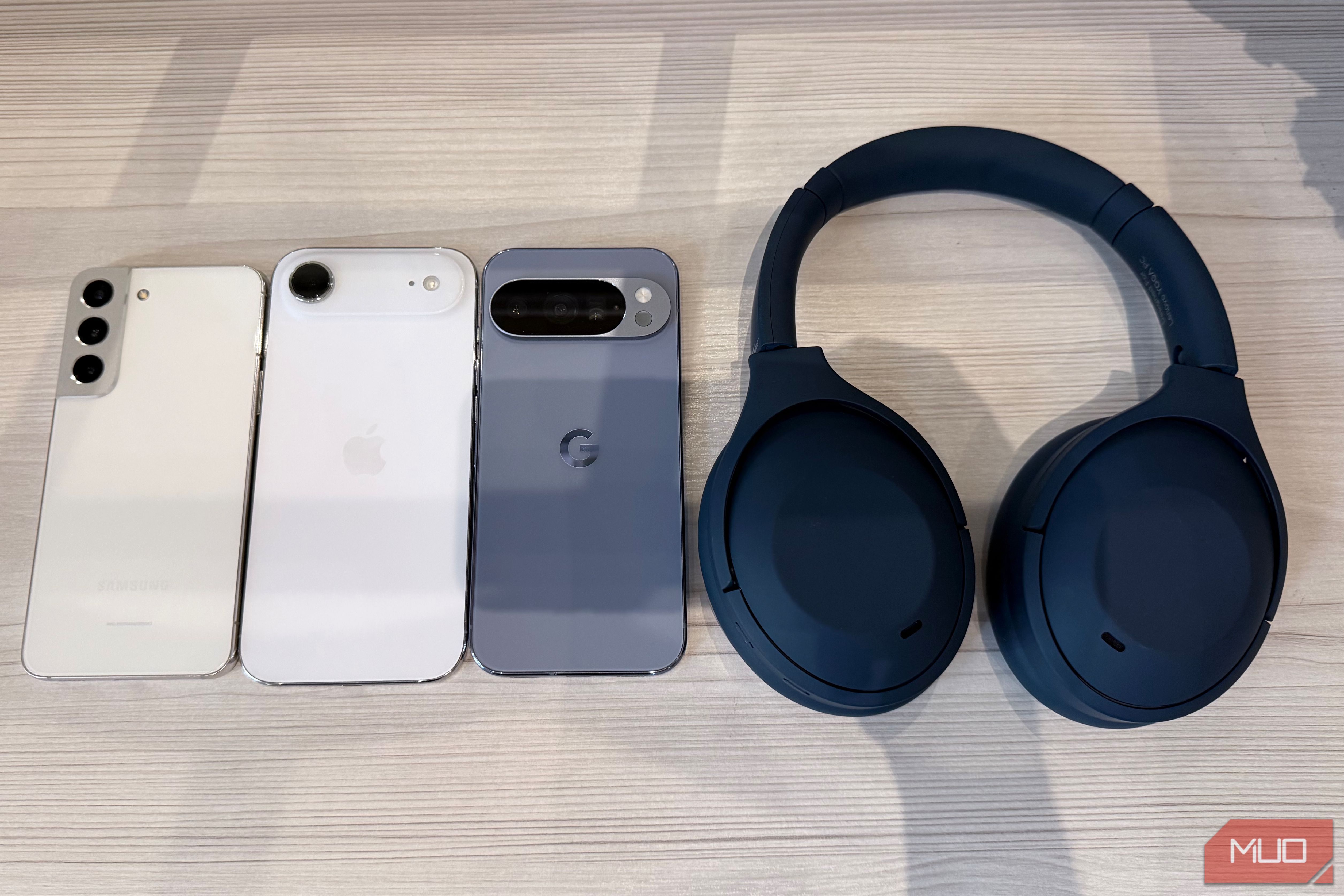
The Lenovo YOGA PC Edition headphones come in Cosmic Blue, which is intended to match the color of several Lenovo laptops, if that’s your thing. The color is a dark blue, and it is nice, but I found them to scuff easily.
The headphones themselves are made of a combination of plastic and soft-touch materials. Relative to other headphones in this class, the Lenovo headphones are lighter than other products in this category, but not the lightest. The Lenovo YOGA PC Edition headphones weigh 270 grams (9.52oz), compared to 250 grams (8.82oz) for the Sony WH-1000XM6 and 386 grams (13.58oz) for the AirPods Max.
They use Bluetooth 5.3 and offer a frequency response of 20 Hz to 20 kHz. The headphones have five microphones (which offered clean audio quality on phone calls, in my testing) and use 1.57” (40mm) drivers to produce impressive acoustics, including deep bass that impressed me. The audio is tuned by Bose.
They are comfortable to wear for long periods thanks to this lower weight, plus the fact that the headphones use soft memory foam anywhere they come into contact with your head: the cups are lined with memory foam, and so is the bridge that rests against your head. The headphones are adjustable.
In terms of I/O, you get a USB-C port for charging the battery, which is rated at 640mAh or 38 hours of usage with high ANC turned on, as well as a 3.5mm headphone jack if you want to use the headphones in a wired configuration, which is a nice touch. In my testing, I found the headphones to have outstanding battery life, going almost a week of daily use with the ANC turned on before needing a charge.
For buttons, you get just two, but as mentioned above, the headphones offer a gesture area on the right cup that lets you combine multiple functions into one intuitive gesture surface. Besides that, you get a power/pairing button and a noise cancellation toggle. Unfortunately, both of these buttons feel the same and are easy to mix up when you feel for them when they’re on your head. I wish Lenovo used a different texture for the power button.
The ANC on the Lenovo headphones is very good, thoroughly blocking out droning and ambient sound, but is not of the same caliber as my AirPods Max. For the most common use of ANC headphones, air travel, these headphones provide exceptional noise cancellation.
Software lets you customize
Change gesture settings, tweak EQ and more
Using Lenovo Accessory and Display Manager (available for both Windows and Mac), you can tweak the headphones’ settings to customize their behavior.
For example, under Device Settings, you can enable the fantastic triple-click-to-switch gesture.
Also, within this panel, you can customize the time until the headphones go to sleep automatically. You can disable the touch panel control (if perhaps you’re triggering playback controls by accident), you can turn on the multipoint connection (which lets you connect to two devices at the same time, which I leave off because it can cause interference if you’re listening to music on one device and you hear system sounds from another device), and finally you can adjust the level of noise cancellation, which defaults to High.
There are other gestures you can use on the right cup: swipe up/down for volume, double-tap to play/pause, swipe forward/back to change tracks, plus there are gestures for handling phone calls, like double-tap for answering or ending a call. If you tap and hold on the right cup, that toggles your phone’s voice assistant. It’s very versatile.
In Audio Settings, you can fine-tune the audio signature of the headphones with one of four equalizers, or in the last option, you can pick a custom equalizer. I actually found the Bose defaults to provide a good balance overall, but I still always like to boost bass and treble a bit, which Lenovo lets you do with the custom profile options.
Lastly, Lenovo Accessory and Display Manager is where you go to update the firmware of your headphones.
Versus the competition
The YOGA PC Edition headphones compare favorably
|
Spec |
Lenovo Headphone YOGA PC Edition |
Bose QuietComfort Ultra (2nd Gen) |
Sony WH-1000XM6 |
Apple AirPods Max 2 |
|---|---|---|---|---|
|
Price |
449 |
549 |
|
Weight |
~270 g (0.59 lb) |
~263 g (0.58 lb) |
254 g (0.56 lb) |
386 g (0.85 lb) |
|
Battery life |
Up to ~38 hrs ~28 hrs with ANC on |
Up to 30 hrs 23 hrs with Immersive Audio |
Up to 40 hrs 30 hrs with ANC on |
Up to 20 hrs with ANC on |
|
Connectivity |
Bluetooth 5.3 Wired: USB-C & 3.5 mm |
Bluetooth 5.4 (multipoint) Wired: USB-C (lossless) & 3.5 mm |
Bluetooth 5.3 (multipoint, LDAC) Wired: USB-C & 3.5 mm |
Bluetooth 5.3 Wired: USB-C (lossless); no 3.5 mm jack |
So, should you buy these headphones? Relative to the competition from Sony, Bose, and Apple, the Lenovo headphones are the best value at $249.99 and offer audio quality that is on par with the rest, but with ANC that is great but not class-leading. The gesture area and the multi-device switching make the Lenovo headphones particularly stand out. These are great Bluetooth headphones at a great price, and they are easy to recommend.
Lenovo Headphone YOGA PC Edition
- Brand
- Lenovo
- Battery Life
- 38 Hours The Lenovo Headphone YOGA PC Edition is an over-the-ear Bluetooth headphone with ANC and Bose Audio. They offer a gesture pad on the right cup for playback controls and fast device switching.