Summary
Despite my skepticism, DLSS 5 is impressing me. Well, at least the community-made DLSS Swapper mod is. While we’re still months away from the official release of DLSS 5 for RTX 50-Series GPUs, the Swapper mod gave me a fairly decent idea of what to expect. I recently tested the MS-DOS classic, DOOM, using the DLSS Swapper. Despite some ghosting artifacts, DLSS 5 still overhauled the game’s visuals. Since I was testing DLSS 5 anyway, I figured I’d try it on some of my favorite PS2-era titles. Although I wasn’t expecting much, DLSS 5 surprised me, yet again. Setting up DLSS 5 for old PC games It’s much, much easier than it sounds. The concept of using DLSS 5 in virtually any game basically requires injecting the nvngx_dlssnr.dll in place of the existing DLSS libraries. Now, obviously, not all games, especially old PS2-era ones, shipped with DLSS support. This is where DLSS Swapper comes into play. It’s a community-made mod, courtesy of rakanki911, that lets you install DLSS 5 on almost any RTX GPU in minutes. The mod essentially injects the nvngx_dlssnr.dll into the game’s directory. Here are the steps to install DLSS 5 (using DLSS Swapper):
First things first, make sure to download the latest build of DLSS Swapper from GitHub.- You can also use the GitHub Desktop app for Windows to download and install DLSS Swapper.
- Installing the DLSS Swapper mod will trigger Windows SmartScreen because it’s custom code from an unverified source. You can click through the prompts to install the mod anyway.
Once the mod is installed, it scans your primary game directory.
- You can also manually add folders to point the mod towards specific games.
- Once you have selected the game of your choice, click on the Install DLSS 5 button. And that’s it; you’ve installed DLSS 5. Next, launch the game and press the Home key on your keyboard to bring up the Swapper mod menu. Using this menu, you can easily toggle DLSS 5 on and off without restarting the game. For this experiment, I tested 6 games:
- Prince of Persia: The Sands
- Prince of Persia: Warrior Within
- Prince of Persia: The Two Thrones
- Max Payne
- Max Payne 2
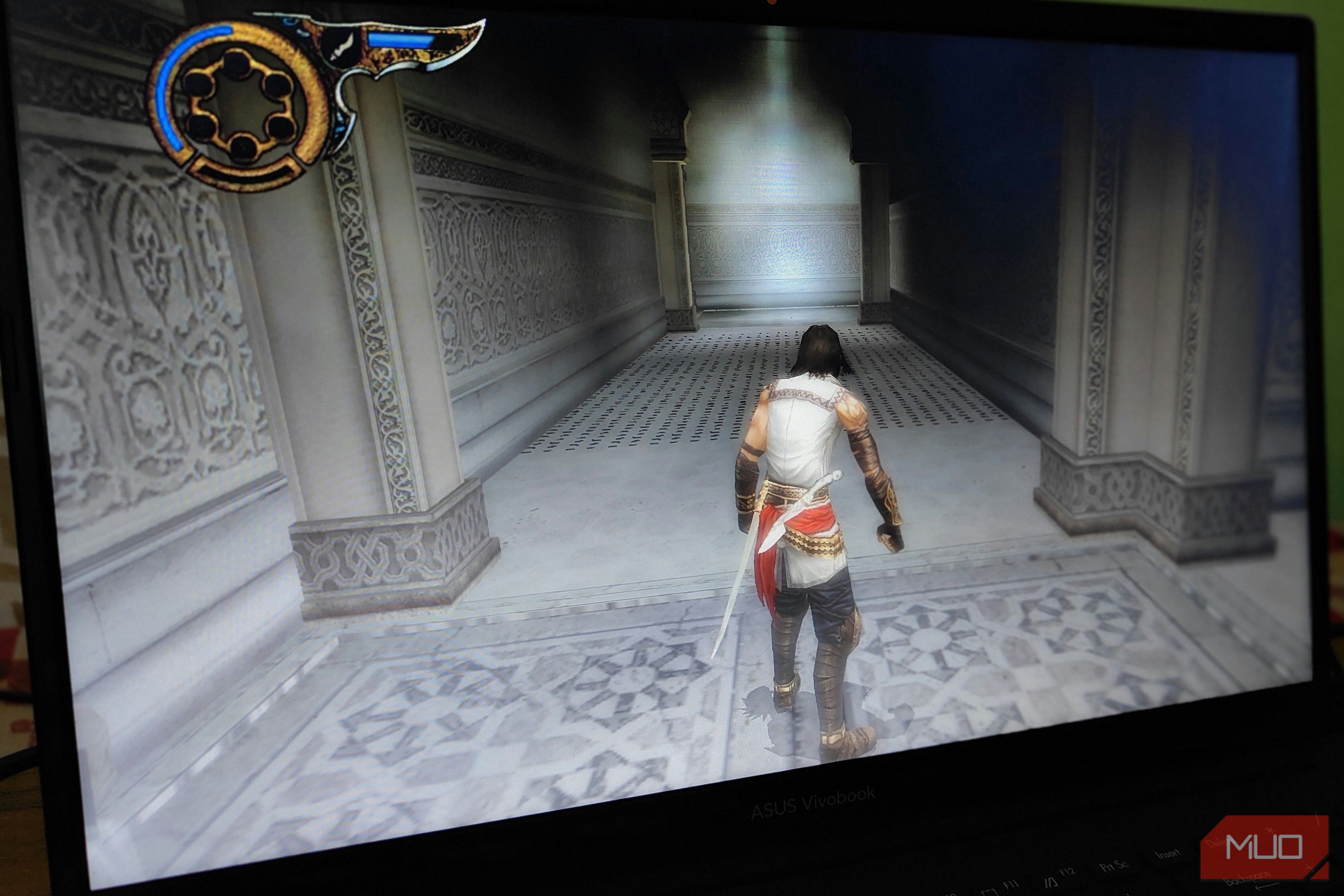
- Need for Speed Undercover While the DLSS Swapper can be installed for virtually any game on PC, DLSS 5 isn’t guaranteed to work in all instances. This mostly comes down to the fact that the nvngx_dlssnr.dll isn’t natively supported by all games. Furthermore, the mod for DLSS 5 uses a premature version of the tech. The games I tested did work with DLSS 5, with varying degrees of success. On my setup, the mod had no noticeable effect on Need for Speed Undercover and Max Payne 2. However, in the other games, I noticed a substantial visual overhaul, especially in the lighting. DLSS 5 might be in its infancy; it still offers a substantial visual upgrade But at a steep performance cost. In the games I tested, DLSS 5 brought the usual suite of improvements. The mod essentially offered better global illumination, ambient occlusion (adding it to games where it was missing), and, overall, more “pleasant” lighting, without overriding the game’s original art style. That said, in Prince of Persia: Warrior Within, dynamic shadows did end up glitching, especially during the “present day” sections of the game. But I will chalk this up to DLSS Swapper conflicting with the game’s files. Another issue that persisted throughout my testing was forced camera motion blur. Even with motion blur disabled, all the games exhibited blurriness, especially during movement. Any camera movement momentarily introduced artifacts around character models, which was jarring. While I’m not sure of the exact root cause, I suspect it’s related to DLSS 5’s neural rendering being forced on code that isn’t optimized for it. DLSS 5 introduces ghosting, not very dissimilar to DLSS 4 Frame Generation. I had a similar experience when I was testing DOOM using DLSS Swapper. That said, force-disabling camera motion blur did help a lot with reducing the “blurriness” of the visuals. I should mention that the blurriness only manifested during motion. A still frame of the game never exhibited any form of ghosting artifacts. Lastly, while DLSS 5 did offer a substantial visual upgrade, it did so at a steep performance cost. However, that’s not surprising to me after the tests I did using DLSS Swapper on some of the recently released games. Considering the things DLSS 5’s neural rendering pipeline is aiming to do under the hood, it’s never going to be as performant as, well, DLSS 4 or 4.5. This begs the question: why even call it “DLSS” 5 to begin with? But perhaps that’s a question best reserved until the official release of DLSS 5. DLSS 5 is not a replacement for dedicated remasters While I really like the idea of “remastering” old PC games with just the push of a button, it’s not a practical one. DLSS 5, at the end of the day, is only going to “improve” the visuals of a game, and even then, it’s limited mostly to the lighting engine. While many do associate a “remaster” with updated graphics, the proper definition of that term includes a lot more. Just take the recently released The Witcher 3: Wild Hunt Remastered (that’s a mouthful), for example. Yes, the remaster does feature updated graphics, and that’s also one of the biggest marketing points of the re-release. However, it also includes a ton of other “quality of life” upgrades, which, at least for the time being, are way out of scope for an AI-based tech like DLSS 5. That said, much like Nvidia’s RTX Remix, DLSS 5 is a great way to spice up your weekly gaming sessions. To me, DLSS 5 is more akin to a graphical filter, akin to reshade mods for games, instead of a remastering button. Although it can drastically impact performance, it’s still worth trying, as long as you have enough VRAM to allocate to it.