Summary
Plex was always my go-to media library for a variety of reasons, including its familiar interface, organization, and remote access, which let me watch my movies and shows away from home. However, as more Plex services became subscription-based, I started wondering whether other options were available.
Jellyfin seemed like the obvious choice, but I didn’t want to spend hours reorganizing files. Surprisingly, everything went much smoother than I imagined.
Plex worked fine until it started asking for more
I wanted a replacement that did everything Plex does
I never had a problem with Plex itself; it was the service that suddenly gave me pause. After all, I already owned the movies and TV shows that I wanted to host, with scores of ripped DVD titles, from over 20 years of collecting. I stored them on my own hardware and hosted them on my own server, so I hesitated to pay for a Plex Pass to access the platform’s services.
I already use Kodi, which I love for its customization, but I can’t easily access it remotely, which is a feature of Plex I use often. Jellyfin’s server is free and open source, with no premium features hidden behind paywalls.
So it offered the same features I routinely use on Plex, with no extra cost, but how easy would the transfer be?
Moving my library was easier than expected
Jellyfin didn’t make me reorganize everything from scratch
This was the biggest potential obstacle. I didn’t want to move gigabytes of media around just to accommodate a new server. And fortunately, I didn’t have to.
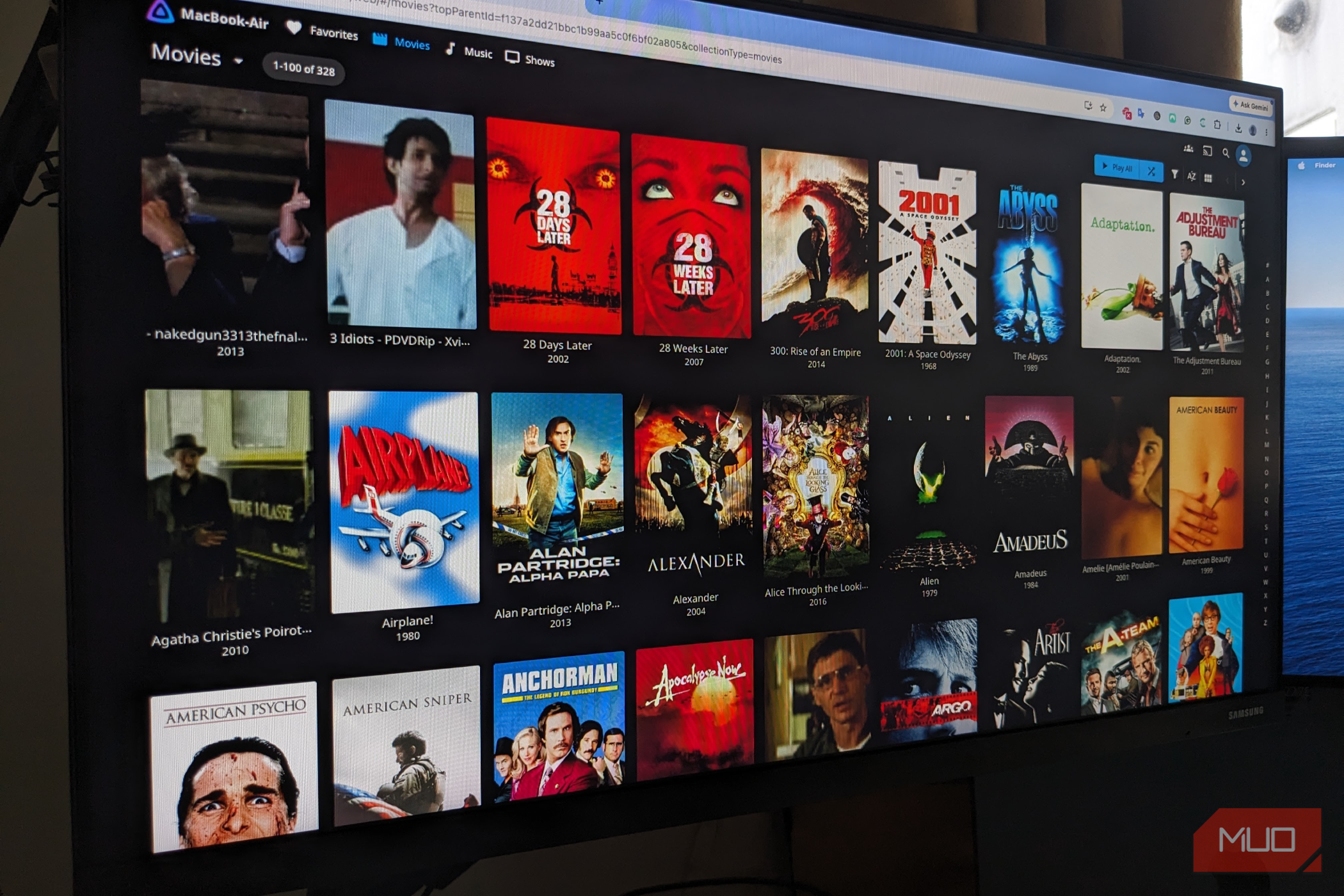
Migrating my files was as easy as installing Jellyfin alongside Plex and pointing it toward the same folders containing all my movies and TV shows. Jellyfin immediately scanned the files, identified the content, and began building its own library, complete with all metadata. I didn’t even have to transfer my media to a separate folder. Everything stayed exactly where it was.
There were a couple of hiccups along the way, mostly due to my sloppy file naming over years of storing movies and shows, and Jellyfin sometimes needed help identifying some of my more obscure international content. However, media servers are only as good as the files they are given, and this was hardly Jellyfin’s fault.
The important thing was that I didn’t have to start from scratch—far from it.
Everything I cared about still worked
Movies, shows, artwork, and playback survived the switch
All my movies were there, shows were there, and all seasons and episodes were neatly organized. Posters appeared, and metadata was populated, including ratings. I could even start watching a show, and it would save my progress so I could return to it later.
Jellyfin supports clients across a wide range of platforms, too, including Android, iOS, Android TV, Fire TV, Roku, WebOS, Tizen, Xbox, and the web. At that point, I realized I cared less about Plex itself than the content I stored on it.
Jellyfin setup was intuitive; it has a well-established ecosystem, and it made complicated things seem simple. Some hands-on configuration is required for things like setting up remote access or troubleshooting playback, but that is common across all media server platforms.
Jellyfin isn’t perfect, but it’s close
A little more tinkering was the price of getting control back
One feature that wouldn’t copy over was the Plex database. The Plex library isn’t just a collection of video files; over the years, I had accumulated watch statuses, playlists, collections, users, custom metadata, and other organizational details. I found third-party tools that could help me migrate some information, but I decided to start afresh.
That’s the thing I had to remind myself: Jellyfin isn’t a magical replacement that replicates every Plex feature minus the subscription. It adopts a different approach to running a media server. However, if you’ve got this far, you’re already responsible for storing and maintaining your own media library and running your own server.
A little extra configuration is a small price to pay to keep everything under your control. Rather than spend time fixing things that broke, I was happy to start with a clean sheet, rename some disorganized files, chop away some dead wood that I’d likely never watch, and streamline my system a little.
A fresh start with no extra fees
Switching from Plex to Jellyfin wasn’t a sudden improvement, and it didn’t need to be. It made me realize I didn’t need Plex, as I’d thought at first. I already owned my own files and hardware; Jellyfin simply let me organize them without tying that functionality to another subscription.
In a world where new media is rarely owned and subscription services reign supreme, paying yet another monthly fee to access my own files felt like too big an ask. Thankfully, Jellyfin offered the perfect solution with nothing broken and very little tinkering involved.
 Jellyfin
- OS
- Android, iOS/iPadOS, Android TV, Fire TV, Web browsers
- Developer
- Jellyfin Community
- Pricing model
- Free (open-source)
- Initial release
- December 8, 2018