Summary
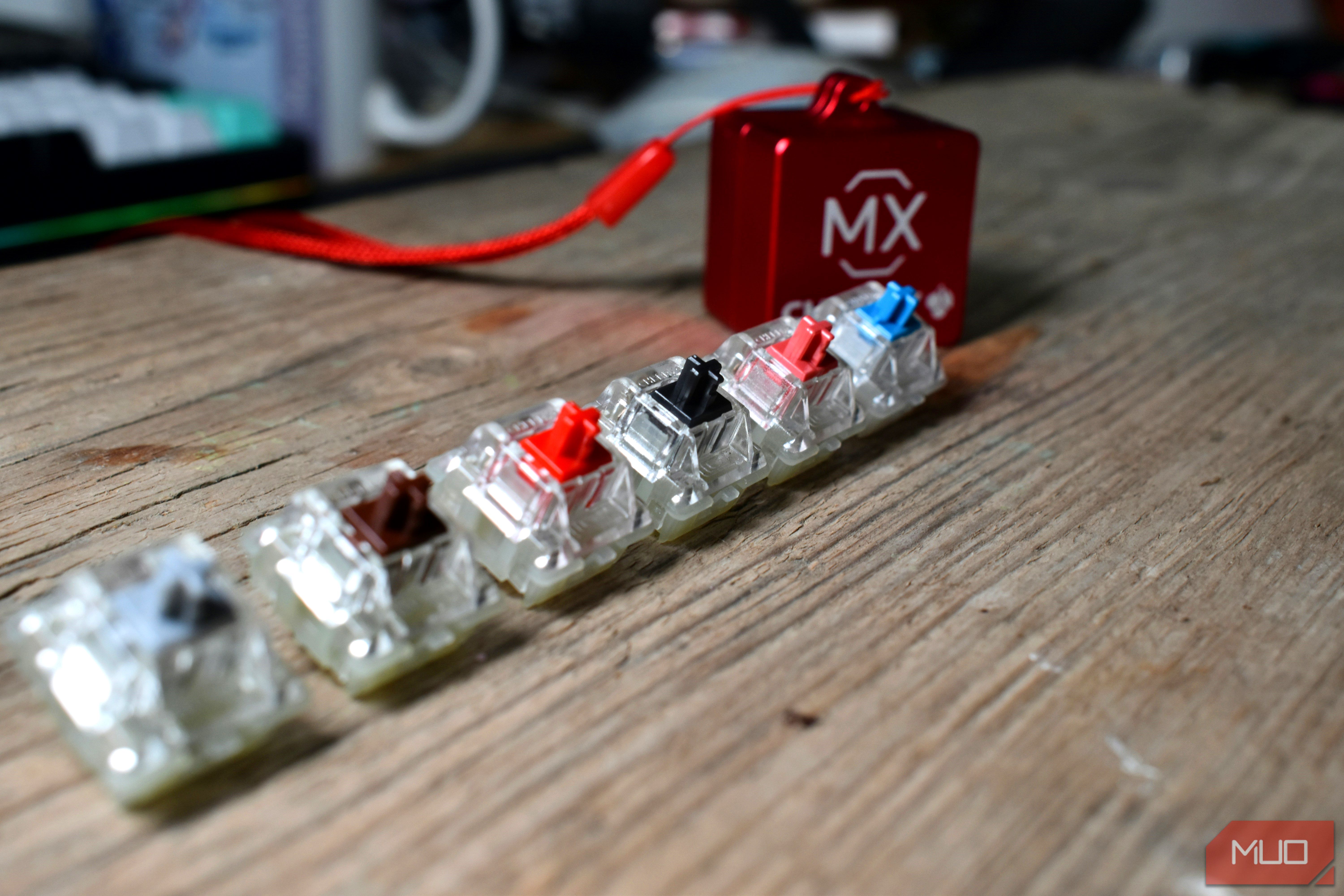
For a long time, I assumed the keyboard switch I enjoyed the most would naturally be the one that helped me type best. Blue switches seemed to confirm that theory. They were crisp, deliberate, and wonderfully noisy. Every keystroke felt like a tiny mechanical event rather than an input that just went to my computer. Then one day, I decided to try a handful of other switches. Turns out, while I loved typing on the blues, I was faster and more comfortable on yellow linear switches. The difference wasn’t dramatic during a short typing test, though. It became obvious after several thousand words, a few hours in VS Code, and one too many corrections. Blue switches are fun, and that’s the problem A bump, a click, and a keyboard that feels like an instrument Blue switches are easy to fall for because they make typing feel unusually engaging, and when you’re typing thousands of words a day, that helps. They provide both a tactile bump and an audible click around the actuation point, so every successful input comes with physical and acoustic confirmation. Cherry’s MX Blue for example, has 2.2 mm of pre-travel, 4mm of total travel, a 50 cN actuation force, and a 60 cN pressure point. That feedback turns ordinary work into something far more satisfying. Writing an article feels productive, entering commands in a terminal feels decisive, and even replying to emails becomes more entertaining because the keyboard responds to every letter. Blue switches also encouraged me to be more deliberate. The bump told me when a key had actuated, while the click created a clear rhythm that made using my keyboard feel like playing an instrument. If I judged each switch entirely by which ones made me want to keep pressing keys, Blues would win comfortably. Unfortunately, enjoying each individual keystroke isn’t the same as enjoying ten thousand of them. Ten thousand keystrokes later, the click gets old Every keystroke has a beginning, middle, and end The problem with blue switches only appears during longer sessions, at least for me. My work involves writing thousands of words, editing drafts, entering commands, and writing code. That means I’m not just pressing letter keys. I’m constantly reaching for Backspace, Shift, Ctrl, brackets, quotation marks, and keyboard shortcuts. With Blues, each press feels like it has a distinct beginning, middle, and end. I had to cross the tactile event, hear the click, and release the key far enough for the switch to reset. None of those actions feel slow in isolation, but together they made my typing feel more segmented. That sensation was particularly noticeable while coding. Code often requires quick bursts of punctuation, repeated keystrokes, and corrections. On Blues, I occasionally felt as if I were waiting for one keystroke to finish before beginning the next. The keyboard was giving me more feedback than needed, and I was subconsciously adjusting my fingers to accommodate it. The next problem was actuation force. Blue switches tend to have heavier actuation forces than most reds and browns, and across tens of thousands of key presses on a busy day, you’ll start feeling that in your fingertips. Noise isn’t really much of a concern for me, as I do like it, but a satisfying sound can still contribute to mental fatigue when it never stops. Yellow linears are boring, which is the point Without a bump in the way, my fingers kept their momentum When I tried out a keyboard with yellow linear switches, it initially felt like a downgrade. There was no tactile event to anticipate and no sharp click confirming every character. The key simply traveled downward, actuated, and returned. Gateron’s standard yellow is a linear switch rated at roughly 50 gf, with 2mm of pre-travel and up to 4mm of total travel. On paper, that doesn’t make it dramatically lighter or shorter than a typical blue switch. But after nearly a decade of muscle memory on blue switches, it’ll feel a lot lighter to press. The important difference wasn’t simply force here, it was how that force was delivered. Without a bump interrupting the press, my fingers could maintain momentum. I could roll between letters more naturally and move through shortcuts without every key demanding attention. The keyboard faded into the background, which initially made it less interesting but ultimately better for work. I also made more mistakes during my first few typing sessions. Without tactile information, it was easy to press keys too lightly or bottom them out too aggressively. Once I adapted, however, the smoothness became the feedback. My fingers learned the actuation point through travel and muscle memory rather than waiting for a click. Enjoying a switch isn’t the same as typing better on it The studies disagree, so my own fingers got the deciding vote There isn’t a universal rule that linear switches make everyone faster. Research comparing mechanical switches has produced mixed results too. One study involving 20 participants found no significant performance difference between tactile and linear switches, although the tactile option scored better for satisfaction and fatigue. Another study found that switch force and travel characteristics could affect typing performance, muscle activity, and preference. That makes sense because typing technique matters as much as the switch category. Someone who avoids bottoming out and relies on tactile feedback may perform wonderfully on blues. A heavier typist might make fewer accidental inputs with them. Meanwhile, someone accustomed to carrying momentum across the keyboard may find a tactile bump disruptive. My mistake was treating enjoyment as evidence of suitability. Blues offered the richer sensory experience, so I assumed they were improving my typing. And even though I’ve managed to reach speeds as high as 115 WPM with blues, the yellow switches better matched the way I already moved my fingers. Blues still are my favorite The best switch for work is the one that stops asking for attention None of this means I’ve swapped out my blues for yellows or other switches yet. Blues remain the switches I’m most excited to use, especially for casual writing or any situation where output matters less than experience. They make keyboards feel mechanical in the most obvious and entertaining way. But there are days I’ll take the less theatrical option. Yellow linears don’t make every keystroke feel special. They make thousands of keystrokes feel easier. That distinction changed how I evaluate keyboards now. The most enjoyable switch during a five-minute test may not be the one I want under my fingers for eight hours. Sometimes, the best work tool is the one that stops asking to be noticed and lets you focus on the job instead.