Summary
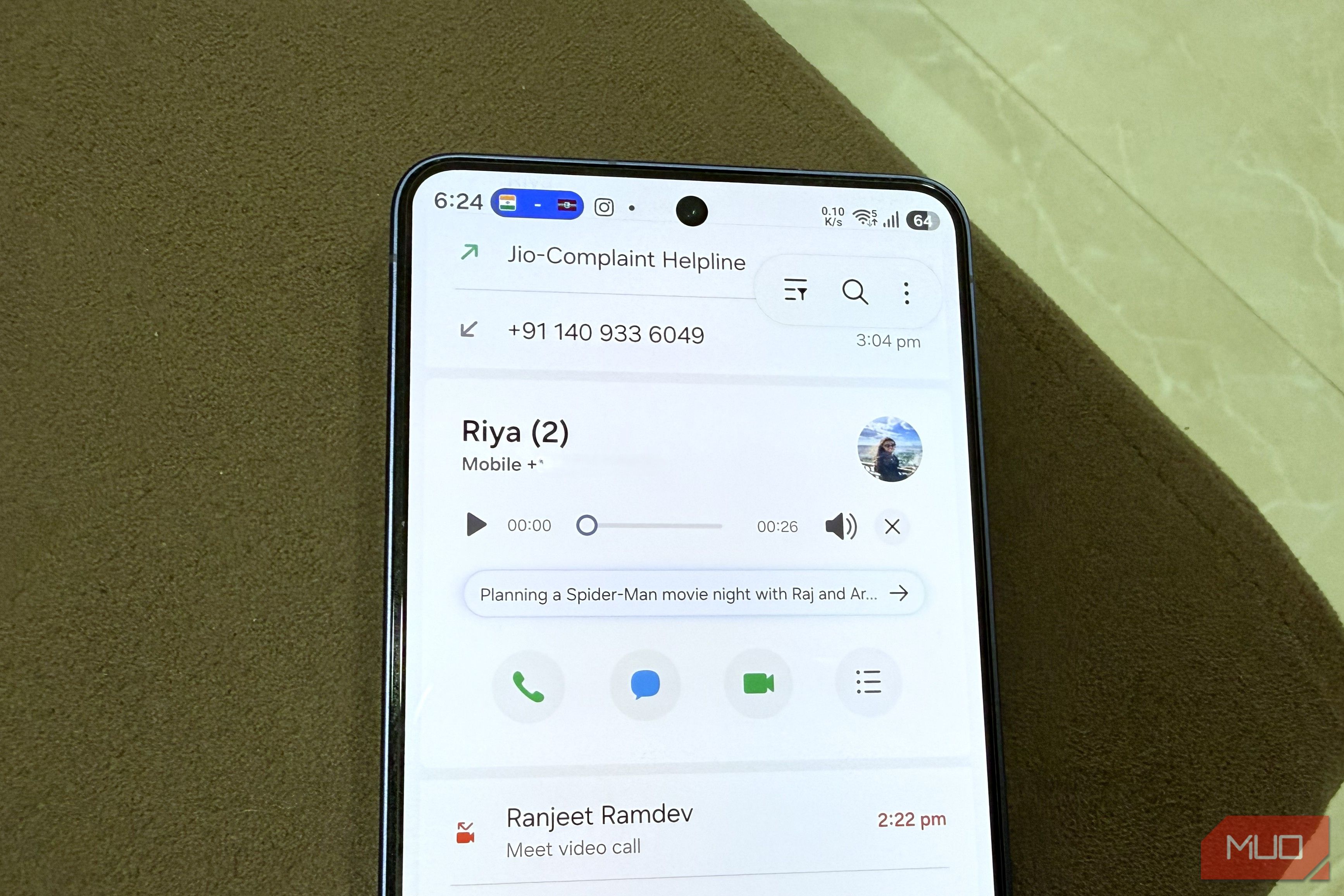
Voicemail is one of those features that just hasn’t moved with the times. Visual voicemail is helpful, but there haven’t been any meaningful upgrades beyond that, like automatic summaries, noise removal, or anything else that feels like an upgrade. Samsung’s Direct voicemail fixes exactly those things. I recently tried it on my Galaxy S26 and liked it so much that I ended up disabling my carrier’s voicemail service entirely. Direct voicemail is free and built into Galaxy phones Stop paying your carrier for visual voicemail Voicemail is something that’s mostly free across carriers and countries. Still, carriers do find clever ways to charge for things like visual voicemail, extra storage, longer duration, and whatnot. And even then, the experience is far from seamless. But if you’ve got a Galaxy phone running One UI 8.5 or later, you don’t have to put up with any of that. Samsung phones include a feature called Direct voicemail, which works almost exactly like Apple’s Live Voicemail. Instead of your carrier recording a message on their end, your Galaxy phone handles it directly. It plays an automated message asking the caller to leave a voicemail and then generates a transcript for you. It all works locally, so you don’t have to worry about privacy either. The main reason to switch from your carrier’s voicemail service is all the extras you get on top. Galaxy AI can summarize long voicemail transcripts so you don’t always have to read through the whole thing. This is a huge time saver for anyone who gets a lot of voicemails throughout the day. You can even use One UI’s Audio Eraser to clean up noisy recordings. There’s also a setting that lets you shorten how long it takes before a call gets sent to voicemail. You can bring it down to 20, 10, or even 5 seconds, so the caller doesn’t have to wait for long. Most importantly, Samsung’s Direct voicemail is completely free. As long as you have a compatible Galaxy phone, it’s just a matter of enabling the feature. Setting up and using Direct voicemail is also easy It’s barely any setup The Direct voicemail feature isn’t enabled by default, but getting it barely takes a minute. Head to the Phone app, tap the three-dot icon, and choose Settings. Tap Direct voicemail and enable the toggle. You can also set the Auto send to voicemail from the same menu to specify how quickly an unanswered call gets directed to voicemail. Your Samsung phone will automatically detect the language and transcribe the call. It supports languages like English by default, but you can download more. It supports Dutch, Chinese, Arabic, Spanish, German, French, Portuguese, and plenty more. By default, Galaxy AI uses server-side processing to summarize transcripts. But if you’re worried about privacy, there’s a Process data only on device toggle that can change that. This’ll force your Galaxy phone to create summaries locally. After this, the voicemail feature works pretty much as you’d expect. You can even send a call to voicemail immediately using the Direct voicemail option. And while the caller is leaving the voicemail, you’ll see the live transcript on your screen. You can also answer the call while the other person is talking. Every voicemail appears right inside your call log, so you can simply tap the mic icon to listen to them. You’ll see the transcript preview right below it. Tap it to see the full transcript, summarize it, or use the Audio Eraser option. There are a few catches Some of these can be a dealbreaker Direct voicemail, in many ways, is a better alternative to your carrier’s voicemail service. You get unlimited storage, everything works locally, and there are extras like Audio Eraser. But it’s not without its downsides, and they’re worth knowing before you actually make the switch. The biggest one is that there’s no option to record a custom voice greeting. Galaxy AI plays a robotic message every time to ask the caller to leave a voicemail, but that’s it. There’s no personalization at all and that can be a dealbreaker for some. Another major downside is the feature doesn’t work in every scenario. Since it processes and saves messages locally on your phone, it can’t work when there’s no network, when your phone is powered off completely, or the storage is full. These things are obviously not a problem with carrier voicemail, since the messages live on their servers. Direct voicemail also doesn’t work when you’re already on another call. This one feels especially odd, since handling a second incoming call is exactly the kind of situation voicemail is supposed to cover. If you’re fine with these shortcomings, Direct voicemail is definitely worth a shot.