Summary
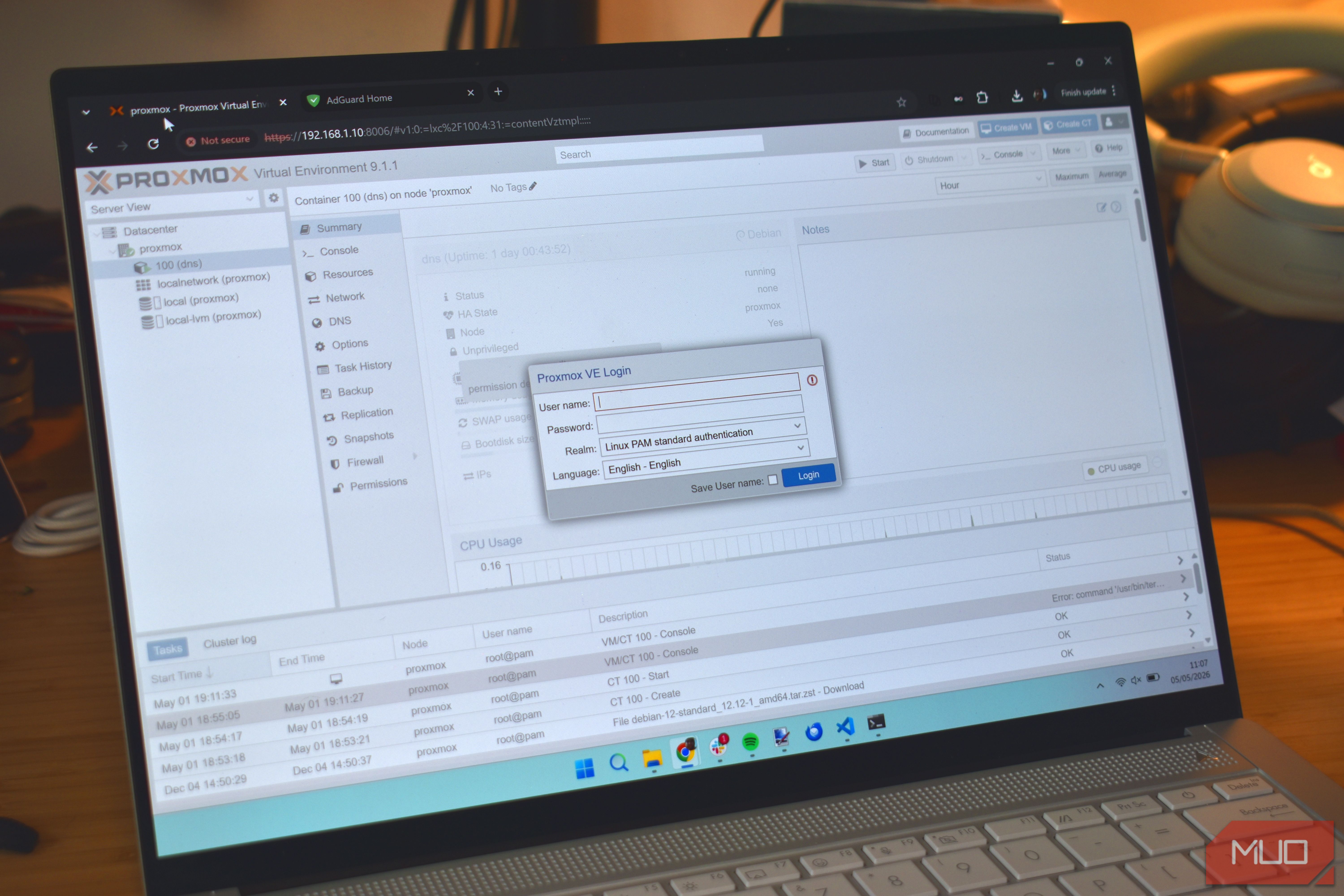
Virtualization, emulation, and containerization might all sound familiar, but their approaches couldn’t be more different. The three methodologies have very different use cases, and it can be confusing to keep track of them all. I’ve been trying out all three, and it’s important to know when to use which. I found myself interchangeable.So, what are the differences? Virtualization, emulation, and containerization are three very different solutions So what exactly are these fancy terms, and what do they mean? Well, for starters, they all aim to achieve something (somewhat) similar — which would be to run specialized apps in a sort of isolated (or semi-isolated) environment. All while delivering appreciably decent levels of performance. Virtualization runs an entirely isolated operating system complete with its own kernel, drivers, and the entire OS stack. Isolation brings significant overhead, and virtual machines chew up the host’s cores and system RAM to run properly, slowing you down. Still, it can be useful in a pinch. On the other hand, containerization lets you run multiple applications that share the same host kernel and overall system hardware, which naturally results in less overhead. This also has drawbacks, most notably its much sparser level of isolation. That being said, the ability to deploy hundreds of containers is always a plus. Going to emulation next, and it’s a different beast entirely. Emulation (especially for hardware) requires a significant amount of resources. You’re not just emulating an operating system here; you’re also taking into account a virtual CPU and other similar virtualized devices in play here. Naturally, this creates significant overhead and immediately makes it the worst-performing method of the bunch. Each method has its own use and very different niches. For example, emulation emulates older systems, while virtualization is mostly used for things like penetration testing or running games in a virtual machine, if you’re so inclined. | Virtualization | Containerization | Emulation | | |---|---|---|---| | What it runs | A full, isolated OS with its own kernel, drivers, and complete OS stack | Multiple apps sharing the host kernel and system hardware | A full virtual system, including a virtual CPU and other virtualized devices | | Isolation | Strong — fully isolated environment | Weaker — apps share the host kernel | Strong, but simulated at the hardware level | | Overhead | High — eats host cores and RAM | Low — minimal, thanks to the shared kernel | Highest of the three | | Performance | Slower under load | Fastest of the three | Worst performer | | Scale | Limited by host resources | Can deploy hundreds of containers | Limited, resource-hungry | | Typical uses | Penetration testing, running games in a VM | Running many apps side by side | Running older or legacy systems | Proxmox is (mostly) virtualization Some hard limits apply Proxmox leans heavily into virtualization, and this almost became a problem for me. You see, virtualization involves partitioning your hardware pool (including CPU cores, RAM, and vGPUs) to each virtual machine, which means each parallel VM instance will eventually chew through your resources. Containerization is a much better approach in this regard, and has visibly lower overhead. However, containers simply cannot do everything, and hardware-level virtualization is sometimes the only way forward. In my case, it was gaming. As you can imagine, each gaming virtual machine ate up a ton of resources, and multiple instances were a pain to keep up with. You’ll eventually meet hard limits to what your hardware can do, and it’s here where you learn to adapt, or perish… Sometimes, the correct answer is a combination of everything LXC on Proxmox is a godsend Thankfully, Proxmox can also run containers, although it isn’t as focused on that front. By spinning up a simple LXC container, you could fire up a game within seconds in a native Linux desktop environment. However, you might find some drawbacks. For starters, since containerization shares the same host kernel, you will never get the same level of isolation and security as you’d get in a virtual machine. Furthermore, this method is limited to Linux virtual machines, and I still need a Windows virtual machine from time to time. And that’s not counting all the other apps I’d also have running. The obvious way forward then is to do both. For my use case, it was a Windows virtual machine running alongside a few LXC containers — exclusively tuned for gaming. I’ll admit it isn’t the most optimized setup out there, but it works and doesn’t overwhelm my homelab. If anything, this has been a learning experience, and I hope you draw some insight from my mistakes! Emulation is in another ballpark entirely Going back to emulation, my use case was mostly to play some of the older classics. In other words, games locked down to consoles that never saw the light of a PC port. And herein is where we enter our first problem: emulation is in another ballpark in terms of hardware requirements, when compared to virtualization. Hardware-level emulation is difficult, after all. Take PlayStation 3 emulation, for example. The PS3’s custom CELL processor was ridiculously difficult to create games for, and it’s no small miracle that emulators like RPCS3 work as well as they do now. Sure, you can add in something like Batocera or a custom Bazzite installation containing those emulators (sourced from the app store or Bazaar), but it’s still running inside of a virtual machine that is already somewhat strapped for resources, as it eats a part of the total from the host system. All of which goes to say that you need the right tool for the right job, and not everything can be an all-encompassing magical workaround.