Summary
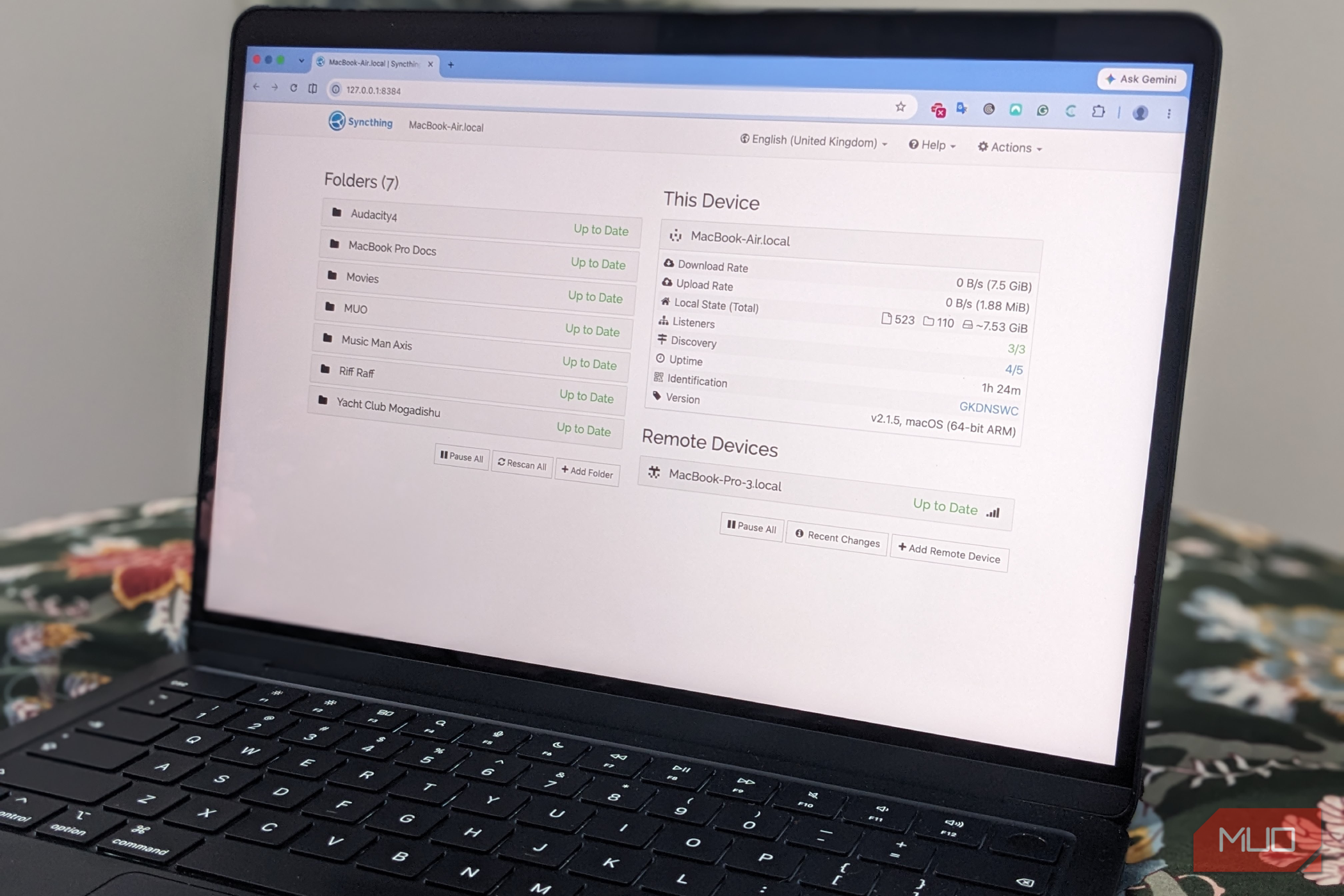
I’ve been using Google Drive for over a decade, and it’s become ingrained in almost everything I do online. I love that all my files sync across devices, but I never stopped to question whether they needed to be in the cloud, or what would happen if, for some reason, I couldn’t access Drive anymore. So I ran an experiment with Syncthing, a free, open-source file synchronization program. With it, I backed up all my essential files to another computer, and after a while, I realized I might be able to do without cloud storage altogether. Google Drive was solving a problem I didn’t really have I didn’t realize how much I was paying for cross-device convenience Without Google Drive’s convenience factor, what I actually need is something far more straightforward: I want certain files to be available on my computers. If I edit a document on one machine, I need the updated version to appear on another. I don’t particularly need to log into a browser and access those files from a random computer. While there’s nothing wrong with using a paid cloud service to do this, I was trying to solve a file synchronization problem. This is exactly what Syncthing does. It’s not trying to be a local Google Drive; there’s no big online storage where all your files live. Instead, it connects your devices and keeps selected folders synchronized between them. Once I understood this, I wondered whether I needed the online middleman at all. In Syncthing, I found exactly what I was looking for My files could sync directly between my devices The principle behind Syncthing is simpler than I first thought. Install it on the devices you want to synchronize, select the folders that you want to share, connect the devices, and let Syncthing get to work keeping everything updated. This simplicity and self-hosted functionality appealed to me, as I recently recreated several services on my own server, including Immich as a Google Photos replacement, Navidrome as a Spotify replacement, and Audiobookshelf as an Audible replacement. I especially liked how Syncthing didn’t require me to change how I worked with my files. I didn’t have to learn a new file management system or move everything into a third-party app; I just removed the cloud storage component and could decide exactly which files to sync, which kept my system organized and cleared out a lot of dead wood. Everything I actually needed still worked I was surprised by how little I missed Google Drive for backups Once everything was set up, I barely noticed Syncthing in action, which is a good thing. I could save a file on one computer and, when I switched to another, the updated version was there. I could edit a folder and have those changes appear across my devices without manually copying anything. This is essentially what I have been using Google Drive for. If I used only Syncthing, I’d no longer have to think about how much cloud storage I was using, or when my next subscription payment is due. And I wouldn’t pay for additional capacity I may never use. I’d also likely have a better understanding of where my files actually were and who could access them. It’s important to remember, however, that Syncthing doesn’t necessarily make your data safer. Synchronization and backup are two distinct things, and if I accidentally delete a file, it’ll be deleted from another device too (if I have both send/receive active), so you could end up with multiple files missing across all your devices. It’s therefore often a good idea to copy essential files to a “safe” folder that isn’t set to sync when you are done editing. Syncthing isn’t necessarily better than Google Drive Synchronization and cloud storage aren’t the same thing Syncthing falls short of Google Drive in one glaring area: remote access. If I’m not carrying my laptop, I can’t sit down on another computer, sign in to my Google account, and access all my files. Syncthing is fundamentally based on synchronization, so if the device that contains the files isn’t available, you’re fresh out of luck. If you regularly access files from different computers, Syncthing is not for you. Similarly, if you regularly collaborate with others, share links, and use shared folders, Google Drive is the better option. And then there is the wealth of excellent tools in Google’s productivity ecosystem, such as Docs and Sheets, that many would miss if they stopped using Drive completely. The point of the experiment wasn’t necessarily to replace one tool with another, but to see whether I could manage locally with the software and files already on my systems. As it turned out, Google Drive wasn’t a bad solution to my problem. It was simply a much bigger solution than the problem required. Two solutions may be better than one I never suggested that cloud storage was a bad thing, or that I would stop using it. I already use Google Workspace, which includes Drive, for many things, including collaboration, business domains, and organizational tools. However, if you work mostly locally and don’t need remote access, collaboration, sharing, cloud storage, or the ability to reach your files from almost anywhere, you could certainly do without it. What I really wanted was for my files to stay synchronized across my devices. Once I separated that requirement from the idea of cloud storage, Syncthing made much more sense. I now have the best of both worlds: effortless synchronization and cloud backups when needed; and in a doomsday scenario, I would still have a workable system, even without Google’s suite of tools.