Summary
Every e-book I’ve read in the last 10 years has been on Amazon hardware. I started with an old Kindle whose model I can’t even remember, then a Fire tablet, then my 2018 Paperwhite that still sits in a leather case on my desk. When I got a Kindle Colorsoft as a gift, I assumed it would carry me through the next decade. It didn’t, and I’ve already explained why the Colorsoft wasn’t the upgrade I expected.
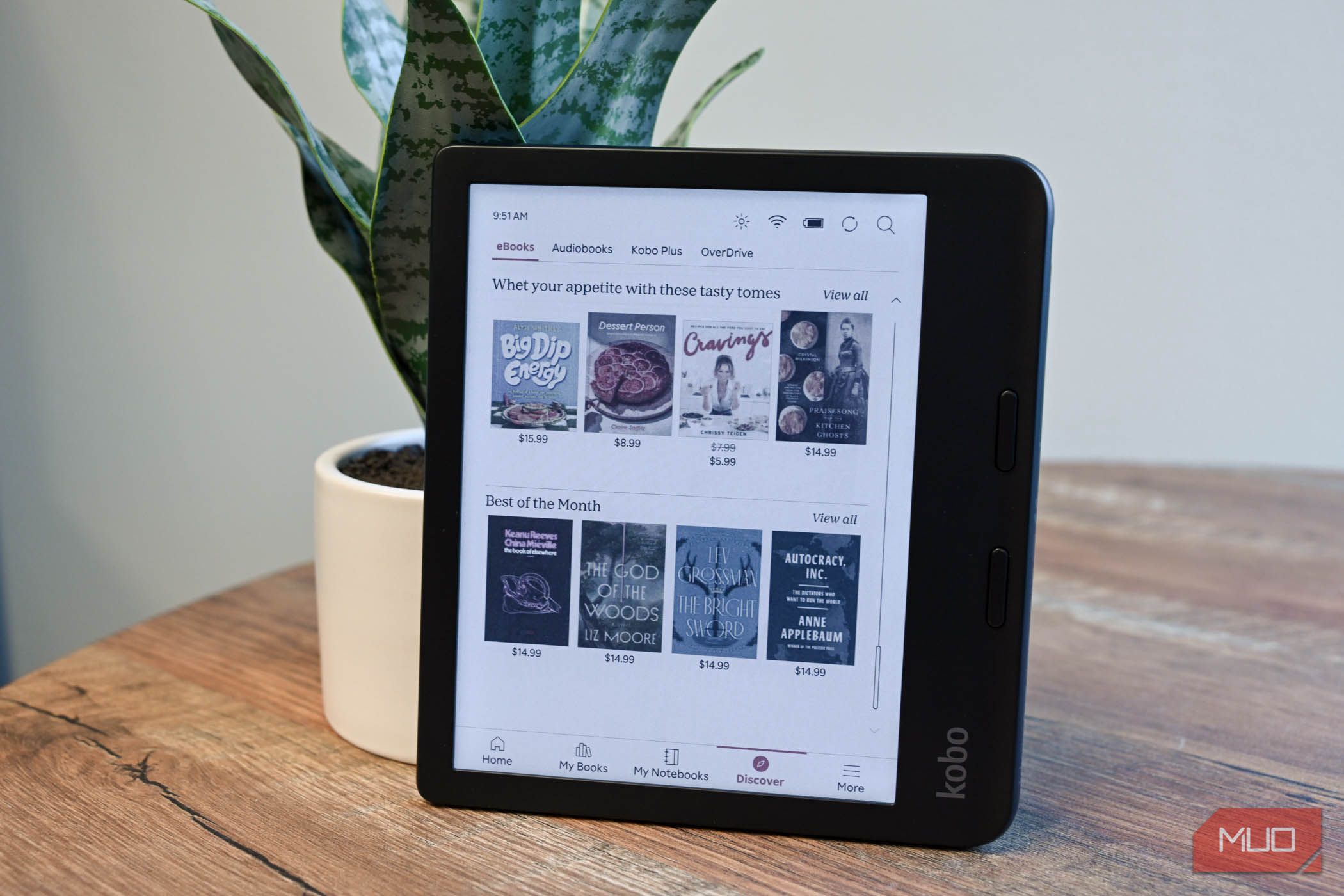
So I recently did something I had never seriously considered and picked up a Kobo Libra Colour. It has physical page-turn buttons, library borrowing built into the device, and open file support, which won me over quickly. But stepping outside Amazon’s ecosystem meant giving up some real conveniences.
The Kindle habit was hard to question
Ten years of buying from one store
Nobody decides to be locked into a bookstore. It happens one purchase at a time. Each book I bought made the next Kindle the obvious choice, and each new Kindle made the next book purchase automatic. By the time I was using my Paperwhite more than ever, I had stopped asking whether another e-reader might suit me better.
The Colorsoft broke that spell. Once I was unhappy with a Kindle, I started paying attention to what the competition offered.
Timing matters here. Amazon announced a redesigned Kindle lineup on October 1, including a new Colorsoft at 260, so I paid close to Colorsoft money for a different set of priorities.
Library books show up without the extra steps
OverDrive is built into the Kobo
Borrowing a library book on a Kindle takes more steps than it should. You find the title in Libby on your phone, tap to read it with Kindle, get bounced to Amazon’s website, sign in, choose a device, and wait for the sync. It works, and it’s one reason I said you shouldn’t trash an old Kindle. It just isn’t elegant.
The Kobo skips the phone entirely. Under Settings > OverDrive, I signed in with my library card once. Now library copies appear alongside store results when I search on the device, and I can borrow a book or place a hold right there. Because Libby runs on the same OverDrive account, my holds and loans show up in both places.
There is one limitation you should know. The Kobo connects to a single library at a time, while Libby juggles several cards. If you rely on two or three library systems to shorten hold times, you’ll still be opening Libby for some of them.
My books finally feel like mine
EPUB support changes where I can shop
Kobo reads EPUB files natively. That one detail changed how I think about buying books. Any store that sells DRM-free EPUBs is now an option, and so are the free public domain titles scattered across the web. I plug in a USB-C cable, drag the file over, and it’s on my shelf.The Libra Colour goes a step further with Dropbox and Google Drive support. I already live in Google Workspace for work, so dropping a file into Drive and pulling it down on the e-reader feels natural.
Amazon has been moving in the opposite direction. In early 2025, it removed the option to download purchased Kindle books to a computer and transfer them over USB. Send to Kindle still accepts EPUBs and converts them, so sideloading isn’t impossible. But the message was clear enough, and it made me more aware of how little control I had over a library I’d spent 10 years building.
The hardware fixed small annoyances
Page-turn buttons and a grip made for one hand
Two buttons for switching pages sit on the Libra Colour’s thicker edge, right where my thumb rests. The screen rotates, so the buttons work in either hand, and I no longer flip a page by accident when I adjust my grip. After years of touchscreen-only Kindles, I didn’t realize how much I wanted physical buttons.
Amazon’s answer in the new lineup is a cover accessory that adds page-turn buttons to its Signature Edition models. I’d rather have them built in.
Kobo also doesn’t sell ad-supported models. The sleep screen shows the cover of whatever you’re reading.
I should be honest about the display. The Libra Colour uses the same family of E Ink color technology as the Colorsoft, and its colors are similarly muted. Text is 300ppi in black and white and 150ppi in color. I didn’t switch for a better color screen, and you shouldn’t either.
What I gave up by leaving Kindle
Amazon’s ecosystem is still the better one
A decade of Kindle purchases didn’t come with me. Those books are tied to Amazon’s apps and devices, and that’s the biggest cost of switching. Amazon’s store is also larger, its deals are more frequent, and Kindle Unlimited has no true equal. If you listen to Audible books and like picking up in the e-book where the narration left off, Kobo has nothing that matches it. Goodreads tracking disappears as well.
The Kobo store and Kobo Plus subscription are perfectly usable. They’re just smaller. Anyone whose reading life runs through Amazon services should weigh that carefully before buying.
 Kobo Libra Colour
- Brand
- Kobo
- Screen
- E Ink Kaleido™ 3 display with FastGLR and Dark Mode My Kindles aren’t going in a drawer Switching didn’t mean throwing anything away. My 2018 Paperwhite keeps its outdoor and poolside job, since I won’t lose sleep if a seven-year-old e-reader takes a splash or crash. My Colorsoft stays indoors as the home for my Amazon library, which is still where most of my purchased books live. The Kobo handles everything else: library loans, EPUBs from other stores, and the long reading sessions where those buttons matter most. If you’ve been on Kindle for years and feel a little boxed in, a Kobo is worth a serious look. You may find, like I did, that the two get along fine.