Summary
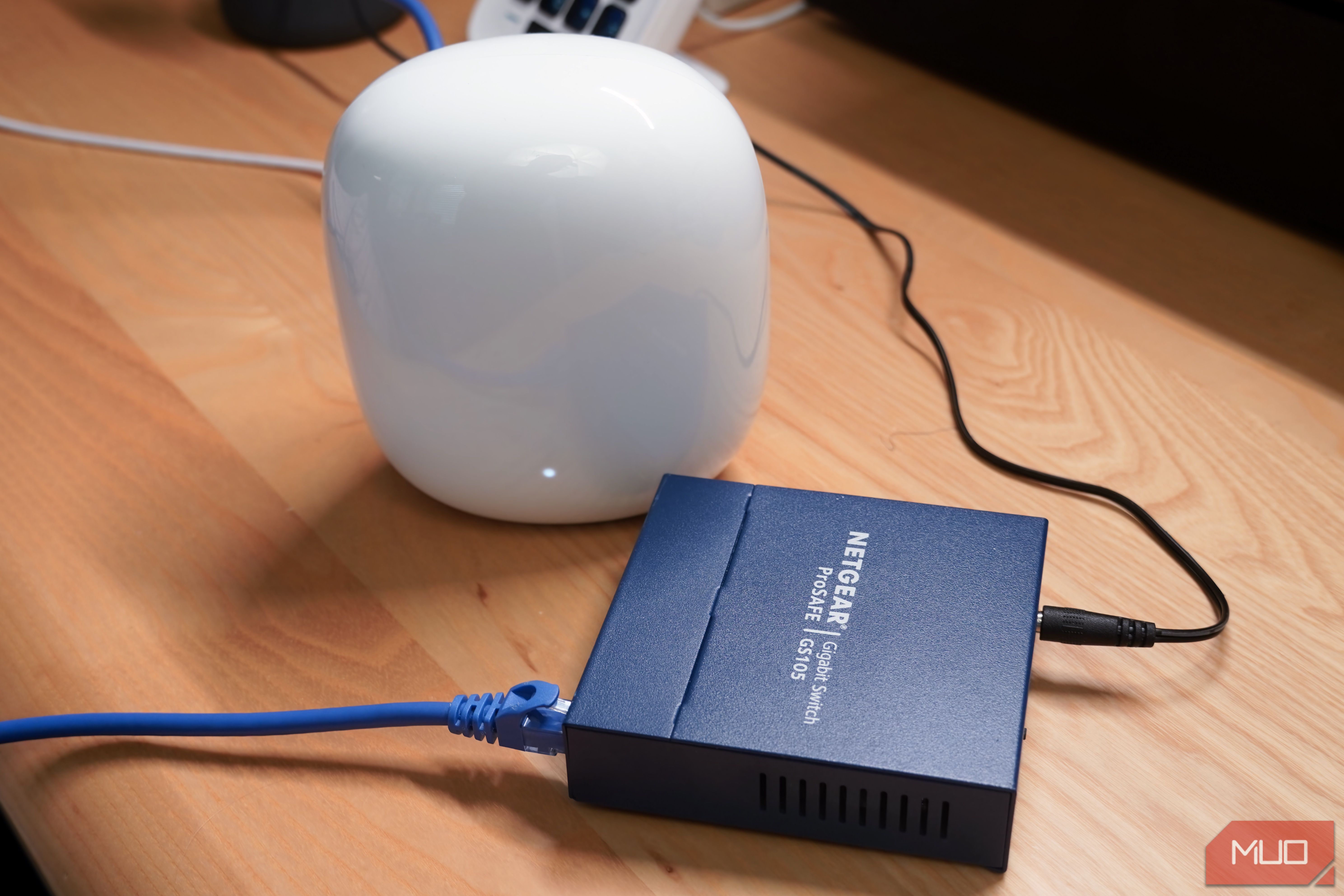
When the speed and range of your wireless router isn’t cutting it, the easy answer is to replace it with a budget or midrange mesh networking system. The main router in a mesh system connects to your modem over Ethernet, and extends the network to additional satellite router nodes. In theory, the result is better coverage and more reliable wireless connections. The limitations of Wi-Fi make that ideal situation difficult to replicate in the real world. The success of your mesh Wi-Fi network might depend on exactly how wireless it is. Here’s what I mean — a mesh network is designed to extend a wireless signal to your other wireless devices, like phones, tablets, or laptops. But your primary router doesn’t have to use Wi-Fi to connect with the satellite router nodes that make up your mesh system. Instead of using Wi-Fi for everything, you can connect satellite nodes directly to your main router over Ethernet cables. Making the switch immediately results in faster speeds, and I experienced that firsthand while tweaking my Google Nest Wi-Fi Pro mesh router system. Your mesh network doesn’t have to be completely wireless You can use an Ethernet cable to connect satellite router nodes to the main unit The technical term for the connection link between your primary router and secondary nodes is backhaul, and there are two types of backhaul: wired and wireless. Wireless backhaul is commonly used in consumer-grade mesh networking systems, and it’s not hard to see why. Mesh networks are appealing to those that have range, coverage, or stability issues and don’t want to run Ethernet cables throughout their home. However, the other option is wired backhaul, and this method involves running Ethernet cables directly from your main router individually to each satellite node. It’s the better option, because it avoids the pitfalls of Wi-Fi. Every “hop” between your main router and a satellite node over a wireless connection results in a speed hit of about 50%, sometimes more. This speed penalty exists even if your mesh system is perfectly placed. Mesh networks fix range and coverage problems, but they can create speed issues in the process. The performance hits compound as you get further away from the main router, with more satellite nodes in between. You can see how devices connected to a satellite router node multiple hops away from the main router could receive speeds a small fraction of what your network actually supports. Wireless backhaul is the culprit. Part of the problem is that consumer mesh Wi-Fi systems almost always operate in half-duplex mode. This means that each node has to alternate between sending and receiving data — it can’t do both at the same time. This explains why speeds are roughly halved when using a satellite router node: it’s taking turns listening and talking. By switching to wired backhaul, your satellite nodes have a direct and wired link to your primary router, effectively eliminating the performance penalty. I connected my Nest Wi-Fi Pro nodes together over Ethernet A simple unmanaged switch was all I needed — Google Home does all the work Luckily, many consumer mesh networking systems can operate in either wired or wireless backhaul mode. Even if you already bought a mesh system and set it up using wireless backhaul, you may have the option to switch to wired backhaul at any time. That’s what I did with my Google Nest Wi-Fi Pro hardware. It’s as wireless of a setup as they come, with the Google Home app and cloud services handling network management, but it even supports using Ethernet cables to link the nodes together. A support document outlines all the ways I can use my Nest Wi-Fi Pro system with wired networking gear, and you can check your system’s user manual or manufacturer website for similar documentation. In my case, I opted to use an unmanaged switch to connect my main Nest Wi-Fi Pro router to the satellite nodes in my home. Since a Nest Wi-Fi Pro router only has two Ethernet ports onboard, an unmanaged switch is all but essential. Using an unmanaged switch ensures that your primary Nest Wi-Fi Pro router handles all network management functions, and that your settings and preferences extend to every connected node. I plugged my modem into my primary Nest Wi-Fi Pro router, the main router into a five-port Netgear unmanaged switch, and plugged every satellite Nest Wi-Fi Pro node into the switch using Ethernet cables. For the wired part of my network, I used a separate switch to hook up my PC, Dolby Atmos home theater, and gaming consoles over Ethernet as well. I was lucky to get half of my network’s Gigabit speed when connecting to a satellite Nest Wi-Fi Pro node over wireless backhaul. Now, I can average wireless download speeds over 900Mbps, even on devices connected to the satellite node furthest from my primary router. Cables combat physical obstructions and interference If you want a mesh network without the speed penalty, use wired backhaul Of course, there’s a downside to using wired backhaul — otherwise everyone would use it, right? It’s the hassle and practicality of using multiple Ethernet cables to connect each satellite router node to the primary router. If your home is already built with solid networking infrastructure, or if you’re willing to make custom cable runs yourself, this may not be much of an issue. But for those without the infrastructure, know-how, or funds to build out a wired backhaul solution, it may be better to stick with wireless backhaul. I’ve experimented with all kinds of solutions. I’m a renter, so I can’t just cut up my walls and make custom Ethernet runs for my mesh network. Instead, I’ve chosen to pick which devices and nodes really need an Ethernet cable. Sometimes, removing a mesh node is the solution. Whichever route you choose, it’s clear that wireless backhaul for mesh networks introduces a speed problem that can only be solved by going back to good-old Ethernet.
Google Nest Wi-Fi Pro 200 Save $50- Coverage
- Up to 2,200 square feet
- Wi-Fi Protocols
- Wi-Fi 6E - 2.4 GHz, 5 GHz, 6 GHz bands Google’s reliable mesh Wi-Fi system helps ensure coverage throughout your whole home. The system uses Wi-Fi 6E for speeds up to 5.4 Gbps, and the 6 GHz band helps reduce interference for better performance.
NETGEAR 5-Port Gigabit Ethernet Unmanaged Switch
- What’s Included
- Wall mount included
- Manufacturer
- Netgear
- Type
- 5-Port 10/100/1000 Gigabit Ethernet Unmanaged Switch Netgear’s five-port unmanaged networking switch expands Gigabit Ethernet speeds to four additional ports. It has a small form factor and supports wall mounting. Additionally, the switch senses and adjusts for network speed and cable type without any manual configuration.