Summary
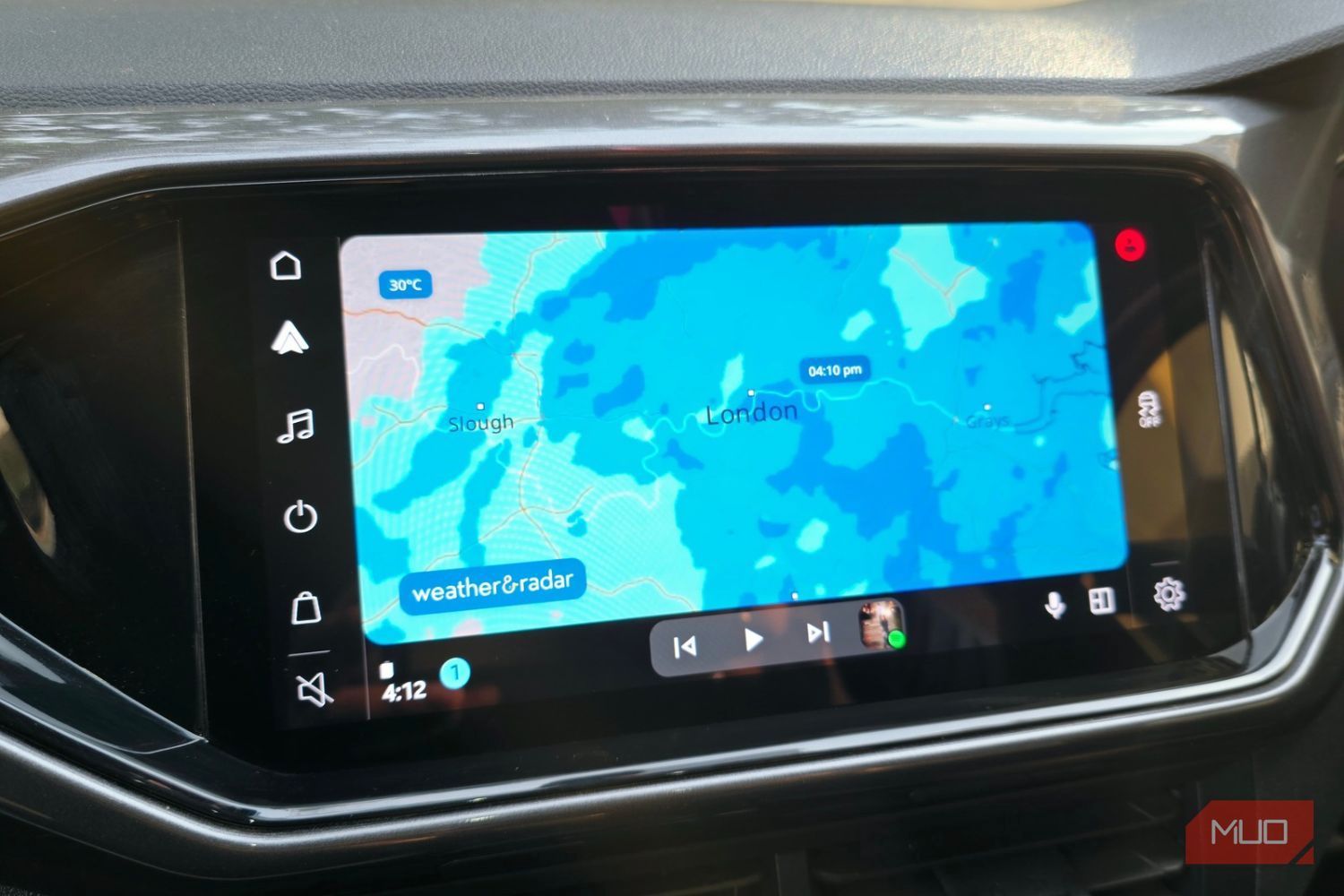
When it comes to navigation on Android Auto, most of us trust Google Maps, even though there are other alternatives available. But it can’t warn you about the storm coming from 20 miles up the road. That’s exactly the gap Weather & Radar fills. It offers you more than just the temperature or weather conditions outside. Weather & Radar puts a live radar map on your car’s screen via Android Auto, right next to your usual navigation. I think it’s one of the best Android Auto apps to install. Here’s how the Weather & Radar app makes your life easy down the road, and where it falls short. Google Maps still leaves a gap It’s brilliant in traffic and silent on weather Google Maps gives you voice-guided navigation, arrival times, live traffic, and lane guidance. Additionally, you also get to see color-coded traffic on busy roads, letting you understand how long it will take you to the destination. That’s quite useful, but it’s more about the road, less about the conditions outside. So, while on the one hand, you’ll know about the crash ahead, you won’t have any information about the heavy rain that’s about to hit the same stretch of highway. Such simple information can help you prep your car with the necessary items. Before finding this app, I had to sneak a look at my phone’s weather radar whenever I stopped at a red light or while refueling. It took time, and I had to reach for my phone for that. But after having the radar app on the dashboard screen, it feels like such a relief. The Weather & Radar app’s Android Auto version shows a full-screen map with your location, along with a cloud radar on top. The interface makes sense, too, because it’s built like a navigation app. The best part is that you won’t have to learn anything new. If you’ve used a map (which you most likely have), you already know how it works. Weather & Radar brings more info about the weather A radar map that looks like a navigation app When you open the Weather & Radar app, you’ll see that the radar stays centered on your location and shows which way you’re heading. That is quite useful because you don’t need to pinch, drag, or locate yourself on the map. This app deliberately leaves out the animated radar on the car screen to avoid distracting drivers, which I find pretty useful. Instead of some fancy animation, you get a calm, still picture. It might sound like a downside, but it’s the right call behind the wheel. The best part is that the free version is enough for many people. You also get a paid version of the app that gets rid of the banner ads, fullscreen ads, pre-roll ads, and also gives you the option for a customized weather page. But the free version works fine for me, and here’s how you can set it up:
- Get the Weather & Radar Forecast app from the Google Play Store.
- Connect your phone to Android Auto, wired or wirelessly.
- Open the app on your Android Auto dashboard.
That’s really it. You can continue using Google Maps for turn-by-turn navigation and hop onto the Weather & Radar Forecast app if you think something is up with the sky. The good thing is that your navigation doesn’t vanish while you are peeking at the radar. This means you have two co-pilots — one handles the road, while the other watches the clouds.
 Weather & Radar
 - OS
- Android
- Price model
- Free, Paid Weather & Radar Forecast provides live weather radar, real-time rain tracking, and detailed forecasts for the minutes, hours, and days ahead. It also offers weather maps, lightning tracking, UV and pollen levels, air quality data, and severe weather alerts. Nothing’s perfect, including this app At its core, Weather & Radar is a radar app. During my time with it, I could see a bunch of ads that did their part to annoy me. Of course, you can avoid them by purchasing a premium subscription. According to its Play Store listing, it may collect some location data. And lastly, it isn’t a navigation app, and you will still have to rely on Google Maps or Waze. The best part is that this app isn’t the only option. MyRadar is another one that made our list of underrated Android Apps for road trips. For those who love tinkering with their setup, you can unlock Android Auto settings that Google leaves untouched. Android Auto doesn’t mean you have to stick with the apps it offers by default: you can install these 7 apps and make Android Auto fun.