Summary
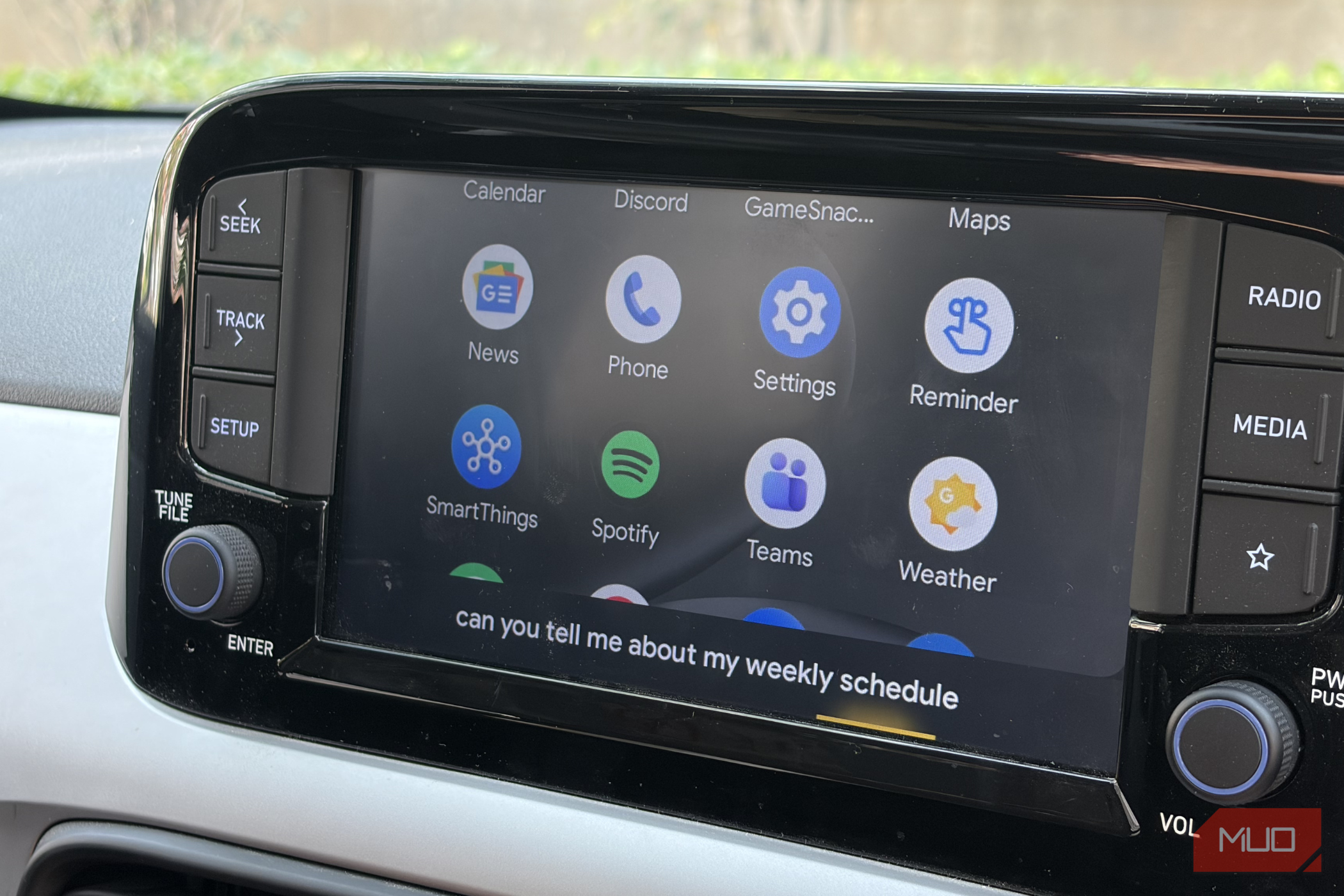
Having a car is not only about the fun and long drives. Fuel, tolls, and parking can drain your wallet faster than you’d expect. Android Auto is the best way to stay entertained safely inside a car and also get navigation assistance. But did you know that you can use Android Auto apps to help you cut your expenses and save money?
The five apps listed here go a step further than simple utility apps for Android Auto, offering ways to find cheaper gas, avoid toll prices, take fuel-efficient routes, get discounted parking, and show your fuel costs right on your car’s display. That’s putting money back in your pocket.
GasBuddy
Stop overpaying at the gas station
Gas prices can change a lot from one station to another, even though they are just a few miles apart. GasBuddy price reports highlighted that the cheapest station in Columbus, Ohio is charging 4.69. That’s a 3.60 on a 12-gallon tank.
What’s interesting is that it also matters when you decide to get your car fueled up. GasBuddy’s 2026 analysis found Sunday to be the cheapest day to fill up in most states, while Wednesday through Friday cost more. You can also take advantage of the GasBuddy+ card, which can save you up to 33 cents per gallon.
Notably, it takes a few cents off every gallon, and activating Deal Alerts within the app can push the discount to as much as 25 cents more at participating stations. GasBuddy shows nearby stations and prices on your car’s display, based on reports from other drivers. However, since the prices are crowdsourced, we would recommend that you always check how recent a report is before you drive across town. It’s only available in the US and Canada, so it won’t help if you’re elsewhere.
 GasBuddy
Waze
Cheaper gas and fewer toll surprises
Waze can also help you save money the next time you take your car for a refuel. It can list nearby gas stations from least to most expensive. All you need to do is open My Waze, tap Gas stations under driving preferences, and set the sort option to price. Then you can pick the lowest-cost station from the list instead of the closest one.
Waze’s prices, just like GasBuddy, come from other drivers, who confirm or update them as they pass stations. That means they’re only as fresh as the last person who checked, so be sure to glance at the update time. If you drive an EV, note that Waze doesn’t show prices for charging stations.
Waze is more than just a navigation app that can help you know about police reports, accidents, or roadblocks coming your way, or cheap fuel. On Android Auto, you search for your destination, tap Go now, then open the alternate routes view, and the app will show you the route’s toll price. You can then take a call to see whether a toll road is worth it or not. Again, those prices are crowdsourced, so treat them as estimates.
Google Maps
Fuel-efficient routes and prices on your screen
Google Maps is the default navigation app for many people worldwide, and it can highlight the most fuel-efficient route with an icon of a green leaf. It estimates this using insights from the US Department of Energy’s National Renewable Energy Laboratory and data from the European Environment Agency. Google says the feature’s only available in select countries or regions, so check yours.
To make it your default, navigate to Settings > Navigation > Route preferences, and switch on “Prefer fuel-efficient routes”. Of course, how much fuel you’re going to save totally depends on the route, and it can vary.
You can also search for gas stations along your route with Google Maps. It can even show estimated toll prices, factoring in whether you’ve got a toll pass and when you’ll cross. This feature launched in the US, India, Japan, and Indonesia, and, since it’s available through Android Auto, Google Maps, it’s right there on your dashboard.
SpotHero
Pay less for parking
Parking rates can often sting, especially near stadiums and downtown areas. SpotHero lets you book and prepay ahead of time, and it can run up to 50% below real-time prices. In reality, what you’ll save depends on the city and event. In February, Uber announced it planned to acquire SpotHero, which covers more than 13,000 locations in over 400 US cities, so there may be changes to the app coming soon.
When you include first-time benefits and other promotional deals, you can save a lot, and they pop up frequently. This summer, Denver and SpotHero teamed up on $5 downtown parking on weeknights and weekends. You should keep your eye out for such deals and save money on parking.
SpotHero runs on Android Auto. You’ll enter your dates and times, compare spots, and reserve on your phone. Once you’re in the car, you can pull up your reservation from SpotHero, view the details, and navigate to the garage on your car’s display. It works on Apple CarPlay as well.
GasBuddy
Waze
Cheaper gas and fewer toll surprises
Waze can also help you save money the next time you take your car for a refuel. It can list nearby gas stations from least to most expensive. All you need to do is open My Waze, tap Gas stations under driving preferences, and set the sort option to price. Then you can pick the lowest-cost station from the list instead of the closest one.
Waze’s prices, just like GasBuddy, come from other drivers, who confirm or update them as they pass stations. That means they’re only as fresh as the last person who checked, so be sure to glance at the update time. If you drive an EV, note that Waze doesn’t show prices for charging stations.
Waze is more than just a navigation app that can help you know about police reports, accidents, or roadblocks coming your way, or cheap fuel. On Android Auto, you search for your destination, tap Go now, then open the alternate routes view, and the app will show you the route’s toll price. You can then take a call to see whether a toll road is worth it or not. Again, those prices are crowdsourced, so treat them as estimates.
Google Maps
Fuel-efficient routes and prices on your screen
Google Maps is the default navigation app for many people worldwide, and it can highlight the most fuel-efficient route with an icon of a green leaf. It estimates this using insights from the US Department of Energy’s National Renewable Energy Laboratory and data from the European Environment Agency. Google says the feature’s only available in select countries or regions, so check yours.
To make it your default, navigate to Settings > Navigation > Route preferences, and switch on “Prefer fuel-efficient routes”. Of course, how much fuel you’re going to save totally depends on the route, and it can vary.
You can also search for gas stations along your route with Google Maps. It can even show estimated toll prices, factoring in whether you’ve got a toll pass and when you’ll cross. This feature launched in the US, India, Japan, and Indonesia, and, since it’s available through Android Auto, Google Maps, it’s right there on your dashboard.
SpotHero
Pay less for parking
Parking rates can often sting, especially near stadiums and downtown areas. SpotHero lets you book and prepay ahead of time, and it can run up to 50% below real-time prices. In reality, what you’ll save depends on the city and event. In February, Uber announced it planned to acquire SpotHero, which covers more than 13,000 locations in over 400 US cities, so there may be changes to the app coming soon.
When you include first-time benefits and other promotional deals, you can save a lot, and they pop up frequently. This summer, Denver and SpotHero teamed up on $5 downtown parking on weeknights and weekends. You should keep your eye out for such deals and save money on parking.
SpotHero runs on Android Auto. You’ll enter your dates and times, compare spots, and reserve on your phone. Once you’re in the car, you can pull up your reservation from SpotHero, view the details, and navigate to the garage on your car’s display. It works on Apple CarPlay as well.
 SpotHero
- OS
- iOS, Android
- Price model
- Free
Fuelio
Track where your fuel money goes
Fuelio doesn’t hand you a discount upfront but shows you where your money’s going. This free app tracks your mileage, fuel consumption, and fuel costs. In addition, Fuelio can remind you about oil changes and service visits to keep your car in the best condition possible. This helps you dodge bigger repair bills later. Moreover, a sudden drop in your mileage is one of the quickest hints that something’s off.
After you give it location access, it can show nearby petrol stations on your dashboard. Keep in mind that its fuel prices come from users and third-party sources, so you might not get the latest numbers. For drivers who are having a hard time tracking down where their gas money is going, Fuelio is one of the cleanest and most capable utility apps in the automotive space.
 Fuelio: gas log & gas prices
 - OS
- Android
- Price model
- Freemium Five apps, no worries If you fill up often, start with GasBuddy or Waze. If you drive toll roads, Waze or Google Maps is your pick, which can help you save money. If you park in the city every day, SpotHero will probably help you get the best prices. And if you’d like to understand your spending first, get Fuelio. You don’t need all five on day one. Pick the one that matches your biggest expense, use it for a couple of weeks, and see what you save. Also, there are more ways to upgrade your dashboard and make Android Auto more fun.