Summary
Your smart home can be set up to do so many things. It can turn on lights when no one is home. It can keep an eye on different areas of your home with smart cameras. Plus, you can automate all kinds of devices to work without you needing to touch them.
As stated, you don’t have to be home to have your smart devices work. The brilliance of smart devices is that many of them can tell you where people are nearby. For security purposes, smart home devices are some of the best options on the market. Motion sensors are some of the most popular options when it comes to setting up your home with smart home security devices. But if you don’t want your phone pinging every few minutes when someone walks by one, you can still understand whether there’s motion in your home with other devices.
Smart plugs can give you an idea of how your home is being used
This keeps tabs on what’s going on
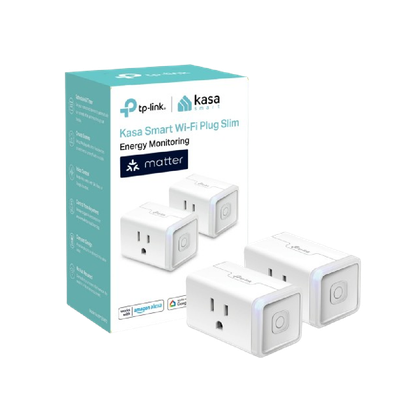
I’m a big fan of Kasa Smart Wi-Fi Plugs because they are easy to use within pretty much any smart home ecosystem. Whether you have Samsung SmartThings, Amazon Alexa, Apple HomeKit, or you rely on a Home Assistant, you can utilize these smart plugs.
Smart plugs can be controlled with ease, either via app or via voice controls. Setting up automations and allowing them to control your devices that are plugged into them makes your life simpler.
What I love about these smart plugs is that they actually provide energy monitoring for the devices that are plugged into them. You can get a full report of what the device has been up to, helping you manage your electricity bill.
This also gives you a good idea as to what rooms of the house people are spending the most time in, helping you get a full breakdown of what’s happening with your devices. Now, this won’t give you a minute-by-minute breakdown in real time unless you’re constantly looking at the app. But you’ll be able to know what parts of your room are constantly turning on, meaning people are using that device or portion of the room frequently.
I have a Kasa Smart Wi-Fi Plug where my TV is so I can monitor how much power my TV draws each month. I also use it to prep my morning routine with my electric tea kettle.
 Kasa Matter Smart Plug KP125M
- Integrations
- Matter
- Dimensions
- 1.57”D x 2.62”W x 1.5”H
The Kasa Matter Smart Plug, also known as KP125M, comes in a pack of two. This can monitor your energy usage and the slim profile lets you fit two in one outlet.
Contact sensors keep tabs on people coming and going
This doesn’t watch their motion because it watches the wall
If you have a Ring home security system, you can keep track of what’s going on around your home. Ring has all kinds of devices, such as video doorbells, floodlight cameras, alarm systems, and more that secure your home to give you peace of mind.
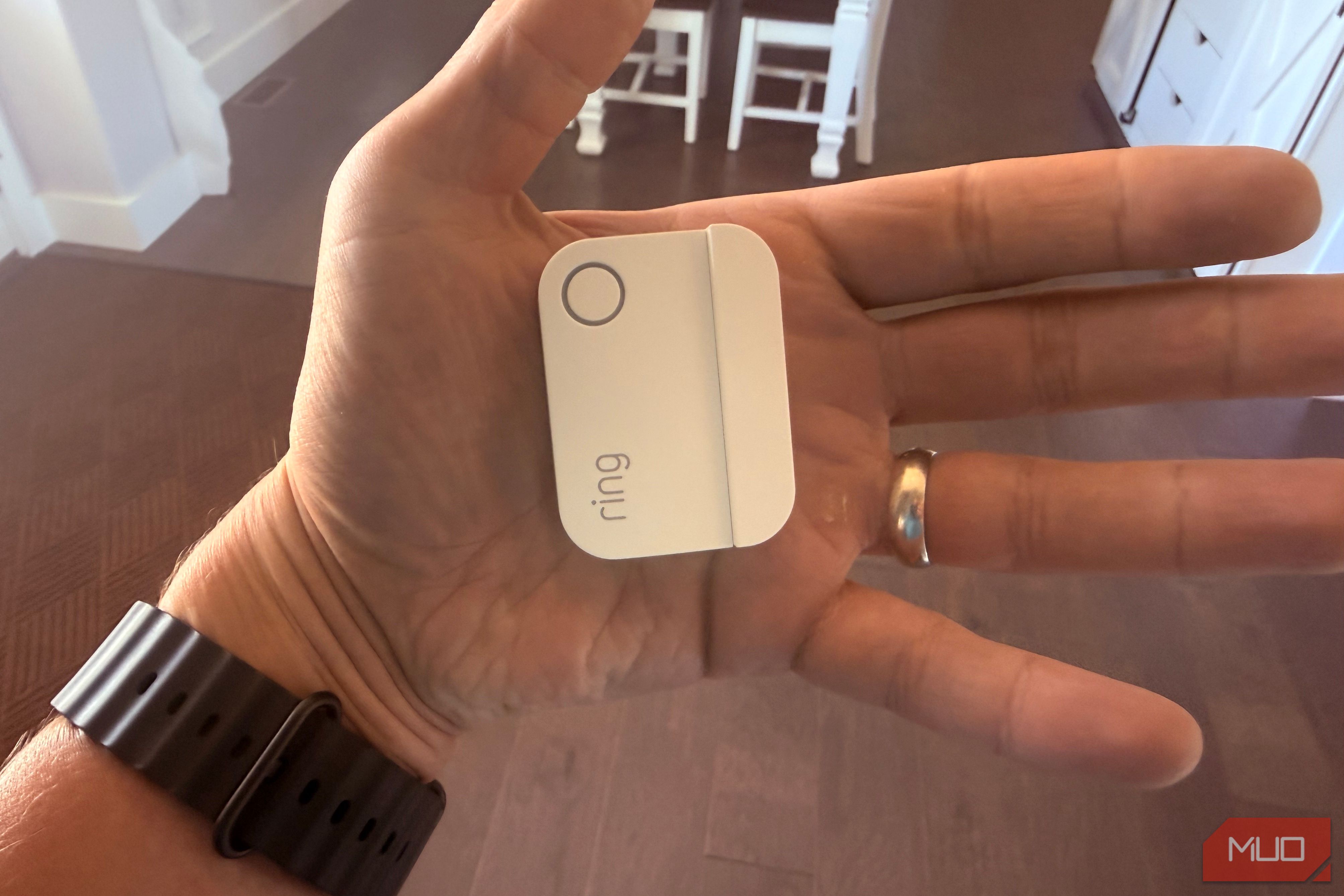
One of the key components of a Ring-centric security system in a home is the contact sensors that can cover your home. I have contact sensors on many windows and doors throughout my house. I have them on every window in my basement and every entrance and exit in the home. This is important for my home to have because I have a toddler and I get a notification sent to my phone any time a door opens and the Ring Alarm Base makes an audible noise that we can hear.
I can also have my Amazon Echo devices make a verbal announcement every time a sensor pings, but I haven’t gone that far yet. You put a contact sensor on a door or window frame and the other part on the window or door itself and any time the door or window moves, the motion triggers the alert.
This gives me real-time notifications when someone is either opening a window or entering or exiting my house. It doesn’t rely on tracking people’s movements. It just focuses on when the sensors aren’t aligned anymore and alerts you to such. This has been a great addition to my home’s security system.
 Ring Alarm Contact Sensor
The Ring Alarm Contact Sensor (2nd Gen) provides sleek, wireless security for doors and windows. It triggers instant mobile alerts via the Ring app when opened and integrates with Amazon Alexa for voice notifications. Easy to install with adhesive backing, it features a 3-year battery life and requires a Base Station.
A presence sensor is a leveled-up motion sensor
These can pick up breathing and small movements
You can use presence sensors in multiple rooms in your home and you can decide how much notification you’ll receive based on the presence.
If you do want to install some kind of sensor, you can move forward with a presence sensor. This is one of the best options if you are looking for pinpoint accuracy when it comes to movement detection.
These kinds of sensors are focused on minute movements, such as breathing and flinching to detect presence. They use mmWave, which is millimeter wave radar, covering minimal electromagnetic waves. The very short wavelengths that these sensors measure can pick up on small moments.
A presence sensor can even pick up on someone sitting still. Presence sensors can be used for complex automations around your smart home as they work with Home Assistant, Zigbee, or Wi-Fi. It just depends on what else you want to do with the movement detection that really matters.
Motion sensors aren’t necessary in your smart home
If you want to avoid using motion sensors in your house, there are other ways to pick up on movement. You can understand where people are in your home on varying levels. You can get more granular with the options and even know when someone is just existing in your space. This can bring security protection way up. If you want a simpler way, measuring how much energy is used in a room can give you an overview of time spent in a place in your home.
Ring Alarm Contact Sensor
The Ring Alarm Contact Sensor (2nd Gen) provides sleek, wireless security for doors and windows. It triggers instant mobile alerts via the Ring app when opened and integrates with Amazon Alexa for voice notifications. Easy to install with adhesive backing, it features a 3-year battery life and requires a Base Station.
A presence sensor is a leveled-up motion sensor
These can pick up breathing and small movements
You can use presence sensors in multiple rooms in your home and you can decide how much notification you’ll receive based on the presence.
If you do want to install some kind of sensor, you can move forward with a presence sensor. This is one of the best options if you are looking for pinpoint accuracy when it comes to movement detection.
These kinds of sensors are focused on minute movements, such as breathing and flinching to detect presence. They use mmWave, which is millimeter wave radar, covering minimal electromagnetic waves. The very short wavelengths that these sensors measure can pick up on small moments.
A presence sensor can even pick up on someone sitting still. Presence sensors can be used for complex automations around your smart home as they work with Home Assistant, Zigbee, or Wi-Fi. It just depends on what else you want to do with the movement detection that really matters.
Motion sensors aren’t necessary in your smart home
If you want to avoid using motion sensors in your house, there are other ways to pick up on movement. You can understand where people are in your home on varying levels. You can get more granular with the options and even know when someone is just existing in your space. This can bring security protection way up. If you want a simpler way, measuring how much energy is used in a room can give you an overview of time spent in a place in your home.