Summary
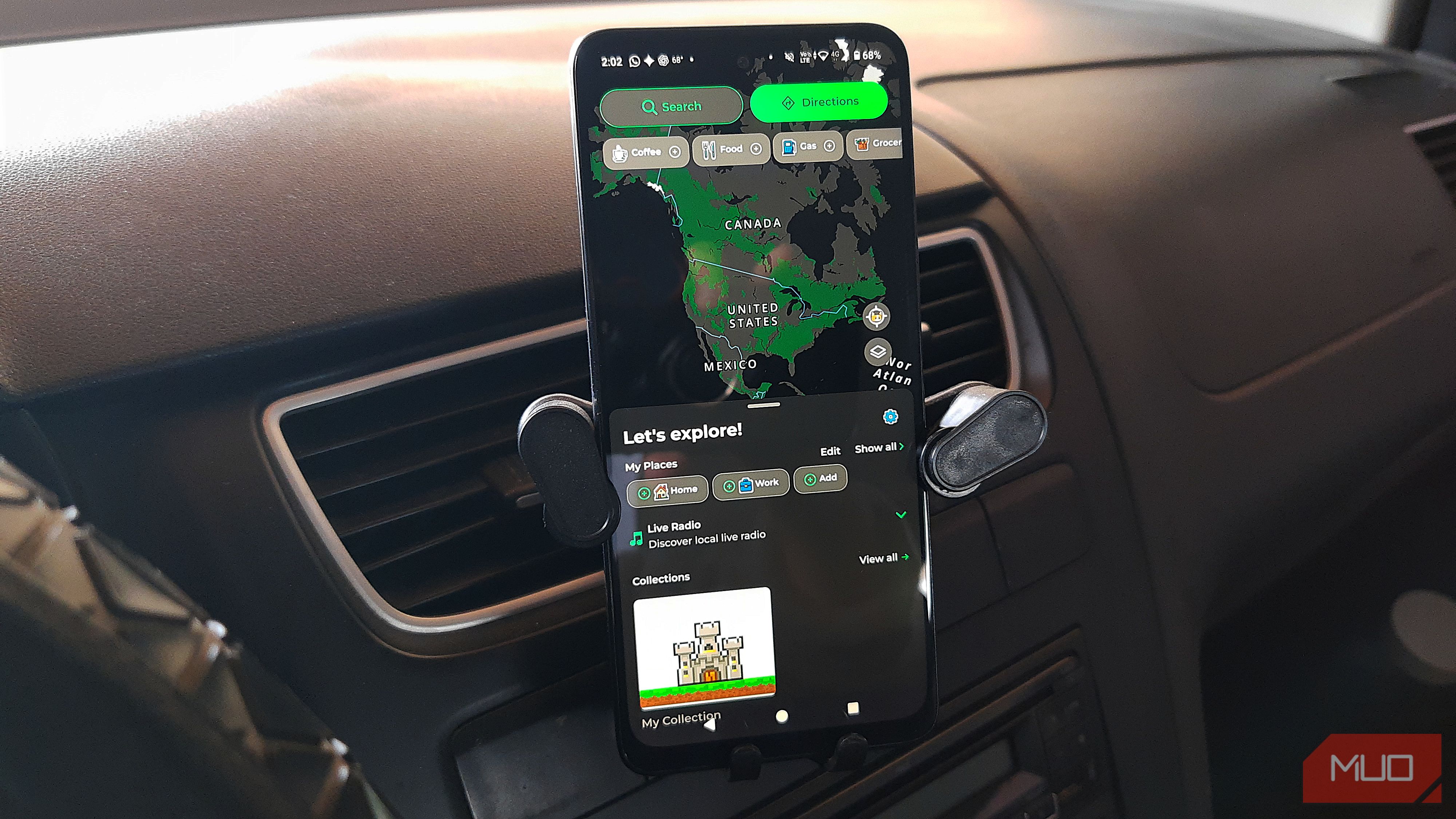
Google Maps is probably the first app you open before heading out to check your route. It’s easy to see why you use it. But if you’re a fan of retro-looking apps like me, something simpler can be a nice change. That’s where MapQuest steps into the spotlight for me. It does its job and gives you a different UI to enjoy on the way to your destination, with touches you might not see in Google Maps. MapQuest showed me the speed limit without going to settings The speed limit was already on my screen One reason MapQuest felt refreshing was the speed limit indicator. It was right next to my current speed, and I didn’t have to set anything up. That helps in areas where no speed limit sign is in sight, which is great if you’d rather not get a ticket. True, Google Maps can show the speed limit too. But Google says that depends on your location. There’s no point in knowing your speed if you don’t know the area’s speed limit. The same goes for the traffic lights. They were there as soon as I opened the app. I tested their location, and MapQuest didn’t miss a single one. You may or may not already see the speed limit indicator in Google Maps. Just like the speed limit indicator, none of these are unique to MapQuest. But, where Google Maps is always doing it’s regional availability thing, MapQuest makes these features available for everyone. MapQuest also shows alternative routes, so you can compare them and choose the one that works best for you. I broke free from the car-only avatar I decided to turn my car into a dog MapQuest lets you replace the usual car or truck navigation icon with animated characters called Questies. You can choose from a dog, cat, unicorn, and more. Is having a cartoon dog guide you through traffic particularly useful? Not really. But I enjoyed it more than I expected. During my testing, I watched my dog walk along the road as I drove and sit down whenever I stopped at a red light. It’s a silly detail, but that’s part of the charm. The animations gave MapQuest a playful, retro-gaming feel, almost like something out of an old arcade game. And if the novelty wears off, you can always switch back to the default navigation icon. The radio stations were a nice nostalgic touch I could listen to some classic rock, hip-hop, or ‘90s hits When was the last time you actually listened to the radio? With Spotify, Apple Music, and endless personalized playlists, it’s easy to forget that there’s something fun about letting someone else pick the music for you. Instead of sticking to the same songs you’ve heard a hundred times, you can browse stations organized by genre or mood. MapQuest makes it easy to know what you’re getting into, with options like Classic Rock, Hip Hop Beats, Love Songs, and even Smells Like the ’90s. I easily bounced between radio stations by tapping the play button without pausing the one I was already listening to. I noticed a slight delay before the music started on a few stations, but it was still worth it. The radio won’t stop you from listening to turn-by-turn directions, since MapQuest lowers the volume to tell you when you need to turn. It’s a nice break from the playlist you’ve probably listened to way too many times anyway. Google Maps gives you more advanced features MapQuest’s simplicity is still a nice break MapQuest can get as nostalgic as it wants, but it doesn’t offer all the features you find in Google Maps. You won’t find Gemini, which lets you do things like set a reminder or check for accidents on your route. Google Maps lets you connect your Spotify app so you can listen to the music you want, since MapQuest’s radio stations might not play the latest songs from your favorite artist. If you want to grab something to eat, Maps shows you more places with more reviews, so you can get a sense of whether it’s a good fit for you. MapQuest might not cut it when you need to get things done quickly, no matter how refreshing it feels. However, having less on the screen is a nice visual break, and MapQuest still gets you from point A to point B, just like Google Maps. I’ll still use MapQuest when I can afford an unexpected delay, like taking a detour around an accident and have time to enjoy its retro-gaming look. I’m not ditching Google Maps, but MapQuest isn’t going anywhere either