Summary
I’ve used a Mac as my primary laptop for almost a decade, and it fits my workflow pretty well! However, making the device work well requires the right set of utilities. Some of these apps do it by fixing things I hate about macOS in general, while some offer additional features.
For the most part, I’ve been happy to spend on these utilities, which cost upwards of $100 a year. Recently, though, I came across a free app called Vorssaint that has replaced most of these apps — and offered more options while at it!
Vorssaint is a Swiss Army knife that doesn’t impose anything
Everything is opt-in, even the new features
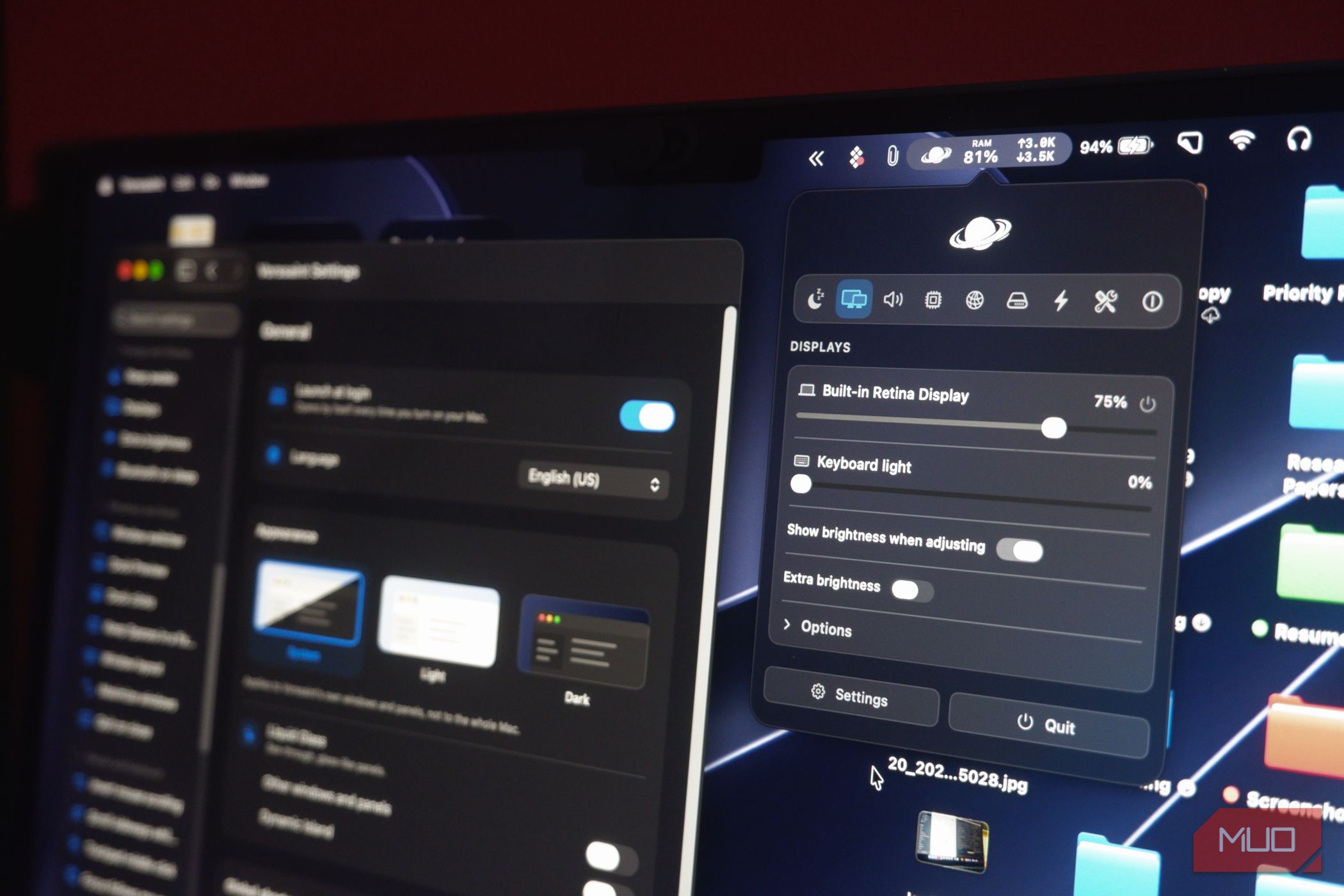
Vorssaint is a free, highly customizable, open-source app available for Mac. The developers describe it as “one menu bar icon doing the job of a dozen paid Mac apps,” but I’ve found that’s underselling the pitch. In reality, this menu bar toolkit brings together dozens of utilities, features, and customization options, making them accessible from your menu bar.
Now, just because Vorssaint can do a lot doesn’t mean it expects to take over your Mac. Instead, the experience is as à la carte as it gets. Thanks to its modular design, Vorssaint lets you choose which features to install and arrange them according to your priorities. You can also choose between a few presets if the options overwhelm you.
I found that Vorssaint focuses as much on privacy as it does on helping you save money. Unlike most of the apps I have come across, this menu bar toolkit has a specific section called Permissions, where you can see the status of every single permission it may use. You can also use its dedicated buttons to clear all permissions and uninstall Vorssaint completely.
It’s also privacy-friendly enough to keep new features on standby rather than bombarding you with unsolicited ones. Though it doesn’t offer cloud-based sync (because you don’t need an account in the first place), you can always export your settings and import them onto another device.
 Vorssaint
- OS
- macOS
- Individual pricing
- Free, open source
- Developer(s)
- Vorssaint Vorssaint is a free, open-source, modular menu-bar toolkit that offers utilities, macOS fixes, and other features. One search field wired into the whole Mac The Command Bar has been learning my habits Once I got used to the menu bar interface in Vorssaint, I started exploring and came across the Command Bar. This universal search feature has replaced Spotlight and third-party apps like Raycast and Monarch on my Mac. This Spotlight-like interface lets you search for everything on your Mac, including all the special actions Vorssaint has. For instance, I can search for apps, settings pages, and specific functions, such as turning on dock window previews. It’s equally great how Vorssaint doesn’t hog my memory resources, unlike other smart search options I’ve tried before. As you would imagine, this feature is also highly customizable, from its appearance to its results. Everyday tools: Command Bar and friends Within the Utilities category, Vorssaint packs a great set of everyday tools that can actually replace third-party apps you may have on your Mac (or even the built-in options). Here are a few features I love:
- Quick panel: This panel opens from your Mac’s notch and offers access to actions you configure
- Camera preview: This option lets you preview your webcam before actually turning on the camera for a meeting
- Cleaning Mode: This handy feature turns off the keyboard so that you can actually clean your Mac’s keyboard
- Screenshot: It’s a full-blown screen-capture/recording utility with advanced editing options and controls
- Radial Menu: This option turns on an interactive menu that appears next to your cursor with quick options Typically, you’d have to have separate apps for these needs, so using Vorssaint saves you money and system resources. For instance, I use a screenshot utility called CleanShot, and it costs $30, but the Screenshot utility on Vorssaint can replace it for the most part. App management without the Terminal I’ve been using Vorssaint for a slew of app management needs as well. The app includes six utilities: App Updates, Cleaner, Homebrew, Uninstaller, Kill Process, and Port Manager. Considering that I’ve found paid Mac apps do half as much as these built-in modules, I question why those paid tools exist. Because I use Homebrew to manage applications on my Mac, the built-in Homebrew manager on Vorssaint is a blessing. It gives me a quick overview of installed packages and lets me update them as I wish. It also integrates well with Homebrew libraries to bring me live results. Fixes for macOS annoyances and deep remaps Without charging a penny for it As much as I love macOS, there are a few quirks I would rather fix than live with. However, fixing these annoyances and remaps almost always requires (paid) utilities. Fortunately, Vorssaint solves this problem by offering multiple utilities and advanced features, for free, of course. More so, I don’t have to run multiple apps for multiple fixes anymore. For instance, the Mouse and keyboard section in Vorssaint lets me configure features such as inverted mouse scrolling, sideways scrolling, smooth scrolling, linear scrolling, side buttons, and debounce. I also love a feature called Super Key, which lets me convert the Caps Lock key into a shortcut, say Caps + C to launch AI chat. Windows and Dock behavior This powerful utility also lets me customize how windows and the Dock work on my Mac. For instance, it replaces the Command + Tab menu with a more interactive window switch. The dock preview appears when you hover over it, and clicking an active app icon minimizes the app. It also replaces apps like Rectangle by offering window management features. Sound routing and microphone control Vorssaint also replaced a dedicated sound mixer app I had on my Mac. The Volume Mixer module lets me route audio through multiple output sources and control in-app volume levels. I can use this to listen to a podcast through my AirPods even when playing ambient music through my MacBook speakers. This section also lets you prioritize media devices and set up shortcuts. The Dynamic Island on all your Macs My menu bar grew a camera cutout and a pulse This open-source app also adds a Dynamic Island interface to your Mac — regardless of whether your Mac has a notch. Compared to other apps I’ve tried for the same purpose, the experience was smoother and more reliable. As you would imagine, the app offers ample room for customization. You can, for instance, decide to show the Dynamic Island on the Lock Screen or change how it is triggered. I’ve also enabled the Companion, a small icon in the notch that responds to actions. Notch modules, Watch, and the companion The Dynamic Island interface of Vorssaint is also modular, letting you decide how it looks and works. In addition to the main interface, the quick buttons on either side of the panel are also customizable. You can also choose between a wider variety of sections, such as Now Playing, Clipboard, Files, System, Notifications, Timer, Camera mirror, Scratchpad, etc. You can also decide how the notch behaves when you do certain things, say changing brightness or charging. If you use agentic AI apps on your Mac, Vorssaint lets you set up an AI tracker interface on the Dynamic Island to monitor Claude Code and Codex usage. This interface lets you keep track of your usage limits and even get notified when a limit approaches. Where the Swiss Army knife gets heavy I have no doubt Vorssaint can help you save hundreds of dollars that you’d otherwise spend on separate macOS utilities! However, you need some time to make sense of all the modules and configure them as per your requirements. And that’s the only time this super-powerful Swiss Army knife seems slightly heavy. Then again, it’s also about whether you’d want to have ten or twenty separate apps to do the same thing. I’ve decided to stick with Vorssaint because I want it all in one place for free.