Summary
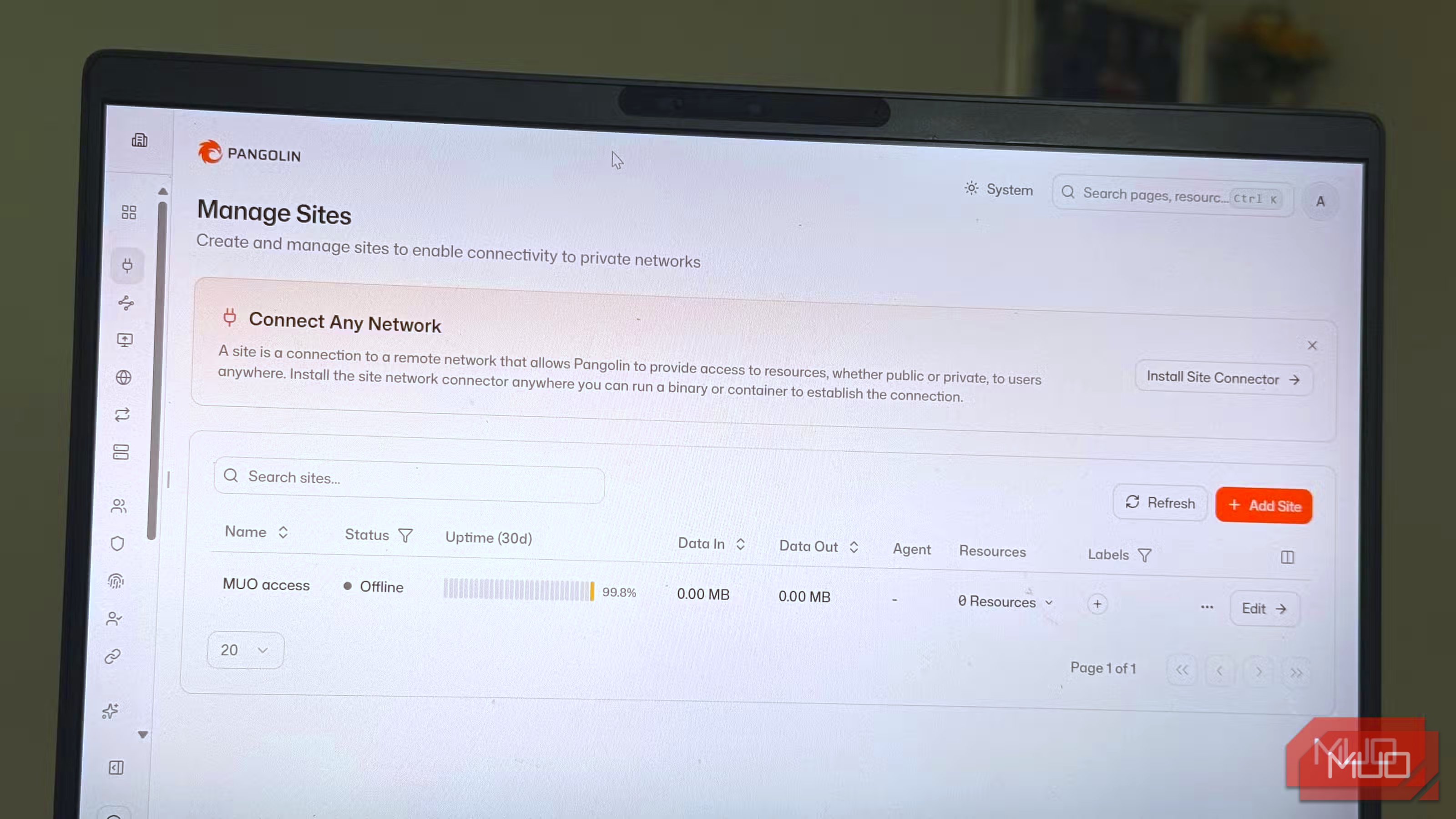
When I use Cloudflare Tunnel, I can reach my home server without opening ports on my router, and it doesn’t cost a dime. However, the entire design runs on infrastructure that I don’t control. So I tried Pangolin, a self-hosted alternative that gives me access to my home server in a similar way to Cloudflare Tunnel. The major difference is that this time, I’m the one running it. If you don’t want the route to your home server to belong to someone else, it’s an option you should consider. Cloudflare Tunnel is a borrowed door Excellent, free, and still someone else’s Cloudflare Tunnel earned a spot in my setup for several reasons. The most important ones are that it’s free, easy to set up, and it ensures no one connecting to my home services can see my network’s public IP address. It does its job very well, but the only issue I ever had was with who gets to decide how the job is done. The drawback is in Cloudflare Tunnel’s technical process. Accessing one of my services means traffic is decrypted at Cloudflare’s edge (its servers) before it reaches my server. There’s nothing sinister about this, just the way Cloudflare filters junk. Still, this is a company I’ve never dealt with handling my traffic in readable form, and Cloudflare states this in its documentation. There is also a concern about dependency. The route to my home services stays within a Cloudflare account, which is connected to domains configured through Cloudflare. This means that I may not get a say, or my access may be revoked, when a limit changes or an account gets flagged. However, of all these, the murkiest issue is video streaming. In 2023, Cloudflare lifted its previous blanket ban on non-web content. Several forum threads still disagree on whether it is fair game to stream through a tunnel. I simply never found a clear answer, and the uncertainty feels like a cost of its own in some way. I guess the question is, who decides what I’m allowed to send through my own front door? It was never me with Cloudflare Tunnel. A door that only opens outward Pangolin and Newt, minus the networking degree The Pangolin setup is quite different. The public entry point to your home services becomes the small online server that you rent. Newt, a connector running on your home machine, is responsible for initiating outgoing connections to that server. When someone visits services on your domain, requests reach that small server and travel back to your home machine via the established connection, eliminating the need to open ports on your router. This design ensures it works even behind a stubborn ISP. Providers often share a public address across several homes in a setup called CGNAT, making it hard for incoming connections to find you. The outgoing connections work fine, and those are the only ones that Pangolin ever uses. There are two elements that make this work. Pangolin serves as a control panel, sitting on the rented server. Newt sits on your home machine and performs the same function as Cloudflare’s connector. On my setup, individual services get their own address on my domain. This can be something like photos.yourdomain.com, and visitors are required to authenticate before they reach it. So even if I share a link to my photo library, it doesn’t automatically give them access. I also use Pangolin as a private VPN for everything that I would rather have off the public web. This way, only authorized devices or users on the private network can reach the services. However, using Pangolin still means I’m renting. In this case, I hold the keys. The traffic still gets decrypted somewhere, but this time, that’s on my server, sitting on the hardware of a hosting company. Pangolin didn’t remove the trust element, but moved it to where I could inspect it. The switch took an afternoon Three steps, two gotcha and a very satisfying green light The setup is straightforward. I needed to rent a VPS, point my domain to it, and install Newt on my home server. But there are some important points you shouldn’t skip during the installation:
- Choose Community Edition.
- Enter your base domain, such as yourdomain.com.
- Set the dashboard domain, such as pangolin.yourdomain.com.
- Enter your email address.
- Enable tunneling and let the installer start the containers.
Pangolin requires configuring firewall rules; that was the trickiest part for me. But once I knew the required ports, it became a breeze.
|
Port |
Protocol |
Purpose |
|---|---|---|
|
80 |
TCP |
HTTP and certificate validation |
|
443 |
TCP |
HTTPS dashboard and services |
|
51820 |
UDP |
Site tunnels |
|
21820 |
UDP |
Client tunnels, if needed |
You must also be careful with domains. For domains managed by Cloudflare, set the Pangolin DNS records to “DNS only”; otherwise certificates won’t be issued.
With my setup done, I had control over the tunnel, but also inherited the server maintenance that comes with it. Still, it feels worth the effort once your services come online in your dashboard.
The wins you’ll feel and the bills you’ll notice
Small, practical details showed I was in control. I decide who gets in, I can use share links and set them to expire, and I’m not stuck with a host if I don’t want to continue (it only involves a small change on the home side). Even though a host can still suspend me, I’m not locked in.
There’s one main infrastructure difference: I depend on two machines instead of one. If either my home machine or the server goes down, I lose access.
After using this setup for a while, I found it easy to stack it against similar services that I’d tried in the past:
|
Cloudflare |
Pangolin |
Tailscale |
|
|---|---|---|---|
|
Cost |
Free |
Server fee |
Free personal plan |
|
Who runs the middle? |
Cloudflare |
You |
No one for your data, relays as a fallback |
|
Attack shield |
Built in |
Yours to add |
Private by default |
|
Setup effort |
Minimal |
An afternoon task |
Minimal |
|
Best for |
Effortless sharing |
Sharing with ownership and logins |
Private access just for you |
So the question is, was this worth it? Well, it will make a huge difference to anyone who believes ownership and per-service logins are worth a monthly bill. Cloudflare doesn’t require this kind of upkeep, which is why it remains a very attractive option for many.
 Pangolin
 - OS
- Cross platform
- Price
- Free Pangolin allows seamless access and connectivity between your apps and infrastructure.It also enforces enterprise-grade security