Summary
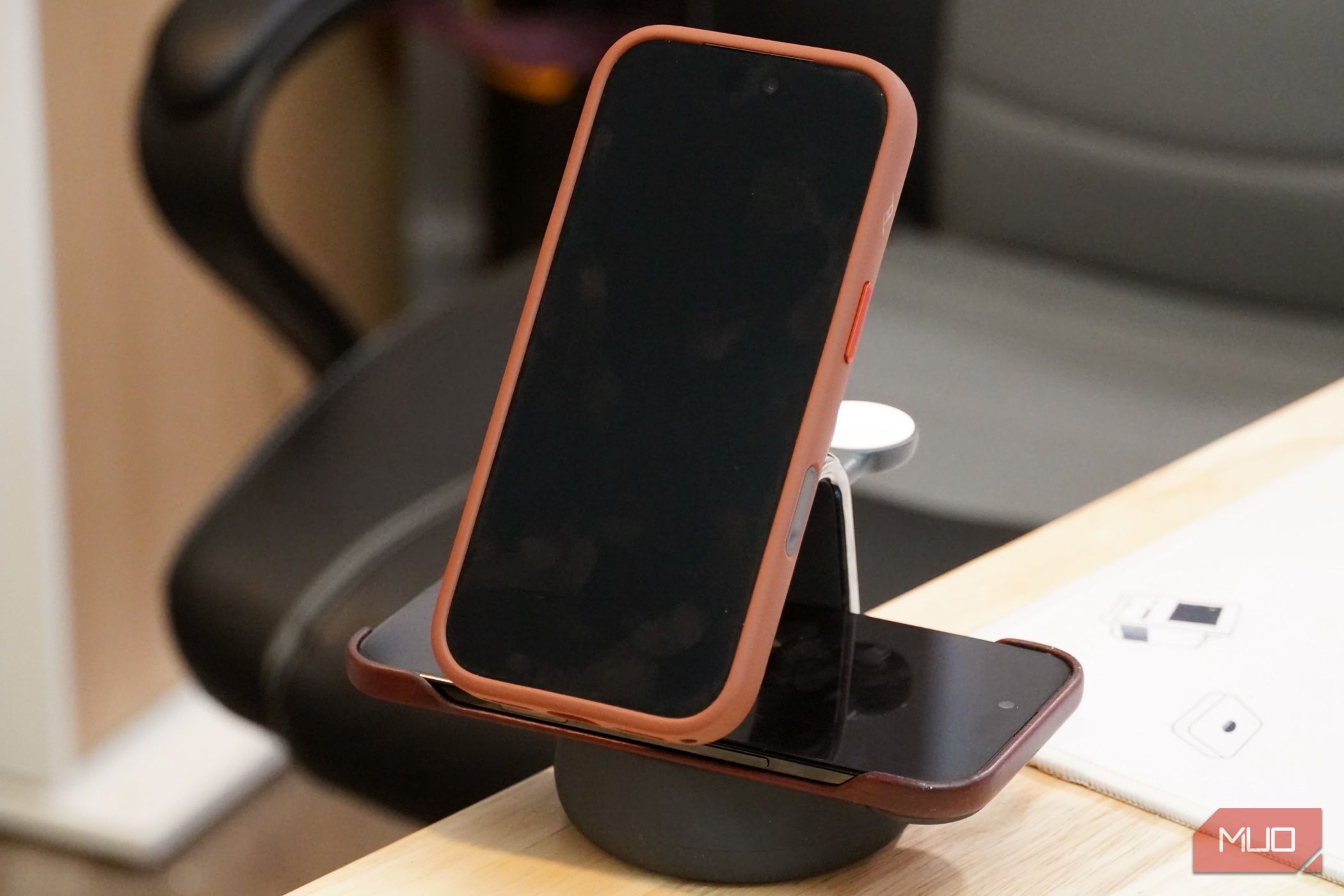
Wireless charging is a trade-off that places convenience over speed. You can drop your phone on a wireless charging pad at your desk, on your nightstand, or in your car — but it won’t be as quick as a cable. Smartphones have copper coils inside that collect energy transferred by the copper coils in a wireless charger, and some of that energy is lost as heat in the process. It’s why wireless charging is inefficient compared to wired charging, even if your phone and wireless charger support modern standards like Qi2.2 25W. The efficiency drop is caused by the gap between the two copper coils. The further those coils are apart, the worse the wireless charging efficiency. It would stand to reason, then, that using a phone case would result in slower charging speeds. But how much slower? I tested two phones with and without cases to see how their charging speeds fared on a Qi2.2 25W wireless charging stand, and now I might take my case off before charging. The simple iPhone charge speed test Send a notification when your battery hits a certain level I’ll elaborate on the exact phones, cases, and wireless charger I used for this test, but a simple fact remains — I can’t test for every variable. The phone you have, the case you use, and the wireless charger you own can all directly impact whether your phone charges faster with or without a case. I can, however, share the methodology I used so that you can test your own gear at home. A simple way to test your iPhone’s charging speed is to use Apple Shortcuts. In the Shortcuts app, you can easily create an automation with a specified battery level as the trigger. Then, when your phone reaches that battery level, it’ll send a notification. It’s a two-part automation that’s extremely simple to build, as pictured above. Note when you put your iPhone on the wireless charger and its battery level, and wait for your iPhone to notify you when it reaches a specified state of charge. Android users can test their charging speed with third-party automation apps like Tasker or Automate. However, I used iPhones for this test since they have the widest Qi2 adoption. Besides select Pixel models, Android phones generally don’t support the full magnetic Qi2 specification without a case anyway. Batteries charge faster when their state of charge is low. As such, I tested the iPhones’ charging speed from 2% to 80% with a Qi2.2 25W wireless charger made by Belkin. This reveals real-world wireless charging speeds in a typical range, avoiding the expected tail-off in speed that comes as a battery nears 100% capacity. Two test iPhones, two cases Different iPhone models and cases, different results I tested the iPhone Air, a thin phone with a tight thermal threshold and a relatively small battery. It supports Qi2 charging, but only up to 20W speeds. Then, I tested the iPhone 18 Pro, a thicker phone with a vapor chamber for cooling and a higher-capacity battery. Apple supports Qi2.2 25W wireless charging speeds on the iPhone 18 Pro. It doesn’t make much sense to use a thick case on a thin phone like the iPhone Air, so I paired it with the sleek and slim Nomad Leather case. For the hefty iPhone 18 Pro, I used a Peak Design SlimLink Loop case to match. The two phones couldn’t be more different, providing a glimpse of how fast phones on separate ends of the spectrum will wirelessly charge with and without a case. As a reminder, this test uses an extremely small sample size and can’t predict how every phone and case combination will perform on a wireless charger. The iPhone 18 Pro charged slower with a case The iPhone Air and a slim case didn’t slow down much I ran these tests a few times, and was immediately surprised by the iPhone Air’s performance. With a tiny battery and a hot titanium chassis, I expected the iPhone Air to overheat and charge slower with a case. In actuality, the iPhone Air only charged a minute faster without a case. To be fair, the Nomad Leather Case is quite thin, but it’s still an impressive result. The iPhone 18 Pro performed about how I expected. Starting at a 2% charge, it took the iPhone 18 Pro just 44 minutes to hit an 80% battery level without a case. That’s stellar performance, and it explains how I’m able to top up my phone quickly with a short stop at my desk’s wireless charger. | Time at 2% SoC | Time at 80% SoC | Charge Duration | | |---|---|---|---| | iPhone Air | 2:30 p.m. | 3:30 p.m. | 60 minutes | | iPhone Air (with Nomad Leather Case) | 9:13 p.m. | 10:14 p.m. | 61 minutes | | iPhone 18 Pro | 8:57 p.m. | 9:41 p.m. | 44 minutes | | iPhone 18 Pro (with Peak Design SlimLink Loop Case) | 11:57 a.m. | 12:51 p.m. | 54 minutes | Add in the Peak Design SlimLink Loop Case, and wireless charging speeds slowed. This Peak Design case is a midsize option, not as slim as thin cases and not as thick as rugged cases. Still, the iPhone 18 Pro took an extra 10 minutes to reach 80% charge with the SlimLink Loop Case attached. That’s 54 minutes total charging time in exchange for 78% of battery gain. The verdict: cases matter The wrong case can cause your phone to charge slower Based on my experience and testing, the results are clear — cases do impact wireless charging performance in some combinations. While the iPhone Air only charged a minute slower with a case, the iPhone 18 Pro charged 10 minutes slower with a case. If you have a phone and case combination you daily drive, it’s worth testing for yourself to see how they perform on a wireless charger. In my case, the iPhone 18 Pro charged slowly enough with a case that I’ll pop it off before dropping it on a wireless charging pad going forward. With the iPhone Air, the difference was too negligible to care much about. In short, it depends, but it’s worth considering if you wirelessly charge with a phone case often.