Summary
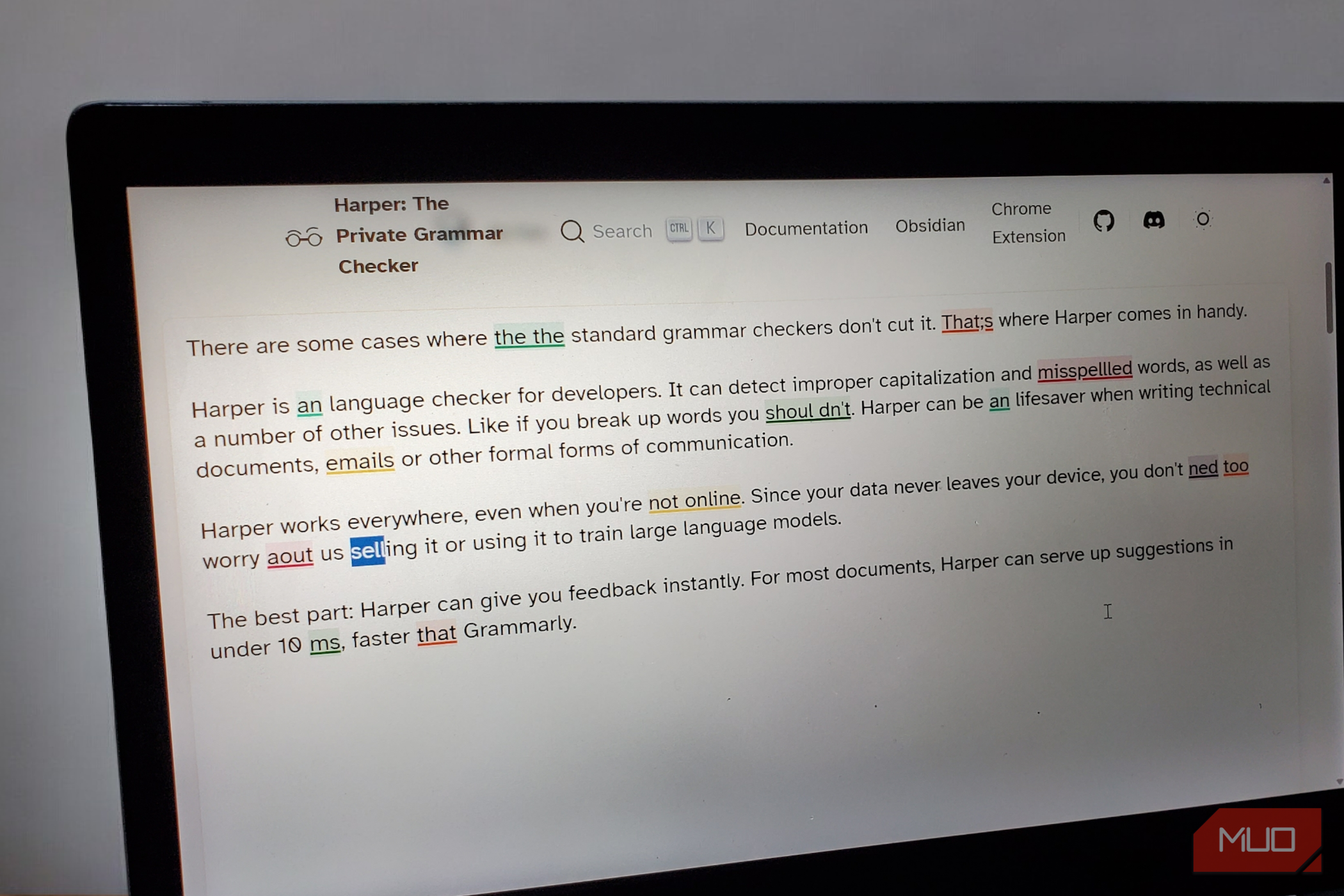
Grammarly uses an online service to check my writing. This sends every draft, awkward email, and half-formed idea off-site. I use Harper mainly because it skips this trip.
I know the exact things Harper’s missing that Grammarly has, yet it’s the writing assistant that I’ve chosen to keep because the free and open-source grammar editor keeps the entire job on my local machine. If you are uneasy about your sentences leaving your computer, this tool is worth knowing about.
I counted Harper’s rules
Only 111 of its 917 rules are about grammar
I installed the Harper Chrome extension (version 2.13.0) and opened its Options page. The Rules section quickly caught my attention. It included fifteen categories and 917 rules. These are the largest categories by rule count:
|
Category |
Rules |
What it covers |
|---|---|---|
|
Word Choice and Usage |
278 |
Wording that’s understandable but poorly chosen |
|
Grammar and Agreement |
111 |
Agreement, articles, prepositions, verb forms |
|
Phrase Corrections |
92 |
Standard expressions over mistaken variants |
|
Spelling and Orthography |
70 |
Misspellings and wrong word forms |
|
Style and Redundancy |
56 |
Wordy, repetitive, or weak phrasing |
Wording rules were more than twice the number of grammar rules. These are the rules that will catch “your point is mute” and suggest “moot.” There are 40 rules for punctuation and 28 rules governing how you write numbers, dates, and decades.
The rule count is only a reflection of the number of rules someone wrote; it’s not a total of the number of mistakes the category catches. However, it gives a sense of how Harper works. The tool reads more like a proofreader who has a long memory of the possible slips, rather than a teacher who’s diagramming all the sentences.
My words stay on my laptop
Chrome, Obsidian, code editors, and the Gmail snag to know about
What caught my attention is Harper’s offline design. According to Harper docs, all the work done by its Chrome extension stays offline, and its Obsidian plugin runs its engine in-app. The code for the project is public, and I didn’t need to log in before I could use it.
To be fair, Grammarly is upfront about what it may reach. Its current privacy policy, published by the parent company, SuperHuman, says it receives content which may include emails and drafts, plus web pages you let it read. However, you may decide whether this content trains Grammarly’s AI models via your account settings. It also clearly says it doesn’t sell your content.
Setting up Harper is short and easy. For the Chrome extension, just click Add to Chrome, then you can right-click the extension icon and click Options to go to the settings.
For Obsidian, open Community Plugins, browse for Harper, click Install, and enable it. I like that the Harper plugin skips code blocks. Harper also supports VS Code, Neovim, and a few other editors. If you use Harper in Gmail, it will only run after you’ve turned off Gmail’s own grammar checker.
Knobs I didn’t expect
Default doesn’t mean On, and 12 rules are off by default
Every rule category I found on the options page came with three options: Default, On, and Off. I was initially unsure about Default, so I set all the ones that I cared about to On. However, it turned out that Default is simply Harper’s own recommendation for each rule. The defaults are on for 905 rules, while the remaining 12 ship off.
The 12 that are off are style preferences. One prefers contractions to be expanded, and another asks for numbers under 10 to be spelled out. When I turned on both, the sentence “We have 7 apples, and it isn’t enough” picked up two flags, one for “seven” and one for “is not.” There are also two rules for the Oxford comma: one asks for it, and the other asks you to drop it.
In the settings, there are options for typing delay and a keyboard shortcut. If you use the delay, it waits for the specified number of milliseconds before it refreshes highlights, and you can apply the last suggestion using a hotkey.
You can also pick between five English dialects: American, British, Australian, Canadian, and Indian, and there’s an option to ignore words that aren’t English.
You can also write your own rules using Harper’s Weir language. I haven’t tried this extensively, but you may write rules that enforce a brand’s name. For instance, “G Suite” can become “Google Workspace.”
Missing features, features I never used, and who should stay put
So far, rewriting is the biggest gap I’ve noticed. While Harper detects a problem and offers a fix, it doesn’t hand you a smoother sentence when it finds a clumsy one. If you use Grammarly’s rewriting a lot, it may be a reason to stay put.
I still personally feel Grammarly’s AI rewrites make human writing read like AI, and it’s tiring to see it flip-flop on commas. And this is not me saying Harper is better for grammar editing. I’m not outright convinced it is. But it’s the one that stays on my system and keeps everything local. That’s why it earns its place.
 Harper
- OS
- Chrome, Firefox, VS Code, Obsidian, WordPress, Neovim, Helix, Emacs, Zed, Sublime Text
- Developer
- Elijah Potter
- Price model
- Free (open-source) Write better, distraction-free text with Harper, the open-source grammar and style checker. It catches mistakes locally for faster, more private writing.