Summary
I have more chargers lying around my house than I’d like to admit. And yet, until recently, I still had a mess of cables on my bedside table. That’s partly because I use quite a few gadgets every day, and something almost always needs charging. My MacBook keeps me busy all day; I regularly switch between Android phones, and I charge three Apple devices almost every night: my iPhone, Apple Watch, and AirPods.
I don’t mind plugging in my devices, but I absolutely hate tangled cables, especially when I’m about to head to bed. I wanted something that could charge all three Apple devices without turning my bedside table into a charging station. That’s when I came across UGREEN’s MagFlow Pro 3-in-1 magnetic wireless charger. I’ve been using it for a while now, and while I initially got it to get rid of the cable clutter, I’ve discovered quite a few things that make it more useful than I expected.
My bedside table finally has its life together
Three devices moved in, and the cables moved out
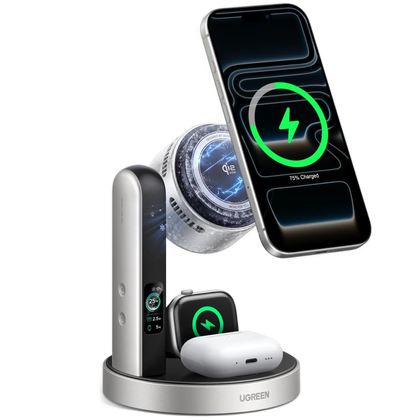
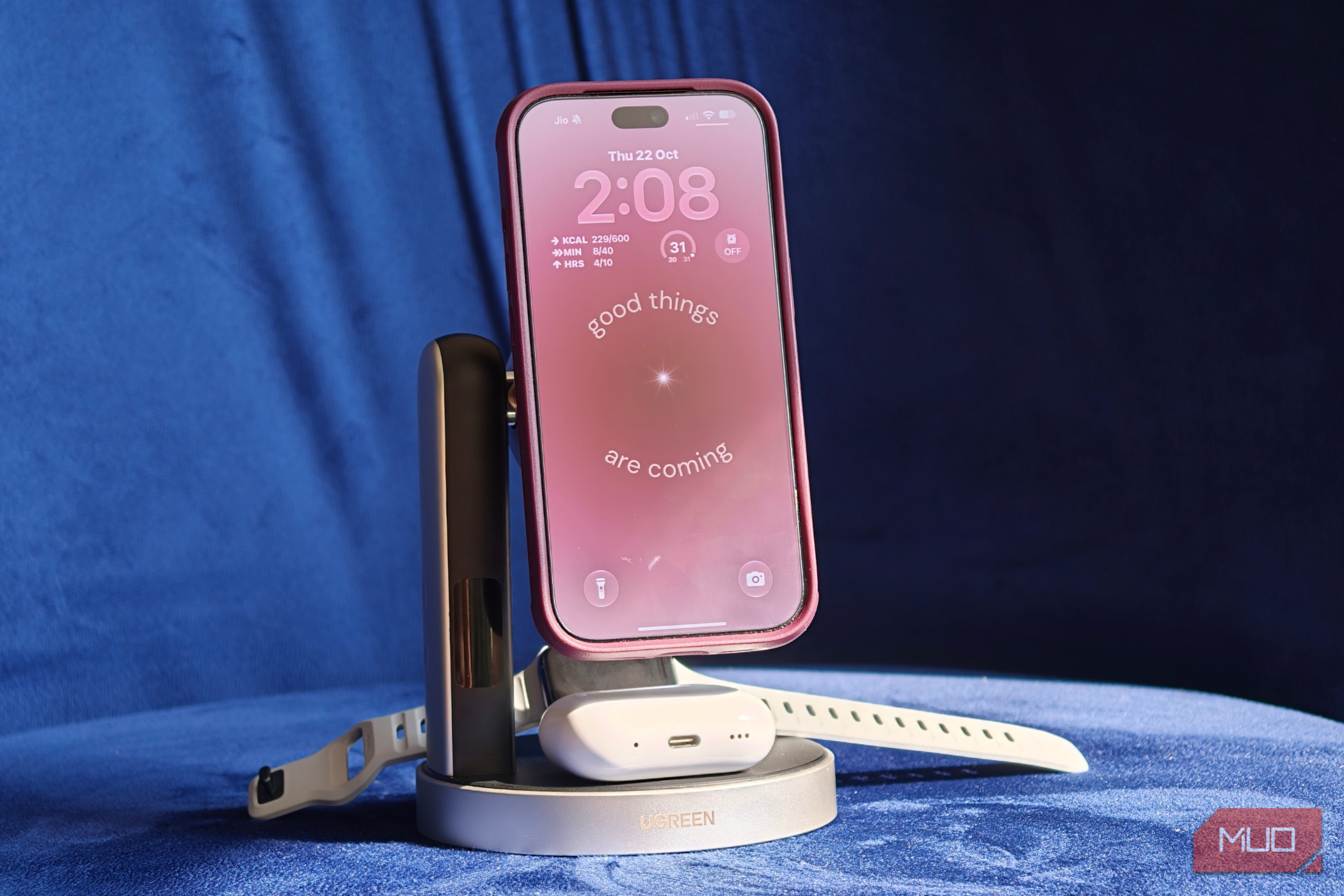
The first thing I noticed about the UGREEN MagFlow Pro was its design. I have the silver-and-black variant, and it looks incredibly premium. The finish is clean, the design is quite understated, and it doesn’t look out of place sitting next to my bed. More importantly, it takes up little space, which is impressive for a charger with dedicated spots for three devices.
The main magnetic charging pad sits at the top, while the AirPods and Apple Watch have their own spots underneath and toward the back. I like this arrangement because everything stays neatly in place, and I don’t have to move one device to reach another. The magnets are also reassuringly strong, too. Every time I bring my iPhone 18 Pro close to the pad, it snaps into position without me having to adjust it repeatedly.
Another thing I appreciate is that the phone stand is adjustable. I can tilt the charging pad up to 90 degrees and switch my iPhone between portrait and landscape orientations. This is especially handy when I’m watching a video or checking notifications while the phone charges. And since I usually keep my iPhone on the charger overnight, I can also position it horizontally to use Apple’s StandBy mode as a bedside clock.
The Apple Watch charging module is adjustable, too, so I can position my watch comfortably instead of lying awkwardly against the stand. It’s a small detail, but it’s exactly the kind of convenience I appreciate when I use something every day.
This charger is cooler than it has any right to be
And there’s more going on here than just wireless charging
Getting rid of cables is great, but plenty of 3-in-1 wireless chargers can do that. What makes the UGREEN MagFlow Pro particularly interesting is what’s happening behind that magnetic charging pad.
For starters, it supports Qi2 25W wireless charging on compatible smartphones. And I’ve been pleasantly surprised by how quickly it charges my iPhone 18 Pro. In my testing, I got around 24W while charging my iPhone. In another test, it went from 12% to 70% in roughly 32 minutes, which is impressive. That’s fast enough, especially when I just need a quick top-up before heading out.
Of course, charging speeds vary by phone, battery level, and temperature, so you shouldn’t expect it to deliver the full 25W throughout an entire charging session. The Apple Watch and AirPods also have their own charging modules, each supporting up to 5W.
I also appreciate that UGREEN includes a 45W USB-C power adapter and cable in the box. It’s something I wish more accessory makers would do, particularly when a product needs a reasonably powerful adapter to work at its best. I didn’t have to hunt around for a compatible charger or spend extra money just to get everything working.
But the feature that impressed me most is the active cooling system. UGREEN has built a thermoelectric cooling module and a small fan into the back of the magnetic charging pad. If you’re wondering why a wireless charger needs a cooling system, it’s because charging generates heat, and that heat can affect performance. When a phone gets too warm, it may reduce its charging speed to protect the battery. The cooling system helps manage that heat, especially at higher wattages.
And if you’ve used an iPhone for a while, you’ll know it isn’t exactly shy about getting warm while charging. I’ve had instances where the back of my iPhone, and sometimes even the display, felt noticeably warm. With the UGREEN, I can turn on the cooling system with a dedicated side button. I can actually feel the air coming out of the back when it’s running, and in my experience, it’s quiet enough that I barely notice it. That’s especially important because I keep the charger right next to my bed.
Interestingly, I’ve found the cooling feature particularly useful with my Android phones, too. My Pixel 10 Pro, for example, tends to get quite warm, and I’ve noticed it feels cooler when I charge it with the cooling system enabled. I’ve also used the charger with my Samsung Galaxy S26 Ultra. The Galaxy supports wireless charging but doesn’t have built-in magnetic alignment, so I use a MagSafe-compatible case to keep it attached to the pad.
There’s also a little display in the front, which I initially thought was unnecessary. After all, how much information do you really need from a charger? Quite a bit, apparently, especially if you’re someone like me who likes to keep an eye on charging speeds. The display shows charging power, status, and charging-surface temperature, so I can see what’s happening without picking up my phone.
I especially like being able to check the wattage when I switch between devices. It also warns me when the connected power adapter isn’t supplying enough power, which is useful if I happen to use a different adapter.
And because this charger sits next to my bed, I’m glad UGREEN has made the display adjustable. I can adjust its brightness or turn it off altogether when I go to sleep.
I’m not going back anymore
Of course, a couple of things are worth considering. The MagFlow Pro is quite an elaborate solution if you just need to charge your iPhone. It’s also primarily designed around Apple’s ecosystem, so while the main charging pad works with compatible Android phones, the Apple Watch module won’t be particularly useful if you own a Galaxy Watch or Pixel Watch.
But having used it for a while, I can see why I’ve grown so attached to it. I no longer have three charging cables scattered across my bedside table, my Apple devices have their own dedicated spots, and I can charge my phone without worrying quite as much about the heat it generates.
Would I recommend this charger to everyone? Probably not. If you only need to charge one or two devices, a simpler wireless charger will do the job just fine. But if you’re like me, using an iPhone, Apple Watch, and AirPods every day and want a clean, convenient bedside setup, the UGREEN MagFlow Pro makes a good case for itself.